CrypticFade3
Members
-
Joined
-
Last visited
Everything posted by CrypticFade3
-
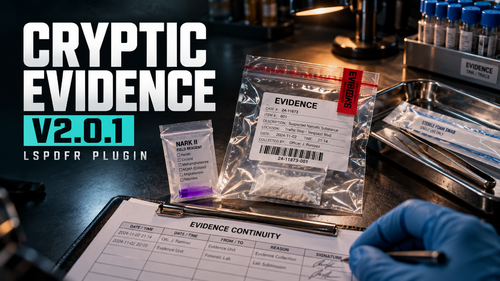 Thank you for taking the time to write this up. Really pleased you’re enjoying the testing, and I agree with what you’ve said about the handling afterwards. It’s become more complicated than it needs to be. I did explore firearm inspection, serial numbers, GSR and boxing. Unfortunately, the results weren’t meeting the standard I wanted. Getting the correct firearm visuals and meaningful interactions working consistently needs considerably more work, and information such as loaded status and signs of recent firing isn’t reliably available through the PR integration I’ve checked. I don’t want to pass simulated information off as an actual examination, so I’ve decided to scrap firearm testing and focus entirely on drugs. I’ve also decided to remove the additional evidence bagging, labels and case-number forms. They were adding confusion after the strongest part of the plugin, so the drug test will finish with a clear result instead. Removing those fields also removes the typing issue you experienced with Kinetic. I’m testing pausing the game while the interface is open too. I’m reworking the interface away from RPH drawing while keeping the physical interactions, including opening containers, collecting samples, crushing ampoules and shaking the reagent pouch. You’re right about seeing the undisturbed item too. You shouldn’t be asked to describe something that isn’t visible. I’m also considering a separate browser-based companion for reviewing test results and reports. That’s a potential future addition, rather than something included in this stripped-back update. For now, my priority is getting the drug testing looking and working properly before expanding the scope again. I appreciate the honest feedback!
- 6 comments
- 2 reviews
-
-

- 1
-
-
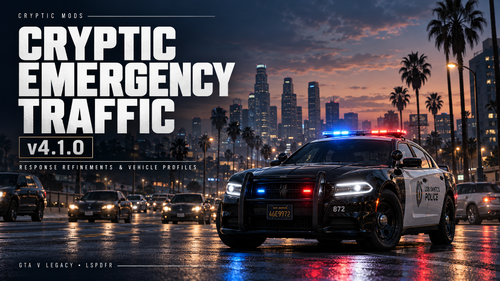 If you have any other mods that affect traffic movement then they need to be removed. However, this is not a problem with this plugin, it’s more than likely an issue with two mods trying to do the same thing.
- 40 comments
- 2 reviews
-
-
-
This has been fixed and is in the next update. I’m just waiting for it be approved!
- 6 comments
- 2 reviews
-
-
-
Cryptic Evidence — Interactive Evidence Testing for Policing Redefined Turn unidentified substances into documented evidence with Cryptic Evidence V2. Built for Policing Redefined, Cryptic Evidence replaces its standard drug-testing interaction with a hands-on examination workbench. Inspect the exhibit, prepare your equipment, collect a trace, develop the reaction and compare it with the reference before recording your interpretation. V2 brings a modern interface, realistic evidence bags and tools, persistent examination records and a separate simulated laboratory process. Recommended Search ItemsIt is strongly recommended that you install either Search Items Reborn or Cryptic Search Items for the intended unidentified-evidence experience. Search Items Reborn is the recommended choice for new and existing installations. Cryptic Search Items will not receive any further updates. Existing users can continue using it, but Search Items Reborn is recommended going forward. Choose one search-item pack and follow its installation instructions. Packs that replace the same search files overwrite those files rather than combine their contents. Examine Unknown EvidenceCompatible search-item descriptions identify what you can see, such as a bag containing off-white powder, without immediately revealing the substance. Work through 13 physical forms, including powders, crystals, tablets, liquids, plant material, residue, blotter paper, patches, concentrates, edibles, gel tabs, crushed tablets and syringe samples. Hands-On TestingOpen containers, prepare reagent pouches and collect samples using interactions suited to the evidence. Dispose of used tools, seal the pouch, activate its ampoules and mix the reagent before watching the reaction develop. Compare the reaction lanes with the reference and choose your interpretation. Sample quantity, contamination and incomplete procedures can produce an inconclusive result. Equipment ChecksEach testing stage requires an inspected reagent kit, an unexpired batch, a clean blank control and a fresh sterile tool packet. Specific testing uses a fresh pouch and collection tool. Batch details and equipment checks are included in the examination record. Proper Evidence HandlingSecure the original container, place the exhibit into an evidence bag, apply its tamper seal and complete the officer, case and evidence fields. Each exhibit receives its own reference. Reopening a recorded seal retains the exhibit’s identity during the live inventory session, allocates a replacement seal and records the opening in its history. Clear Results and PR IntegrationThe completion screen displays the examination result, exhibit reference, seal number and saved report status. A successful specific test produces a presumptive identification. When PR writeback is enabled, Cryptic Evidence checks the selected item’s analysis state before confirming the update. A visible result annotation is added to PR’s drug-testing inventory entry while preserving its original description and found-on information. Evidence CasebookReview saved exhibits through the casebook, record custody transfers and open complete examination reports. Reports include: Exhibit description and source Officer, case and evidence references An optional in-game photograph and inspection observations Field-test interpretations and equipment details Verified PR update status Custody events and seal history Separate simulated laboratory results Reports open as local HTML pages in your browser, with a Print / save as PDF button for keeping or printing a copy. Simulated Laboratory SubmissionsSubmit a sealed, examined exhibit for a delayed simulated laboratory result. Field findings remain presumptive, with laboratory confirmation recorded separately. Pending submissions and saved case records survive restarting the plugin. Laboratory submission retains the item in PR’s inventory and prevents further examination until its simulated return. Pause and ResumePause an unfinished procedure ad select the same evidence item through PR to resume. If that item changes or leaves the inventory, the procedure is cancelled to protect continuity. RequirementsGTA V Legacy RAGE Plugin Hook LSPDFR Strongly RecommendedSearch Items Reborn is recommended going forward. Cryptic Search Items will not receive any further updates. Install the supplied Cryptic Evidence files using the included folder structure. Keep the plugin’s assets, audio files and configuration in their supplied locations.
- 6 comments
- 2 reviews
-
-
-

- 3
-
-
I can definitely look into having emergency vehicle pulling over as well. I've been focused on a massive project I've been working on at the moment as well as doing an update for my callout pack, but once they're done, I'll push an update with this!
- 40 comments
- 2 reviews
-
-
- 1
-
-
No, this is a substitute for Clear the Way and MTFO as it's more or less the same non-working shit. Whereas this is completely working and traffic actually pull over and so forth.
- 40 comments
- 2 reviews
-
-
- 1
-
-
-
-
Absolutely bro, I can add it in for this weeks update. If you can just submit it on my feedback website so I don’t forget that would be great. https://feedback.crypticmods.com These issues should now be fixed.
- 40 comments
- 2 reviews
-
-
 If you have something to say to another developer then do it on their download pages, not mine thank you. If you are referring to me, then politely open your eyes. This was literally updated yesterday. I’ll work on it and fix it when I feel like it, not when the likes of you want it done.
 -
-
 This is NOT currently compatible with: Waiting for @SergeantCode3 to push an update so that custom drugs are compatible. Until then if you plan to use PR Interactive Evidence, I recommend you do what I do and use the default search items for PR, until the update for custom drugs is released.
- 5 comments
- 1 review
-
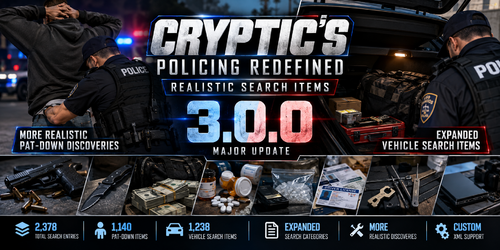
Policing Redefined: Realistic Search Items is a new concept built around one simple idea: making searches feel more realistic. Instead of relying on a small and repetitive selection of generic search results, I have expanded the existing Policing Redefined search system with a much larger and more varied collection of realistic items. The project covers both pat-down searches and vehicle searches, with thousands of entries across the existing Red, Yellow, and Green categories. What's Included?The pack includes two expanded search item files: PatDownItems.xml VehicleSearchItems.xml I have retained the original Policing Redefined structure while substantially expanding the available search results with more detailed and believable items. You can encounter everything from ordinary personal belongings to items that could become significant during an investigation, including: Firearms and firearm-related items Weapons Controlled substances Drug paraphernalia Tools and equipment Identification and documents Electronics Cash and valuables Vehicle-related items Everyday personal belongings Miscellaneous items The goal is not to change how Policing Redefined works, but to make the content it produces feel more natural, varied, and unpredictable. More Variety, More Realistic SearchesA real search does not always result in finding something significant. Sometimes you find someone's personal belongings. Sometimes you find something completely ordinary. Other times, you may discover something that immediately changes the situation. I wanted to reflect that variety by giving Policing Redefined a much larger pool of realistic possibilities. Items have also been written with the context of the search in mind, allowing pat-downs and vehicle searches to produce results that make sense for where the item was discovered. Built From the Existing SystemI wanted to keep this concept simple. There are no new mechanics, no additional scripts, and no changes to how Policing Redefined performs searches. The existing Policing Redefined XML structure, categories, item types, and configuration attributes remain in place. This project focuses entirely on expanding and improving the search content itself. InstallationNavigate to: GTA V Directory → Plugins → LSPDFR → Policing Redefined Back up your existing search item files, then replace them with the included: PatDownItems.xml VehicleSearchItems.xml Requirements
- 5 comments
- 1 review
-
-
-
- 4
-
-
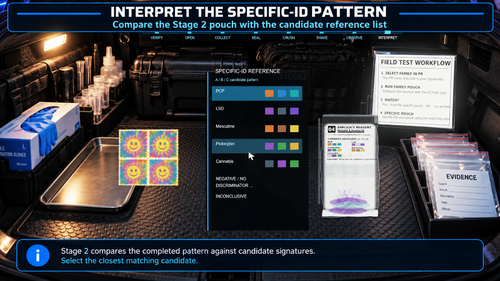 How does this actually work? No tryna to put you down, but the User Guide isn't exactly helpful. I particularly, keep getting "Interactive Evidence test blocked: no safe assay plan. Stock test was not run". Which has never been an issue until I added this. Is there a particular way to test them, any keybinds, etc...?
- 18 comments
- 1 review
-
 Cryptic's NPCAI California Prompt's is a collection of California-focused prompts, voice profiles, and voice styles created specifically for NPCAI and LSPDFR gameplay. The collection is designed around a present-day Southern California setting, with particular attention to the Los Angeles area. The prompts provide California-specific context for NPC conversations, including local locations, terminology, law enforcement roles, emergency services, radio language, and regional speech. Southern California SettingThe civilian prompt places NPCs in and around Los Angeles and Southern California, allowing conversations to naturally reference locations and roads from the region. This includes places such as South LA, Hollywood, the Valley, Long Beach, Compton, Santa Monica and Downtown, along with major freeways including the 405, 10, 101 and 110. California Law EnforcementThe prompts are built around a California law enforcement environment, with emergency-service profiles covering LAPD-style/local police, LASD or county sheriff, and CHP/state trooper roles. The emergency-services prompt also includes California-based EMS and fire/rescue roles. California police terminology is incorporated naturally, including Code 2, Code 3, Code 4, as well as commonly used California radio codes such as 11-41, 11-44, 11-85 and 11-99. The prompts also include California Penal Code references such as 187, 211, 245, 417, 459 and 5150 where appropriate. California Voice & AccentsIncluded alongside the prompts are California-focused voice profiles and voice styles, designed to give NPCs more regional variation and help their voices fit the Southern California setting. The voice profiles and styles can be used to create greater variation between characters, rather than having every NPC sound the same, complementing the regional language and setting established by the prompts. Civilian & First Responder PromptsThe collection includes separate prompt frameworks for civilian NPCs and fellow emergency-service personnel. The civilian prompt covers interactions with people encountered during LSPDFR gameplay, while keeping characters grounded in the Southern California environment. It also establishes different personalities, ages, attitudes and speech patterns, allowing characters to respond differently depending on the situation. The emergency-services prompt covers police officers, deputies, CHP, paramedics, firefighters and fire captains, with different styles appropriate to each role. It includes California-specific scene terminology and allows responders to communicate about subjects such as suspects, witnesses, vehicles, scene status, transport, additional units, hospitals, tow services and detectives. Included Command RecognitionThe supporting transcription phrases provide common variations of officer commands, covering interactions such as: Showing identification or a driver's licence Showing or raising hands Facing the officer Facing away or placing hands on a vehicle Following the officer Sitting or waiting at a location Stepping out of a vehicle Being searched or patted down Being dismissed These phrases are intended to provide natural variations of common commands rather than relying on a single exact wording. FeaturesCalifornia-focused NPCAI prompts Present-day Southern California setting Los Angeles and surrounding area references California law enforcement terminology LAPD-style, LASD and CHP profiles EMS and fire/rescue profiles California radio codes California Penal Code references California-focused voice profiles Regional voice and speech variation Civilian and first-responder prompt frameworks Common officer command transcription phrases Designed specifically for LSPDFR gameplay Cryptic's NPCAI California Prompt's is intended for players who want their NPCAI setup to better fit a California-based LSPDFR environment, from the locations and terminology used in conversations to the law enforcement roles, regional voices and accents used by the characters. Requirement(s):Paid Version of NPCAI
 -
-
Works a treat, I’ve not had any issues since making this with AIs crossing over me like clowns. This is already implemented! AIs will slow down when approaching your traffic stop and go around you, and the same if your vehicle is parked with emergency lights on.
- 40 comments
- 2 reviews
-
-
- 1
-
-
No-one else has reported this issue since the update that was pushed to fix it. Please paste your RPH.log in here so I can review it and check for clashing plugins and ensure you have removed any other plugins that handle traffic yielding (i.e. ClearTheWayV, MTFO, etc...)
- 40 comments
- 2 reviews
-
Alright, I’ll take a look into and see what could be causing it for you. If you can drop your RPH.log below for me that would be great. That way I can cross reference plugins and see if I can find one that may be causing the issue.
- 40 comments
- 2 reviews
-