
Rashy
Members
-
Joined
-
Last visited
Everything posted by Rashy
-
The issue was a lower case "k" in a "LControlKey" keybind I had edited in Policing Redefined. This cant be real lol. //Key modifier for searching any nearby ped or vehicle. KeybindSearchModifier=LControlkey Don't ask me the correlation lmao.
-
Recently back after taking a break and decided to fresh install! Don't have many mods just ELS & Policing Redefined along with the essential gameconfig, resource adjusters ETC. Anytime I attempt to go on duty it crashes. Any insight would be great, thanks. RagePluginHook.log
-
Are you still getting the same error?
-
No worries !
-
I think you installed something wrong as you're missing irrKlang.NET4.dll. Think it could be from policing redefined, try and install that again and ensure you're including everything.

-
The issue I think you're having might have something to do with an outdated plugin along with it not being compatible with others. "More Radio Chatter" is quite outdated, and I'm not entirely sure it still works. I would suggest maybe removing that first (X scanner is a good alternative) and see if that does anything for you.
-
available for calls being set to "False" usually isn't an error within your plugins etc, you just have to set yourself available for calls in game if that's the issue you're having. 1. Ensure your mic is set to its default setting within your windows sound settings & your mic is setup correctly in game 2. Open your interaction menu (I believe its M or F5 key) - Police Radio - Available for calls "Yes"
-
Could you post your RagePluginHook log? Also have you downloaded Microsoft speech platform?
-
Change it back to false and see if you still get this popup
-
Can you send your updated log over?
-
It will be located in your "Logs" file in your GTAV Main Directory Should say "RagePluginHook" followed by some numbers etc. Send the recent one.
-
Disable ambient blips by changing said lines in your lspdfr.ini: Main.DisableGameBlipHiding = true (it should currently be set to false)

-
Glad to help !! SuperCallouts, Yobbin Callouts, MCCallouts & DeryllCallouts are some I use and highly recommend. Just ensure you're checking you have ALL the requirements necessary prior to downloading each callout. If you have any other questions don't hesitate to ask.
-
Could you post your RagePluginHook log?
-
I've heard about issues with both Chill Callouts & Regular Callouts... My first suggestion would be to remove them entirely and see if you can run the game smoothly after. Seems to be an error processing callouts after looking at your log. If you want me to suggest some alternatives I could.
-
I had the same issue for awhile, I fixed it by downloading the newest version of ScriptHookVDotNet and dragging all files needed into my main directory ensuring I don't have any conflictions. If this doesn't fix your issue please send over your log. https://github.com/scripthookvdotnet/scripthookvdotnet-nightly/releases
-
You're missing RAGENativeUI download it, put into your main directory, and see if it fixes your issue. https://github.com/alexguirre/RAGENativeUI/releases/tag/1.9.3
-
Download SuperCallouts again and replace "PyroCommon.dll" think that's your issue. https://www.lcpdfr.com/downloads/gta5mods/scripts/23995-supercallouts/
-
Do you have LemonUI also installed?
-
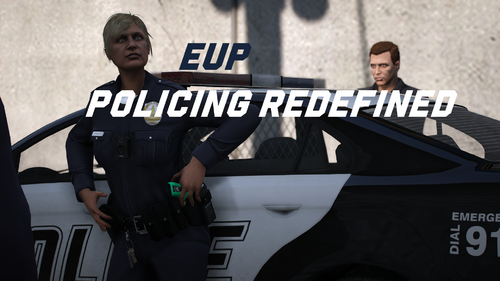 Love it
 -
And you have downloaded Microsoft Speech Platform with it correct? assuming you have Windows 11 and this is what you're referring to.
-
What issue are you experiencing ? I don't really see anything wrong within your log.
-
Send over your log
-
Rename your mods folder to _mods and see if it still crashes.
-
Have you recently updated your RageNativeUI to the most recent version ?