


ThatOneHick
Members
-
Joined
-
Last visited
Everything posted by ThatOneHick
-
I hope this guy knows that that deputy is probably laughing his ass off after he drove away and he isn't going to do shit about changing his "illegal" unmarked police vehicle. xD
-
Wow, that's easy. Thanks for sharing and helping. Learn something new everyday! :)
-
How did you get that?! :/ Lol
-
So if this is the pattern that I want, how do I enter it in the config file?
-
Is there any way to save a certain light pattern that you like in your ELS folder or something like that. For example, I ELS mapped an Ambulance and to get the lighting pattern to what I want, I have to manually switch to the pattern I want using CTRL+M and switching. I know there is a way to do it. I'm just not sure how.
-
I agree with "Officer Lund", but mine would have to have a lighting upgrade :P Here are some .gif's: https://www.lcpdfr.com/index.php?app=downloads&module=display§ion=screenshot&record=96864&id=5947&full=1 https://www.lcpdfr.com/index.php?app=downloads&module=display§ion=screenshot&record=96865&id=5947&full=1
-
-
is there a way to find out how to do that, or a tutorial?
-
-
I am trying to make a template for the Esperanto. I highlighted everything and then click on the materials editor, click on esperanto_sign_1 paint3 [CLR:1], then I assign to section. Then the mud textures are mapped on every poly it seems like. Here is a video of the problem I am having: https://www.youtube.com/watch?v=io6SmSOaGmI&feature=youtu.be I would really like it if someone who knows how to fix this to please reply and tell me what I am doing wrong! I would like to get this problem resolved ASAP! Thanks, - ThatOneHick,
-
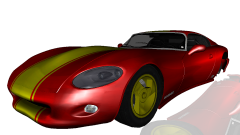 Nice. I love bringing cars back from the dead! :)
 -
-
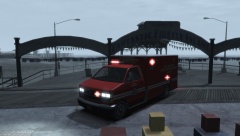 GTA V Brute Ambulance [LED] [ELS]
-
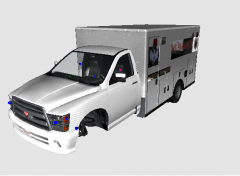 Bravado Bison Ambulance [WIP]
-
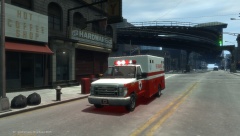 Vapid V-450 Ambulance [WIP]
-
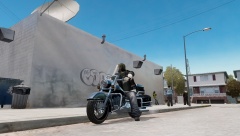 Western Sovereign [WIP]
-
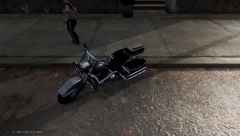 Western Sovereign [WIP]
-
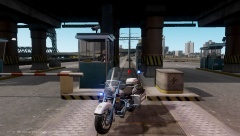 [WIP] Western Sovereign LCPD [ELS]
-
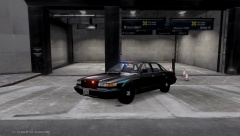 FIB Vapid Cruiser (WIP)
-
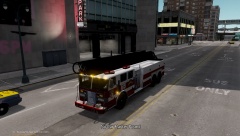 [WIP] MTL LJR 1995
-
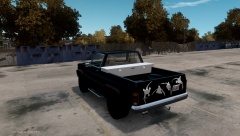 My Personal Vehicle
-
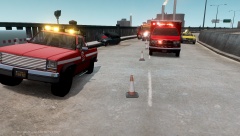 [Breaking] 2 Victims Being Transported to Hospital after an Accident on Plumbers Skyway (Caued by Texting & Driving)
-
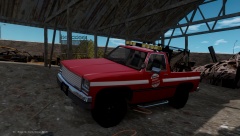 Declasse Rancher - Casey's Highway Clearance Towtruck [WIP]
-
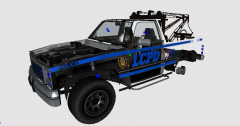 Lightbar?
-
-
From the album: Ramdom WIP's
I got the light patter to match the exact one that is used in GTA V (and yes, I know I am forgetting the LED lights on the wing beside the hood. I have to redo it because of a Zmodeler export error). http://gifmaker.me/PlayFrameAnimation.php?folder=20141021038PaUdGEEPq2o13ibemqgiV https://www.youtube.com/watch?v=CUR9W83YNNw&feature=youtu.be -
![Rapid Vadius (Vapid Radius) [WIP]](//s3-gallery.int-cdn.lcpdfrusercontent.com/gallery/album_3065/sml_gallery_86082_3065_530292.jpg) It would look better if it was a security car or something. It would look too weird to be chased by this lol.
It would look better if it was a security car or something. It would look too weird to be chased by this lol. -
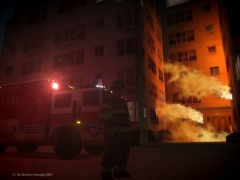 read my name... xD
 -
The almighty Federal Q2B! Love making this baby scream! xD
-
Wow! Who made those textures? He's very talented! xD
-
![GTA V Brute Ambulance [WIP]](//s3-gallery.int-cdn.lcpdfrusercontent.com/gallery/album_2959/sml_gallery_64826_2959_76657.png)
From the album: GTA V to GTA IV
Going to release the LED version (LSPD Cruiser Lightbar) and the rotor that actually came with the model! -
Goes good with my texture pack!
-
What do you mean by a "Marked Bison" & "Marked Bison"? You just want the vehicles to have a template?
-
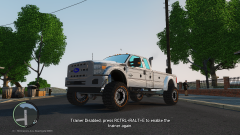 Why u template it?
 -
So I've had this computer tower sitting in my closet just collecting dust, since there is an NTFS.sys error with it. So I decided to bring it out and possibly take it to geek squad to repair it. But before I do that, I would like to know if this desktop tower can handle Grand Theft Auto IV. Specs: - Windows 7: Home Premium 64-bit, - Intel Pentium Processor G630, - Intel HD Graphics, - 1TB Hard Drive - 4GB DDR3 Memory, - DVD Super Multi Drive, - Multi-in-1 Media Card Reader I was thinking that the 4GB memory might be a little small, I was going to upgrade that later (please tell me if it's fine or upgrade). Please let me know if this will be fine to run GTA IV with mods and possibly an ENB. I don't want a super computer. I just want an average computer that can handle GTA IV and possibly GTA V. Picture: click here
-
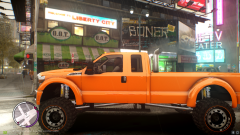 Looks like the Vapid Sandking SWB.
 -
That just makes me what to kill them myself!
-
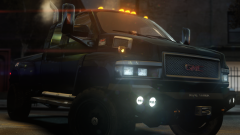 Iron Hide <3


![Rapid Vadius (Vapid Radius) [WIP]](http://s3-gallery.int-cdn.lcpdfrusercontent.com/gallery/album_3065/sml_gallery_86082_3065_530292.jpg)
![GTA V Brute Ambulance [WIP]](http://s3-gallery.int-cdn.lcpdfrusercontent.com/gallery/album_2959/sml_gallery_64826_2959_76657.png)
