2badir
Members
-
Joined
-
Last visited
-
Currently
Viewing File: Code 3 Z3 Siren | FiveM Ready | Studio Recorded
Everything posted by 2badir
-
-
-
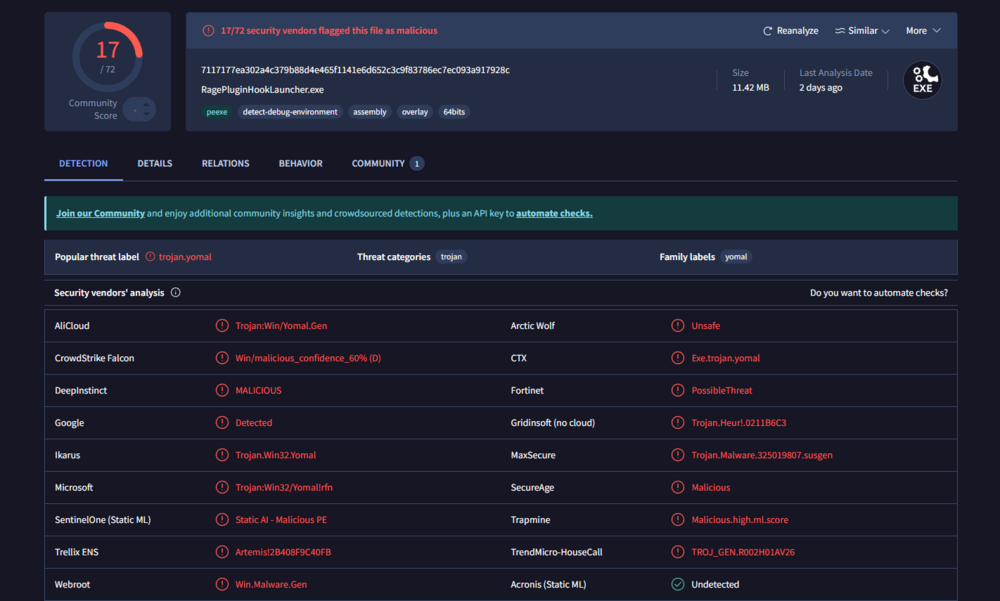
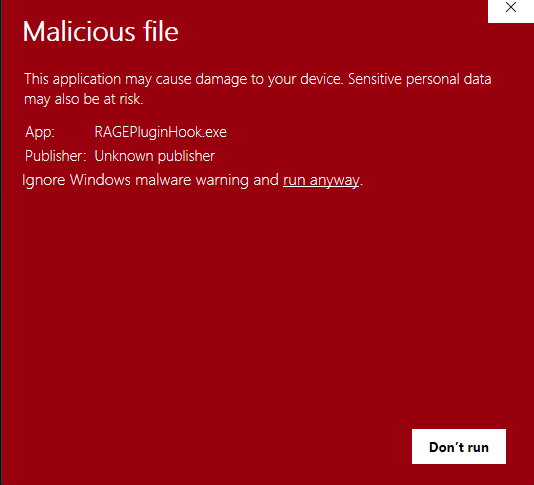
First the lspdfr download was blocked by chrome that was called "has virus" and then when i started the rage plugin hook the windows security popped up and said this file is dangerous in a red page can you guys help? thats the lspdfr file virus scan from virustotal

-
when i load up the game, it crashes on loading screen, it waits like 10 sec, then boom, completely closed. i deleted the mods folder and downloaded again, it crashed again (i tried gameconfing and tried naming the mods folder to _mods and the mods folder is the problem btw) RagePluginHook.log
-
i fixed it after i posted but thanks
-
it says corrupt game data, reboot or check something im tired of searching the error can anyone help me? RagePluginHook.log
-
thanks i will try it rn you guys are so quick :d OHH I was deleted the commondataframework thanks
-
RagePluginHook.log
-
I press shift, and it crashes immediately, i dont know the problem i have nve eup and lspfr installed, idk the problem