


ztgraphix
Members
-
Joined
-
Last visited
Everything posted by ztgraphix
-
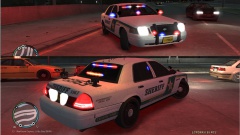 bad ass car my friend. looks sweet!!!
 -
ok..so I got the radar to spawn after installing the new version. But now his arms are aiming the radar to the sky and wont move...
-
Alrighty then...just took that to a totally different level from what I was gonna post...lmao. Nice truck man! I love it!
- 21 comments
- 22 reviews
-
I work with my dad, we have our own electric company where we do commercial work.I am in the process of taking over since he is soon to retire. Not the best job in the world seeing how I have no interest in electricity (especially after you get your ass lit up a couple times)but when I do take over ill be sitting right...hopefully..unless he takes all his money with him..haha
-
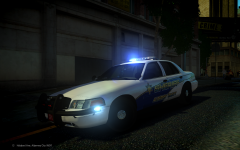 Yeah what he said... :((((
 -
Omg....what ENB is that? Freakin amaazinnggg!!!!!!!!!!!!!
-
Intel Core i5-3570K Ivy Bridge 3.4GHz (3.8GHz Turbo) Quad Core 6000K Corsair H55 Liquid cooler system ASUS P8Z77-V LE Plus, Onboard Video, DVI & HDMI, X-Fire, SATA3, USB3.0, GB LAN 8GB (2x4GB) PC12800 DDR3 1600 Corsair Vengance GeForce GTX 660 TI 2GB PCI EXpress 16X Quad head, HDMI 1000.0 GB Hitachi / Toshiba 7200RPM SATA3 6GB/s 32m cache Thermaltake Commander MS-1 Snow Edition,side window,front USB3.0 & 2.0
-
Great vid man!
-
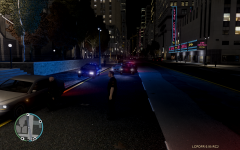
From the album: ZTGRAPHIX's ALBUM
Ok...so has anyone else been driving by this part of town and witnessed a AI cop with someone pulled over and from the looks of it "giving them a ticket"? lol I thought this was kind of weird and first time ive seen it. pretty sweet! -
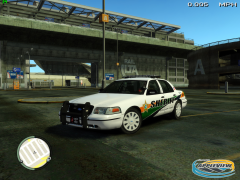 thats a sexy car! what model is that?
 -
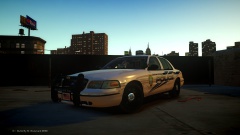 Looks great man! Where can I find this model?
 -
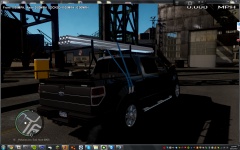 Dude freakin awsome!!! looks identical to the work truck I drive for work!!
 -
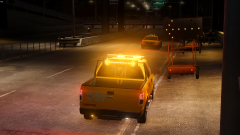 I would love to have it! As always nice work Chippy! oh and is there a way to spawn the arrow signs on the orange thing too?
 -
-
-
-
I think they look pretty good...other than the ugly ass grill..a little too much "bling bling" for me.
-
Dang...the one thing i wanted to work doesnt.. My radar gun doesnt show up..only the little red box with the speeds
- 45 comments
- 23 reviews
-
-

- 1
-
-
-
If anyone would like to add me on origin so maybe we could get in the same servers together and what not, my Gamer tag is "TwyztedNightmare"
-
Hell only thing I will have is the PC version. I watched some beta gameplay footage on youtube of ps3 and I was like...."Oh my God...Poor console people" lol I forget how out dated the textures and everything is on the current gen consoles til I watch some gameplay then it makes me glad to have a nice computer!
-
The frame rates really aren't that bad as some people are making it out, Just make sure you get the latest drivers they released today for Nvidia and ATI cards and you should be good, I have a i5-3570k with a GTX660 TI and mine has hardly had any problem.
-
I think it gets released to everyone oct. 4th but if you have BF3 premium or you preorder i think you get it now. Gonna be a hell of a game when the full game is released!
-
Anyone else here have the battlefield 4 beta yet??? I have been playing it for a couple of hours and its pretty sweet, a few bugs but that is to be expected (I guess..)
-
I was thinking more along the lines of "custom"....I don't know I could be wrong.....
- 4 comments
- 3 reviews

