
CEO
Members
-
Joined
Everything posted by CEO
-
-
find some evidence before you post this. if you look closely you'll see that no other of these "50" vehicles has this type of grill.
- 12 comments
- 3 reviews
-
LIBERTY MODDING STUDIOS © LCPDFR.com Tim98 ______________________________________________________________________________________________ IMPORTANT!!! MAKE SURE TO BACKUP FILES!!! MAKE SURE TO BACKUP FILES!!! MAKE SURE TO BACKUP FILES!!! MAKE SURE TO BACKUP FILES!!! MAKE SURE TO BACKUP FILES!!! MAKE SURE TO BACKUP FILES!!! ______________________________________________________________________________________________ MODEL OVERVIEW - NAME: 2010 Ford Crown Victoria Police Interceptor "LCPD" - VERSION: V4.1-GM - LIGHTBAR: Whelen Liberty - OTHER EQUIPMENT: Laptop, Garmin Navigation System, Cage divider, - EXTRA PARTS: Setina Rambar - MULTIPLE LIVERIES: YES, 4x - OPTIMIZED FOR: POLICE, POLICE2, NOOSE, FBI, (EFLC ONLY: POLICE3, POLICE4) - MOD STATUS: OPEN ______________________________________________________________________________________________ CREDITS - Model is Ford Crown Victoria from Driver SF, converted to GTA IV by F5544, modified by KevinDV and Cj24. - Rims by Bxbugs123, Textures by Lt.Caine. - Honeycomb Grill made by KevinDV. - Laptop and Divider by Lt.Caine. - Spotlights made by Cj24. - Whelen Liberty made by PFCBarefoot. - GoRhino Rambar made by Bxbugs123, further modified by Tim98 - Garmin Navigation System by Bxbugs123, further modified by Tim98 - Liveries made by Tim98 ______________________________________________________________________________________________ Installation: Put the police.wft and police.wtd into your vehicles.img. I recommend you, using SparkIV ______________________________________________________________________________________________ YOU ARE NOT ALLOWED TO REUPLOAD, EDIT OR RIP WITHOUT MY PERMISSION. FAILURE TO DO SO WILL RESULT TO PUNISHMENT. NO ONE MENTIONED IN THIS README IS RESPONSIBLE FOR DAMAGE TO YOUR GAME. BROUGHT TO YOU BY THE LIBERTY MODDING STUDIOS TEAM © 2012 AND ACCURATE STUDIOS ©
- 12 comments
- 3 reviews
-
neither would I. and yes I'd like these features back in rc3 too.
-
aggreed.
-
aggree
-
bloody mother of god.... amazing Harper! allthough something bothers me on the first screen... the lightbar. it looks like its blue bue !
-
 oh and ofcourse a slicktop cvpi
 -
 thank you but its far from finishing though
 -
1. Sorry I cant answer that question now. but the model is far away from finishing. It still needs alot of editing! 2. yes, a Unmarked version. and a charger.
-
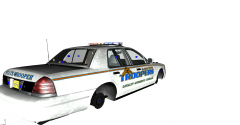
From the album: Kygo's gallery.
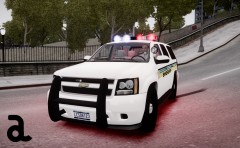
since I got the hang of zmodeler I have decided to create car models to! this is my redention of the Police departement of Long Beach CA. this car will include the CA law "steady burns" thank you Aznairsoftdude for teaching me! this car should be released soon! -
From the album: Kygo's gallery.
since I got the hang of zmodeler I have decided to create car models to! this is my redention of the Police departement of Long Beach CA. this car will include the CA law "steady burns" thank you Aznairsoftdude for teaching me! this car should be released soon! -
From the album: Kygo's gallery.
since I got the hang of zmodeler I have decided to create car models to! this is my redention of the Police departement of Long Beach CA. this car will include the CA law "steady burns" thank you Aznairsoftdude for teaching me! this car should be released soon! -
this has nothing to do with GTA 5 please think before you start your threads!
-
yes you rappel down a building as michael, trevor is flying the helicopter. and franklin is on some other high up building with a sniper rifle, doing an overwatch!
-
bloody amazing... I'm speachless....
-
yes the sign is located in LA county. so that should confirm multiple police forces! man this is exciting =D
-
it does look like the LA county sheriff's livery theme! Don't ask me my friend. I don't have the game yet
-
Some nice new screenshots who got released today by Inside Gamer, A dutch gaming site. here is the original link : http://www.insidegamer.nl/nieuws/101661/geniet-van-een-aantal-nieuwe-gta-5-screenshots On this screenshot it seems like a confirmation of multiple police forces! FIB headquarter Crashing plane Trevor shot someone
-
look for it on Youtube
-
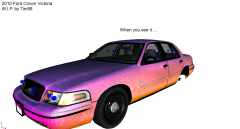 I didnt think of that when I took the picture but I couldnt agree more.
 -
maybe its +/- 1000 kbs not sure though. I thought thevsame . exterior is important because you look at it all the time. and the engine was high poly but I never opened the hood. so I got rid of it
-
nope I removed the High poly engine from bugs model and replaced it with the engine from F5544s vic. did the same with the interior
-
From the album: Kygo's gallery.
since I got the hang of zmodeler I have decided to create car models to! this is my redention of the Police departement of Long Beach CA. this car will include the CA law "steady burns" thank you Aznairsoftdude for teaching me! this car should be released soon! -