CaptGhost
Members
-
Joined
-
Last visited
Everything posted by CaptGhost
-
 ive been using this since it came out. i have fell in love with your mod from day one, the customization and the way it feels is great.. all the functions worked well, person look up, plate checks, except for a few monor things but since then have fixed those minor details. Howerver the last 2 updates have not worked for me. I boot up like normal, go on duty and of course go log on to mdt. when doing this all the feilds i have filled out rank callsign ect have been erased which is ok.. {new update} i get it. when i go to fill everything out and press save it doesnt save anymore, and also when i press fill from game it just has a yellow loading icon and doesnt do anything, same when i press start shift, the icon just loads and doesnt do anything.. also when perfoming duties persons names and plates do not pop up anything anymore just blank. this has been tried on steam overlay and also tabbing out and trying on the other monitor. same thing happens, almost like its not syncing?? if you could possibly help me with a fix it woluld greatly be appreciated. UPDATE, was the newtonsoft. guessing when moving everything over i skipped right over it. now works even better. keep up the great work
- 392 comments
- 9 reviews
-
-
 Beautful work. Sounds great!
 -
 yeah the red was throwing it off but ill def check the color in the trainer, thanks for replying back!
 -
great skins, However on the lssd supervisor cvpi one, you forgot to fill in some of the Os some on the back and one on the right side. good work! will be looking for the update
-
-
 ive been using the pack since you first dropped it. only issue i have is with the PT. i call transport and all goes smooth. However when the Officer gets the suspect and brings them to the back of the Van, only one door opens and the suspect doesnt go inside.. and then the officer,suspect, and van are just in the middle of the road.. ive put my old PT in and works fine, also installed another and worked aswell.
 -
-
 Thank you sir! Thats what i used but some people might get confused. Thanks again and Merry Christmas!
- 135 comments
- 14 reviews
-
-

- 1
-
-
thanks for the vehicles! i just installed the addon version however, the read me does not have the name for the dlclist
- 135 comments
- 14 reviews
-
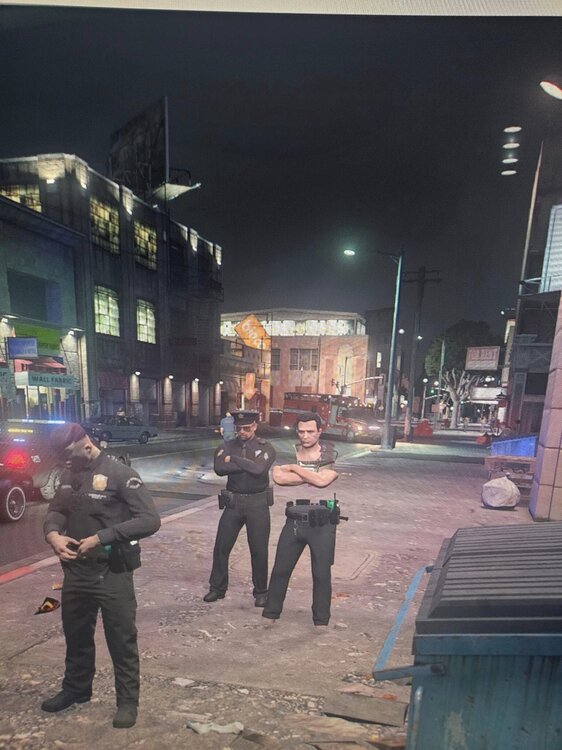
Game runs fine. just did a fresh install like we all do.. i have not done anything Different.. BUT now when i call backup my backup units Torsos are invisible.. have pants and duty belt.. shirt is missing causing them to be invisible.. i see forearms and head.. just no chest.. Any information would help Big time.
-
You might need to be closer. I use mine sometimes and gotta be right on them.
-
Hey thank you so much, it worked. Question tho. It was working fine. So why out of the blue would it stop? And by just putting an _ front of mods. Wild
-
i got off to eat and now it wont start, can anyone help ? TIA RagePluginHook.log
-
I'm having an issue where spawing into the game. Using simple trainer and the addon car are disabled. Added addon car pack to gta v dlc packs. Open iv edited all that. Added els. Addon cars disabled is a new one for me. Anyone ? Have all the necessary files heapadj,Game congif,packfile limit.
-
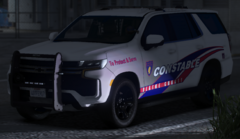 Definitely need a new tahoe to go along with it. All I see in the mornings on 249 lol.
 -
-
@McFullen have you found a fix ? I've tried everything it feels like..
-
I'm having an issue where when I load into gta via rage i get an error message saying unable to run Gta. My gta is on 3095 in rage.I'm wondering if anyone could help how to fix ?
-
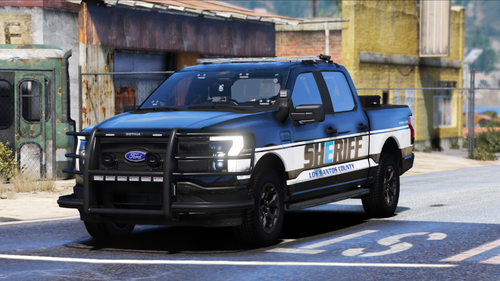 Looks Awesome. Cant wait!!
 -
 This mod is great. Love being on patrol and having to get gas.. adds a good element.
- 447 comments
- 17 reviews