
SrVenuh
Members
-
Joined
-
Last visited
Reputation Activity
-
 SrVenuh got a reaction from GNLmx for a file, Ram 2017 Policía ministerial Mx Add-on ELSServidor 911 mods: https://discord.gg/ahg9j8aGSu
-
 SrVenuh got a reaction from isaacCKO for a file, Frecuencias de radio C5 CDMX para more radio chatterDecidi hacer esta modificacion al plugin more radio chatter para agregar realismo a los usuarios que jugamos en epañol, unicamente incluye audios del c5 de la ciudad de mexico ya que es la unica corporacion que sube audios de sus radios a youtube xd, igualmente si encuentro mas frecuencias de otros estados o municipios las agregare.
Se requiere este plugin:
-
SrVenuh got a reaction from Jaime Serrano for a file, Ram 2017 Policía ministerial Mx Add-on ELSServidor 911 mods: https://discord.gg/ahg9j8aGSu
-
SrVenuh reacted to Arctic Development for a file, 1959 Cadillac Miller-Meteor | GhostBusters Ecto 1A & 1B Based | FiveM Ready🔧 Basic Information
Introducing a fully De-Badged LEO vehicle — the 1959 LEO Ecto 1A & 1B, inspired by the Ecto 1A & 1B, 1959 Cadillac Miller-Meteor from GhostBusters. This unit seamlessly blends into the GTA universe, designed specifically for LEO use.
📦 What’s Included?
🔵🔵 Blue & Blue Lighting Variation
🚗 Vehicle Features
🚨 Generic Lighting
🌐 Discord Support
Join our community for updates, support, or just to connect:
https://discord.com/invite/AHqq4EBhhQ
📜 Terms of Service
By downloading or using this content, you agree to the following:
❌ Do NOT unlock, extract, or tamper with the model files.
❌ Do NOT edit or modify any part of the asset.
❌ Do NOT sell, trade, or use this for monetary gain.
❌ Do NOT claim this work as your own.
❌ Do NOT redistribute this content on any platform or forum.
This vehicle was created with passion and respect for the GTA V modding community. Please honor that by following the terms listed above.
-
SrVenuh reacted to FKDZ for a file, Flashlight OverhaulLSPDFR
FLASHLIGHT OVERHAUL
1.2
made by FKDZ
TESTED WITH LSPDFR 0.4. Works for weapon attachements but not for the
custom flashlight animation included in 0.4, it uses its own custom flashlight texture.
**THANK YOU FOR THE 2000 DOWNLOADS!**
This mod is based on the flashlights used and seen
during the tv show ''Live PD''. This is a recreation but
not based on 100% accuracy for gameplay reasons.
I am no flashlight expert but the vanilla flashlight looked
like someone grabbed a kiddy nightlight from the early 90s
so here we are.
This flashlight is designed to have a strong centerpoint
to clearly see the target you are aiming at with a lesser
outer ring to show surroundings but not blind.
This mod touches the normal flashlight but also
all your attachment flashlights.
Screenshots were taken with ''Normal'' quality textures, a higher setting will obviously look even better.
============================================
Easy install instructions included in the readme file.
============================================
Depending on your visual setup the flashlight might appear different in your game (brighter/darker).
I currently play on the newest version of VisualV and Naturalvision 1.4
I know there is another mod called Flashlight 3.0 but I was not a fan of it personally, it was too overpowered/long range and lacked a nice torch texture, therefore..my mod.
Thank you for downloading, please enjoy!
~~~~~~~~~~~~~~~~~~~~~~~~~~~~~~~~~~~~~~~~~~~~~~~~~~~~~~~~~~
Recommendations for different types of flashlights are welcome (do provide reference images)
-
SrVenuh reacted to Failurez for a file, 3 Option Realistic Weapon Flashlighttired of the weird looking toy gun style flashlight on your weapons? this modification will replace the "torch" file in your game to make it look like the ones from TV series or bodycams. the file is 600x600p so it is high quality without being too high for people with potatoes.
- ReadMe for instructions
File comes with:
- ReadMe
- Screenshots
- 3 Different options: original white, blueish, yellowish.
- Backup file if you do not like this one.
PLEASE DO NOT REDISTROBUTE
-
SrVenuh reacted to AstroBurgers for a file, GRIDWATCHGRIDWATCH™
An intelligent citywide monitoring system designed to bring next‑generation awareness to San Andreas law enforcement.
Leveraging advanced ALPR scanning, behavioral analytics, and machine vision, GRIDWATCH constantly evaluates camera feeds across Los Santos to identify suspicious activity before officers even arrive on scene.
Safer streets. Smarter policing. Less human error.
GRIDWATCH™ — Keeping you safe by watching everything you do.
NON-LORE (What It Actually Does)
GRIDWATCH utilizes every traffic light in the world as a multi-functional ALPR and Shot-Detection "camera".
FEATURES
This system uses Common Data Framework (CDF) as the backbone, centralizing all data with it. This allows seamless compatibility with mods that also use CDF to pull vehicle data, like Reports+, Riskier Traffic Stops, or Policing Redefined.
Uses every rendered traffic light as a camera around the player.
Detects the plates of vehicle driving through intersections in real-time.
Integrates with CDF.
Supports modular expansion.
Developer APIs 🙂
Minimal Performance impact*
*within limits of GTA scripting. Don't attack me if you're using ridiculously high numbers for things like poll rate, traffic density, etc.
DISCLAIMERS (PLEASE READ BEFORE COMMENTING!)
CDF's default chancing value is quite high, meaning GRIDWATCH will alert you way too often out of the box. You'll almost certainly want to lower your detection chance in the CDF INI for a more realistic experience.
>ALL Bejolio's mods are incompatible. Do not ask about compatibility with StopThePed, Ultimate Backup, CompuLite, ALPR Lite, etc.<
If you'd like a fresh alternative, check out Policing Redefined.
If you're experiencing "spam" from the ALRP alerts, there's a few things you can do to combat that. After tweaking with it, you should almost certainly be able to get it exactly where you want it, but under the hood GRIDWATCH is entirely honest, so the only thing that can be done about spam is to tweak the CDF settings (mentioned above), and tweak the GRIDWATCH settings (mentioned below):
RAISE the ScanInterval in the INI, it is in Milliseconds (MS), so 1s = 1000ms
LOWER the ReadChance in the INI, this is the chance that a plate will actually be successfully scanned.
LOWER the MaxCamerasPerScan, this is the max amount of cameras that will be polled each scan
REQUIREMENTS
2 Brain cells to rub together
RagePluginHook
LSPDFR
RageNativeUI
CommonDataFramework (INCLUDED)
FINAL THINGS
Have an issue? Tell me in my discord, I do not actively monitor LSPDFR comments. https://discord.gg/trWvfRnYMN
Source Code: https://github.com/AstroBurgers/GRIDWATCH
-
🇺🇸 English
This plugin allows you to control the camera after the player dies and observe what is happening around you. You can move the camera around, zoom in and out, and then respawn whenever you want.
📖 Usage
After your character dies, you can rotate/move the camera.
Use the “Phone Up”/“Phone Down” controls to zoom in and out.
Use the Shift (⌨)/ Attack (🎮) control to increase, and Ctrl (⌨)/ Aim (🎮) to decrease the speed of movement
When you want to respawn, use the “Jump” control. Or Ctrl+Jump to respawn in place.
Preview :
🔧 Configuration
You can adjust some settings in the .ini file :
Hide the "Wasted" message.
Respawn at the hospital/respawn in place.
Enable/Disable the camera shake.
📂 Installation
1. Prerequisites
RAGE Plugin Hook
RAGENativeUI
2. Installation
Open the downloaded .zip archive, then drag and drop the contents of the “Grand Theft Auto V” folder into your game folder.
After installation, you should have the following files:
[Game folder]/plugins/DeathCam.dll
[Game folder]/plugins/DeathCam.ini
[Game folder]/RAGENativeUI.dll (Not included, see Prerequisites)
3. Enable the plugin
Automatically on startup: go to RPH settings > “Plugins” tab > check that the plugin is selected (or that all plugins are loaded on startup).
Manually in-game: Open the RPH console and type LoadPlugin DeathCam.dll
Known issues and incompatibilities
This plugin in incompatible with:
Menyoo "Manual Respawn" feature (obviously),
Menyoo + LSPDFR together.
📑 Changelog
See below the description
0.1.4 :
Replaced the movement speed control with “Stealth Mode” (instead of “Sprint,” which wasn’t detected properly)
0.1.3 :
Improved camera transition when the player dies, the new camera takes the positon of the gameplay camera.
Improved camera speed control : pressing the Sprint control slowly increase the speed. When the control is not pressed, the speed does back down.
Improved controller support : the FOV can be adjusted with the Phone Up/down controls. The speed can be increased with the Sprint control.
Added an Update Check system for future versions.
0.1.2 :
Added support for death during missions.
0.1.1 :
Added controller support for camera movements and respawn.
0.1.0 :
Initial release
🔗 Links
Source code : github.com/SSStuart/DeathCam_RPHPlugin
Discord : @ssstuart
- - - - - - - - - -
🇫🇷 Français
Ce plugin vous permet de contrôler la caméra après la mort du joueur, et d'observer ce qu'il se passe autour de vous. Vous pouvez déplacer la caméra, zoomer, puis réapparaître lorsque vous le souhaitez.
🔧 Configuration
Vous pouvez ajuster certains paramètres dans le fichier .ini :
Masquer le message "Vous êtes mort".
Réapparition à l'hôpital/sur place.
Activer/désactiver les tremblements de la caméra.
📖 Utilisation
Après la mort de votre personnage, vous pouvez déplacer/orienter la caméra.
Utilisez les contrôles "Téléphone Haut"/"Téléphone Bas" pour zoomer.
Utilisez Maj (⌨)/ Attaque (🎮) pour augmenter, et Ctrl (⌨)/ Viser (🎮) pour diminuer la vitesse de la caméra.
Utilisez le contrôle "Saut" lorsque vous souhaitez réapparaître. Ou Ctrl+Saut pour réapparaitre sur place.
Vidéo de présentation : voir la partie en anglais.
📂 Installation
1. Prérequis
RAGE Plugin Hook
RAGENativeUI
2. Installation
Ouvrez l'archive .zip téléchargée, puis glissez le contenu du dossier “Grand Theft Auto V” dans votre dossier du jeu.
Après l'installation, vous devriez avoir les fichiers suivants :
[Game folder]/plugins/DeathCam.dll
[Game folder]/plugins/DeathCam.ini
[Game folder]/RAGENativeUI.dll (Pas inclus, voir Prérequis)
3. Activation du plugin
Automatiquement au lancement : allez dans les paramètres de RPH > onglet "Plugins" > vérifiez que le plugin est coché dans la liste (ou que tous les plugins sont chargés au lancement).
Manuellement en jeu : Ouvrez la console RPH et entrez LoadPlugin DeathCam.dll
Problèmes connus et incompatibilités
Ce plugin est incompatible avec :
L'option "Manual Respawn" de Menyoo (logiquement),
Menyoo + LSPDFR ensemble.
Changelog et liens : Voir la partie en anglais.
-
SrVenuh got a reaction from Jaime Serrano for a file, Camaro 2016 y Mustang 2018 Policía estatal Guanajuato Mx Add-on ELSServidor 911 mods: https://discord.gg/ahg9j8aGSu
-
SrVenuh reacted to Veteranfighter for a file, AI:RespondAI:Respond Open Beta
by Lenge
Features
Press U while responding to request backup. The requested backup will arrive with you on scene.
Requirements
LSPDFR 0.4.9 or higher RageNativeUI
Installation
Drag the "plugins" folder from the zip to your GTA5 main directory
Suggestions and Support
If you have any questions/suggestions/bugs or other concerns feel free to contact me on my discord:
https://discord.com/invite/4zx2uXCmMe
Reviews and Showcases
Official showcase video:
Enjoy and have fun
-
SrVenuh reacted to Jaime Serrano for a file, Logo de despacho del sistema de emergencias 911 MXRemplaza el logo vanila de 911 por default del juego por el logo del sistema de emergencias de 911 de México
Instalación:
Remplace el archivo char_call911.ytd en la siguiente ruta dentro de OpenIV
mods\update\update.rpf\x64\data\cdimages\scaleform_generic.rpf\
-
SrVenuh reacted to Jaime Serrano for a file, Traducción al Español MX Policing Redefined Jaime SerranoEsto es una Traducción del plugin Policing Redefined al español creada por Jaime Serrano
Instalación:
Simplemente pegue la carpeta PolicingRedefined en la siguiente ruta ---> GTAV\plugins\LSPDFR
Nota:
Esto solo es una traducción, no afecta ninguna configuración personalizada que tengas del plugin, es probable que existan errores gramaticales que poco a poco iremos arreglando en futuras actualizaciones, en caso de encontrar una hágamelo saber para solucionarlo lo antes posible.
Actualmente hay un conflicto con el uso de las acentuaciones en algunas palabras, al igual que las palabras que usan la "ñ" actualmente no hay solución alguna para eso, ya se contactó con los creadores para en un futuro darle solución a eso.
-
SrVenuh reacted to ziipzaaapM16A4 for a file, AmbientAICalloutsAmbientAICallouts for LSPDFR
Copyright (C) 2021 ziipzaaapM16A4. All rights reserved.
Any unauthorized modification, reverse engineering, or distribution (including re-uploading of any kind) is strictly prohibited.
PLEASE DO NOT POST A NEGATIVE REVIEW WITHOUT ADDRESSING THE ISSUE AS A COMMENT ON THIS PAGE.
FOR ANY SUPPORT RELATED ISSUES, PLEASE POST A COMMENT ON THIS PAGE.
Join our Discord ---> here
Need Help? Open a support ticket ---> here (discord support channel link)
Want Early Access? Become a Patreon! ---> here
Update V0.9.9.02 Released
Better late than never.
Feature/Function:
AmbientResponse system wich triggers AiCallouts.
- Get police scanner feedback.
--> Units get their own call sign. Less redundancy.
AiCallouts can turn into LSPDFR Callouts.
- 6 AiCallouts included.
- 4 LSPDFR Callouts included. ==> execution only by AiCallout
RageNativeUI Menu
- Watch over the entire Neighborhood and Start Emergency's and other stuff
with the convenience of a easy controllable Menu and a big mini map.
- Partial Settings editor
- Settings Save function
AiCallout API & documentation. Create your own AiCallouts.
--> reload AiCallouts without reloading LSPDFR.
- GrammarPolice Support: no interruption by Dispatch [Outdated API]
- Heli Assistance Support: Helicopter responding to AiCallouts.
Meet other Units while their Breake
- StandingAmbientAI has been developed to make your units more immersive.
Meet your colleagues in the street and idle for emergencies.
RejectedCalloutAI
--> If you don't take the call, AI has to Respond
- The Unit will respond to the location of the call you denied.
Ressource friendly Cop Car Pool
- Units will only be claimed and persistent while emergency's allowing them to be used by other mods.
- Units get their persistent Callsign by writing it on the License Plate.
Custom Voice Line System (API integration later)
- A Custom Voice Line System that allowed us to implement different available voice lines.
- Brian Watts (Homepage Voice Actor) is a Police Officer on Duty with custom voice lines. He drives 1-Lincoln-35.
Here is a List of all development demos & other videos:
How to Use:
- Automatic separate AmbientResponse System which triggers AiCallouts.
- The AI will call for Backup if they need you. It will be shown as a LSPDFR Callout. (you have to be available for calls)
- Attach yourself to an AiCallout
simply use GrammarPolice and tell dispatch "show me responding in addition"
or by pressing CTRL + X (can be changed in .ini)
- Menu for AAIC by pressing LCTRL + F8
- You cannot attach yourself to an Rejected LSPDFR Callout from the RejectectedCalloutAI Feature.
- Console Commands for...
StartRandomAiCallout => Forcing an random AiCallout,
StartAiCallout AiCalloutName => Forcing an specific AiCallout,
AbortAllRunningAiCallouts => Aborting/Cleaning up all AiCallout,
AbortAiCallout FiberNumber => Aborting/Cleanup an specific AiCallout,
ReloadAmbientAICalloutSettings => Reloading AmbientAiCallout Settings,
ReloadAiCalloutPlugins => Reloading the AiCallout dll's from /plugins/LSPDFR/AAIC
Installation:
Paste everything into your main Grand Theft Auto V folder.
Except for the READ_ME.
Requirements:
LSPD First Response.dll
RagePluginHook.dll
Recommended Addon:
Grammar Police V1.4.1.3
Heli Assistance V2.4.2
API and Documentation:
Create your own AiCallout. We provide a textual and visual documentation and template to easily create an AiCallout.
Learn from existing AiCallouts. OpenSource AiCallouts: https://github.com/ziipzaaapM16A4/Default-AiCallouts-Pack
Use the Template to jump right into development. All necessary and recommended are already there and with comments:
https://github.com/ziipzaaapM16A4/AiC_Example
Please don't forget to rate this plugin afterwards.
if you find a bug then give me the chance to take a look at it before posting a negative rating.
Attention: AAIC is penetrating the boundaries of GTA V's ability to manage/tasks objects in the GTA world objects. That doesn't mean that its likely to crash. It just means that if objects are to far from the player, GTA is more likely to prioritize things in the near. It can result in object not tasking things in the distance or GTA cleaning themselves up. This is one of the main reason why AiCallouts aborts themselves. So far this Theory could never be approved by senior developers i want to say i've reviewed the code a dozen times, i cannot find a piece of code causing vehicles to go invalid.
We do prevent crashes but we cannot prevent the abort of an AiCallout.
Important Note: The more mods that are loaded onto the game, the more the instability rises.
Large vehicle packs can greatly reduce an entity's lifetime before it is deleted from the pool by whatever visual or scripted mods.
Known Issue: Please open supportticket on our Discord if you encountered an Error.
- Most of the issues are invalid object errors but they should not lead lspdfr to crash, these errors just give back log.
The Reason might be older versions of ELS which would despawn police vehicles left alone.
Visit Changelog from Released June 28, 2024. Version 1.05
- Sometimes if you are to far from an AiCallout the process will sleep until you're nearby due to rage not executing tasks to reduce resource usage.
-
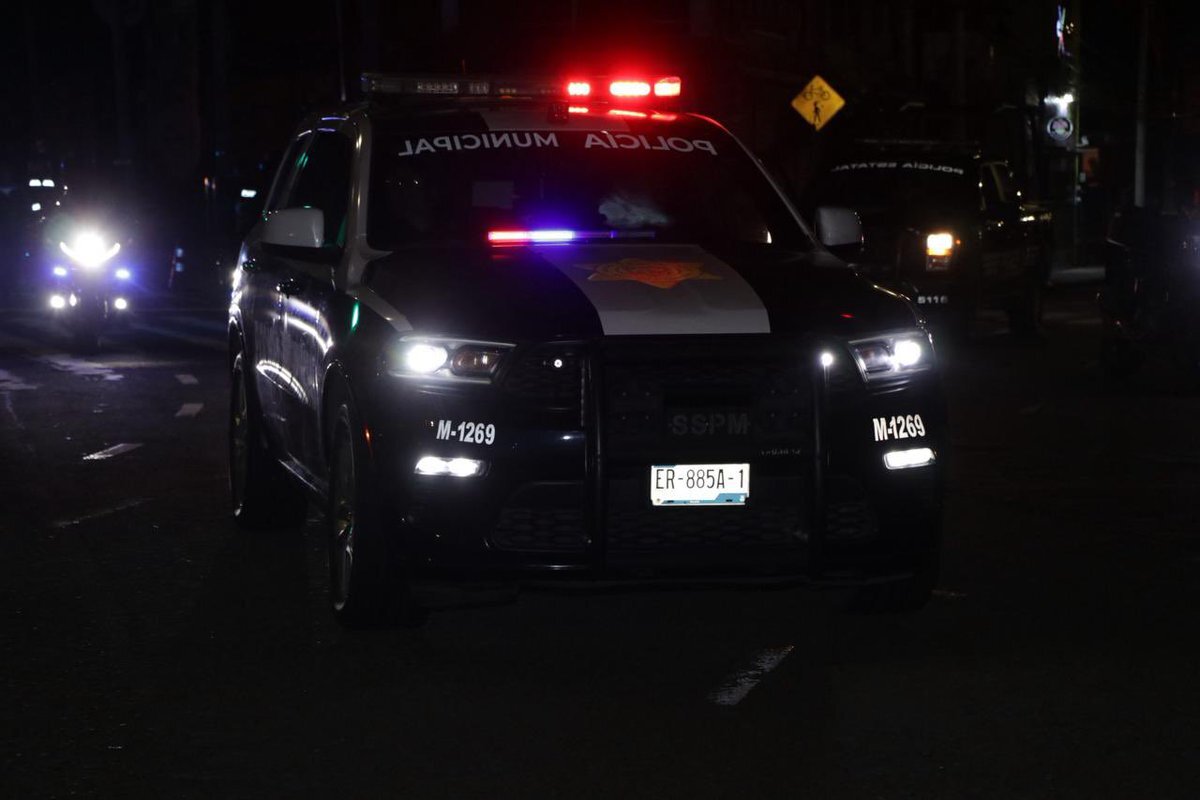
SrVenuh got a reaction from jhonLSPDFR for a file, Ram 2017 Policía metropolitana Ciudad de México Mx Add-on ELSServidor 911 mods: https://discord.gg/ahg9j8aGSu
-
SrVenuh reacted to MarcelWRLD for a file, Policing RedefinedThe new era of LSPDFR is here.
After two years of development, it's here. Policing Redefined is a LSPDFR plugin similar to popular plugins such as Stop The Ped, Ultimate Backup by Bejoijo, LSPDFR+, or Arrest-Manager by Albo1125. It aims to provide an even more feature-rich and immersive experience to your LSPDFR Patrol, advancing ped and traffic stops as well as adding additional vehicle stops and on-foot traffic stops.
And that is just a small portion of what PR (Policing Redefined) has to offer!
Installation:
Extract the contents of the downloaded Policing Redefined v[VERSION].zip archive. Drag-and-drop the contents of the "GTAV MAIN DIRECTORY" folder into your GTA 5 root directory. Read the "Get Started" guide on our site
After installing your Settings/ folder will be empty, which is normal!
Go on duty at least once: PR will generate them then.
If you don't already have them, download and install these
Requirements:
RageNativeUI Damage Tracker Framework: For Developers:
If you are a developer, you can read about PR and it's APIs here.
Features:
Policing Redefined has a ton of features which all cannot be listed here. However here is a rundown of the biggest:
Ped Interaction: Custom questioning menu, field sobriety tests, Front/Back cuffing, citations, and more. Inventory Management: Store and bag evidence, test substances, replenish ammo, and more. Backup: Call police, fire, and EMS with a full RTS style management menu to assign tasks to each unit.
Disclaimer, Please Read.
First, this will be completely incompatible with Stop The Ped, Ultimate Backup, and Compulite, it is recommended you remove them for the smoothest experience.
Second!
This is a BETA. This means that you may encounter bugs, crashes, weird behaviors, etc.
The mod itself works as intended. Any major breakages (e.g. the mod crashing on load), are likely due to user error.
PR has been rigorously tested for the past year by various testers and content creators, with no major issues that have yet to be patched.
Should you encounter any issues: Join our Discord, where we can help you solve any problems. Support will NOT be given via the comments.
Showcases:
-
SrVenuh reacted to ApparentlyRohan for a file, MTFO: Move The F*** OverMTFO
Enhance traffic control and AI behavior when you are responding to a call with your lights and siren active. MTFO aims to create a more realistic and immersive experience by making the AI drivers react in a more intelligent and 'human-like' way to your sirens, rather than swerving all over the place.
Disclaimer:
GTA AI is extremely temperamental, and you may encounter some edge cases and odd AI behavior; these issues will be addressed in later updates. Please report any problems 😁
The best place to get support or suggest changes would be on Discord.
Features:
Extensive customization of AI actions via the MTFO.ini file. Configuration is reloaded when going on/off duty.
Opticom Intersection Control: As you approach intersections with traffic lights, this feature will automatically turn the light green in your direction. This can be disabled via the EnableOpticom setting in the configuration file.
Intelligent Yielding: On highways, vehicles traveling in the same direction as you will switch lanes if they are blocking your path, if no lane is available they will attempt to come to a smooth stop on the wide of the road. They will attempt to find a safe space to pull over if you are in the furthermost right lane.
Oncoming Traffic Braking: Vehicles in the oncoming lane will slow down or come to a stop as you pass them on highways, rather than aggressively swerving. This is controlled by the EnableOncomingBraking setting.
Dynamic Intersection Clearing: When you are approaching a major intersection (with traffic lights or stop signs), cross-traffic will be instructed to stop, clearing the way for you without having to navigate around other vehicles. Toggled via EnableIntersectionControl.
Around Player Overtaking: When you are stopped, vehicles behind you will attempt to safely overtake your vehicle rather than getting stuck behind you. This is particularly useful during traffic stops or when you are stationary on a roadway for any reason. This is managed by the EnableAroundPlayerLogic setting.
With the update to v4, the custom yielding now primarily functions on freeways/highways to make yielding more realistic in these scenarios. Please do not use your old ini; replace it with the new one; it will not function properly with v4, as I have rewritten the majority of the codebase.
UPDATED SHOWCASE: Thanks to @BlueLine Vibes
https://youtu.be/yYFjruw2yeQ?si=l1x4acViG_rKxI_9
LEGACY VERSION: Showcase, thanks to @amenbrother
LEGACY VERSION: Showcase of the vehicles stopping for you thanks to @Scorpionfam
-
SrVenuh reacted to Farhad98 for a file, Realistic Handcuffs Sound (2)Thanks for downloading 🙂
INSTALLATION:
Drag and drop the lspdfr folder into your main GTAV directory.
-
SrVenuh reacted to RicyVasco for a file, LSPDFR ExpandedWelcome to LSPDFR Expanded! A plugin to enhance off- and on duty realism and roleplay.
LSPDFR Expanded aims to offer a great addition to your every day patrol by adding lots of realism and roleplaying features both for your on-duty and off-duty activities. You'll start as a Rookie who barely makes enough money to keep his fridge filled. With every day on duty you will slowly gain experience and rise up the ranks of the LSPD.
After your shift is done, grab your vehicle you bought at the store to the nearest supermarket and grab some food before you starve. Maybe get a new tattoo or haircut along the way? With LSPDFR Expanded you can do it all. Your created character really becomes YOUR character
Disclaimer
I develop mods in my freetime and playtest them to the best of my abilities before I release them. Of course some bugs might slip through but I will do my best to fix them.
Please report any bugs or issues you find and leave an honest review based on the current version.
I would love if you might consider supporting me via PayPal. You can find the respective link under the Download button.
I’d also love to hear your thoughts - feel free to leave a review or comment, it helps me improve and make my plugins even better!
If you like my work, feel free to check out my other plugins
For support, questions or discussions, feel free to visit my Discord server:
https://discord.gg/AjGyy4cN6G
Overall:
Custom money system that increases with your paycheck and decreases with every purchase you make
Accesible phone to call for various services
Basic Needs system that will give you Debuffs if your character becomes thirsty or hungry
Custom savefile per character that keeps track of everything you do
On Duty:
Fully functional custom Police Interior with decorations on special holidays
Work at either the frontdesk or the officedesk
Write reports on your completed callouts and pullovers for extra XP
Wardrobe synced with your EUP to change into your patrol outfits
Colleagues that are based on the jurisdiction of that area (Ultimate Backup required)
Clock-In system to start going off and on duty to collect your paycheck and gain XP
Garage System that lets you spawn a patrol vehicle taken from your agency.xml
Specialized departments that each offer various gameplay elements and specific callouts
Off Duty:
Apartment where you can sleep and head out with your vehicle
Custom wardrobe that lets you wear any clothing items that you own
Clothingstores where you can buy cloth
Fridge system that lets you store, eat, drink and cook to replenish your Thirst and Hunger
Grocerystores to buy food, alcoholic drinks and cigarretes
Fastfood restaurants and DriveThru to quickly replenish your Thirst and Hunger
Vehiclestore where you can buy all sorts of vehicles
LS Customs to tune your bought vehicles
Gas stations with working hose to give your vehicle a time-based performance boost
Barbershops to get a new hair/beardstyle
Tattooparlors to get your character a fresh new look
[Requirements:
RageNativeUI (included in the download),
Bottom Dollar Bounty DLC (mp2024_01) needs to be installed and enabled
Money Fonts DLC (mp2025_01) needs to be installed and enabled for the Housing Functions introduced in 1.1.1
Main.DisableMultiplayerMap inside the lspdfr.ini needs to be set to false for the PD Interior to work]
Copy the contents of the Grand Theft Auto V folder into your main Grand Theft Auto directory (ex: .../steamapps/common/Grand Theft Auto V/)
-> (If installed correctly it should look like this: Grand Theft Auto V/plugins/LSPDFR/LSPDFRExpanded.dll)
These are the default keybinds which can be changed anytime by editing the LSPDFRExpanded.ini
Y — Interaction key
CTRL + I — Open Inventory
CTRL + H — Display Wellbeing menu
CTRL + P — Open Mobile Phone
After loading ingame, open the Rage Console (standard F4) and type "ForceDuty" to fully load the plugin.
To go on duty, enter any police department via the Red Circle. This will take you inside the custom PD. There, you can stamp in to start working.
To go off duty, just stamp out at the same location. DO NOT press the vanilla "Go off duty" button, as this will unload the plugin.
-
SrVenuh reacted to FluffyMods for a file, Glock 17 | Animated | ReplaceGlock 17 Gen 3
- High Quality Textures & Models
- Animated
- Lined up Iron Sights (requires weapons.meta editing, values included in download / pistol replace does not have this)
- Lined up Vanilla Attachments
- Replaces Combat Pistol & Pistol
SP Install
[mods] > Update > x64 > dlcpacks > patchday8ng > dlc.rpf > x64 > models > cdimages > weapons.rpf
Turn on edit mode and drag the files into openiv/codewalker
Join My Discord | Exclusive Mods, and Giveaways
Credit: Battlestate Games
-
SrVenuh reacted to Mantas Na for a file, New Push & Release Radio Tones for GrammarPoliceFree to use for content creators as well, although a shout out is always appreciated 🙂
If you have any issues with the download or files, either leave a comment or contact me directly through discord - mantasna.
You can also directly donate to me through paypal, which is linked below the download button.
Showcase below
Installation Tutorial
-
 SrVenuh reacted to comandante sussy for a file, 2025 Ford Explorer Policía Estatal de Caminos Jalisco MX ELS Add-OnServidor 911 mods: https://discord.gg/ahg9j8aGSu
-
SrVenuh reacted to Chadd for a file, Online Duty - Live Player Updates, Location & Chat SystemHello! Welcome to OnlineDuty (v1.6.0), I took inspiration from LSPDFR Enchanced and really liked the fact you could see
others attending callouts, I just wasn't a fan of the extras that come with it.
Website: Online Duty Website
Website includes player stats, server stats and status!
Features -
- Text Chat System (Toggleable + Commands)
- Arrest, Frisk, Play-time Leaderboards (Discord)
- See Players Blips on map! (Toggleable)
- Recieve notifcations when others go On/Off Duty (Toggleable)
- Recieve notifcations when others Start/Finish a callout (Toggleable)
- Recieve notifcations when others Start/End a pursuit (Toggleable)
- Anti-Spam system to disallow people sending to many messages to server (Client + Server)
There is a CONFIG file where you can disable all notifications or certain ones and the amount of them you will recieve.
TOKEN REQUIRED TO CONNECT
Get a Token easily via Online-Duty's Discord Server >> Online Duty Discord Server <<
INSTALL:
Drag Plugins Folder into your GTA5 Directory Go to Online-Duty's Discord Server to get a Token Put the Token you recieve into your OnlineDutyConfig.ini Load up LSPDFR and see Live updates & locations!
Big thank you to @SuperPyroManiac for pointing out flaws in the plugin, and helping getting it up to scratch to protect LSPDFR players!
Please do not try to modify, re-upload or reverse-engineer this plugin 🙂
-
SrVenuh reacted to amenbrother for a file, Sounds Of Panic - An Immersive Effects AddonSounds Of Panic - An Immersive Effects Addon
Added sounds by: amen_brother
Hello, again! Time for something a little different. I love the Immersive Effects mod by Faya, but always thought there was just a little something missing. Stressful situations, especially those that are life-or-death, can be extremely straining on the body, increasing not only heart rate (like in Faya's original mod), but also respiratory rate.
Using Faya's original heart beat sound effect, I have overlaid labored breathing to accentuate a sense of panic in stressful scenarios. Outside of my minor modification, all credit goes to @Faya for their amazing mod. Seriously, even if you don't like this mod, go check out their original mod, it's great!
If you enjoy my little addon, though, please drop a comment or rating! Constructive feedback is also highly, highly welcomed! Your input and visibility helps me be motivated to create, so thank you!
Also, if anyone would like a version without the heart beat, let me know. I hope you enjoy!
Preview
(Showcase starts around the 0:18 mark!)
Installation
Download and install Faya's Immersive Effects mod (https://www.lcpdfr.com/downloads/gta5mods/scripts/39799-immersive-effects/) Choose one option - Heartbeat or No Heartbeat! Drag and drop the "plugins" folder to your main GTA V directory and overwrite any files (will only replace HEARTBEAT.WAV in the Immersive Effects folder). Enjoy! -
SrVenuh got a reaction from comandante sussy for a file, F150 2023 Policía estatal Aguascalientes Add-on ELS911 mods: https://discord.gg/ahg9j8aGSu
-
Simple plugin created for myself that limits vehicle speed, very useful for patrolling the lowlands!
The plugin automatically generates an INI file to configure the keys.
Default keys are:
Left Alt to toggle the speed limiter,
Numpad 9 and Numpad 3 to increase or decrease the speed.
Everything is fully configurable in the INI file.
Drag and drop in Plugin folder