.jpg.de22b43b0b6692578ff313553738099e.jpg)

iPayforyourEBT
Members
-
Joined
-
Last visited
Everything posted by iPayforyourEBT
-
-
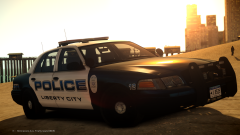
From the album: My GTA IV
The skin will come in two versions, one being the Vero Beach PD and the other being the Liberty City PD. Skins By NiTr0 SHoK Available for download soon. -

From the album: My GTA IV
Available for download soon. -
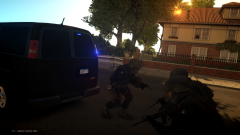
From the album: My GTA IV
GMC Savanna by PoliceWag Model available for download soon. -
The 7950 is a good choice because of the 3GB of VRAM, so it will do better in games requiring more VRAM or with multi-monitor setups. The thing about the 7950 is that it is a last gen GPU, so you may have to upgrade sooner. The 760 is also a great card, they make a 4GB version of the 760 if you need more VRAM. Here is a link: http://www.newegg.com/Product/Product.aspx?Item=N82E16814130949. I would go with the 760 4GB if budget allows because of the higher core clock speed. Benchmarks: http://gpuboss.com/gpus/Radeon-HD-7950-vs-GeForce-GTX-760 If you wanted to you could go with a R9 280x which is basically an upgraded 7950.
-
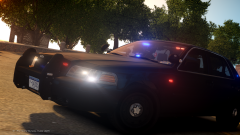 I will.
 -
I put that there so I don't get PM's asking for my ENB.
-
I meant the car.
-
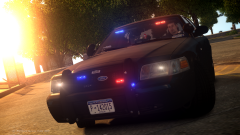
From the album: My GTA IV
CryENB v1 Car available for download soon. -
From the album: My GTA IV
CryENB v1 Car available for download soon. -
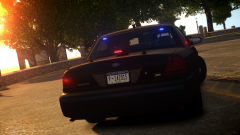
From the album: My GTA IV
CryENB v1 Car available for download soon. -
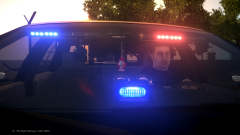
From the album: My GTA IV
CryENB v1 -
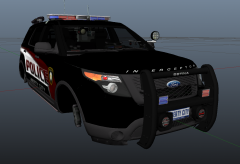 I wonder.
 -
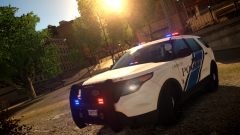
From the album: My GTA IV
-
 Thanks a ton ineseri!
 -
Thanks CrossFire.
-
I don't think my screenshots look that good, I wish though. Thanks for the feedback ninja.
-
Yes, they are updated also, and they will be released soon.
-
-
From the album: aCoD Prodigy's Pics
-

-
This model is an updated version of the one that is already released, Bxbugs123 asked me to upload some screenshots of it for him.
-
From the album: aCoD Prodigy's Pics
Available for download soon. -
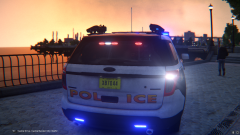
From the album: aCoD Prodigy's Pics
Available for download soon. -
 I'm not the one that made the model, VooDoo did.