JapanesePoliceOfficer
Members
-
Joined
Everything posted by JapanesePoliceOfficer
-
It depends on your progress in the story. Complete the story to the end, or install 100% clear data like the one below. https://www.gta5-mods.com/misc/100-save-game
-
Is it something like this? Animated Banner/Billboard [Add-On] - GTA5-Mods.com
-
JapanesePoliceOfficer replied to JapanesePoliceOfficer's topic in LSPDFR 0.4 for Legacy Edition SupportI re-configured the mods folder when switching to QuantV+LArevo, but it happened again despite testing each file one by one and I couldn't figure out why. I solved the crash by editing all the "pickups.meta" files in the game and disabling any weapon pick-ups.
-
AI patrols should be disabled by setting "AmbientSpawn.DisableRandomUnits = true", "AmbientSpawn.MaxCopsInArea = 0", and "AmbientSpawn.MaxSpawnedCopsInArea = 0" in lspdfr.ini.
-
Create a new folder on your desktop. You can name it anything. Select vehicles.awc in openIV, right-click and select "Output with openFormats" and then select the folder you just created. A vehicles folder and vehicles.oac will be created in the folder, so after replacing the wav in the vehicles folder, drag and drop oac into the location of vehicles.awc to convert it to awc. I'm sorry if this is difficult to understand because I'm using a translation.
-
First, check that you're pressing NumPad0 and not D0 (0 key), right? If you have other mods that assign keys to the numeric keypad, check to see if they work. It's possible the numeric keypad may be disabled by the NumLock key. (I've confirmed that the panic button shortcut doesn't work when the numeric keypad is disabled)
-
Will group backup work? (By default, hold RControl and press NumPad1)
-
Is "RControlKey" written in the ini file?
-
Hello. I had a similar problem before on a similar PC configuration, but it was caused by XScanner and XPU. Try uninstalling these two.
-
If you are using StopThePed, adjust the values for "PulledOverResistanceProbability" and "PulledOverAttackProbability" in the parameter line of the ini file. If you want to increase the types of risks, try using the following MOD.
-
Hello. Please check the <lodDistances content="float_array"> of the disappearing vehicle in vehicles.meta. Normally, there should be similar values such as 15, 30, 65, 130, 500, 500, but the 500 part may be a smaller value.
-
I'm currently using a lot of mods and VisualV+DLSS3.0+DLSS Frame Generation, and my FPS is around 110 and GPU usage is about 45%. When using only LSPDFR + NVE in vanilla, FPS is around 100 and GPU usage is 99%. Is this normal? Is NVE this heavy? PC configuration CPU:intel core i7-14700K GPU:GeForce RTX 4070Ti SUPER RAM:32GB Measured with NVIDIA overlay
-
 Thank you for your reply! I would like to thank the creator and translator who created this mod👍
- 316 comments
- 60 reviews
-
-

-

- 2
-
-
This MOD is amazing! I especially love “High Risk Escort.” It's also nice that even if the convoy vehicle gets stuck, you can reset its position with a single key. There is one question. Is this MOD incompatible with "Riskier Traffic Stops"? In the case of kidnapping by taxi, I stopped the vehicle, but they chose to flee on foot and the occupants fled. Only the blipped unmanned taxi remained, so I forced it to end with the END key.
- 316 comments
- 60 reviews
-
-
- 1
-
-
 This is so immersive! When combined with the following MOD, it looks like "Ready or Not".
- 287 comments
- 27 reviews
-
JapanesePoliceOfficer replied to JapanesePoliceOfficer's topic in LSPDFR 0.4 for Legacy Edition SupportSorry for the late reply. I don't think the frequency itself is that high. However, the time it takes to crash is random. In the video, it didn't crash for more than 20 minutes, but during testing, it sometimes crashed after 8 minutes. What's strange is that in my environment this crash doesn't occur for anything other than picking up a weapon.
-
LSPDFR.dll has been randomly crashing when picking up weapons. It doesn't matter what weapon you pick up, sometimes there won't be a crash for a long time, sometimes it will crash right away. 【information】 Error name: Processing cache while it's still in use - one or more subcalls may have caused the thread to yield Whenever it crashes, it shows the following line: LSPD First Response\Engine\Scripting\Entities\CPedCache.cs:line 45 LSPD First Response\Engine\Main.cs:line 72 LSPD First Response\Mod\LSPDFR.cs:line 822 I conducted several tests and took videos. It crashes at minute 26 of the video. The log for this video is attached. RagePluginHook.log Does anyone have similar problem? Or is this a known bug in LSPDFR?
-
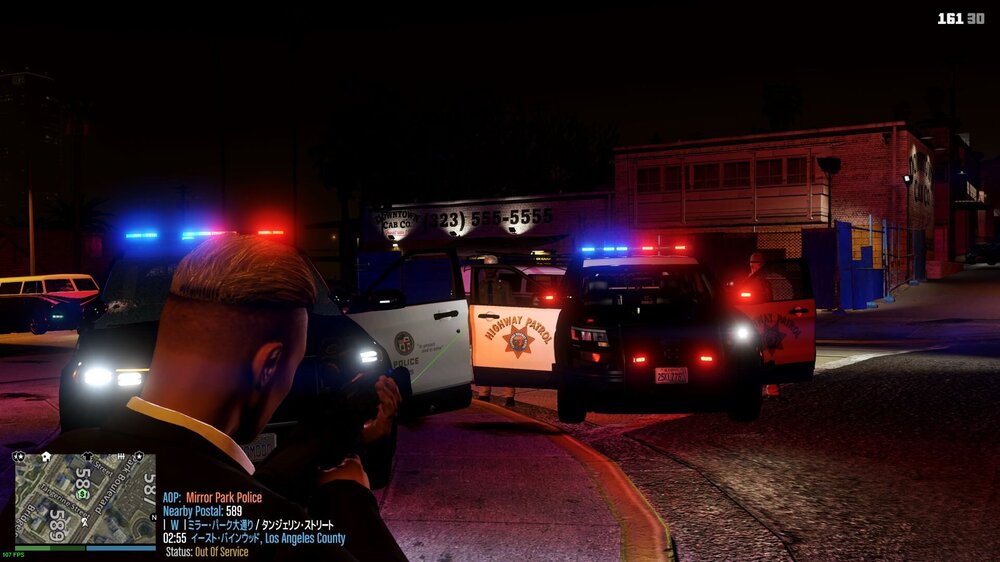
We responded to the shooting incident with group backup, and some police officers on patrol joined in the process, but after the incident was resolved, the officers who joined in the middle of the incident did not return to patrol and simply stood there. I've been wondering for a while, is this a game spec?
-
Hello. SimpleHud introduced a new font in ver 1.17, and the characters displayed are now garbled if the game's language setting is not English. However, since ver1.19 allows users to specify the font, please try setting the Font of each item in the ini file to "ChaletComprimeCologne". This was used SimpleHud before ver1.16. Example) DirectionFont=ChaletComprimeCologne
-
Please change all <lodDistances content="float_array"> values in "vehicles.meta" included in this pack to 500.000000 and check it in-game.
-
In my case, the game crashes when I use the Nightly version of ScriptHookVDotNet, so I can't help you because I'm using the regular version. I'm sorry. However, we recommend that you check whether the Nightly version of ScriptHookVDotNet is up to date and try reinstalling it, and also try the regular version of ScriptHookVDotNet and the Stable version of SimpleHUD.
-
There seem to be two "SimpleHUD.dll" files in the scripts folder. Depending on the type of ScriptHookVDotNet, you will only need either the Nightly version or the Stable version, so first try deleting the Nightly version and see if it works.
-
It may have been resolved already, but the right stick assignment is "RightThumb".
-
-
 Since the font can now be changed in the ini file, it can now be displayed correctly even in games other than those set in English. thank you!
- 554 comments
- 26 reviews