Mister Haskins
Members
-
Joined
-
Last visited
Everything posted by Mister Haskins
-
 Is there a UV/ Template you can share?
 -
 You did everyone a favor, I love you
 -
 I'd rate higher but this pack is missing YTD and YDDs for various things. The game will load the models and textures just fine through and through but some of the models and some of the textures are simply not in any folders in the pack. Same for serve and rescue. I have been reaching out for months asking for help and nobody can remotely come to my aid so for now here's a somewhat negative review. I love EUP but man I wish even the creator could just give me something to go off of with my problem.
- 2,349 comments
- 238 reviews
-
-

- 1
-
-
 I'd rate higher but this pack is missing YTD and YDDs for various things. The game will load the models and textures just fine through and through but some of the models and some of the textures are simply not in any folders in the pack. Same for law and order. I have been reaching out for months asking for help and nobody can remotely come to my aid so for now here's a somewhat negative review. I love EUP but man I wish even the creator could just give me something to go off of with my problem.
- 80 comments
- 28 reviews
-
 A pack I downloaded has a bad ELS XML file packaged with it making the lights flash behind the vehicle and not all around it. I do not know quite how to fix it as the documentation says little or nothing about rotation of lights. From how it looks the X Y Z is 3D placement of the lights but nothing says about rotation anywhere unless I'm thinking too hard about it.
- 2,700 comments
- 241 reviews
-
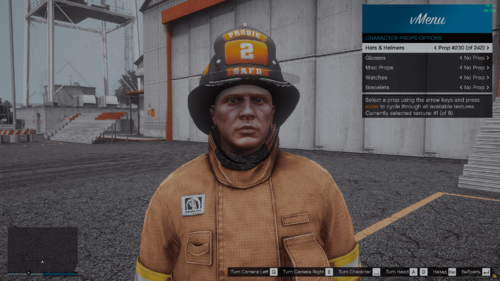
I'm having issues locating the default fire helmets in the SUP folder. Need help
- 80 comments
- 28 reviews
-
-
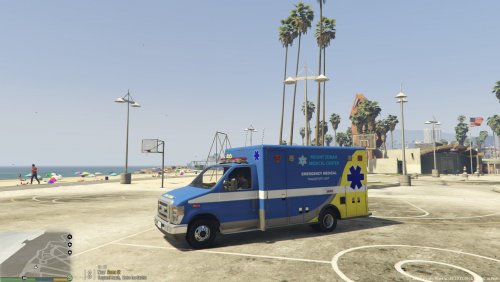 Hopefully you are still around, I need a template for this thing
 -
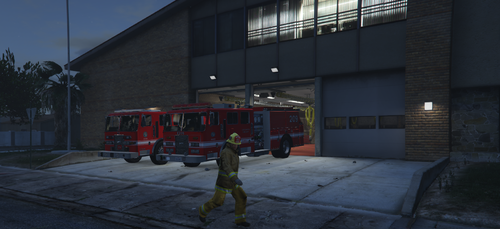 The models are fantastic and let that be clear. I like them, but there is one major glaring issue. After managing to successfully add the pack to my game after a no-brainer issue I should've been better to see before hand, I discovered bad lighting! The emissives on the sides are placing light into the vehicle, not anywhere close to directly away from the truck. Some of these LED strobes on the sides/ top don't actually emit anything, just change texture like it is. The LED looking lightbar has no emissive properties, the rotating lightbar emissives are dull, hard to see even in night conditions. The amber TA bar in the back is not emitting light at all either. The only properly working as expected light I see are the two amber lights on the older truck. Sure they aren't crazy bright like the other vehicles in my game are, but they are noticeable. This is all with a pretty aggressive visual data file I picked up too. If these models were updated with much better lights across the board, I'd consider using them and making a donation for the troubles. These are the only real authentic looking LA and LACo apparatus I can find and it's a bummer they suck as far as lights go.
 -
-
I added the fire engine but the emissives aren't working for me. Never had a problem with other vehicles before either. Was so excited to have accurate LAFD apparatus
-
 In need of templates if it's possible to grab them. I basically duplicated the cars so I can have LASD in my game and I want to be sure to get the liveries right when I make them.
- 255 comments
- 75 reviews
-
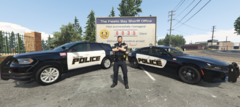
From the album: Iowa Mod
Paleto Bay (New Hampton) PD cars before the new Tahoe entered the fleet. -
My "mod" is more or less a single player project, involving license plates made by myself, liveries made by myself for loads of emergency vehicles and EUP textures made by myself. The general area these designs come from is my neck of the Iowa woods while also taking a few "creative liberties" to best represent a somewhat general Iowa look. Agencies in my project include: Iowa State Patrol Los Santos Police Department West Los Santos Police Department East Los Santos Police Department Paleto Bay Police Department Sandy Shores Police Department Blaine County Sheriff's Office Los Santos County Sheriff's Office Los Santos Fire Rescue West Los Santos Fire Rescue East Los Santos Fire Department Sandy Shores Fire Department Paleto Bay Fire Department MercyOne Ambulance Service Blaine County EMS More content to hit my album as time goes!
-
Paleto Bay Police Charger Durango
-
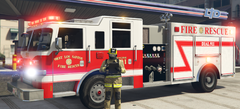 West Los Santos Fire
-
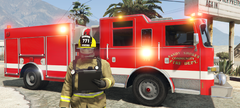 Sandy Shores Fire
-
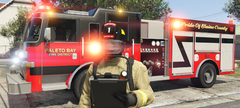 Paleto Bay Fire
-
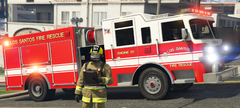 Los Santos Fire
-
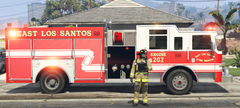 East Los Santos Fire
-
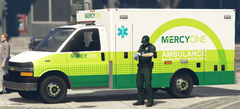 MercyOne Ambulance
-
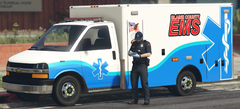 Blaine County Ambulance
-
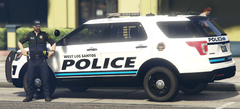 West Los Santos Police
-
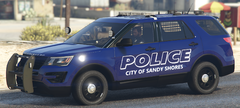 Sandy Shores Police
-
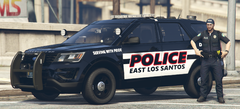 East Los Santos Police
-
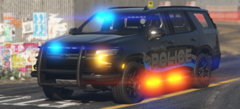 Paleto Bay Police 2023 Tahoe
-
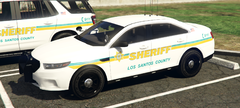 Sheriff Taurus.png
-
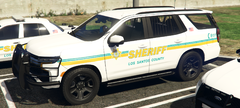 Sheriff Tahoe.png
-
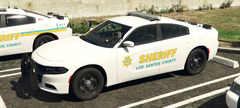 Sheriff Minimally Marked Charger.png
-
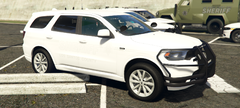 Sheriff Ghosted Durango.png
-
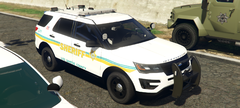 Sheriff Explorer.png
-
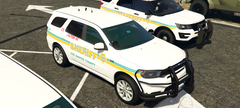 Sheriff Durango.png
-
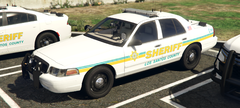 Sheriff Crown Victoria.png
-
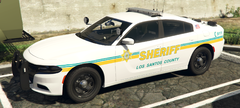 Sheriff Charger.png
-
-
From the album: Iowa Mod
West Los Santos (Cedar Falls) -
From the album: Iowa Mod
Sandy Shores (Based off of West Union, not located in my county but the only FD nearby that has a newer truck as well as up-to-date photos of their fire department). -
From the album: Iowa Mod
Paleto Bay (New Hampton) -
From the album: Iowa Mod
Los Santos (Waterloo) -
From the album: Iowa Mod
East Los Santos (Evansdale) -
From the album: Iowa Mod
Same ambulance but in a MercyOne livery, based on the MercyOne ambulances seen in my area of the state of Iowa. -
From the album: Iowa Mod
Revamped ambulance for Blaine County EMS, based off my county's EMS. -
From the album: Iowa Mod
West Los Santos is Cedar Falls, Iowa. Cedar Falls is a neighboring city to Waterloo. -
From the album: Iowa Mod
This Sandy Shores PD unit replaces the Tri-Township Police units. It is based off of a disbanded police department in my county. -
From the album: Iowa Mod
East Los Santos is based off of Evansdale, Iowa. Evansdale is a suburb of Waterloo, which is represented as Los Santos. -
As the title says. I have experience with how a fair amount of code works so for a while I was managing just fine with base game handling IDs. Well, I want to update the handling of my vehicles to a better handling line that allows higher speed. Found a stock car in GTA for both the charger and SUV variants of my police mods. Specifically the Buffalo STX and Baller ST (buffalo4 and baller7 respectively). Previously all chargers ran "buffalo" and SUVs ran "baller2" handling IDs in my code. Buffalo obviously made sense but baller2 had a faster 0-60, cornering was better and high end speed was 30 mph faster than any other SUV type. The Baller ST (baller7) essentially had negligibly worse handling and a buff in higher end speed so I wanted to add that. Same story with Buffalo STX (buffalo4). Game crashes instantly after selecting "Load Story Mode with Rage" option. I previously had ran into this months before and simply picked launch patch vehicle handling IDs which always will work. I really want to bring in the better handling lines to make my cars better. Would I have to hunt down the code for these DLC vehicles and place it into the core mods files or am I just SOL? FYI: The speed and handling of what I have right now is decently good, and if I wanted more speed at the same handling I could just use the trainer to buff the engine and torque as needed but I would like my compatriots to also be able to match speed and be as quick as me. Not a deal breaker regardless.