VRDog
Members
-
Joined
-
Last visited
Everything posted by VRDog
-
 I'm noticing that no matter what Key I bind "End Callout" to, nothing seems to end the callout. Currently, the callouts conflict heavily with Policing Redefined (not your fault) so I'm essentially forced to respond to the call, then immediately try to end it so I can actually deal with it via Policing Redefined. However, I cannot even end the callout it seems.
- 352 comments
- 25 reviews
-
 Where did you get the Chevy Express from? It's not in any of the packs linked.
 -
 I notice that whenever I choose to take a Suspect into the Police Station myself, we both spawn in the doorway. Well the issue with that is, if I press (on controller) DPadRight to grab him, it teleports me back outside because there's a doorway there also saying to press DPadRight to leave the station. To fix this, could we have an optional ini that makes the suspect spawn with you holding him/her whenever you choose to escort them into the Police Station? That would clear that issue up haha.
- 617 comments
- 48 reviews
-
-
 I second that, an addon would be great!!! Thanks regardless for your hard work, and for releasing it to the public.
 -
 Any chance of a Lore-Friendly version?
 -
 Just wanted to report it that this was actually a user-issue. I had a few too many modded vehicles nearby each other, causing both of these models to go into their "Low" LOD view for some reason. That was an odd one for sure, but upon loading the game again these issues are gone.
 -
 That happens for me sometimes too if I hit "Replace". Instead, usually if you drag/drop the file into OpenIV it'll work just fine. Give that a try.
 -
@Scorpionfam Edit : This was a user-issue that I resolved.
-
At this point I'm a fan. Honestly, everything you've uploaded thus far has been amazing.
-
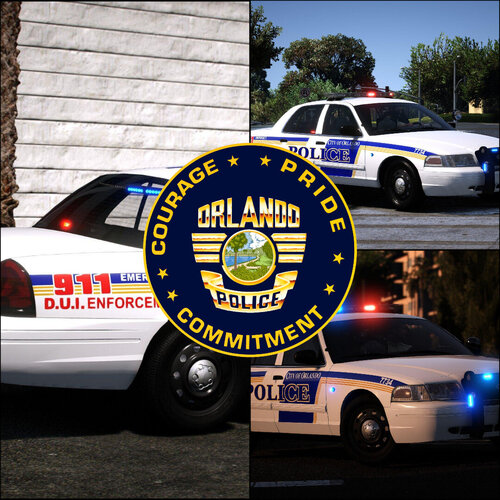 Yay Lore Liveries!!! Thank you for your continued work on this lovely pack 😄
 -
 In the custom keybinds (custom.ini) I set the Hotkey Modifier to be "None" yet the game still forces me to use LControlKey. Is there any way for me to change this?
- 1,347 comments
- 82 reviews
-
I've installed a custom Dispatch Voice mod, but now realize that any and every Callout Pack just overrides it. So my question is, can I delete audio files for those callout packs or will that crash the game?
-
@Scorpionfam I have a question, I noticed that when driving these vehicles around at night, if I step out of the car the headlights become 3X brighter. Is there any way for me to turn that feature off? It's making Traffic Stops impossibly bright at night with these haha, I've had to resort to only driving during the day because of it.
-
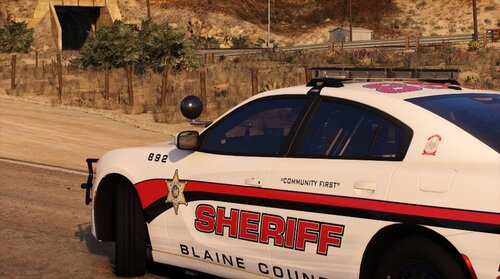 Hmm, for some reason nothing from here will import into OpenIV. I keep getting the error "The following file (filenamehere) was not imported"..... I've even tried renaming the file as other file names, such as dds jpg jpeg png etc. I think it's that the files are the wrong size or something, but that's just a guess. But none of them from any of the folders are able to be imported into OpenIV.
 -
Holy Moly this pack is amazing!!!! I honestly have just found my newest favorite, hands down. I do wish the Texture Authors updated their textures to match your pack though haha. Seriously, top tier work here.
-
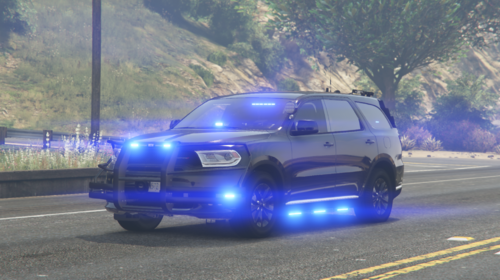 If you mean what do you type into the dlclist xml file, you always type in the name of the folder that contains the dlc file. I know that sounds confusing, but in this case it's doddurango (exactly spelled as that). When you get used to downloading addon files, you'll start to get it. Always remember, whatever folder has the actual dlc file in it, that's the name that you write in the dlclist xml.
 -
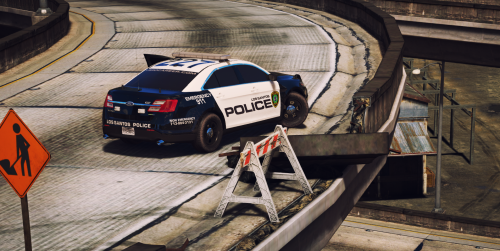 Any chance I could convince you to have the skins fit this pack here? I tried and unfortunately several of them just don't fit these. https://www.lcpdfr.com/downloads/gta5mods/vehiclemodels/47207-elsaddon-los-santos-police-department/
- 51 comments
- 13 reviews
-
 So what does NSA mean? I've been looking side by side at the models and cannot tell the difference yet.
- 476 comments
- 18 reviews
-
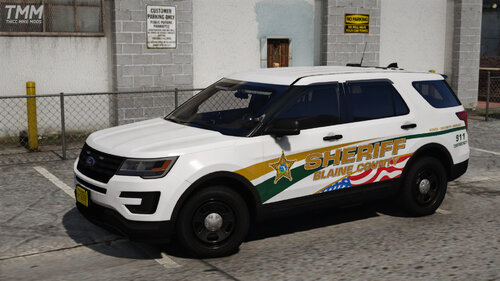 Any chance I could convince you to have them fit this pack here?
 -
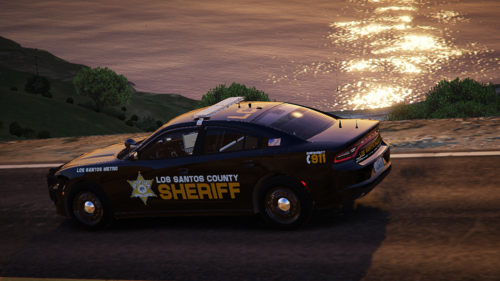 I can't wait for the Ghosted Durango 😮
 -
I just had a crash happen immediately as I called for backup. My first suspicion was Ultimate Backup, but I poked around the xml and honestly I can't find any error. However I also see that XScanner was going off around the same time, so I'm just wondering if anyone can pinpoint better than me, which mod caused this crash. I included specifically the point at which LSPDFR crashed.
-
 @BOYDEAD02Thank you for the update. I cannot wait for the DLC version!!! I'm excited 🙂
- 232 comments
- 24 reviews
-
So this is an odd issue I'm having. ELS, specifically on the Controller, is causing AI drivers (who are fleeing) to crash their vehicles. It does this by preventing the AI from steering whenever I change the siren tone. This doesn't happen if I do it on the keyboard, but if I get behind the driver and swap tones with the "B" button on controller, it momentarily causes the AI to not be able to steer, so they'll just ram into whatever's in front of them. This is so strange and I have no clue what's causing it. I've done multiple installs, so at this point I'm guessing it's a bug in ELS itself. Can someone else try this? Get a chase going, and get close behind them. Now spam the B button (controller only) to change tones, and watch them slam into whatever's ahead.
-
 I'm trying to get into this mod, but honestly it's so confusing I have zero clue what I'm doing. A quick example is trying to tell them the reason I pulled them over (speeding). So it then says "Use Moving Violation Menu". So I do, then I go back and it just repeats that.... What!? "My colleague will speak with you" only ever returns a "..." response. Actually, 80% of the things I choose simply return a "..." response or tell me there's some sort of issue. I honestly feel like I need a Video Tutorial on what step to ask things, because I'm apparently doing it all out of order I guess lol. None of this makes any sense to me so I had to uninstall for now. But I'm hopeful for the future of this!
- 42 comments
- 7 reviews