


EngineerBot
Members
-
Joined
-
Last visited
Everything posted by EngineerBot
-
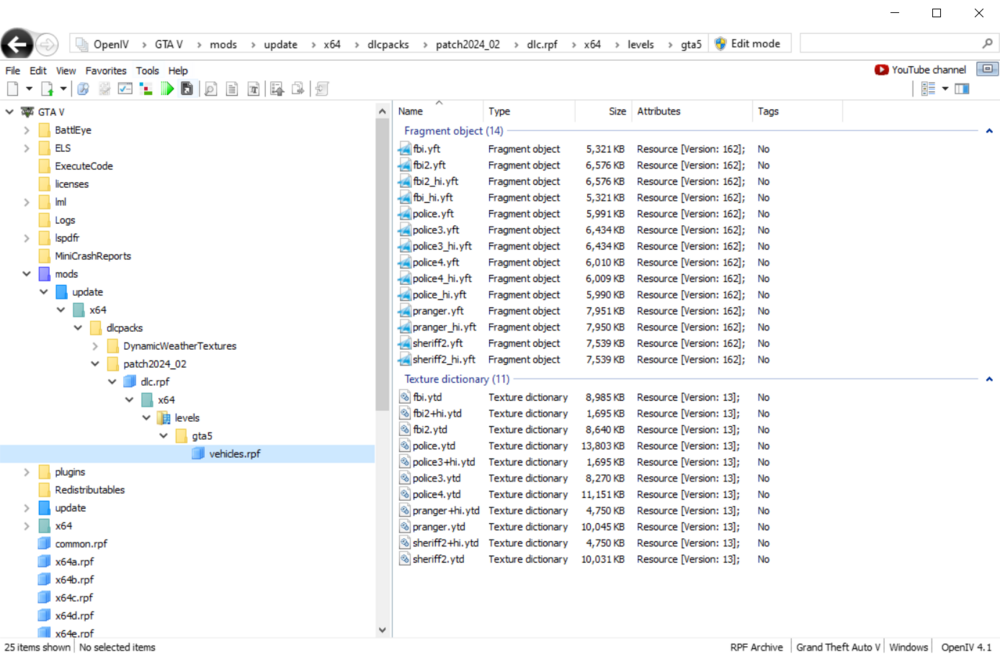
So I installed my replacement cars for ELS to ~\mods\update\x64\dlcpacks\patch2024_02\dlc.rpf\x64\levels\gta5\vehicles.rpf\ but for some reason they're not showing up in-game. I was told to put them there by a person in the unofficial LSPDFR. I also cleared out all other files within that mod pathway to save some space, cause I remember seeing you could. Nonetheless they just don't show up and I'm not sure what to do. Already reinstalled ASI Loader in OpenIV.
-
 Could you (at some point, more wondering if it's ever been considered or planned) maybe add Ngenuity/HyperX keyboard support at some point. A cool per-key cop light effect would look cool on my keyboard.
- 113 comments
- 13 reviews
-
 Great mod. Like the turn signal and the direction switching. I have a problem though with cruise control. When I turn it on and set a speed, the cruise control doesn't actually work, even if I press the reset button and all that.
- 330 comments
- 24 reviews

