



StrongWilled
Members
-
Joined
-
Last visited
Everything posted by StrongWilled
-
Intel i5 12400F 2.5-4.4GHz 6-Core Nvidia RTX 4060 8GB 32GB DDR4 3200MHz Dual Core 500GB NVME SSD Gen 3 Consistently getting 110-130 FPS on high settings. Mind you this is the only game I play. I upgraded the fans and added a water-cooling system. It was a custom build. From what I've noticed, spending about $1400 gets you to a good point for GTA V to run without issue. Other: MSI G271CQP E2 27" Dual Monitors Roccat Vulcan Keyboard Roccat KONE XP Air Mouse SteelSeries Arctis Nova 7P Headset Good starter set-up for better quality gaming experience.
-
 I ended up getting it fixed. Uninstalled lspdfr, reinstalled lspdfr, select EUPMenu and load all plugins at start-up. It worked just fine after that.
- 631 comments
- 71 reviews
-
-
 Good job! I've noticed many warrants, but lack a legitimate charge to use. You shouldn't duplicate the crime and charge them again. Many States have arrest warrants, failure to appear/bench warrant or fugitive from justice warrants that people are charged with. The fact that none of these are valid options does not make this realistic in those cases. If you refuse to add the option, can I edit it myself?
- 198 comments
- 21 reviews
-
Issue started two days ago, loading the plugin works until I press F11. It crashes the menu immediately. I restart the plugin...and beep closes out again. I went all the way back to a fresh GTA directory and installed it again, same issue. It doesn't crash the game, just the plugin. Everything is updated. I can choose the clothing through the component menu but that's now what I should have to do.
- 631 comments
- 71 reviews
-
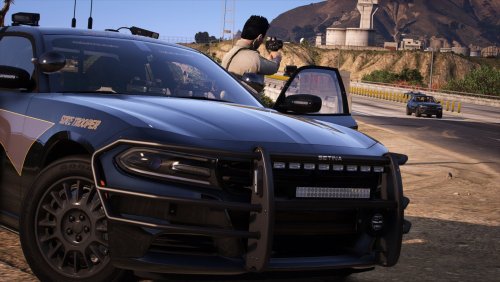 Great job! Finally, a simple pack with blue options. Not too many lights. Just enough. 🔥
- 18 comments
- 7 reviews
-
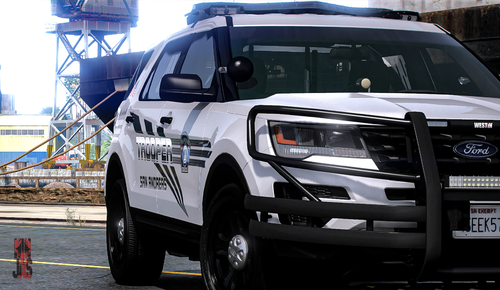 Gorgeous vehicle! Outfitted just right. Not too much lighting. Any possibility of a blue/blue option?
- 28 comments
- 3 reviews
-
 This happened to me as well, but I realized I have the EUP set and configured. They have a spot for Fire Police which is only common in certain areas of the U.S. It's a bit strange so I switched that slot to a FD SUV.
- 283 comments
- 95 reviews
-
"ForceDuty" solved the issue. Thanks a lot!
-
Excellent pack! Only have one issue. I don't know what it is, but it only happens when I use certain vehicles in this pack.
- 283 comments
- 95 reviews
-
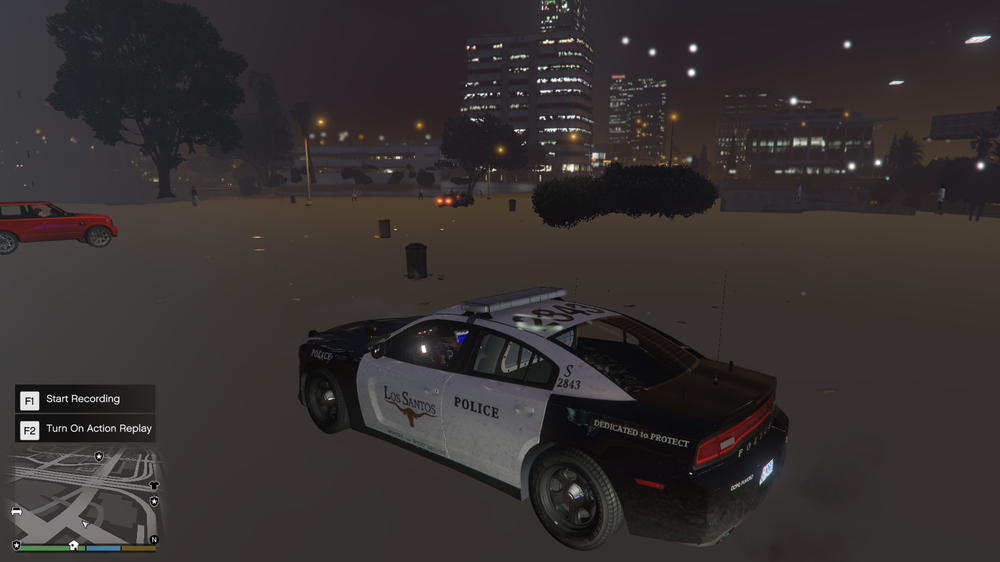
Not a clean install. RageNativeUI and Scripthook V say they are updated. I do have a few modded vehicles, but they don't normally pose a problem. I'm using the Fort Worth, Texas-Los Santos Police Pack. When it does work, I often have this issue shown in the image below. Installed Whelen CenCom siren.
-
My game is loading up, I drive to the Police Station. As soon as I enter the area to press E to enter, my game freezes and crashes. RagePlugIn failure along with LSPDFR. Game is updated to the latest updates and just started happening today. Already did a clean install several times.

