


249Xeno
Members
-
Joined
-
Last visited
Everything posted by 249Xeno
-
 @ZADDYSteve Nice work dude. There is a dude that attempted to do that sync too but unfortunately, it can only be done for FiveM with his syncing with the lightbar. I really hope that you will get it working for all of them to sync in and work as it should be. Now with your vehicle versus NVP. it shouldn't matter what kind of lightbar any of the vehicle are using honestly, but the pattern has to be the same for it to sync and/or the script that you are doing may need to be set to player out of vehicle patter to match with NvP vehicle, then that may fix the problem. it all comes down to pattern and I do not think that it will work with hybrid model, unless you set it to be sync? idk ... but best of luck dude and i hope this work well once all the bugs are fixed.
- 29 comments
- 2 reviews
-
-

- 1
-
-
-
-
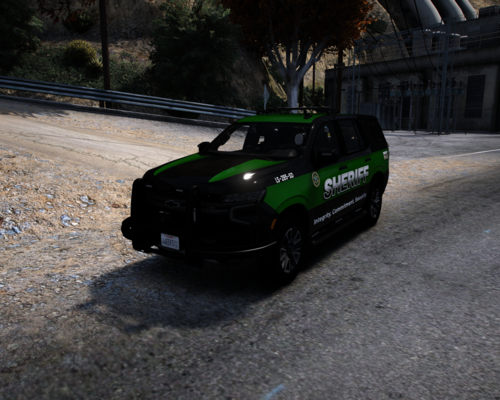 I was debating if I should upload it in here or should I not and I was discussing this with friends whom wanted me to share my model with everyone else rather gate keeping. I decided to upload this one (solo) model for now and see how it goes from there. This model is a hybrid with only the valor that are ELS. I designed this model with my own idea and not from any RL LEO's vehicles, so yes. It is a fictional. I hope you guys enjoy this. Please do not take this model and resale, upload anywhere else without my permission, or anything else. NOTE: This model comes as it is...
 -
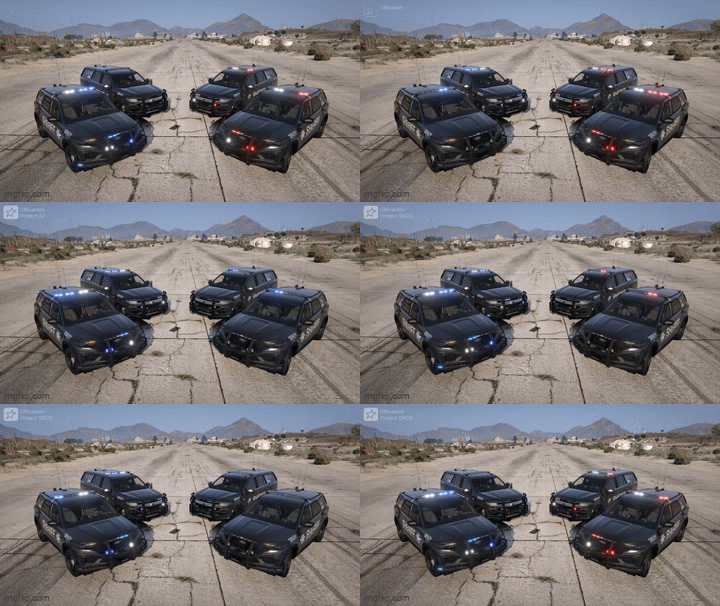 The livery looks great, but I think you going have to fix the lettering on the doors. They look crooked. Who is "they"? are you talking about Ark's latest models? No, it does not crash anyone game beside yours due to whatever you add to your openiv and/or your main directory. Check The addon is good since myself and others are playing them just fine. @OfficerArk I think he does have those already "Thousand of cars." He added something or did something on his ends that cause the crash. If nothing else, he may need to update gameconfig. I would help, but I dont have Kane's stuff. Until I purchases it... my hands are tied lol.
 -
beautiful as always ark.
-
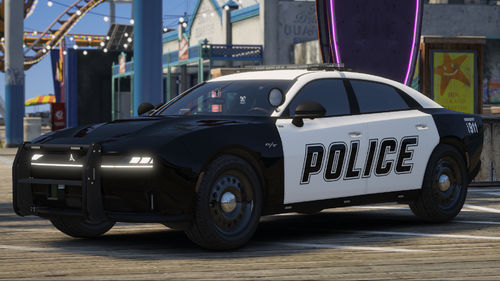 @Rabbit GTA V Development The model looks great, but is there a preview of the lightning? Also, where did you get the 2025 D.Charger?
 -
 I will advise the creator regarding PR and see if he can make it to that. It will be awhile before this can happen, so please be patience.
- 160 comments
- 20 reviews
-
 I love it !!! Thank you for supporting him.
 -
 I dont think it does... because it required steam overlay. I mayybe wrong @HeyPalu its great to see you're back on this bro.
- 217 comments
- 22 reviews
-
 siren sounds good and clear. each siren has their own levels of siren, but I think the best one are one and last one. These two can make a good combination.
- 1 comment
- 1 review
-
that is an interesting siren you got there. where did you got these siren from? and from what country? I like the first siren and the fifth siren one. The second thru fourth sound eh....
- 1 comment
- 1 review
-
 finally someone made it. NICE JOB!
 -
-
-
 no.. the number are just there to separate the model from each other or they will conflict with one another because of the name. Check Carvariations and vehicle.meta to see that the name are match and that they are also match with the model. That can also cause why the vehicle are not spawning within the game through your trainerV. Each name has to match with all of these (carv, vehicle.meta, and models).
- 476 comments
- 18 reviews
-
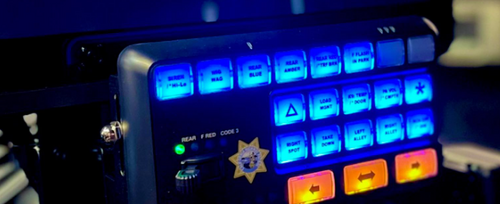 but yah. Thanks for sharing your siren dude.
 -
I don't understand why they have to change their siren for. I think they should've left their siren along.
-
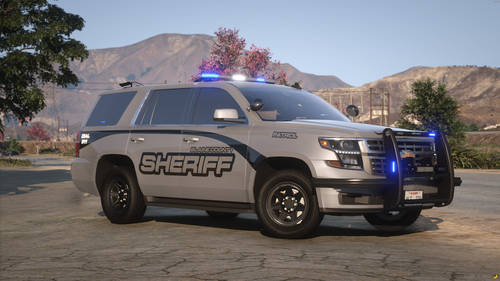 the texture of the vehicle looks nice, I like it.
 -
carvaritations.meta is not a folder, its a file. It is within the data folder of the addon's vehicle. double click and open the addon folder, then go into dlc, then go into either data or common, and then data and it should be right there "carvariation.meta." Make sure that you open it as edit. If you do not know how to do that. Right click on the file and click on edit. That should open up as edit so you can change whatever you need to change in there.
- 476 comments
- 18 reviews
-
-

- 1
-
-
alright tried all of that ... i was able to fixed the issue after a long headache. For some reason when it told me to log into the game through steam and then RPH launcher, but it crash regardless I did that. After several attempted, I restarted my PC and then tried again with RPH launcher which allowed me to log into the game. It crashed while I was ingame but also allowed me to see why my game through the RPH log and what was it that was not letting my game work properly. Found out that my game was missing RagenativeUI and some other components that I had to search for in order to fix the problem.
-
-
 i agree. It does look promising. As for big truck and such to move out of the way, he can always message RCrw that created Ai Traffic Fluidity which maybe able to show him know to make them move out of way during code 3. Ai Traffic Fluidity is still getting new update, but since the creator are busy in real life, it will take time. But yes, this is a good plugin.
- 128 comments
- 14 reviews
-
 log out and then go into your openiv. Once you done that, go into whatever patchday you are using and go to that vehicle .ytd and look for whatever ..._sign_1 and replace it with another skin that match the vehicle.
- 175 comments
- 24 reviews
-
-
- 1
-
-


