
K7BSamuel
Members
-
Joined
-
Last visited
Everything posted by K7BSamuel
-
-
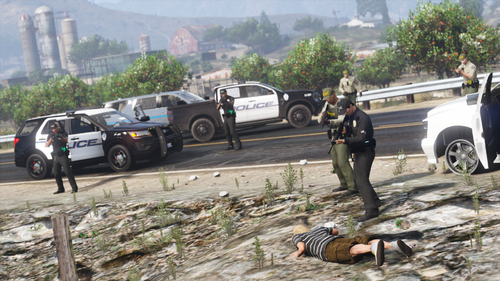 It won't be out immediately with the looming GTA update sadly but it is actively being worked on and will be available to my config testers shortly after it's finished.
 -
join my server n send me your log in a support ticket
-
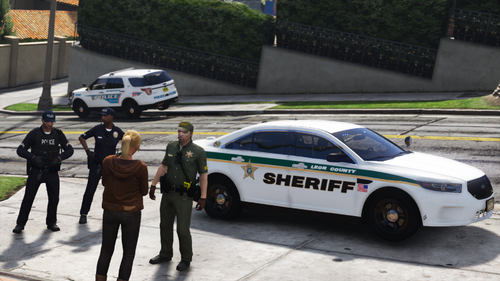 These Policing Redefined and Ultimate Backup config files will allow you to utilize multiple Florida-based packs by c13, Trp Keaton, Scorpionfam, and Skys Development to its fullest potential by allowing backup AI to respond driving them, and with proper uniforms. There are four versions to these configs:Version 1: Base Contains only Tallahassee-Leon, Keaton's FHP, and Skys's FWC packs. Version 2: Leon-Broward Additionally contains Scorpionfam's Broward County Sheriff pack and Barsotti's Margate PD pack Version 3: Leon-Broward FHP By request: adds Skys Development's FHP in conjunction with Trp Keaton's FHP Version 4: Florida Man Edition Adds a third county splitting San Andreas horizontally down the middle, adding Orlando PD covering the Grand Senora Desert towns, and Orange County Sheriff spanning from Lago Zancudo to the San Chianski Mountains. This version specifically will also be included as an update to the existing Florida configs set. Credit to AstroTriesModding for his EUP conversion tools which makes making these configs a breeze. Configs Install:- BACK UP ORIGINAL FILES! I am not responsible if you did not back up your original files before installing. - Ultimate Backup: - Drag n drop the three Ultimate Backup .xml files into GTA V Directory -> Plugins -> LSPDFR -> Ultimate Backup - Policing Redefined: - Drag n drop the three Policing Redefined .xml files into GTA V Directory -> Plugins -> LSPDFR -> PolicingRedefined -> Backup - Replace when asked. Wardrobe.ini instructions:- Merge method: Recommended to not erase your custom outfits - Open my wardrobe.ini file, right click, select all, copy - Open your wardrobe.ini, scroll to bottom, hit Enter twice if needed, - right click, paste - Make sure all the outfit entries are evenly spaced when pasting! - Replace method: Clean wardrobe.ini install, will erase custom outfits - Back up your original wardrobe.ini! - I am not responsible if you did not back up your files. - Copy my wardrobe.ini to GTA Directory -> Plugins -> EUP - Replace when asked. EUP 9.7, 9.8, 9.9, or 9.10 IS A HARD REQUIREMENT! Get it from the EUP Patreon / DiscordEUP 9.11 is not compatible at this time. An update is coming soon!Base Requirements Version 1 and above:- Tallahassee Police & Leon County Sheriff Mega Pack by c13 https://www.lcpdfr.com/downloads/gta5mods/vehiclemodels/40342-els-hybrid-dlc-tallahassee-police-leon-county-sheriff-mega-pack/ - Trp. Keaton's FHP Mega Pack https://www.lcpdfr.com/downloads/gta5mods/vehiclemodels/34721-florida-highway-patrol/ - Skys Development FWC pack https://www.lcpdfr.com/downloads/gta5mods/vehiclemodels/47802-fwcflorida-fish-and-wildlife-dlc-els-hybrid-mini-pack/ Version 2 and above:- Broward County Sheriff pack by Scorpionfam https://www.lcpdfr.com/downloads/gta5mods/vehiclemodels/49925-els-hybridaddon-broward-county-sheriff-pack/ - Margate PD Tahoe by Barsotti the Madman https://www.lcpdfr.com/downloads/gta5mods/vehiclemodels/46881-dlsv2els-hybrid32-sirensadd-on-margate-police-department-florida/ Version 3 and above:- Skys Development FHP Pack https://www.lcpdfr.com/downloads/gta5mods/vehiclemodels/44747-elsdlc-fhpshp-pack/ Version 4:- Orlando PD CVPI Pack by Trp. Keaton https://www.lcpdfr.com/downloads/gta5mods/vehiclemodels/48383-orlando-police-crown-victoria-mini-pack/ - Orange County Sheriff's Office by Skys Development https://www.lcpdfr.com/downloads/gta5mods/vehiclemodels/48959-elshybriddlc-orange-county-sheriff-fl-pack/ ALL other requirements LISTED IN THE README FILE!Install unmarked vanilla replace vehicles, as none of the vehicles in the packs listed above replace vanilla police vehicles. Otherwise, you will see either vanilla models or the models you last installed spawning ambiently via LSPDFR or callouts. If this happens and it bothers you, I suggest finding and using unmarked vehicles of your choice as replacers for vanilla vehicles. Steve6645's unmarked vehicles are a very good option as he has enough to cover every vanilla vehicle slot and then some, and not all of them are natively addon. Final Notes and Known issues: - These configs were intended for use with EUP versions 9.7 or newer. Older versions of EUP (9.6, 9.3, 8.3, 7.2, etc.) will NOT work. If there are any issues, bugs, glitches, suggestions, questions, comments, concerns, etc. about these UB configs, please join my Discord server. Report all issues to the #game-support channel.
 -
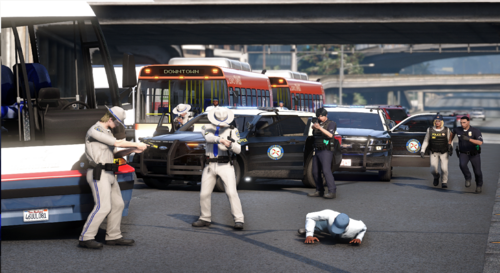 These configs are NOT compatible with EUP 9.11 and require an update.Supported versions: 9.7, 9.8, 9.9, 9.10.
 -
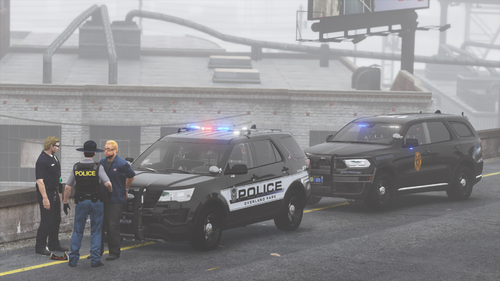 These configs are NOT compatible with EUP 9.11 and require an update. Supported versions: 9.7, 9.8, 9.9, 9.10.
 -
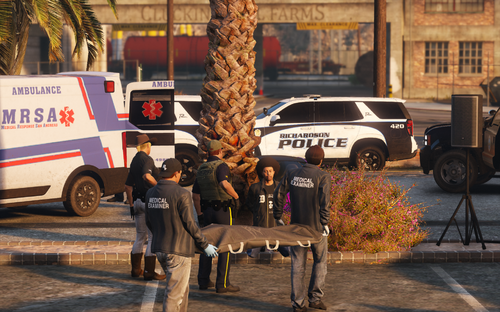 In my server I explain why there are no "ambient units", and if the uniforms are broken then it means one of three things: You did not properly install EUP, EUPFR, or both. DO NOT use the .oiv installer for EUP, INSTALL MANUALLY! I do not provide support for users who install EUP with its .oiv installer. .oiv installers break games. You are using the wrong version of EUP. 2a. If you are using EUP 9.11, please join my Discord and provide screenshots as I have not tested EUP 9.11 yet with my configs. This is something I am going to do tonight. You are seeing the LSPDFR-spawned peds, not the backup peds. The uniforms are meant to look as accurate as possible without patches using vanilla EUP assets and are very much indeed not broken (excluding version incompatibility, I believe some things in 9.11 have broken things), they are simply not 1:1 copies with patches as that'd require extra 3rd party content which is just not feasible (or possible because version inconsistencies n other complicated stuff) and on top of that would require a plethora of extra installation steps that the common user either won't know how or won't want to do correctly. This is a fair compromise. As for why Ultimate Backup is crashing, please ensure that you are using the ULTIMATE BACKUP version of the configs, and the POLICING REDEFINED configs for PR. UB configs will convert to PR but not the other way around. It would also be helpful if you posted a log. You can do so in my server's game support channel. Also, please ensure you are not using both UB and PR together as the two mods are in no way compatible with eachother. You can find answers to all of your issues and more in my server's common questions channel. I apologize for any issues you've experienced and would be happy to help you further in my Discord server where I can give more timely and in depth responses.
 -
did you download the EUP from this website, Patreon, or 5mods?
-
These Policing Redefined and Ultimate Backup config files will allow you to utilize multiple Kansas-based packs by c13 to its fullest potential by allowing backup AI to respond driving them, and with proper uniforms. Credit to AstroTriesModding for his EUP conversion tools which makes making these configs a breeze. Thank you c13 for insight into Johnson County Kansas jurisdictions which helped shape this set. Configs Install:BACK UP ORIGINAL FILES! I am not responsible if you did not back up your original files before installing. Ultimate Backup: - Drag n drop the three Ultimate Backup .xml files into GTA V Directory -> Plugins -> LSPDFR -> Ultimate Backup Policing Redefined: - Drag n drop the three Policing Redefined .xml files into GTA V Directory -> Plugins -> LSPDFR -> PolicingRedefined -> Backup - Replace when asked. Wardrobe.ini instructions:Merge method: Recommended to not erase your custom outfits Open my wardrobe.ini file, right click, select all, copy Open your wardrobe.ini, scroll to bottom, hit Enter twice if needed, right click, paste Make sure all the outfit entries are evenly spaced when pasting! Replace method: Clean wardrobe.ini install, will erase custom outfits Back up your original wardrobe.ini! I am not responsible if you did not back up your files. Copy my wardrobe.ini to GTA Directory -> Plugins -> EUP Replace when asked. EUP 9.7 OR HIGHER IS A HARD REQUIREMENT! Get it from the EUP Patreon / DiscordALL Other requirements: Vanilla vehicles spawning?Install unmarked vanilla replace vehicles, as none of the vehicles in the packs listed above replace vanilla police vehicles. Otherwise, you will see either vanilla models or the models you last installed spawning ambiently via LSPDFR or callouts. This is not fixable by me. If this happens and it bothers you, I suggest finding and using unmarked vehicles of your choice as replacers for vanilla vehicles. Steve6645's unmarked vehicles are a very good option as he has enough to cover every vanilla vehicle slot and then some, and not all of them are natively addon. Final Notes and Known issues:- These configs were intended for use with EUP versions 9.7 or newer. Older versions of EUP (9.6, 9.3, 8.3, 7.2, etc.) will NOT work. If there are any issues, bugs, glitches, suggestions, questions, comments, concerns, etc. about these UB configs, please join my Discord server. Report all issues to the game-support channel.
-
-
-
 Does the old version work successfully on the latest GTA build? has anyone tried that?
- 342 comments
- 20 reviews
-
-
-
-
 Would it be possible to resurrect the old PeterU Callouts with a remaster such as the ones you've been doing?
- 21 comments
- 1 review
-
-

- 3
-
-
What you're referring to is controlled by the LSPDFR data files which neither PR nor I mess with, so that's why the local PDs you mentioned only respond when called. In order to stop LSPD from patrolling statewide you'd have to edit the LSPDFR data files (not the backup configs), which I myself don't even know how to do lol. Beyond that I'm glad you're enjoying them! And yes, I do plan on updating this in the future once Thero releases the next update for the mega pack which, as I understand it, is stil WIP but has a metric shit ton of new additions to be excited for, especially for PR-specific needs like new tow trucks and animal control.
-
How do you mean? Are you using the correct EUP version? Join my server n post a screenshot in my support channel.
-
Fixed description and updated requirements, sorry about that! Please check you've downloaded the correct requirements.
-
These Policing Redefined and Ultimate Backup config files will allow you to utilize two large packs by Blueghost to their fullest potential by allowing backup AI to respond driving them, and with proper uniforms. Credit to AstroTriesModding for his EUP conversion tools which makes making these configs a breeze. Configs Install: - BACK UP ORIGINAL FILES! I am not responsible if you did not back up your original files before installing. - Ultimate Backup: - Drag n drop the three Ultimate Backup .xml files into GTA V Directory -> Plugins -> LSPDFR -> Ultimate Backup - Policing Redefined: - Drag n drop the three Policing Redefined .xml files into GTA V Directory -> Plugins -> LSPDFR -> PolicingRedefined -> Backup - Replace when asked. Wardrobe.ini instructions: Merge method: Recommended to not erase your custom outfits Open my wardrobe.ini file, right click, select all, copy Open your wardrobe.ini, scroll to bottom, hit Enter twice if needed, right click, paste Make sure all the outfit entries are evenly spaced when pasting! Replace method: Clean wardrobe.ini install, will erase custom outfits Back up your original wardrobe.ini! I am not responsible if you did not back up your files. Copy my wardrobe.ini to GTA Directory -> Plugins -> EUP Replace when asked. EUP 9.7 OR HIGHER IS A HARD REQUIREMENT! Get it from the EUP Patreon / Discord - Skys Development FHP pack https://www.lcpdfr.com/downloads/gta5mods/vehiclemodels/44747-elsdlc-fhpshp-pack/ - Skys Development FWC pack https://www.lcpdfr.com/downloads/gta5mods/vehiclemodels/47802-fwcflorida-fish-and-wildlife-dlc-els-hybrid-mini-pack/ - Skys Development Orange County Sheriff pack https://www.lcpdfr.com/downloads/gta5mods/vehiclemodels/48959-elshybriddlc-orange-county-sheriff-fl-pack/ - Skys Development Osceola County Sheriff pack https://www.lcpdfr.com/downloads/gta5mods/vehiclemodels/48961-elshybriddlc-osceola-county-sheriff-fl-pack/ - Skys Development US Border Patrol Pack https://www.lcpdfr.com/downloads/gta5mods/vehiclemodels/51418-border-patrol-mini-pack-els-hybriddlc/ - Skys Development Unmarked Pack https://www.lcpdfr.com/downloads/gta5mods/vehiclemodels/50159-lo-profile-unmarked-pack-dlcels-hybrid/ - Trp. Keaton's FHP Mega Pack from LSPDFR https://www.lcpdfr.com/downloads/gta5mods/vehiclemodels/34721-florida-highway-patrol/ - Trp. Keaton's Orlando PD CVPI pack from LSPDFR https://www.lcpdfr.com/downloads/gta5mods/vehiclemodels/48383-orlando-police-crown-victoria-mini-pack/ - Discontinued Aventura PD pack from Skys Development Discord https://discord.com/channels/1127812414193287170/1292923508413829292 - Skys Development Orlando PD pack from his Discord server https://discord.com/channels/1127812414193287170/1292707063599992897 *Skys Development Discord link: https://discord.com/invite/TNX44vtRhk **Disclaimer: Discord requirements are not intended to gatekeep configs sets. If you cannot access a Discord server where a requirement is posted, you must take that up with the server owner directly in a polite manner. EMS addons *Take your time downloading these! 5-mods will rate limit you! - Default-Type EMS Vehicles Pack https://www.lcpdfr.com/downloads/gta5mods/vehiclemodels/12180-default-type-ems-vehicle-pack/ - The Death Investigator Pack https://www.gta5-mods.com/vehicles/death-investigator-pack-add-on#comments_tab - Brute Ambulance Remastered https://www.gta5-mods.com/vehicles/brute-ambulance-improved-add-on-replace-liveries ONLY use the "ambuimp" addon version! NOT the replace version! - Vapid Sandstorm D205 Ambulance https://www.gta5-mods.com/vehicles/vapid-sandstorm-ambulance-add-on-tuning-liveries-lods Fire Addons - MTL Pumper 6x6 https://www.gta5-mods.com/vehicles/mtl-pumper-add-on - MTL Fire Truck https://www.gta5-mods.com/vehicles/mtl-fire-truck-improved-model-add-on-liveries-template Tow truck addons | Policing Redefined only - F550 Rollback https://www.lcpdfr.com/downloads/gta5mods/vehiclemodels/50437-non-elselsaddonfivem-ready-f550-rollback/ - Ram 5500 Wrecker https://www.lcpdfr.com/downloads/gta5mods/vehiclemodels/51052-non-elselsaddonfivem-ready-2024-ram-5500-wrecker/ Animal Control | Policing Redefined only - Vapid Kennel Animal Control https://www.gta5-mods.com/vehicles/vapid-kennel-animal-control-truck-sp-fivem-add-on Install unmarked replace vehicles, as none of the vehicles in the packs listed replace vanilla police vehicles. Otherwise, you will see either vanilla models or the models you last installed spawning ambiently via LSPDFR or callouts. If this happens and it bothers you, I suggest finding and using unmarked vehicles of your choice as replacers for vanilla vehicles. @Steve6645's unmarked vehicles are a very good option as he has enough to cover every vanilla vehicle slot and then some, and not all of them are natively addon. Final Notes and Known issues: - These configs were intended for use with EUP versions 9.7 or newer. Older versions of EUP (9.6, 9.3, 8.3, 7.2, etc.) will NOT work. If there are any issues, bugs, glitches, suggestions, questions, comments, concerns, etc. about these UB configs, please join my Discord server. Report all issues to the #game-support channel.
-
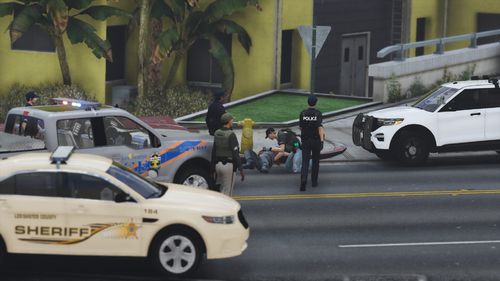 These Policing Redefined and Ultimate Backup config files will allow you to utilize two large packs by Blueghost to their fullest potential by allowing backup AI to respond driving them, and with proper uniforms. Credit to AstroTriesModding for his EUP conversion tools which makes making these configs a breeze. Configs Install: - BACK UP ORIGINAL FILES! I am not responsible if you did not back up your original files before installing. - Ultimate Backup: - Drag n drop the three Ultimate Backup .xml files into GTA V Directory -> Plugins -> LSPDFR -> Ultimate Backup - Policing Redefined: - Drag n drop the three Policing Redefined .xml files into GTA V Directory -> Plugins -> LSPDFR -> PolicingRedefined -> Backup - Replace when asked. Wardrobe.ini instructions: Merge method: Recommended to not erase your custom outfits Open my wardrobe.ini file, right click, select all, copy Open your wardrobe.ini, scroll to bottom, hit Enter twice if needed, right click, paste Make sure all the outfit entries are evenly spaced when pasting! Replace method: Clean wardrobe.ini install, will erase custom outfits Back up your original wardrobe.ini! I am not responsible if you did not back up your files. Copy my wardrobe.ini to GTA Directory -> Plugins -> EUP Replace when asked. EUP 9.7 OR HIGHER IS A HARD REQUIREMENT! Get it from the EUP Patreon / Discord - Kentucky Based Ultra Pack https://www.lcpdfr.com/downloads/gta5mods/vehiclemodels/24942-els-kentucky-based-ultra-pack/ - Blueghost's Unmarked Pack https://www.lcpdfr.com/downloads/gta5mods/vehiclemodels/32406-els-blueghosts-unmarked-european-pack/ - Allen Development's Unmarked 2020 K9 FPIU https://www.lcpdfr.com/downloads/gta5mods/vehiclemodels/47719-2020-ford-explorer-k9-rb-bb/ - Allen Development's Unmarked 2020 Tahoe https://www.lcpdfr.com/downloads/gta5mods/vehiclemodels/51309-2020-chevrolet-tahoe-elshybrid/ EMS addons *Take your time downloading these! 5-mods will rate limit you! - Default-Type EMS Vehicles Pack https://www.lcpdfr.com/downloads/gta5mods/vehiclemodels/12180-default-type-ems-vehicle-pack/ - The Death Investigator Pack https://www.gta5-mods.com/vehicles/death-investigator-pack-add-on#comments_tab - Brute Ambulance Remastered https://www.gta5-mods.com/vehicles/brute-ambulance-improved-add-on-replace-liveries ONLY use the "ambuimp" addon version! NOT the replace version! - Vapid Sandstorm D205 Ambulance https://www.gta5-mods.com/vehicles/vapid-sandstorm-ambulance-add-on-tuning-liveries-lods Fire Addons - MTL Pumper 6x6 https://www.gta5-mods.com/vehicles/mtl-pumper-add-on - MTL Fire Truck https://www.gta5-mods.com/vehicles/mtl-fire-truck-improved-model-add-on-liveries-template Tow truck addons | Policing Redefined only - F550 Rollback https://www.lcpdfr.com/downloads/gta5mods/vehiclemodels/50437-non-elselsaddonfivem-ready-f550-rollback/ - Ram 5500 Wrecker https://www.lcpdfr.com/downloads/gta5mods/vehiclemodels/51052-non-elselsaddonfivem-ready-2024-ram-5500-wrecker/ Animal Control | Policing Redefined only - Vapid Kennel Animal Control https://www.gta5-mods.com/vehicles/vapid-kennel-animal-control-truck-sp-fivem-add-on Install unmarked replace vehicles, as none of the vehicles in the packs listed replace vanilla police vehicles. Otherwise, you will see either vanilla models or the models you last installed spawning ambiently via LSPDFR or callouts. If this happens and it bothers you, I suggest finding and using unmarked vehicles of your choice as replacers for vanilla vehicles. @Steve6645's unmarked vehicles are a very good option as he has enough to cover every vanilla vehicle slot and then some, and not all of them are natively addon. Final Notes and Known issues: - These configs were intended for use with EUP versions 9.7 or newer. Older versions of EUP (9.6, 9.3, 8.3, 7.2, etc.) will NOT work. If there are any issues, bugs, glitches, suggestions, questions, comments, concerns, etc. about these UB configs, please join my Discord server. Report all issues to the #game-support channel.
 -
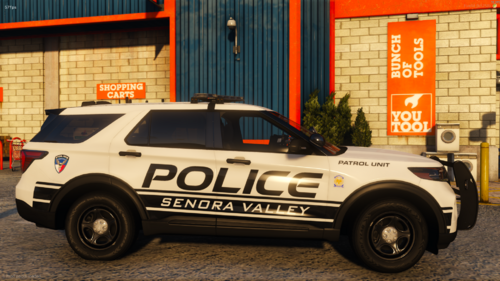 what pack did you use that had that Ram in it? Or whose truck is it, if it's individual?
 -
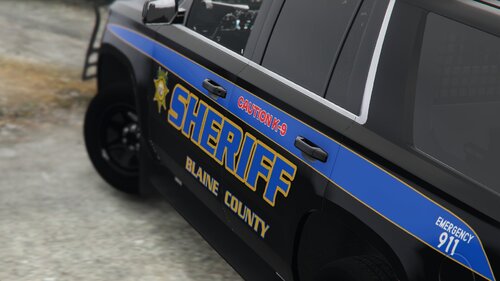 These are fucking beautiful. Will definitely be going in my game soon.
 -
This set is due for another major overhaul as soon as Thero releases that update he’s working on, he’s included a BUNCH of stuff that PR in specific will be able to use quite extensively as well as a bunch of new K9 cars😁keep an eye on his Discord if you haven’t seen any of it, and stay tuned to mine for the actual config set updates😄
-