


yauling112
Members
-
Joined
-
Last visited
Everything posted by yauling112
-
.thumb.png.b9e18d9931090871b064059f2c315cf8.png) Is it possible to reference the text displayed in the UI to an external file? This would be convenient for those who are not proficient in English, allowing them to switch languages easily.
Is it possible to reference the text displayed in the UI to an external file? This would be convenient for those who are not proficient in English, allowing them to switch languages easily.- 698 comments
- 22 reviews
-
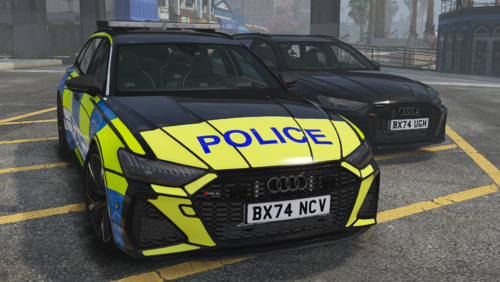 Hello, how can I make the emergency light work on the ELS?
 -
 Could the area marker be changed to semi-transparent, and then revert to a small marker for the suspect when they are approached and an event is triggered?
- 9 comments
- 2 reviews
-
-

- 1
-
-
- lspdfr plugin
- legacy
- enhanced
- translation
-
Tagged with:
-
CoreFX doesn't have it either. Do you know which version still has Starlen?
-
The ENB menu does not have a Star Lens option.
-
-
 hello , could you please add a Simplified Chinese language ?
 -
-
-
<NonLethals> <NonLethal>WEAPON_STUNGUN</NonLethal> </NonLethals> <HandGuns> <HandGun>WEAPON_UNARMED</HandGun> </HandGuns> <LongGuns> <LongGun chance="100" comp_1="COMPONENT_AT_SCOPE_MEDIUM" comp_2="COMPONENT_AT_AR_FLSH">WEAPON_CARBINERIFLE</LongGun> </LongGuns> Some of them now use rifles, some use stunguns at long range. Can't just equip them with rifles? I found that the problem only occurs in the CTSFO unit group in the file. If delete HandGuns NonLethals , they will switch from fists to pistols.
-
Can someone help me?😭 I tried: 1.) Test with only the UB addon. 2.) Reinstall the game, leaving only the UB addon for testing. 3.) Reinstall UB. 4.) Test using someone else's XML file. 5.) Change weapons and vehicles. 6.) Do not use weapon attachments. 7.) Delete <HandGuns> and <NonLethals>, they will turn fists into pistols. 8.) Test using S_M_Y_SWAT PED. 9.) _mod 10.) Tried versions 3586 and 3751. 11.) Tried 1 driver and 1 passenger, it resulted in 1 rifle + 1 fist/pistol.
-
Hello everyone, I'm a player from Hong Kong. My English isn't very good, so please forgive me. Using SpecialUnits if I use setting 1, with 4 police officers in one car, after spawning, 2 of them will use melee combat with their fists. If I use setting 2 , with 4 police officers in one car, after spawning, there's still a chance that 2 of them will use melee combat with their fists. this problem has been bothering me for many many days , does anyone know what's causing this? I hope someone can help me fix this.🙏Setting 1. </NonLethals> <NonLethal>WEAPON_UNARMED</NonLethal> </NonLethals> <HandGuns> <HandGun>WEAPON_UNARMED</HandGun> </HandGuns> <LongGuns> <LongGun chance="100" comp_1="COMPONENT_AT_AR_FLSH" comp_2="COMPONENT_AT_SCOPE_MEDIUM">WEAPON_SPECIALCARBINE</LongGun> </LongGuns> Setting 2. </NonLethals> <NonLethal>WEAPON_UNARMED</NonLethal> </NonLethals> <HandGuns> <HandGun chance="100" comp_1="COMPONENT_AT_AR_FLSH" comp_2="COMPONENT_AT_SCOPE_MEDIUM">WEAPON_SPECIALCARBINE</HandGun> </HandGuns> <LongGuns> <LongGun chance="100" comp_1="COMPONENT_AT_AR_FLSH" comp_2="COMPONENT_AT_SCOPE_MEDIUM">WEAPON_SPECIALCARBINE</LongGun> </LongGuns> SpecialUnits.xml
-
How do I program an alarm sound effect to play in a bank? I've tried using Rage and NativeFunction but there's no sound. 🙏
-
Hi everyone, I have a question about why officers spwan by UltimateBackup SpecialUnits sometimes without have guns? For example, in ARV with 3 people, there's a chance that 1 officer w without gun. Pasted content
-
-
In the original AI combat behavior, many of them will not use cover, they will just stand on the street and shoot and rush towards you. The MOD will make them hide behind cover at a certain distance from you and shoot at you, and will not rush towards you. I seem to remember it was a script, not a plugin
-
I remember there was a mod but I forgot the name. I can't find it now. It was designed to make the AI use cover and maintain a proper distance during gunfights. Does anyone know the name of the mod? I use google translation, please forgive me if it offends me
-
Hi, does anyone have the old enblens.fx Star Lens (starburst) for GTA5 ENB? I only want the file for better police light flares, not a full ENB preset. Thanks!
.thumb.png.53446d8e2598a3bcf40da1ec15538bfb.png)
-
Got it, I'll try that, thank you.🙏
-
The AI officers in the police station such as S_M_Y_COP_01 can change their uniforms like UB can or only the models be changed?
-
Is there a corresponding FOLDER position for installing pants in a normal EUP? Because some of my pants cannot be displayed after installation Is there a limit on the number of ACCS/JIBI, etc. in each FOLDER in the EUP? For example, ACCS can only be 0-10, and JIBI can only be 0-7?
-
Other accs/jibi etc. are loaded successfully
-
Changing the value did not solve my problem, is it can change the graphics?
-
ok , thank you very much🙏
-
Can the light in the red circle be reduced alone?

.thumb.png.b9e18d9931090871b064059f2c315cf8.png)

.png.8e9a45496ef31368c566c5b0fad77bc0.png)