


LawDawg
Members
-
Joined
-
Last visited
Everything posted by LawDawg
-
Thanks for the response man as well as for taking the time to read what I posted. Yeah, I am playing with 2845 though I do have a newer version saved on one of my hard drives. The problem I have is that with more recent iterations of the game, many of my mods just drop off and lose functionality. This was never an issue until Rockstar insisted on imposing their mandatory game update feature on all of us through their highly annoying launcher.
-
Hey guys, I recently took an involuntary 8 month hiatus away from lspdfr and upon returning, or at least attempting to, I discovered that Rockstar has implemented one more way of making it extremely difficult for those of us who only want to play with older versions to do so. This hadn't been a problem before an update cam out in August I think and since that time, the Rockstar launcher gives a message every time I start the game indicating "activation required". I was previously able to bypass the launcher entirely by starting Steam in offline mode but that now seems to no longer work. Does anyone else here play older versions of GTA V and if so, have they found any workaround for this problem? Is there a way to bypass or disable the launcher altogether? And since I know some may ask, I am playing an older version because I have modded the game so extensively that it would take me forever to get all my mods in sync and online with a newer version of GTA and lspdfr. Thank you for reading.
-
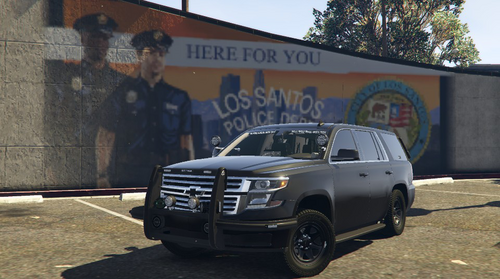 Awesome and thank you for the response man, that was sort of what I had thought since I couldn't conceive of any other explanation for what those attachments to the pushbar were.
 -
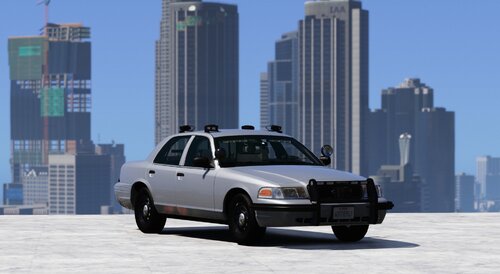 This is the best looking and most highly functional crown unmarked crown vic model out there and that is saying a lot because there are dozens of them. From the highly detailed interior, to the ALPR's and the working spotlight which is a very nice touch, this vehicle is the total package. Thank you sir for another great model.
 -
Hey man, this is probably a dumb question which I am sure has a simple answer but where are the ALPR's on this model? I am assuming it is either that square shaped black device on the top of the vehicles roof or the green attachments on the push bar in the front because it doesn't use your signature type ALPR's.
-
Amazing work as always sir and the lighting on this model is literally the most beautiful and mesmerizing I have ever seen of all the dozens of vehicles I've driven in game.
-
Hey guys, my question concerns the ability to modify vehicle performance using the menu screen in the garage once you go on duty. Specifically, while I know that vehicles under the model categories of police1 - police4, the sheriffs 1 & 2, fbi 1 & 2, etc. are amenable to having their performance tweaked but that the "policeold" both 1 and 2 are not. Is there a way to somehow enable these adjustment like engine type, turbo options, bulletproof armor, etc., to apply to vehicle models that you've used to replace the original policeold1 or 2? Any insight or help would be greatly appreciated. Thank you for reading.
-
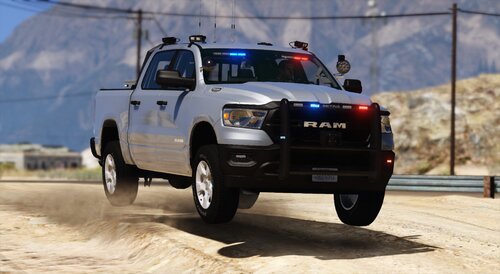 This is an absolutely beautifully rendered truck with a meticulous attention to detail and a really slick and aesthetically alluring appearance. From the working spotlight, to the extremely well rendered interior, to the additional ALPR's and the overall appearance, this is definitely my preferred truck model and there are many of them out there. Thank you for your excellent work sir!
 -
Disregard the preceding post guys, I stupidly failed to realize that the "H" button was also activating and deactivating the spotlight.
-
I've recently been using an amazing 2011 cvpi vehicle model and while it has both working headlights and a spotlight, the two are integrated so that when I'm driving around with the headlights on, the spotlight is also activated. There has to be a way to modify this in the ELS XML file, or so I would reasonably believe. Many other models have the spotlight separately assigned to the ] key and as such, it can be deactivated while still using the headlights. I've looked at the structure of the ELS files that correspond with such vehicles but can't see where the modder changed it to allow for that feature. Anyways, I appreciate anyone taking the time to read this.
-
OK it sounds like this is probably more trouble then it is worth to go through and try and fix the issue based on everything that you said above. As I no virtually nothing about modding in the lspdfr/GTA 5 context, I suppose I will just have to do what someone else above suggested I do which is find another suitable model to use. Anyways, thank you for your time and effort in responding to my requests for more information here.
-
Thank you for taking the time to read and respond to my thread here. How would I go about getting access to the actual model or is that something I would have to ask the original modder for?
-
 This review is just for the pursuit Charger as it is the only vehicle that I really needed since all my other slots are filled with various models. I have literally downloaded and tried out dozens of different Chargers now and this has to be one of the top three that I have seen. From the high level of detail both within the car and on the exterior, to the ALPR's, the working spotlight and other great features, this is a beautifully rendered model. Thank you for the outstanding work sir and keep it up.
- 267 comments
- 15 reviews
-
-

- 1
-
-
Oh absolutely no need to apologize man as I just appreciate you even taking the time to reply to me here and elsewhere. Would the els XML file be the place that I would look in for the sorts of data lines that would allow for me to alter the appearance of the lights that I am having issues with? Also, for some reason, I have exactly the same problem with the CVPI which has the distance strobe type lights hovering above the roof of the car. It is just so frustrating because honestly, of the more then two dozen different car models I have tried out and used in game, your models are the best, most detailed and realistic. Let me know if you think I can just mess around with certain files myself and hope to get this issue to resolve.
-
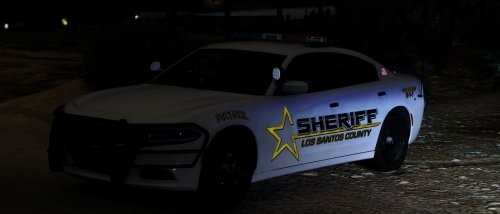 First of all let me just say that this model is absolutely amazing and the level of detail here is really incredible. Secondly, I would love to use this but the ELS lighting doesn't seem to actually work. It only has a stage 3 feature (pressing E once goes to full lights). Am I doing something wrong or just stupid? Every other ELS vehicle model I've used has had the three separate stages for ELS. Anyways, thank you for your amazing work sir.
 -
Thank you so very much for taking the time to look in to this for me as I really appreciate the effort. I suppose this is something that can be fixed but as you say, it would require an intimate knowledge of modding to be able to do so. Hopefully someone on here knows something about the relevant files and will tell me what I need to do to fix this. Thank you again so much for the help.
-
Replacement file for Sheriff (the car not the SUV obviously) and thanks again.
-
Thanks again for the reply my friend as well as for the expert technical advice. I don't know much of anything about modding GTA 5/LSPDFR but I am a modder of many other games (Skyrim, most of the Total War franchise, some old Lucas Arts games, etc.) and as such, I can surmise that the issue that I am experiencing must be directly associated with the vehicle itself as it never happens with any other models. The author of this particular vehicle told me essentially the same thing that you had, e.g., to adjust some of those perimeters in that ELS config file and I told him that I would really prefer to be able to retain the distance strobe effect. I haven't heard back from him after I asked him essentially the same question that I've posed here. Also, here is the link to the vehicle in question, though this problem also occurs with his other sheriff (car not SUV) models:
-
Thank you very much for taking the time to actually reply to my post. The guy who created the vehicle model in question actually gave me the same advice but when I implement those changes, the problem seems to be that it deactivates the strobe effect at long distances for all ELS model vehicles. I suppose I am trying to have it both ways but I thought there must be a way to just adjust that particular vehicles lighting system since the issue only occurs with that model and the others from the same modder. Do you know what file or files a modder uses when setting up the ELS lighting effects for a vehicle and would that be something that I could just go into and adjust myself? Thanks again for your response, it is much appreciated.
-
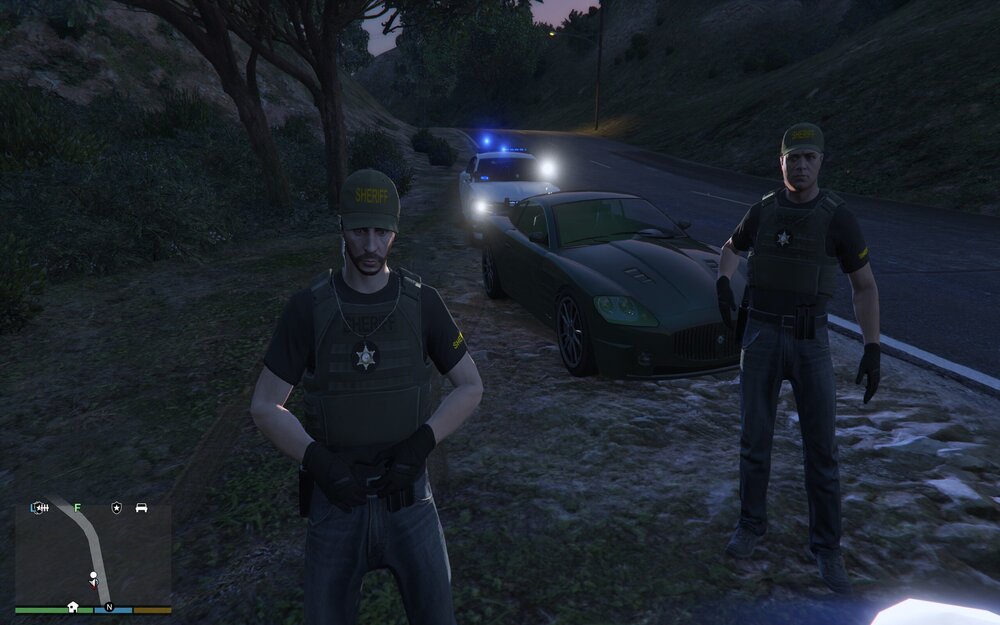
OK so I tried posting something similar over in the general lspdfr forums but it got absolutely no traction, other then from a moderator who moved it to another section of the forums so I am going to appeal to the wisdom and knowledge of any serious modders on here who have familiarity with creating vehicles and configuring their els light functions. My problem is that an otherwise great vehicle that I would like to use in game has some glitch whereby the distance strobe lighting effect hovers above the car and makes it look ridiculous. I have PM'd the creator of this model and he doesn't respond. I assume this is just a simple matter of adjusting a single line or a few lines of text in the .ytf or .ytd files but I don't know where to look. Can anyone either refer me to a modding tutorial that covers this sort of thing or just ideally tell me? See below for what I am talking about. Thank you for reading.
-
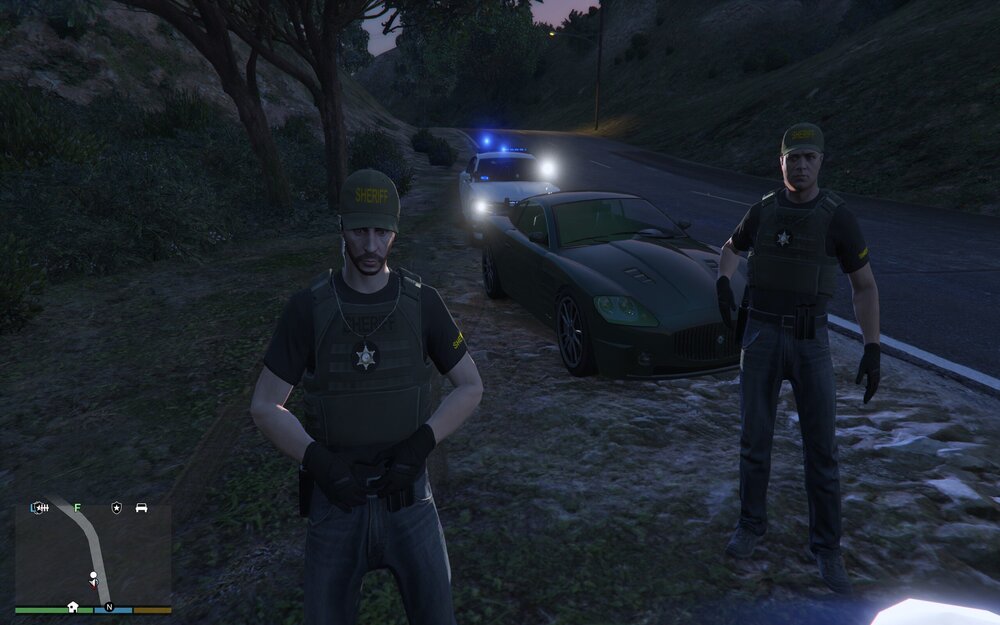
Hey guys, so I have been experiencing ongoing issues with the long distance strobe type lighting effect that is associated with ELS. This only happens with models from a particular modder on here whose vehicles are absolutely phenomenal but the ELS lighting is always miscalibrated, in the sense that the actual light effect is placed above the car and thus looks ridiculous. He recommended I disable the distance lighting altogether through the ELS config but I want to be able to see the effect with the AI. I will attach an image below so you guys can get a better sense of what I am referring to. I am sure there are some lines of text in one of the YTD files that control for these perimeters but I need some modding guru to tell me where to find them and which lines to alter. Thanks for reading.
-
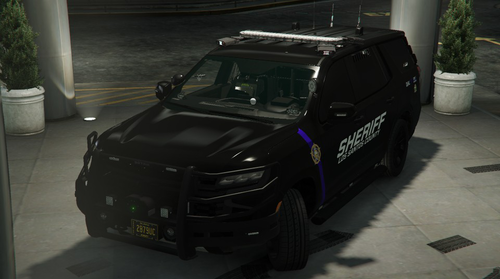 Just FYI, I reinstalled this vehicle and used the model with the windows rolled up instead of the other with them down and that seemed to fix that problem of perps getting out of the back seat as I had described above. Thanks again for all of your hard work and is there any way that you could possibly tell me how to adjust the strobe type lights on that Charger downwards so that I don't have to modify that file to deactivate all strobes at distance? I'm the guy who you helped out with the Charger file last week btw.
- 61 comments
- 12 reviews
-
Hey man, while this is an absolutely beautiful model and one of the best vehicles out there, both aesthetically and functionally, I do have an issue when trying to put arrestees in the seat behind the drivers side. They invariably get in but then get back out of the vehicle immediately. I initially thought that it was because I had been parked on some rough and uneven terrain but it doesn't seem to matter where the vehicle is parked. Prisoners/arrestees will get in the passengers side rear door and stay there just fine but I would really love to be able to use this Tahoe when I am making multiple arrests. Anyways, if you can fix that issue it would be great but either way, thank you for your absolutely amazing work here as your models are probably the most detailed I have ever seen.
- 61 comments
- 12 reviews
-
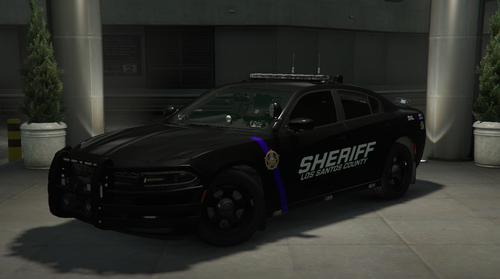 You are a wizard in addition to being a top tier, elite modder my good man. Whatever that did it definitely fixed the issue. Thank you so much for the prompt reply and thank you again for all your amazing vehicle uploads.
 -
Hey man, firstly let me just reiterate what I said already in the reviews which is that this is amazing work, as is everything you've done as far as I can tell. Secondly, while this car is by far my favorite of the many dozens I have tried out thus far, there is a very minor glitch (or so it seems to me) with the lighting. When ELS is in stage 3 the strobe for the lightbar on top the car is located a good distance above the actual bar itself and thus appears to be floating in the air. I am genuinely OCD so this is something that nobody else has either noticed or been concerned with (the ones who know don't care, the ones who care don't know) but this would be the PERFECT car but for that very small issue. I am going to attach screen cap so you know wtf I am talking about. If you can fix this great, or maybe tell me how I can fix it myself. Either way, thanks for all your hard work and this model is still 99.9% of the way to perfection.





