
GreenySoka
Members
-
Joined
-
Last visited
Everything posted by GreenySoka
-
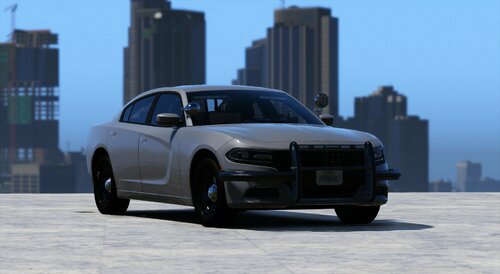 Nice looking car, cool lightning but really bad handling. I'm only drifting away and can't brake. I installed it as addon. Maybe you should work on it again because the model is really fine 🙂
 -
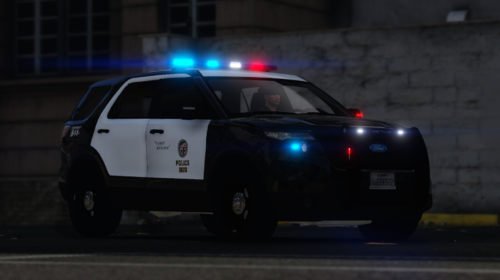 I mean, great someone finally did the "The Rookies" cars but the lightning is really weird. During the day it's fine but at night you can only see the blurred lights. It's too much blur and it doesn't fit well. Also maybe you could add the LAPD Logo from The Rookie to the skin instead of the real LAPD Logo. There's a difference 😉 And it's a 2013 Explorer, not 2015 🙂
 -
 Great mod but don't work with some of my addon cars. But I love the idea 😄 Keep it up!
- 114 comments
- 19 reviews
-
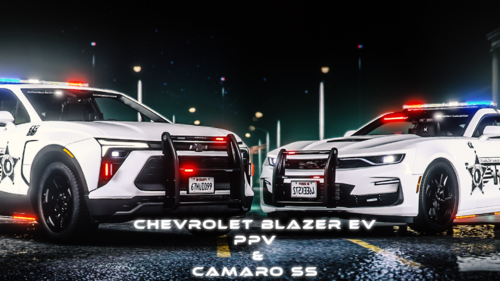 Not tested them that much yet but nice els lightning, nice cars I love them ^^
 -
 pls ingame showcase ^^
 -
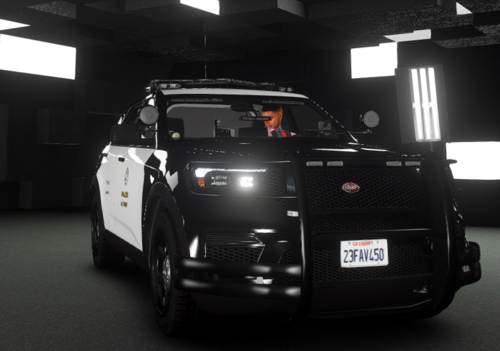 Could you add full or part ELS? So just Code 3 Lightning but with ELS controls? Would be cool, nice looking car
 -
-
 The LSPDFR Character can't earn or spend money. Already have ideas for that, already working on an update but this can't work.
- 18 comments
- 3 reviews
-
-
That's true. As I said I will have a look and it will be corrected in the new update. Now there only shows up a message if you have an outdated version. If you use my plugin you will see it when I upload my update 😉
- 18 comments
- 3 reviews
-
-

- 1
-
-
Hey, thanks for your report! I'm currently on an update and I will have a look at this. But the version is in the ini-file, and if you go on duty it shows you if you have the newest version. Anyways, thank you and thanks for the download 😄
- 18 comments
- 3 reviews
-
Installation Just take the 'plugins' folder and drag them to: > SteamLibrary\steamapps\common\Grand Theft Auto V\ In the YourShift.ini file you can customize the plugin according to your needs. What does YourShift do? YourShift shows you regularly how long you have been on duty, when you can take lunch break and when your shift is over. By default, a shift lasts 24h (-> 48 minutes in real). If you want to change the duration of your shift consider: - 2 seconds in real time, is 1 minute in the game - 2 minutes in real time is one hour in the game - 1 day in game is 48 minutes in real time As soon as you go on duty with your character, the timer will start. In the ini file you can define how often you want to be shown how long your shift will last. If you have any concerns or problems with the plugin, let me know! Contact me: Discord: @greenysoka ❗ I stopped developing lspdfr plugins. I don't know if and when there will be another update for this plugin. anyway... THANKS FOR 2900+ DOWNLOADS 💚
- 18 comments
- 3 reviews
-
-
-

- 11
-
-
@LMS You mean to call the getshiftsettings in the Main? Yes I tried it but the main won't be called, means the Shift_stopp variable doesn't change. Please correct me, if I understood it wrong. Anyways, thanks for trying to help me ^^ EDIT: It works now, thanks for your help. Unfortunately I didn't understand what you meant but now it works. So thank you very much! If anyone has the same problem in the future and finds this post: (In the unlikely event) Change: Shift_Stop = 48 ;seconds to: Shift_Stop = 48 Because the plugin reads the entire "48 ;seconds" as a number even if it is displayed differently in Visual Studio.
-
Hello all. I am new to LSPDFR plugin development. I am currently working on a small plugin, yet I have a problem. I want for my plugin some settings packed in an ini file. Unfortunately I get this error when I go on-duty: Here is the corresponding code: Here is the ini-file: ; Specifies when the shift should be over. After the timer expires, the messages are disabled and you are prompted to go off duty. ; Indication in minutes Shift_Stop = 48 ;minutes please ignore the spelling mistake xD The setting for the language so the boolean is read without problems. Are there other ways to read out an integer of an ini-file? Or did I something wrong? Unfortunately, I could not find an example plugin in which something like this would be integrated. Please ask if you don't understand. Thank you for any clever contribution!
-
Looking for the same thing for a while, but i didn't found anything 😞
-
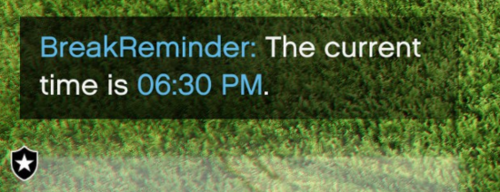 The creator helped me directly and politely with my request. Simple but useful plugin with a lot of potential. Many thanks for this and good luck for the future!
- 21 comments
- 1 review
-
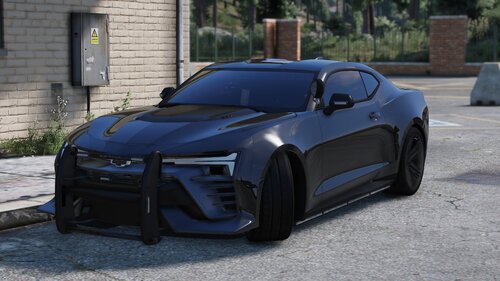 very good looking car, but how can I disable the permanent turned on front lights? They arer really annoying...