




Raylan Givens
Members
-
Joined
-
Last visited
Everything posted by Raylan Givens
-
-
-
-
-
-
-
-
Oh ok if you get pm me or something!
-
How?
-
MM that sucks :(
-
Ok so im using Nickieb's CVPi with x2100 on it and I went in game the els lights arent matching up to were they need to be/ like there 4in from the light bars and other parts..
-
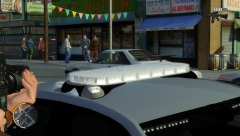 again lol
 -
lol just lol
-
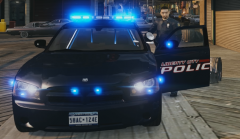 Looks like the left side of the liberty is lowered and the right side id raised. Don't know if that's normal :D
 -
I'm not a she-male
-
Um ok Translate: "A little slower but it's still pretty fast."
-
Policewag, one question for you if you know please quote me back dude. The question is: Does ELS V8 make the lights faster, slower or the same? Thanks dude.
-
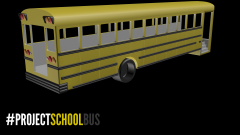 Ah nice!
 -
Will it be a flat nose?
-
 You are welcome.
 -
Oh no.
-
Nice!
-
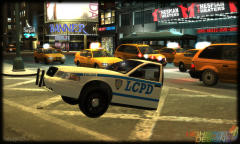 Now that's cool! I'd like to drive this around.
 -
 How did u do this?
 -
I hate the trainer when I have the keys enabled!


