


TmBB101
Members
-
Joined
-
Last visited
Everything posted by TmBB101
-
 I respect what you do and will appreciate your work released or not.
 -
This request has been fulfilled. http://imgur.com/rMCKYpk,DNGbg0t#1
-
Im looking forward to this!
-
 Interesting concept. Maybe a unmarked design?
 -
My god...Im sick of this quit destroying your own city to try prove a point..it doesn't work that way...
-
Oh Yeah.....Here it comes....
-
Try asking in your own thread... On topic though, very cool videos!
-
-
I can confirm that this is normal and it looks like this on my screen, it seems rockstar changed something.
-
These are intresting videos, I wish I could say what I would do but some of these guys were so fast...But honestly higher court security would prevent a lot of these incidents.
-
Yeah, to spawn a vehicle type spawn (vehicle name) depending on the vehicle name it'll pop a different vehicle in front of you.
-
Very Nice! I will certainly considering subscribing!
-
I'm confused is that menu in game, since those images are from visual studio?
-
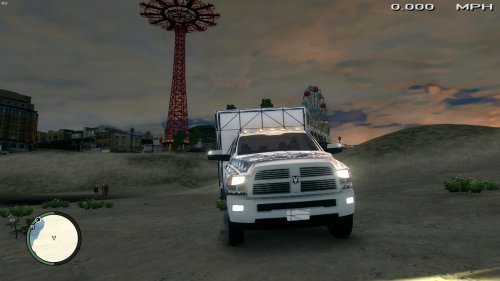 Very nice! I also need to get that one star rating down even more as this is nice!
- 14 comments
- 6 reviews
-
-
I've got a GTX 960 FTW 2GB, it runs GTAV at 60 FPS and my game doesn't look to bad. If your interested in seeing what my game looks like click HERE.
-
 As a good friend of Brads, I recall him using ELS 6/7 and not 8/8.5 for stability reasons.I agree with just about everything on this list. Put as far as things being converted in LSPDFR 0.2 that doesn't make a whole lot of sense. Especially since almost all of these run of ragehook, including LSPDFR 0.2.Very Nice Video! Holy do you have a ton of supporters!Great! Looking forward to this!


Account
Navigation
Search
Configure browser push notifications
Chrome (Android)
- Tap the lock icon next to the address bar.
- Tap Permissions → Notifications.
- Adjust your preference.
Chrome (Desktop)
- Click the padlock icon in the address bar.
- Select Site settings.
- Find Notifications and adjust your preference.
Safari (iOS 16.4+)
- Ensure the site is installed via Add to Home Screen.
- Open Settings App → Notifications.
- Find your app name and adjust your preference.
Safari (macOS)
- Go to Safari → Preferences.
- Click the Websites tab.
- Select Notifications in the sidebar.
- Find this website and adjust your preference.
Edge (Android)
- Tap the lock icon next to the address bar.
- Tap Permissions.
- Find Notifications and adjust your preference.
Edge (Desktop)
- Click the padlock icon in the address bar.
- Click Permissions for this site.
- Find Notifications and adjust your preference.
Firefox (Android)
- Go to Settings → Site permissions.
- Tap Notifications.
- Find this site in the list and adjust your preference.
Firefox (Desktop)
- Open Firefox Settings.
- Search for Notifications.
- Find this site in the list and adjust your preference.