


.jpg.e1dac546d4e9d77da4c0befb980dac62.jpg)

LimeGuy36
Members
-
Joined
-
Last visited
Everything posted by LimeGuy36
-
 Hello, I don't know if this will ever be responded to, but I figure it is at least worth a shot. Like mentioned above, I wanted to ask if you would ever consider bringing back the old 0.4 version of the bodycam + mics? I have been recently using some custom belts and noticed that on older YouTube tutorial videos on how to install this mod, they were using a version of this mod that fit modded belts correctly. Since the 1.0 version is meant to be used on base-EUP belts, the wire floats on custom belts. Just a consideration. Thank you in general for your work towards FR players.
- 85 comments
- 10 reviews
-
 To keep things simple: I can't say something about this pack that hasn't already been said. Hands down, these two CHP chargers are the best CHP chargers on this website. If you are a true SoCal-themed First Response enjoyer, these vehicles are a must. They get everything correct. Anything and everything you expect from a clone-correct CHP charger is present here. Kudos to the creator of this vehicle. Amazing work that all can enjoy.
- 325 comments
- 53 reviews
-
-

- 1
-
-
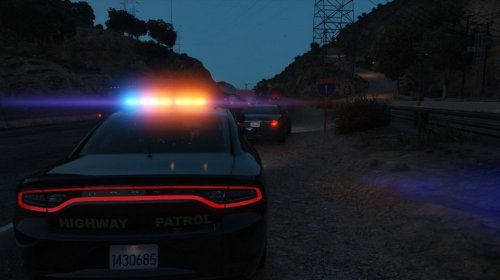 Late to the party but very nice work on these liveries. Makes my use of Sentinel's CHP charger fit in with my game perfectly.
- 7 comments
- 1 review
-
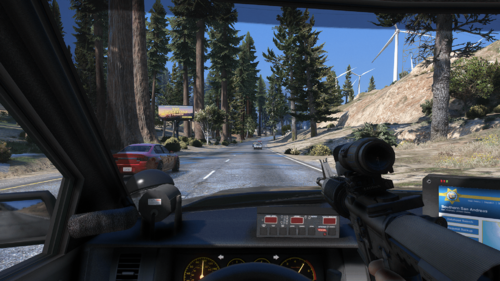 Amazing little mod. Very useful when doing really dangerous callouts that are on the move and quick interception is needed.
- 30 comments
- 4 reviews
-
-

- 1
-
-
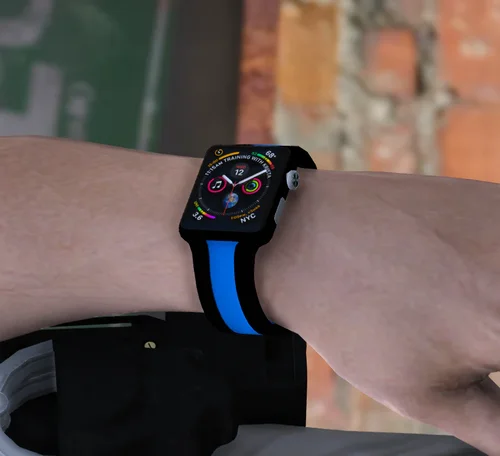 A well made and simple addon to help your EUP characters look just that much better.
- 4 comments
- 2 reviews
-
 In all honesty, I can't write anything that hasn't been said already. For both LAPD and LSPD clone-correct vehicle enjoyers, this is the pinnacle. All vehicles are well made, highly detailed, and get mostly everything perfect from their real counterparts, including parts, light patterns, and equipment. Even the fictional vehicles look like as if they were real. Amazing pack, and one of my Top 3 highest recommended vehicle packs for LAPD/SD - LSPD/SD LSPDFR players.
- 255 comments
- 75 reviews
-
-
- 1
-
-
.thumb.png.fc8bcf4c49efb0f46604702b368d2431.png) Yeah, been having it for a while.
Yeah, been having it for a while. -
Just tried, but no dice. TBH I just think it might be a glitch or a conflict. I noticed that RHPD just recently updated too so I'm gonna see if updating that fixes anything.
-
Also quick question: are the RHPD configs broken or did I do something wrong? GIF of the RHPD Alamo I noticed (shown in the gif above) that the Alamo and Scout SUVs in the RHPD pack have their rear lights above the back glass turned off.
-
Just an amazingly well made, thorough, and far-reaching set of ELS files for so many great lore-friendly vehicles. I am very glad these files exist and are available for all.
-
I remember using these files when I first starting modded my LSPDFR in October. Now, I have revisited these files and I just wanted to say: Thank you so much for making all of these files and the incredible extensive and widespread support you have for lore-friendly vehicles. Virtually every single lore-friendly vehicle I have has ELS files now because of what you do. Just wanted to let you know that your work is greatly appreciated : )
-
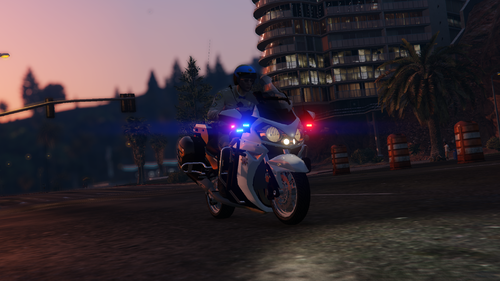 Just wanted to say: what an absolutely wonderful way to end 2022! Another proper bike add-on has been a big "want" for a while. Been using the old CHP BMW and Harley, but this is amazing! Well done on ELS lighting and model overall. I am glad to finally have a bike like this on the fleet. Thank you for making this amazing bike and releasing it for all to enjoy. Happy New Years : )
- 13 comments
- 1 review
-
-
- 1
-
-
 I have also been having the exact same issues described above as of the last 3 or so days. I have been using this Bodycam mod for some months now with no previous issues. I am curious if GTA5 or the launcher went through an update that is causing this to break.
- 168 comments
- 36 reviews
-
 Man this is a godsend. I love using FastDraw but I also carry a lot of equipment that comes in handy that I lose when I press a hotkey or accidently fat-finger a hotkey locking out the weapon wheel. This cs file works like a charm. Thanks!
 -
 Thanks a million for updating this mod and keeping it alive! One of my favorite immersion mods Updated everything and it is working flawlessly again.
- 264 comments
- 22 reviews
-
-
- 1
-

.thumb.png.fc8bcf4c49efb0f46604702b368d2431.png)
