
ashefell
Members
-
Joined
Reputation Activity
-
 ashefell reacted to Yasd for a file, MCCalloutsEarly access is available on Ko-Fi
support on multiplayer ped and vehicle customization in DefaultRegions.xml
+ a lot of realistic AI-Voices in dialogue based callouts!
adds 19 new callouts with multiple variations & locations
a Donator+ role at the discord server (add your discord name to your Kofi account)
19 extra callouts only in the Kofi beta version:
Spoiler
This is MCCallouts:
31 different exiting callouts!
Available in 🇺🇸 🇩🇪 🇫🇷 🇨🇿 🇷🇺 🇹🇭 🇯🇵 🇮🇹 🇵🇱 🇪🇸 🇻🇳 🇨🇳 🇧🇷 🇮🇩 & many more to follow!
Comes with its own Menu!
Different outcomes & multiple locations!
Compatible with PolicingRedefined, StopThePed & UltimateBackup!
You want to be a part of MCCallouts?
Do you have questions or have found a bug?
You’ll also find support there.
Feel free to join our new discord server:
https://discord.gg/utNranQJSr
It is required to install Enable All Interiors Mod:
https://de.gta5-mods.com/scripts/enable-all-interiors-wip
Spoiler
The MCMenu comes with a lot of useful features. Equip a rifle, gear & heal up or request a specific callout!
MCCallouts supports English 🇺🇸, German 🇩🇪, French 🇫🇷, Czech 🇨🇿, Russian 🇷🇺, Thai 🇹🇭, Japanese 🇯🇵, Italian 🇮🇹, Polish 🇵🇱, Spanish 🇪🇸, Vietnamese 🇻🇳, Chinese 🇨🇳, Portuguese 🇧🇷 & Indonesian 🇮🇩
at this time, configurable in the .ini.
You want to help translating?
You can either do that on https://github.com/yasd2/MCCallouts-Translations or on my discord server linked at the top.
Open the downloaded MCCallouts folder, then drag-&-drop all files in the main gta folder.
Spoiler
© 2025 MCCallouts by Yasd. All rights reserved. Do not modify or share it without my consent.
-
ashefell reacted to Officerporci for a file, Radio Realism FRMore Realism To The Game
Discord for support: https://discord.gg/M8FwNY6JuD
READ THE "IMPORTANT.txt" file BEFORE INSTALLING
This plugin adds small but detailed enhancements to LSPDFR to improve your gameplay experience.
PUBLIC FEATURES:
If you encounter a missing audio file while playing
E.g. => file not found: MODEL_ELEGY2 => you can made a copy from MODEL_ELEGY_01 an rename it to MODEL_ELEGY2_01, creating a new audio file named like the missing one.
To report any bug, write on DISCORD. I'll be glad to help you as soon as possible.
REQUIRED and suggested contents:
MINOR PUBLIC FEATURES SHOWCASE
A special big thanks to Vincentsgm, Rich and others to help me in the making of.
Don't forget to subscrive his discord server: https://discord.gg/g82638j
"Please do NOT use REVIEWS to ask for support or suggest ideas, use comments or my discord https://discord.gg/M8FwNY6JuD"
DON' T STEAL AND/OR REUPLOAD THIS CONTENT WITHOUT PERMISSIONS.
------------------------------------------------------------------------------------------------------------
⚠️ NOTICE! ⚠️
"If you're updating to the new version named RadioRealism FR, remember to remove the old version named OfficerporciPlugin (all files). "
-----------------------------------------------------------------------------------------------------------
-
ashefell reacted to nedra23 for a file, Pursuit Pack by nedra23Thank you for downloading Pursuit Pack!
Pursuit Pack is a callout pack focused entirely on high-quality pursuit scenarios. This version is a full rewrite of the original release, built from the ground up to improve stability, performance, and overall gameplay experience.
Normal Pursuit Types
Motorcycles
Scooters
Armed robbery suspects fleeing
Grand Theft Auto suspects
Car heist
Reckless driver
Each scenario includes multiple variations, such as:
Random vehicle models
Skilled or unskilled drivers
Chance of passengers spawning
No two pursuits play out exactly the same.
Special Pursuit Types
Stolen emergency vehicle
Street takeover dispersal (multiple race cars at once)
Stolen semi-truck
Pursuit in progress
Ramming suspect
Off-road vehicle pursuit
Stability & Optimization
This version includes extensive bug fixes and major code optimization.
Improved performance
Reduced conflicts with other callouts
Greater stability
Previous crash issues addressed
Community & Support
Join the official Discord server for updates, bug reporting, suggestions, and beta testing:
https://discord.gg/qeTmmyN8HR
If you enjoy the mod and want to support future development, you can do so here:
https://ko-fi.com/nedra23
Support is completely optional, but it helps fund continued updates and new projects.
Feedback
If you enjoy the mod, consider leaving a review or comment. Feedback and suggestions are always welcome and help shape future updates.
Installation:
Drag and drop the Plugins folder into your GTA 5 folder
-
ashefell reacted to chadc78 for a file, Realistic Usable Charges & Citations for *CompuLite*This is a comprehensive collection of charges and citations for CompuLite, there is a lot of charges that are realistic and actual statutes. It will take some time to get used to this because of the numerous amount of charges but once you learn to navigate it and find the charges you need and you will find them they are here then you will enjoy using it.
**WARRANTS** - There is not and will not be a charge added Labeled "WARRANT" as there is no such charge in any statute in any state, A warrant is simply a document issued by a court to authorize arrest of an individual for a charge in which the court found probable cause thru a sworn affidavit or criminal complaint to issue such warrant. If you get a ped with a wanted status you simply arrest the ped and charge him/her with whatever the charge is they are wanted for for example if you stop a ped for speeding and dispatch or CompuLite advises the ped is wanted for "Burglary" then you simply arrest the ped and charge him/her for Burglary and whatever offenses you have them for if any. There isnt an additional charge for "Warrant", so before you comment and ask the answer is no I will not add a Unrealistic non charge.
**WARNING CITATIONS** - When issuing a Warning Citation to ped make sure to UNCHECK the NOTICE TO APPEAR box if you dont uncheck the box then when you submit the Citation LSPDFR will CRASH. There is no fine amount or jail time assigned to a warning citation so there is no need for a court appearance anyway.
**RP DVP** - DVP (Domestic Violence Petition) There is 3 charges under the category labled FOR ROLE PLAY ONLY adn these charges are DVP (1) 30 Day (2) 90 Day and (3) 180 day and these are for random generation from CompuLite to the peds History. So when you stop a ped for whatever reason and the ped has a firearm in his/her possession and has a valid permit for such when you run the ped thru CompuLite it may generate in the peds history a charge of DVP (30 Days) if so then you would validate it with the date it was issued in Compulite with the date it is at the time of your interaction with ped and if its less than 30 days then the DVP is active and the ped is prohibited from possessing a firearm or ammunition therefore is in violation of the DVP and this goes the same for the 90days and 180days, just simply a little something extra to add to your gamplay
**DWI / DUI** - DWI = Driving While Intoxicated, DUI = Driving Under the Influence of Narcotics. There are multiple DUI and DWI charges within these XML's theres 1st, 2nd and Felony 3rd offense and each one has a different penalty, there is also charges for DWI/DUI with bodily injury, death, property damage etc. etc. When you are charging a ped with DUI or DWI it is important to check the peds history in CompuLite to see if the ped has previous DUI/DWI charges that way you can charge the ped with the appropriate offense 1st, 2nd, 3rd etc. The legal BAC is .08% however like in most states there is a substantially lower BAC for drivers who are under the legal drinking age of 21 or who possess a Commercial or CDL license and also for anyone who operates a motor cycle the legal BAC for these drivers is .04%. So keep in mind that using mods probably wont alert to the smell of alcohol if the driver is below .08% so i would ask questions !!
**(M), (F), (A)** - In the Charges XML you will see that all the charges either begin with a (M) or a (F) they simply identify if the charge is a (M)Misdemeanor or (F)Felony. In the Citations XML you will find that some Citations start with a (A) this is to let you know the citation is also an arrest-able offense and charge and it is your discretion to either arrest and charge the ped or Cite the ped (any Citation that has (A) there is also a Charge for it in the Charges XML) all arrest able citations are misdemeanors there is no option to cite and release a felony, all felony charges are thru arrest only.
To install go to GTAV/Plugins/LSPDFR/CompuLite and simply drag and drop and replace default XML files
If you have any questions feel free to use the comments section and I will do my best to answer or clarify any issue you may have or if there is anything that I may have missed and you feel it should be in here let me know, please don't use the review section to ask for help or to ask questions about the files
These XML's would be absolutely useless without the work and effort to develop such a great addition to LSPDFR like CompuLite from a great developer. To Download CompuLite By: Bejoljo or any of his other amazing mods such as Stop the Ped or Ultimate Backup which in my opinion are essential to LSPDFR then simply go here: https://bejoijo256.wixsite.com/bejoijo
***SCREEN SHOTS ARE FROM PREVIOUS VERSION AND DON'T REFLECT CHANGES MADE IN v1.4.0***
We spend countless hours creating these files and mods to upload here for the community to enjoy and I think I speak for everyone who uploads content here when I say that if you download, use and appreciate the content then please use the like button and the review section to show you appreciate the time and effort put into making the content for everybody to use and enjoy.
-
ashefell reacted to opus49 for a file, GrammarPoliceWelcome to Grammar Police! This plugin began as a replacement for VocalDispatch but has grown into much more!
Speech Recognition
Issue commands to the dispatcher using your microphone Includes a "hold to talk" feature that simulates a real radio Supports StopThePed and UltimateBackup out of the box Contains multiple sets of "10 codes" or customize yourself Request backup, run plate checks, accept callouts and more!
Non-Verbal Interactions
Use an on-screen radio to interact with the dispatcher Also includes a Officer Plugin Status style menu system Both systems are fully customizable!
Language Support
English French German Spanish
Technical Support
Discord Server: https://discord.gg/AuJCUag Unofficial LSPDFR Support Server: https://discord.gg/mJMKAd5
Tutorial Videos
Installation and Configuration: https://www.youtube.com/watch?v=dogzftjB3ZE Creating/Modifying XML Files: https://www.youtube.com/watch?v=H1_wwvzK9hc -
ashefell reacted to Officer034 for a file, Search Items RebornABOUT SIR:
Search Items Reborn is a complete overhaul of the Stop The Ped search items. Featuring over 900+ items to find in your standard search with variables of multiple items, Search Items Reborn looks to revamp and overhaul your searches and investigations.
Tired of finding used condoms and dildos on your peds? Want to find more realistic items? That is something I have wanted for a long time myself and here it is.
INSTALLATION:
Simple installation, just install into your GTA Directory and overwrite your existing Stop The Ped patdownitems and vehicleitems.xml's
FEATURES:
Over 200+ search items Variations of firearms to include if they are loaded and unsecured multiple variants of drugs, drug paraphernalia and other suspect items lore friendly items easy install
WEAPON CODES:
A new feature with 1.2 is short hand weapon codes! These replace the old long form names for the weapons to describe their status, such as where they are carried and their loaded status! These codes are going to be explained below:
GENERAL CODES:
These are the code to the far left, a U, L or OITC. These explain the loaded status of the weapon. I was debating on using military color coding such as Green Amber and Red status but decided the simple ULOITC works better.
U - Unloaded L - Loaded OITC - One in the Chamber
ON PERSON CODES
These codes are to describe the carry of the weapon on a person during a pat down
OC - Open Carry CC - Concealed Carry W - Waistband P - Pocket
IN VEHICLE CODES
These codes are to describe the carry of the weapon in a vehicle
CASE - Carrying Case O - In the open, in plain sight C - Concealed from view
SHOWCASE VIDEO:
Thanks to BenzoEffect for the showcase video!
REQUIREMENTS:
THIS MOD REQUIRES STOP THE PED by bejoijo! Obviously. Please download it from his website.
CLOSING STATEMENT:
Always looking for feedback and for suggestions! Feel free to edit this list to your own liking as well and be sure to adjust your Stop The Ped item chances in your stoptheped.ini or you will find way more drugs and guns on people than normal.
FOR ANY QUESTIONS OR ISSUES!
Please reach out to the Discord Server!
https://discord.gg/ECSgHjDj9R
-
ashefell reacted to RangerZ for a file, [ELS] BCSO Pack [Addon][Replace]About the Pack:
This pack was originally created for my personal use in LSPDFR. I really liked the vehicles and began to expand the pack. I wanted to try and keep the pack realistic with just the Charger and the Durango. A lot of departments do not have 30 different vehicle makes, but do have different purposes for a few different makes. I like that about this pack. This pack is not based on anywhere in particular, just a little bit of creativity. This pack does come with all blue lighting installed (Red & Blue is included). I know its not perfect, but I did spend a lot of time on this pack. The Marked Durango does not have the pillar mounted ions like the slicktop, traffic, and unmarked version do. I wanted to keep the lighting somewhat consistent between both of the marked vehicles. If you guys would like, I will add the pillar mounted ions to the Marked Durango too. For the traffic units, I know some will wonder why I left the flag on. I figured that it's quite obvious that it's a police car, so why not. I'm also aware that the material order for the dashcam is messed up in the screenshots, but it has been fixed in the download. All marked models come with corner lightbar cruise lights. All unmarked models come with visor cruise lights.
Anyways, I hope you all enjoy!
Pack Includes:
Marked Charger
Marked Durango
Slicktop Charger
Slicktop Durango
Traffic Enforcement Charger
Traffic Enforcement Durango
Unmarked Charger
Unmarked Durango
K-9 Unit Charger
Optionals include:
All blue lights
Red & Blue Lights
Installation:
*Note*
Please use the included ELS files so the lights will function the way they were designed to. Feel free to leave your thoughts in the comments. DM me if you find any bugs, so I can get them fixed as quick as possible. CONSTRUCTIVE CRITISIM is always appreciated.
PLEASE READ THE FAQ'S IN THE "READ ME" BEFORE GOING TO THE COMMENTS OR MY DM'S! I WILL NO LONGER RESPOND TO QUESTIONS THAT HAVE ALREADY BEEN ANSWERED!!!!
Disclaimer:
I'm not responsible for any damages caused by this modification. All files should be backed up prior to installation. Do not distribute this file outside of this platform. The files may be used in FiveM servers if you chose to do so. These files were not made to be specifically compatible with FiveM , so there could be issues. The sale of any part of the modification is strictly prohibited. Permission is required for any editing and redistribution of this modification itself. Downloading the file is similar to a license to use the file. IT DOES NOT MEAN YOU OWN THE RESOURCE ITESELF. No access to the locked files will be granted.
-
ashefell reacted to Ripple for a file, [ELS] LCSO Liberty PackIf you want to talk or whatever join this discord
https://discord.gg/aeQPR5z
THE NON ELS VERSION OF THIS PACK IS AVAILABLE ON MY DISCORD
If you use this in a video please credit it properly
Known Issues:
-There are currently no Collisions on the rambars. I am currently trying to fix this issue
-VicTA's face the ground
Disclaimer:
DO NOT distribute this content without my permission! This includes liveries, models or the screenshots.
DO NOT use the vehicles in a clan or group without my express permission. THIS APPLIES TO FIVEM TOO.. Just ask me.
Please do not upload this file or a part of it to any other website without permission from me
I accept no responsibility for any damage caused to your PC, game, or anything else.
DO NOT rip, dismantle or change the vehicle in any way (except for texture files). Vehicles are LOCKED for a reason.
-
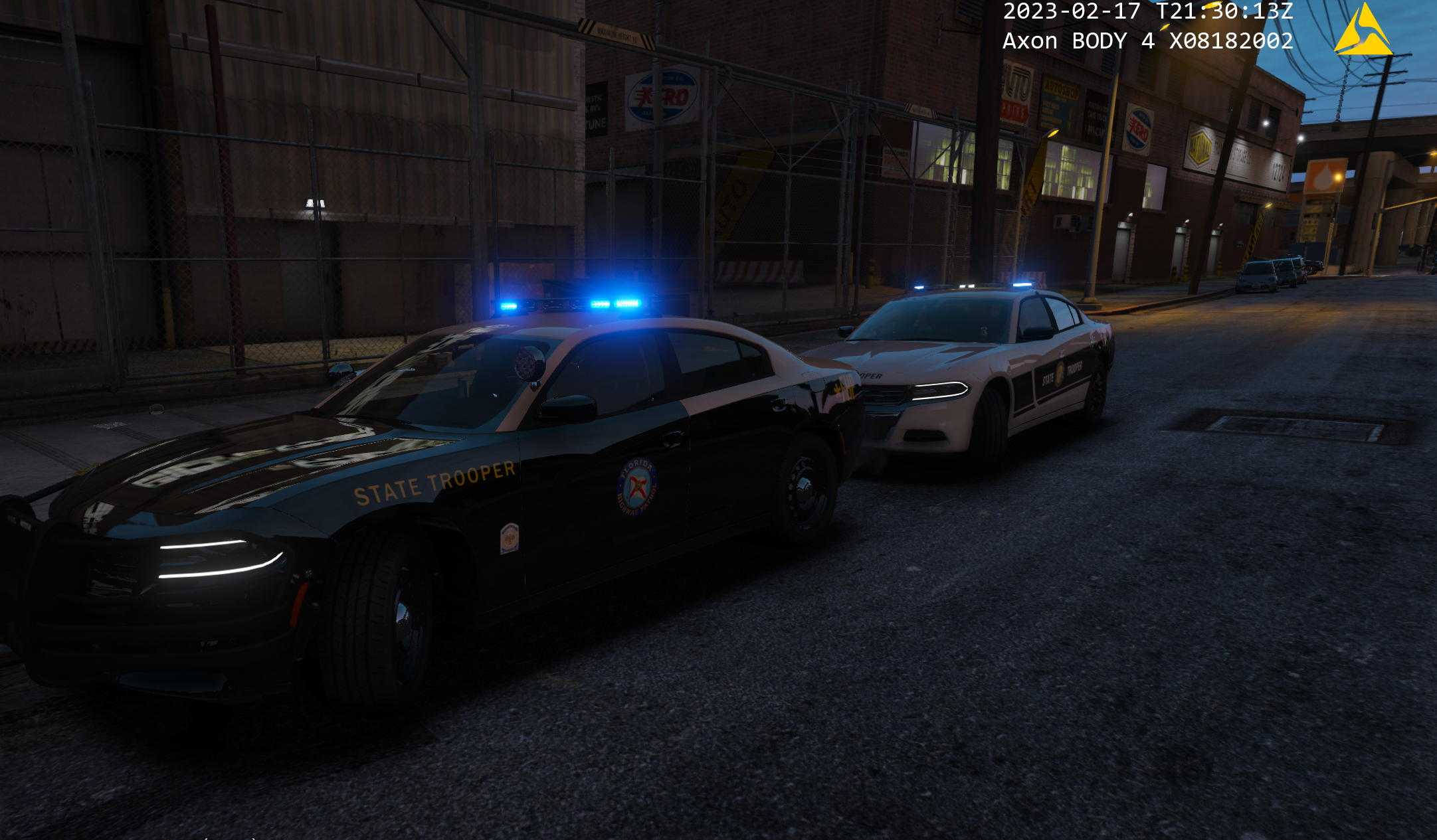
ashefell reacted to Skys Development for a file, [ELS][DLC] FHP/SHP PackWhat started off as just 2020 FPIUs tuned into a year long project. This pack has been completely revamped from the ground up. You will need the 32 sirens mod(SSLA) for all the lights to work properly. With that being said there wont be a replace version anymore and some cars were removed. Main focus of this pack was to make FHPs newer Fed Sig fleet. One of the main things that was asked on here and in discord was FHP plates so I have added them onto the cars as well as non lore plates. This pack will work well with any other FHP pack out there non lore or lore.
Some of these cars have automatic scene lights when you get out of the car you can disable this feature in the ELS vcf or hitting the L key before getting out of the car. The 18 FPIUs don't have this feature because the lights are on the doors and the lights would be floating when the doors are opened and I hate floating lights, instead the white lights on the valor/visor turn off like IRL
All of the K9 cars have the rear windows set to extras that won't go back if you fix the car.
The Chargers have a passenger seat organizer as well that can be toggled with extra_10
Note: You add tint on the chargers thru the trainer
Lighting demo for 1 of the chargers
https://streamable.com/praqsg
Also would like to give @JankModding a huge thanks for making the plate textures and updating my skins to be more accurate
This pack pairs great with @Trp. Keaton FHP pack!
Join my discord if you encounter any problems with the models and to stay up date with current/future packs(everything gets released there first)
Discord Link
-
ashefell reacted to Trp. Keaton for a file, Florida Highway PatrolHello everyone! Wow, finally updating the description on this pack is hard to do, because mostly I don't know what to put anymore. I want to start with by saying thank you for over 50k downloads, this pack has come a very long way from the start, and even further away from the very first release for FHP, which I would have to agree myself, it was wildly inaccurate, but this new pack is the most accurate it's ever been, which help from my friend echooo who is a Florida native, and who helped push me to get these things as close to the real life counterparts as possible. And now I am finally releasing LORE skins for this pack, which is a first ever for me. My time working on this pack, has also helped me new friends in the dev community, such as Skys, and Jank who I have both worked with to make FHP not only better and more compatible with his pack, but to also release new things, I probably wouldn't have ever made.
Guys! It's finally done! after 3 years of work, I am finally pushing out the final release to FHP, the full release. While I say final release, it the final release for any major changes, every update after this will just be visual updates, and fixes to things that might still be broken, the pack was tested heavily before release, so every car should be good to go. Everything after this update will just introduce fixes to lighting, livery updates for both real & lore ( if I remember to do lore liveries ), and so on. I am so happy to finally have this done. I've been working on it for over 3 years, and have put close to around $400 into the pack to make it the best I can.
I want to think everyone who has worked with me on the pack, to improve it and make it better. I also want to think everyone who tested it, and helped report major issues so they could be fixed, and I also want to thank my good friend @Echooo who not only put his own money into this project, but spent a lot of his own time, helping with the lighting, getting as close to real life as possible, thank you man!
I have big plans for the future of car development, including canceling old projects that I was going to work on, and only focusing on fresh new stuff, things I have never worked on before, I hope to see everyone on my next release! < Also is you want to learn more about this, you can join my discord, and I have it listed in there!
I recommend using @Skys Development pack as well. They both pair great together!
Google Open Beta Report Form
Recommended mod
I recommend everyone download this mod, it goes great with the pack, and @Pavy was nice enough to take his time and make this, it sure does go a long way and makes this pack even better that now you can see what your driving before you even spawn it!
Do be warned though, some images may not reflect changes made to cars since this pack is still currently in the beta stages.
Rework Album
-
ashefell reacted to Pavy for a file, 4K Images of Trooper Keaton's FHP pack for Add-On Spawner.This is for people who enjoy pictures attached to their cars via Add-On spawner.
Looks something like this in-game
The images are 4k, but the ones on LSPDFR are 1080p because of image limits.
If you would like a pack done, send me a message.
This pack contains 54 Images
Installation For Addon:
Drag and drop into your main GTAV folder.
Installation For Replace:
If you use these vehicles as replace, instead of addons, simply rename the image files to that vehicle model. e.g. fhp1>police
In UserDLC/FHP by Trooper Keaton.list open that with notepad and rename as well.
Required Files:
https://www.gta5-mods.com/scripts/add-on-vehicle-spawner
By @Trp. Keaton
-
ashefell reacted to FluffyMods for a file, Glock 17 | Animated | ReplaceGlock 17 Gen 3
- High Quality Textures & Models
- Animated
- Lined up Iron Sights (requires weapons.meta editing, values included in download / pistol replace does not have this)
- Lined up Vanilla Attachments
- Replaces Combat Pistol & Pistol
SP Install
[mods] > Update > x64 > dlcpacks > patchday8ng > dlc.rpf > x64 > models > cdimages > weapons.rpf
Turn on edit mode and drag the files into openiv/codewalker
Join My Discord | Exclusive Mods, and Giveaways
Credit: Battlestate Games
-
ashefell reacted to cp702 for a file, SirenSetting Limit AdjusterThis mod raises various siren limits in GTA V.
The per-vehicle siren limit is raised from 20 to 32. Vehicles can now have siren1 through siren32, which are all fully functioning and independent. The siren_glass limit is also raised to 32. Note that the limit of 128 total bones on a vehicle still exists.
The maximum value of a siren setting ID in carcols is raised to 65535. In the base game, siren settings can conflict if one of them has a value over 255. Now, siren setting IDs can go up to 65535 without conflicting with each other.
This mod also expands the maximum number of unique siren settings you can have. If you have 400 cars, and they all have unique light patterns, that'll work.
Installation
Copy the included ASI to your game folder.
Usage
For additional lights, just use siren21 through siren32 and add extra entries to the siren settings in carcols.meta. Again, note that there is still a limit of 128 total bones on a single vehicle.
For the increased ID limit, just use a number bigger than "255" as the ID. The values 0, 255, and 65535 are reserved, so don't use those specific values. No additional configuration is required.
RPH Users
SSLA does not require RAGEPluginHook, but it is compatible with it. However, it is ONLY compatible with the latest version! RPH version 1.98 has a compatibility patch that will play nicely with SSLA v2. The latest RPH version can be found bundled with LSPDFR, or on the RAGEPluginHook Discord server.
If you had RAGEPluginHook and SSLA v1, you may have had a compatibility DLL in your Plugins folder. This DLL is no longer required and should be removed. RPH now talks directly to SSLA.
RPH plugins that deal with emergency lighting will continue to function, but may need to be updated to support lights 21 through 32.
FiveM Users
SSLA v2 is compatible with FiveM. The server owner must enable ASIs in server.cfg with sv_scripthookallowed true, and Each user must copy the ASI into the plugins folder in their FiveM Application Data. No changes are required to the server config.
RPH Developers
In RPH version 1.98 and up, the Lights member of an EmergencyLighting will be length EmergencyLighting.MaxLights (a static class property) instead of necessarily being length 20. They will still all have the same length, it's just that that length will be longer than 20 if SSLA is installed.
Logging
This ASI produces a SirenSettings.log file in your game directory. It records:
Every loaded SirenSetting, its name, its ID, and its internal index; Every loaded vehicle, its name, its siren ID, and the index it was matched to; Any conflicts, where two SirenSetting entries have the same ID. License
Please link to an official upload instead of redistributing this yourself.
-
ashefell reacted to Scorpionfam for a file, [NON-ELS][ELS][Addon][FiveM-Ready] 2024 Ram 5500 WreckerHello peeps!
This is a small tow truck I've been working on and finally releasing.
It's marked as SADOT pack in the files because I was originally planning to make this a bigger pack
and I probably will sometime in the future
All the lighting features shown in screenshots are available with ULC
so as always enjoy and lmk if you find issues!
Functions:
Boom lifts and lowers using the in-game tow mechanics
Left side compartment doors open using Left rear door and right rear door
Right side compartment doors open using trunk
Wheel lift lowers by opening the hood
Features:
Working Hook
Brake Override
Scene lighting mode (FiveM Version only)
Stop The Ped Small Tow Truck Replacement
Openable Toolboxes
Singleplayer and FiveM Version
-Vehicles-
2024 5500 Ram - 5500wrecker
HOW TO INSTALL FOR SINGLEPLAYER!!!
Vehicles and Stop the Ped Small Tow Truck Replacement
Vehicle Installation:
Navigate to GTAV - mods - Update - x64 - dlcpacks
Drag and drop the "sadot pack" folder
Next Navigate to GTAV - mods - Update - Update.rpf - common - data
Open dlclist.xml and add the following line
<Item>dlcpacks:/sadot pack/</Item>
The trucks will now load ingame!
Stop The Ped Tow Truck Replacement:
Navigate to GTAV - plugins - LSPDFR - StopThePed.ini
When you open the INI. Look for the section near the bottom with the tag [TowService]
Here, you will want to change SmallTowTruckModel to SmallTowTruckModel=5500WRECKER
Now the ram will respond when called in by stop the ped
Having texture problems?
Check your graphics setting and make sure your Direct X version is on DX11. Anything lower and it will bug textures.
If you have any issues feel free to join the Rocket Mods Discord https://discord.gg/6xHyEE9
As always....
DO NOT rip or republish my work (Don't be one of those people)
DO NOT Unlock ANY of my models
You are ALLOWED to EDIT the YTD files of the vehicles BUT CANNOT use the textures included on other vehicles WITHOUT my permission.
and if able give me credit if this car is used in yt vid or stream(Helps spread the word)
-
ashefell reacted to GravelRoadCop for a file, Modern Siren PackABOUT : Modern Siren Pack is a sound modification that introduces current generation real-world siren tones to GTA V, giving you a realistic emergency driving atmosphere. This modification will restructure the discontinued American Siren Pack modification and evolve into a larger scale siren modification for Grand Theft Auto V. The sound pack aims to introduce all known siren brands from around the world, and to allow you to choose the siren tones you want to have. The mod also aims to provide you with a smoother and easier installation experience. Modern Siren Pack is compatible with Emergency Lighting System V by Lt.Caine & Siren Mastery by Albo1125. The best part about this mod? It's F.R.E.E. Yup, I don't charge a single dime for this mod, unlike many other greedy "content creators' out there. For the love of god, don't pay $6 for a siren pack when this one is free ... FEATURES : The siren pack is in ongoing development, with limited and doctored/unedited siren tones. The siren pack will offer over 8 different Siren manufacture brands including but not limited to: Whelen Engineering, Federal Signal Corporation, Code 3 PSE, Feniex, Sound Off Signal, Rontan, Carson and Star/SVP. Modern Siren Pack will also include several foreign siren tones that are used in other countries. Some siren brands will come with four standard tones ( Wail, Yelp, Priority, Hi-Lo/Misc. Tones, ) including air horn. The siren tones in the pack will have a maintained level of volume, and quality assurance to give you the experience you want to have, especially by getting attention of other drivers on the road while responding code 3. Some siren brands are versatile for Fire/Rescue - EMS roles.
IMPORTANT NOTE : Modern Siren Pack Alpha is your chance to experience the mod as it evolves throughout its development process. It is a work in progress and therefore contains a variety of bugs. I strongly advise you to expect the following bugs before you report it to me: volume level differences, some are quiet whereas others are louder. Not all siren models will have complete siren tones set regarding their real-life counterparts. Changes will occur, and I will omit some. By using Modern Siren Pack, you understand what Alpha Pack means and are interested in taking part in the ongoing development cycle. Sirens provide an essential function of an effective audio/visual warning system. However, sirens are only short range secondary devices. The use of a siren does not ensure that all drivers can or will abide by or react to an emergency warning signal, especially at high rates of speeds or long distances. The operator of the vehicle must never take the right of way for granted, and it is the operator’s responsibility to proceed safely. Thank you for supporting the Modern Siren Pack. --- " 132 & in uhhhhhhhhhhhhh, i got him at gunpoint. Cover is code 3. " If you are interested in supporting Modern Siren Pack, please follow/monitor this topic for future updates : http://www.lcpdfr.com/forums/topic/66424-modern-siren-pack/ An excerpt from ELS's user guide, page 28 :
As of September 13th, 2018, it is now possible to assign additional siren strings to ELS :
Firetruck Siren:
"RESIDENT_VEHICLES_SIREN_FIRETRUCK_WAIL_01" - Firetruck Primary
"RESIDENT_VEHICLES_SIREN_FIRETRUCK_QUICK_01" - Firetruck Secondary
Police Bike Siren:
"RESIDENT_VEHICLES_SIREN_WAIL_03" - Police Bike Primary
"RESIDENT_VEHICLES_SIREN_QUICK_03" - Police Bike Secondary
Sheriff (Granger) Siren:
"RESIDENT_VEHICLES_SIREN_WAIL_04" - Sheriff (Granger) Primary
"RESIDENT_VEHICLES_SIREN_QUICK_04" - Sheriff (Granger) Secondary
^ These two are not working as of 9/13/2018
FIB Siren:
"RESIDENT_VEHICLES_SIREN_WAIL_02" - FIB Primary
"RESIDENT_VEHICLES_SIREN_QUICK_02" - FIB Secondary
Ambulance Siren:
"RESIDENT_VEHICLES_SIREN_WAIL_01" - Ambulance Primary
"RESIDENT_VEHICLES_SIREN_QUICK_01" - Ambulance Secondary
MANUAL INSTALLATION :
Make a new folder somewhere on your desktop, name it anything Move Both the Vehicle folder and vehicle.oac file out of this .rar pack into the folder you just created on the desktop Open 'OpenIV' and go to your GTA V Directory. In 'OpenIV', go to the 'x64' folder, then audio > sfx > resident.rpf ( it is advised that you use your mod folder instead of vanilla ) Inside Resident.rpf should be 16 .awc files. Import openformats, navigate to the folder you put the Modern Siren Pack 'vehicles' folder and the 'vehicles.oac' in and select the 'Vehicles.oac' save and you're good to go. Respond Code 3 ! OIV INSTALLATION : OIV INSTALLATION :
1) Run OpenIV
2) Select Tools > Package Installer (Located on the toolbar at the top)
3) Locate 'Modern Siren Pack.OIV'
4) Select 'Open'
5) Choose 'MODS folder' to install in.
6) Respond Code 3.
Special thanks to @Albo1125 @FirstThirtyMinutes for the tutorial videos : IF YOU WISH TO USE OTHER SIRENS TONES OTHER THAN STOCK TONES, YOU WILL NEED TO REFER TO YOUR SIREN HASHTAG DICTIONARY, AND USE THE NAMES FOR YOUR DESIRED TONES. MAKE SURE THE VEHICLE FOLDER DOES NOT EXCEED 15.7MB OR IT WILL MUTE THE SOUND DICTIONARY.
IF YOU USE THE RATING/REVIEW SYSTEM TO REPORT ISSUES/BUGS, I WILL IGNORE IT AND YOU WILL BE REPORTED. CREDITS: - Federal Signal Smart Siren - Edited by -- Gravelroadcop/LEDesigns 2015-2017
- Federal Signal Smart Siren 3000P - Raw materials provided by NOTIVAN, edited by GravelRoadCop 2018
- Federal Signal Unitrol 80k - Edited by -- Gravelroadcop/LEDesigns 2015-2017
- Federal Signal Unitrol Touchmaster Siren - Edited by -- Gravelroadcop/LEDesigns 2015-2017
- All Whelen tones -- Edited by -- Gravelroadcop/LEDesigns 2015-2017
- Code 3 Mastercom B Siren -- Edited by --Gravelroadcop/LEDesigns 2015-2017
- Code 3, PSE. -- Original Tones ( V-Con, Mastercom B, RLS, Sprinter, Xcel and Banshee)
- Code 3 RLS -- Quinn Dickinson
- Federal Signal Corps. - Original Tones
- Whelen Engineering - Original Tones
- Galls - Original Tones
- Signal Vehicle Products - Original Tones
- OpenIV: www.openiv.com/
- Whelen Cencom Sapphire - Whelen Engineering
- Motorola Astro Spectra Siren - Motorola Solutions You may use this mod as long as you follow these terms:
• Don't redistribute without my permission.
• Don't edit any file and redistribute it without my permission.
• I am not responsible for any damage that may be caused to your PC or game directory during a) the installation b) usage or c) removal of this mod. You are responsible for backing up your files!
• If you want to include this mod in a pack, please contact me. Clan and private packs are an exception, as long as they stay 'private'. Correct credits must be given at ALL times.
-
ashefell reacted to HANAKO for a file, EUP VEST&EARPIECEAwesome showcase video by Alex Preacher
Thanks to all of you, total downloads have now exceeded 60,000!
I hope you continue to enjoy this mod!
Description
This mod adds police vests, belts, and other equipment to GTA V.
Features
The vests fit properly with various outfits! No awkward gaps or improper sizing!
Realistic gear such as earpieces and realistic vests!
List of included vests
Installation
First, install EUP.
To use the new vests, you must install this mod too.
It is strongly recommended to back up the original files before installation!
Open the File folder.
Using OpenIV, navigate to:
Grand Theft Auto V\mods\update\x64\dlcpacks\eup\dlc.rpf\x64\eup_componentpeds.rpf
Open the corresponding folder (e.g., vest, earpiece, etc.), and place the folder (e.g., mp_m_freemode_01_mp_m_vinewood) that contains the files you want to use.
In-game, change the TASK category.
If your character’s vest (or other item) has changed to the one you installed, the installation was successful.
If installed correctly, the added folders should look like this:
Installation Q&A
Version History
DO NOT ASK
Requests for custom textures Requests to unlock the model Requests for DEV models Questions about installing this mod on FiveM Credits
Rockstar Games
Activision / Infinity Ward
Call of Duty: Modern Warfare (2019) Assets
DICE / Electronic Arts
Battlefield 4 Assets
Ubisoft
Ghost Recon: Wildlands Assets
Rainbow Six: Siege Assets
Battlestate Games
Escape From Tarkov Assets
Contributors
Hanako (me)
Xiphos
Hussky9
CG ARTStudio
Oleg
ericapg
Code4Mods
Alex Ashfold
Beta Testers (crunchycat, Howard)
Special Thanks
crunchycat, Theofficialthrowaway, gabe., Alex Preacher
(for taking many screenshots)
Attention
Do not unlock, edit, or sell models.
Do not attempt to profit from any part included in this mod.
Please follow these rules when releasing textures for this mod:
Always credit all names listed in this mod.
Do not include any files other than texture files (PNG, DDS).
Including any other files violates the guidelines and may result in your mod being deleted and disciplinary action taken.
Do not profit from retextures of my publicly released mods.
Do not release textures on any sites other than LSPDFR and GTA5-Mods.
Looking for the same quality PEDs?👉 Check this out!
Highly Recommended
-
ashefell reacted to EmergencyDistributors for a file, Fire Rescue Replacement Pack (Los Santos County & Blaine County)Enjoy Pack Includes: 21-22 Ford F450 Ambulance 2017 Pierce Enforcer Features: Scene Lighting Handling Included Templates Included Metas Included Whelen Lighting System Motorola Radio Special Features: Multi-Stage Pattern Lighting That Changes With Each Siren Stages (Additional ELS file is included that keeps the same pattern) Coming Soon: - Updated Personal Handling Lines To Match The Vehicle Speed And Handling - Reported Minor Fixes Will Be Gone Contains my SUPERFIX file which fixes any issue you ever had (flipping, disappearing car, handling, audio sound, etc) with the slot/car you are trying to use. That way you can use anybody car from here on out as long as it fits in that slot. People has contacted me so many times how to fix this and that even with other Devs cars. So I created the SUPERFIX to fix the slot completely so you can use anybody car in the future without issues. ***READ ALL READ ME FILES*** ***BACK UP YOUR FILES I AM NOT RESPONSIBLE FOR YOUR GAME ISSUES*** ***ALL FILES NEEDED ARE INCLUDED*** Custom Models And Exclusives !!! Yes We Are Taking Custom Orders !!! Website: https://www.emergencydistributorsfleet.com/ Discord: https://discord.gg/ZGxjWc6kyB Patreon: https://www.patreon.com/emergencydistributors New Blaine County Fire Rescue Packs New Los Santos County Medical Packs New Sheriff Packs New Special Division Packs New Police Packs New Park Ranger Packs New Unmarked Vehicles Plus More !!!!!!!!!!!! *** Blue Files Can Be Provided Upon Request *** *** Can Be Used In FiveM ***
-
ashefell reacted to BlueGhost for a file, [ADD-ON] Wheel Variety PackThis pack is a collection of wheel types for various police vehicles.
The purpose is to allow players to further customize their rides to fit their taste.
SO HELP ME GOD, IF I SEE ANY ONE OF YOU HEATHENS USING A WHEEL THAT DOESN'T FIT THE VEHICLE YOU PUT IT ON,
I'LL SLAP YOU ON THE TIT.
After much consideration, I’ve had a change of heart.
FiveM usage is allowed FOR THIS WHEEL PACK ONLY.
-----Installation-----
1. Navigate to your dlpacks folder, located at
mods\update\x64\dlcpacks
2. Enable Edit Mode
3. Drag and drop the "wheelvarietypack" folder inside the dlcpacks folder
4. Navigate to your data folder, located at
mods\update\update.rpf\common\data
5. Locate your dlclist.xml, then right click and click "Edit"
6. Directly after the latest entry in the XML, you must put the following line:
<Item>dlcpacks:/wheelvarietypack/</Item>
7. Click Save
8. Start GTA V.
-----Expansion-----
Nah lol
-----Contents-----
There are 18 wheel choices that will fit most common police vehicles in modern model years.
Ford CVPI: 3
Ford Police Interceptor: 2
Dodge Charger: 7
Chevrolet Caprice: 1
Chevrolet Tahoe: 4
Chevrolet Impala: 1
USE THE CORRECT WHEEL FOR THE CORRECT VEHICLE AND TRIM LEVEL
NO ALL-WHEEL-DRIVE WHEELS ON A REAR-WHEEL-DRIVE CHARGER, GOD DAMN IT.
-----Applying your wheels-----
Simply open your trainer menu, and navigate to the wheel customization section. You will find them under the "Sport" category
Enjoy!
-
ashefell reacted to EmergencyDistributors for a file, Prisoner Transport Van Upgrade/ReplacementHappy New Year........This one look better, the other design is included also... Enjoy Pack Includes: Chevy Prisoner Transport Van Features: Handling Included Templates Included Metas Included Feniex/Federal Signal Lighting System Motorola Radio Special Features: Multi-Stage Pattern Lighting That Changes With Each Siren Stages (Additional ELS file is included that keeps the same pattern) Contains my SUPERFIX file which fixes any issue you ever had (flipping, disappearing car, handling, audio sound, etc) with the slot/car you are trying to use. That way you can use anybody car from here on out as long as it fits in that slot. People has contacted me so many times how to fix this and that even with other Devs cars. So I created the SUPERFIX to fix the slot completely so you can use anybody car in the future without issues. ***READ ALL READ ME FILES*** ***BACK UP YOUR FILES I AM NOT RESPONSIBLE FOR YOUR GAME ISSUES*** ***ALL FILES NEEDED ARE INCLUDED*** If you need assistance or have any questions please contact us at: Discord: https://discord.gg/ZGxjWc6kyB Patreon: https://www.patreon.com/emergencydistributors New Blaine County Fire Rescue Packs New Los Santos County Medical Packs New Sheriff Packs New Special Division Packs New Police Packs New Park Ranger Packs New Unmarked Vehicles Plus More !!!!!!!!!!!! *** Blue Files Can Be Provided Upon Request *** *** Can Be Used In FiveM ***
-
ashefell reacted to RYM1BR for a file, [ELS] [R/B or B/B] [Addon/Replace] Asheville/LSPD Mega PackJoin my brand new discord to report bugs, suggest my new pack, and even get early access to new updates and exclusive content.
https://discord.gg/txGNv3v46p
Addon Install Now Supported Via Lennys Mod Loader
-
ashefell reacted to Officer Turbs for a file, ELS FlatbedHey thank you for downloading my Flatbed tow truck! I hope you enjoy! If you find anything wrong, keep in mind I'm still learning so take it easy on me! Any issues please DM me. Skin has also been created by me.
Huge shoutout to my brotha: Big_G069 go check out his work on LSPDFR and on YOUTUBE
Big_ G - YouTube
Big G 069 - LCPDFR.com
My Youtube: Officer Turbs - YouTube
Discord available here: https://discord.gg/uSb8uw6YXv
-
ashefell reacted to BlueGhost for a file, [ELS] BlueGhost's Unmarked PackThis pack contains a myriad of unmarked vehicles for your enjoyment. Ranging from a run-of-the-mill Crown Victoria to an unassuming Subaru WRX STI, there are no shortages of vehicles for you to get to know.
Features:
Uniform lighting packages
Single and Three stage lighting, dependent upon vehicle type
Enhanced engine audio
Unique selection of vehicles, from pickup trucks, sedans, coupes, SUVs
Templates for you to use in livery creation
Optional OIV Installer
Best of all, it's an Add-On archive! No need to replace your existing vehicles!
Join my Patreon to get early access to public base models, and access to exclusive private base models!
https://www.patreon.com/blueghostmods
In order to ensure that your game can handle a pack of this size, you must install the following items!
REQUIRED FILES:
https://www.gta5-mods.com/tools/packfile-limit-adjuster
https://www.gta5-mods.com/misc/gta-5-gameconfig-300-cars
https://www.gta5-mods.com/tools/heap-limit-adjuster-600-mb-of-heap
-----FAQ-----
Q: FiveM version?
A: No, but you may use this on your server, with credits to me, and the authors that created the resources that I've used.
Q: Non-ELS?
A: No, I will not make a Non-ELS version.
Q: Replacement?
A: No, I will not make a replacement version.
Q: Can you change the lighting? It's so boring.
A: No, what's done is done. I like uniformity in my designs.
There are 48 unmarked vehicles in this pack.
-----UPGRADING-----
If you're updating to a new version of this pack, all you need to do is replace the dlc.rpf and VCFs (If you installed manually)
If you're installing this pack for the first time, you must follow the steps below.
-----Manual Installation-----
1. Navigate to your dlpacks folder, located at
mods\update\x64\dlcpacks
2. Enable Edit Mode
3. Drag and drop the "blueghostpack" folder inside the dlcpacks folder
4. Navigate to your data folder, located at
mods\update\update.rpf\common\data
5. Locate your dlclist.xml, then right click and click "Edit"
6. Directly after the latest entry in the XML, you must put the following line:
<Item>dlcpacks:/blueghostpack/</Item>
7. Click Save
8. Drag and drop the VCF.XML files to pack_default folder located at
Grand Theft Auto V\ELS\pack_default
9. Start GTA V.
-----OIV Installation-----
1. Click on the Package Installer button, below the "Favorites" drop-down menu
2. Locate the OIV archive, double click it to select it
3. Click "Install"
4. Click "Mods Folder" to install the archive into your mods folder
5. Confirm the installation, and wait for the process to complete.
6. Start GTA V.
Terms of Use:
You may use this pack in FiveM, with credit in place.
You may not reverse engineer, rip, extract, alter, or otherwise modify the models in this pack.
You may upload liveries using the provided templates.
Do not reupload this pack ANYWHERE for ANY REASON.
Do not sell this pack for ANY REASON.
Discord:
https://discord.gg/3np9Me3
-
ashefell reacted to waynieoaks for a file, Custom PulloverFebruary 2026: Michael21107 has kindly volunteered to update this plugin and keep it working for people, as I am currently not active in the LSPDFR modding scene. He's hardly a coder, so please feel free to contribute to the project by opening pull requests and issues on the GitHub repository. Bug reports and suggestions may also be sent via comments here, but must NOT be sent via reviews.
To the best of my knowledge, this plugin remains functional as is. Unfortunately, without a working game and no time to code anymore, I can no longer support my developed plugins. All my code is available on GitHub if people want to steal/update the plugins themselves. As expected with such a long development pause, this plugin wasn't tested on GTA V Enhanced, so please report any issues with that as well.
Common problems:
1. It is not pulling the car over:
This mod does not start the pullover process. You need to pull the vehicle over with LSPDFR first.
2. Number pad not working:
Ensure Numlock is on, or the numpad will not work.
3. Pullover gets cancelled:
This is usually caused by a conflicting keybinding, for example, left shift. Check your keybinding settings.
4. Mimic Me causes the driver to crash when I stop the mimic feature
Yeah - that annoyed me too, but I never managed to find what in the code was causing it. Sorry.
Even though many plugins have superseded Traffic Policer in various ways, Custom Pullover remains the only plugin that maintains this feature.
Custom Pullover allows just that. Once the suspect comes to a stop, you can then select from 3 options using your hot keys:
Mimic me: The car movements will mimic the movements made by your vehicle
Follow me: Pull in front, and the suspect will follow you to a new location
Custom location: Use the number keys (or what you set in the INI file) to choose a point in front for the suspect to move to
While I did this just for myself, to make my LSPDFR experience a little better, some friends have asked for a copy. So, with Albo1125's blessing, I release this here for anyone not using Traffic Policer and missing this feature to use as well.
The code is also released on GitHub as the original code open source under the GNU General Public License v3.0 (and all I did was pull it together, re-package, and test).
Github: https://github.com/waynieoaks/LSPDFR-Custom-Pullover
Traffic Policer on Github: https://github.com/Albo1125/Traffic-Policer
Installation:
Copy the .dll and .ini files into your /plugins/LSPDFR/ folder
Edit keybindings in the .ini to your requirements
-
ashefell reacted to Sergeant Nighthawk for a file, Axon Signal (Bodycam and Dashcam Plugin)READ THE FOLLOWING BELOW BEFORE PROCEEDING TO DOWNLOAD
(NEW) DECEMBER 16, 2024 (Grand Theft Auto V Update v3411) Update
Rockstar Games has released an update for Grand Theft Auto V (build 3411.0). While no issues or any incompatibilities are expected, I have NOT tested this plugin with the new update yet. This section will be updated as soon as I get a chance to test the new plugin with the new update and if any reports from users come in. No guarantees that the plugin will work flawlessly with the new update just yet.
✅: Compatible
❌: Not compatible
🔎: Currently testing
Compatibility status: ✅
NOTE # 1: I am NOT affiliated with Axon Enterprise, Inc. or TASER International, Inc.
NOTE #2: Please READ EVERYTHING outlined in the description below, the included README file and the INI file, it will save you time before reporting a bug or asking a question that's already been answered. Reported bugs and issues are outlined in the description below.
NOTE #3: Exercise caution to anyone blindly telling you (especially on Discord) to remove callout X or plugin Y or to disable antivirus without a proper reason why, there's a 99% chance they don't know what they are doing. If you are having a specific issue with my plugin, please do NOT seek support from third-party discord servers as they will not be of any useful assistance and I will NEVER have any clue that you're having an issue to begin with.
NOTE #4: While I appreciate suggestions and feedback, I will not accept all of them especially if it is not grounded in realism. Understand that I try to do research on this project with the limited available material online, if you have any credible sources as to the operations of these things, please provide them alongside your suggestions.
NOTE #5: Keep this in mind before using any kind of colorful language to describe any frustrations you may have with this plugin, and this can apply to any developer here on this website: I am alone, I do this in my free time voluntarily, Maintaining and updating a plugin can be stressful
NOTE #6: This plugin does not record any videos. This plugin only simulates the operation of an Axon Body and Axon Fleet with Axon Signal functionality. Any inquiries about this on Discord or the comments section below will be disregarded or closed as this has been addressed multiple times previously.
FEATURE UPDATE v1.2
COORDINATED UNIVERSAL TIME FORMAT (UTC)
(shoutout to jmwfilms/their video editor for stealing this, nothing serious, just absolutely hilarious the number of people who steal this GIF)
Want to use the legacy overlay format from older generation body-worn cameras? You can configure the body camera and dash cam overlay to display the time in UTC format as well as selecting a desired offset from your local time of choice.
DASHCAM PANORAMIC LETTERBOX (includes 4:3 aspect ratio letterbox for interior camera)
courtesy of Ohio State Highway Patrol, reference photo for comparison
Get more immersed into an already unique patrol perspective. Starting with the AXON FLEET 3 generation of dashcams, depending on an agency's configuration on video resolution and aspect ratio, panoramic aspect ratios were introduced to compensate for the wide field-of-view on the newest generation dashcam.
BODY CAMERA ACTIVATION ANIMATION
New animation when activating or deactivating the body camera.
THE AXON FLEET DASHCAM UPDATE
Get a unique perspective of your patrols with the new Axon Fleet Dashcam System, featuring both a front and interior camera, whether you want to keep an eye on the action upfront or keep an eye on the cuffed offender behind your back.
REAL-TIME DASHCAM OFFSET, POSITION, and FOV EDITOR (type AxonSignalOffsetMenu in the RAGE console to access this menu)
REAL-TIME OVERLAY EDITOR (type AxonSignalOverlayConfigMenu in the RAGE console to access this menu)
BODY CAMERA TIMESTAMP OVERLAY *(requires font installation, font included)
Axon Signal is a standalone RagePluginHook plugin that simulates the operation of an Axon body worn camera and in-car dash camera. Alongside that is the ability for the body camera to automatically start recording if you unholster your weapon (list of weapons that will trigger the body camera can be defined in the AxonSignal.ini file) or activate your emergency lights (stage 3 ELS lighting or activating lights on a NON-ELS vehicle).
The following parameters can be changed in the plugin's ini file:
The key to start/stop the recording of the body camera. If the body camera will start recording if you unholster your weapon List of weapons that will trigger the body camera recording function (WEAPON_PISTOL, WEAPON_STUNGUN, etc.) If the body camera will start recording if you activate your emergency lights (supports both ELS and NON-ELS vehicles, must be a valid police vehicle) If the plugin will display notifications on the bottom-left of your screen regarding the operation and activity of the plugin The amount of time in seconds between reminder beeps on the body camera (Default: 120 seconds) Body camera timestamp overlay parameters such as the model number, serial number, UTC offset, and if visible in third person or not Rockstar Editor integration (disabled by default, keep in mind of the following limitations) Recording time: this is dependent on the number of entities around you and how many polygons those entities have (e.g. if you and 20 backup officers are in a shootout with 20 gang members with 10 addon cars exploding in the background, you will not have a lot of recording time) Addendum to the above, recordings are in clips, assuming you run out of recording time, rockstar editor will record another seperate clip, they may not be fused together perfectly, and this will be more apparent the shorter your recording time Rockstar editor usage is restricted in some areas (e.g. Fort Zancudo and the surrounding area, due to GTA Online protections) Your own storage space and hardware Speed threshold parameter to trigger the Axon Signal Vehicle while emergency lights are activated Delay between the trigger and the activation of the body camera Body camera overlay real-time editor to customize text and logo size, spacing, and position (accessible by RAGE console command AxonSignalOverlayConfigMenu) Several dashcam parameters, whether it is accessible on foot, overlay, toggling the dashcam effect, the serial of both the dashcam and the interior camera, and the dashcam model that appears on the timestamp, offset, position, and FOV (configurable in the real-time editor accessible by RAGE console command AxonSignalOffsetMenu) Hide minimap when viewing dashcam (enabling letterboxing of either the dashcam or interior camera will hide the minimap, regardless of the setting) Whether dashcam or bodycam overlay displays local time with offset or UTC time Enable or disable bodycam animations Enable or disable body camera button sounds Enable or disable dashcam or interior camera letterboxing NEW Enable or disable overlay help messages
You may also change the supplied body camera sounds and logo inside the provided AxonSignalSound folder, provided the filenames match and file size is within a reasonable level.
REQUIREMENTS
A legal copy of Grand Theft Auto V An up-to-date version of RagePluginHook RAGENativeUI (minimum v.1.9.2)
INSTALLATION
1. Unzip the files using WinZip, WinRAR, 7-zip, or any other archive utility.
2. Drag the files inside the AxonSignal/Grand Theft Auto V/Plugins/ folder to the Grand Theft Auto V/Plugins folder and replace when prompted.
- FOR ADVANCED USERS: If you're upgrading from an older version, check to make sure all new assets, files and parameters in
the ini are included so you don't have to replace files such as the ini and reconfigure settings, otherwise just replace everything.
3. Read the README.text and configure the AxonSignal.ini settings to your preferences before seeking support or complaining of a
missing feature (SERIOUSLY), I have put my best effort in including all details.
4. You can load the plugin in two different ways:
- When in-game and RPH is running, open the console pressing F4 and type "LoadPlugin AxonSignal.dll" without the quotes
OR
- Go the Grand Theft Auto V root folder and edit your startup.rphs file and add AxonSignal.dll
5. RECOMMENDED BUT OPTIONAL: Install the font included in the zip file by simply double clicking it. This will make your bodycam overlay look closer to the real thing.
USER OPERATION
DOUBLE PRESS your assigned keybinding (Default: O key) to start the recording operation of the bodycam.
While the recording is in progress, a reminder tone will play at a specified interval (Default: 120 seconds).
The recording operation of the bodycam can also automatically start by either unholstering any of your selected weapons or activating emergency lights. (parameters customizable in the .ini file)
To stop the recording operation, regardless of how the body camera started recording, HOLD DOWN your assigned keybinding for approximately 3 seconds until a prolonged tone sounds signifying that the recording operation of the body camera has stopped.
If you want to toggle the plugin functionality, type 'AxonSignalToggleSystems' in the RAGE console.
To customize the size and position of the text and logo of the overlay, type 'AxonSignalOverlayConfigMenu' in the RAGE console.
To access the dash camera and interior camera, simply cycle through your player views (Default: V key). To view the interior camera, press your look back key (Default: C key) while in dashcam view
The dash camera and interior camera are accessible regardless if you are in a police vehicle or on foot (configurable in the INI).
To customize the positioning, direction, and offset of these cameras, type 'AxonSignalOffsetMenu' in the RAGE console.
AXON SIGNAL OVERLAY STUCK ON SCREEN?
Type 'AxonSignalResetScreen' to clear any stubborn elements that may be stuck on screen.
These plugins may potentially conflict or cause side effects with Axon Signal:
Automatic Siren Cutout by Rich*
You may still use these plugins, however, it is highly recommended to disable or alter some of the parameters of the plugin.
Automatic Siren Cutout cycles through ELS Stage lighting to turn off the siren upon getting out of the car which may cause an inadvertent activation of the body camera.
*this can be mitigated by utilizing the new speed threshold feature to prevent inadvertent body camera activation while getting out of the car (assuming the car is not moving at speed while getting out)
KNOWN AND REPORTED ISSUES
While browsing through the LSPDFR garage vehicle selection menu, switching vehicles will cause the camera angle set by LSPDFR when viewing vehicles to be reset, allowing camera mouse movement while in the garage which is not intended. Root cause unknown and currently under investigation. Fairly difficult to reproduce. This is a minor bug since it is neither game-breaking nor causing major issues or side effects. No emergency patch release needed. (thanks to @unitedOrange66 for reporting, thanks to @Godalph Games for testing) On rare instances, hiding the minimap when switching to dashcam view may fail or minimap may render on screen anytime while in dashcam view even if enabled, attempting to investigate and reproduce the bug. Minor bug, no emergency patch release needed. (thanks to @Godalph Games for reporting) Emergency lights or other bright light sources in-game can cause the screen to significantly darken, or in the case of rapidly flashing emergency lights: "flickering occurs". Cause and frequency of occurrence unknown. Investigating. Some graphics mods (reportedly NaturalVision Evolved or NVE) can cause the dashcam effect even if enabled not to render. It is suspected that some graphics mods disable some or all timecycle effects. Considering an alternate solution of rendering a transparent image file on screen instead to replace dashcam effect. Not tested as I personally do not use or have NaturalVision Evolved.
FIXED ISSUES
If you are having issues with this plugin specifically, please do NOT seek support in your usual LSPDFR support Discord servers as they do not know anything and will not be able to effectively help you. I highly encourage you to join my Discord below or post your issue in the comments section. I need feedback and bug reports to continually improve this plugin.
If you need support, you may do so in the comments or join my Discord: https://discord.gg/e2qX6aW. Please do NOT seek for support in the reviews or give it a 1-star rating simply because something doesn't work.
Feedback is also appreciated as to what I can do to improve this plugin. This initial version of this plugin, as hinted by the build number, was programmed in the span of only 2 days. There may be issues or bugs that I may not be aware of although I can assure you this plugin has been tested fairly thoroughly.
INSTALLATION AND SHOWCASE VIDEO BY @Gameboyeg, @OfficerBenzo, and yours truly. THANK YOU!
-
ashefell reacted to Rich for a file, Rich's Police EnhancementsInstallation
Drag/drop the .DLL, .PDB, and .INI files into GTA V\Plugins\LSPDFR. All features are disabled by default. If you're using the STREETS audio files for Automatic Pursuit Updates, place them in GTA V\lspdfr\audio\scanner\STREETS. If you use STREETS files that are named differently, they may not work with the Automatic Pursuit Updates feature.
About
Rich's Police Enhancements is a suite of quality of life features. All features are able to be enabled/disabled in the .ini file, so use (or don't) any feature you want. Version 1.6 integrates Automatic Siren Cutout, so if you have that plugin installed separately, you can now remove it.
Included Features
Ambient Backup: When a pursuit is initiated, the player will be prompted to accept or decline ambient backup during their incident by pressing Y or N. Automatic Pursuit Updates: You will be periodically notified (configurable in the .ini) of suspect location, direction of travel, speed, and traffic conditions for each suspect in a pursuit. Updates may be provided via notification, dispatch audio, or both (configurable in the .ini) AI Siren Cycling: Nearby police AI will attempt to cycle through their sirens instead of being stuck on the same tone forever Better TVI/PIT Maneuver: When you or another unit spin out a suspect vehicle during a pursuit, there's a chance the vehicle will become disabled Backup Mimic Lights: During a traffic stop, callout, or pursuit, AI backup will turn their lights/sirens off when they are near you if your lights/siren are off (for ELS, stage 1/2 are considered off) When you turn your lights/siren on (for ELS, stage 3), the AI will turn their lights/siren back on. Suspect Stamina: Suspects will run slower over time and have a chance to trip if they run for too long. Automatic Siren Cutout: Automatically turn off your sirens while keeping your emergency lights on when you get out of emergency vehicles. This feature is intended to be used with ELS. Friendly Honk: A fun little feature that makes other emergency vehicles honk their horn or blip their siren at you if you honk or blip your siren at them. Traffic Light Control: Turn traffic lights green as you approach intersections with stage 3 lighting enabled. This does not affect AI traffic. Traffic Yielding: AI will drive around the left side of your vehicle when you are stopped with stage 3 lighting on. This feature is intended to be used with ELS. Leave Engine Running: When you exit the vehicle, your engine will stay on. You can turn the engine off by pressing and holding your exit vehicle key.
Dependencies
InputManager.dll (embedded)
Licensing
This plugin does not include a license. All rights reserved. InputManager is licensed under CPOL.
Reporting Issues
If you experience bugs or crashes that you believe are a result of this plugin, please provide a copy of your RagePluginHook.log and a list of steps for me to follow to reproduce the issue.