


.png.52200072d4f7f7f19052e7ce58a60a31.png)
InnermostZero
Members
-
Joined
-
Last visited
Everything posted by InnermostZero
-
-
Hey post your favorite or best films/movies you've seen overtime. Mine has to be End Of Watch. Post a few or even a list! Thanks! InnermostZero.Well I just changed 4 and 5 and nothing worked...So?Okay I just tried the 3 and 4 .Didn't work BUT I did find out that it was my weather settings that effects the night time? What do I need to change there?You didn't really answer my question above though?I'll do that but what files are the night time-cycle ones ,what do I re-place as I said I want to keep my noon and everything else so how would I replace them without changing the lighter times?What ENB do you use ,is the night-time nice?Yeah to what ones, any good dark times out there! I would liek everything to be kept the same but just make my nightime brighter?Hey guys , I have a mixed ENB with different files and my ENB at evening & night is too dark(to function) .At noon and afternoon is amazing but anyone know how to put the night time at a good color? Thanks everyone! InnermostZero.
 No problem buddy..
Well I guess you did both................
No problem buddy..
Well I guess you did both................ Personal favorite.
From the album: Photo-Realistic Shots. [PAGE 2]
The second fugitive unit car is en-route to a male resisting arrest.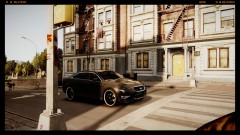
From the album: Photo-Realistic Shots. [PAGE 2]
Nearly end of a shift at 7:00 am ,10 minutes left as the fugitive unit make thir way back to the HQ.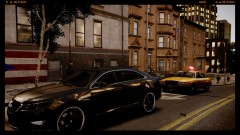
From the album: Photo-Realistic Shots. [PAGE 2]
Residence asked the officers to leave, family members are getting too emotional.
From the album: Photo-Realistic Shots. [PAGE 2]
Apartment Block A is undergoing questioning of every residence as a investigation is a result of a critical assault.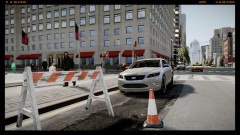
From the album: Photo-Realistic Shots. [PAGE 2]
Code 5 (Speed Trap) is taking place On Frankfort St.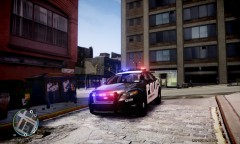 Nice work buddy, is this a custom ENB?
 Well done on the skins, keep you'r great work up!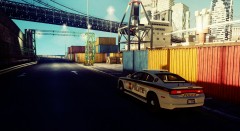
From the album: Photo-Realistic Shots. [PAGE 2]
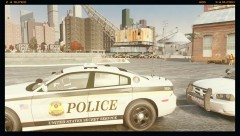
Secret Service Officer pulls up on scene of the theft call from port Security.
From the album: Photo-Realistic Shots. [PAGE 2]
Unidentified boat was trying to dock around the Broker area, Police are on scene investigating.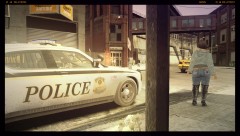
From the album: Photo-Realistic Shots. [PAGE 2]
The marked SS unit has just called a regular sheriff deputy to deal with possible prostitution as he was out of jurisdiction.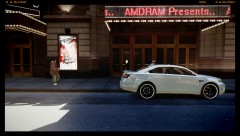
From the album: Photo-Realistic Shots. [PAGE 2]
The gang unit's skills were needed for the counter terror operation taking place along with the Counter Terrorism Team and Emergency Response Unit..
.thumb.png.ecf43c03aae99a7abd3f5a0d930d62f9.png)

