




RicyVasco
Members
-
Joined
-
Last visited
Everything posted by RicyVasco
-
.thumb.png.b9e18d9931090871b064059f2c315cf8.png) You probably need to increase the timeout treshhold in RagePluginHook abit, heres a video on how to do it Your log doesn't mention any crash itself caused by my plugin, but it could be because of the loading screen when you start
You probably need to increase the timeout treshhold in RagePluginHook abit, heres a video on how to do it Your log doesn't mention any crash itself caused by my plugin, but it could be because of the loading screen when you start- 660 comments
- 18 reviews
-
-

- 1
-
-
Make sure you're entering the correct apartment, the Lspdfr ones don't count for that, only the Apartment created by Expanded (somewhere near Mission Row, its marked on the map) If it still doesnt work let me know 😋
- 660 comments
- 18 reviews
-
Inviting and hanging out with people is planned for updates yes 😋 You need to do it everytime you start the game, without it the pkugon doesn't load. Lspdfr only loads plugins (Callouts, StopThePed, Expanded etc.) when the character is onduty When you bought clothes you'll have to deliver them to your wardrobe to actually save them. If you do that the bag will disappear again. I knoe that isn't that clear, I added a notification for that when you buy clothes in the next update 😋
- 660 comments
- 18 reviews
-
-
- 1
-
-
-
This mod uses it's own wallet, but other mods most likely won't have access to that For EUP Menu: All items in EUP usually are +1 index of the ones in LSPDFR Expanded. So if GreyShirt is ID 0 in Expanded, it is ID 1 in EUP Menu
- 660 comments
- 18 reviews
-
Expanded doesn't interact with CalloutInterface, or any other plugin for that matter
- 660 comments
- 18 reviews
-
You'll have to bring the shopping bed to your house -> the wardrobe beside your bed. There you can store the items and access them later on 😋 Not yet. Inventory will be used in later updates but it isn't implemented yet
- 660 comments
- 18 reviews
-
If you haven't got a haircut at the barbershop yet, when LSPDFRExpanded is loaded it will overwrite the look of your character, that's probably why you go bald. Try the barbershop again and let me know if you get stuck in it again
- 660 comments
- 18 reviews
-
Groceries and making friends, meeting them etc. is planned for future updates yes 😛
-
Just letting you guys now, the hotfix was approved if you want to give it another go 😋
- 660 comments
- 18 reviews
-
Thx for the crashlog^^ Bug slipped through because I play a female character and this only happens on male characters. I've uploaded a hotfix which should fix this problem
- 660 comments
- 18 reviews
-
-
-

- 2
-
-
Works fine on my end. Send me the crashlog and I'll have a look at it Send me the crashlog and Ill see what I can do
- 660 comments
- 18 reviews
-
Welcome to LSPDFR Expanded! A plugin to enhance off- and on duty realism and roleplay. LSPDFR Expanded aims to offer a great addition to your every day patrol by adding lots of realism and roleplaying features both for your on-duty and off-duty activities. You'll start as a Rookie who barely makes enough money to keep his fridge filled. With every day on duty you will slowly gain experience and rise up the ranks of the LSPD. After your shift is done, grab your vehicle you bought at the store to the nearest supermarket and grab some food before you starve. Maybe get a new tattoo or haircut along the way? With LSPDFR Expanded you can do it all. Your created character really becomes YOUR character Disclaimer I develop mods in my freetime and playtest them to the best of my abilities before I release them. Of course some bugs might slip through but I will do my best to fix them. Please report any bugs or issues you find and leave an honest review based on the current version. I would love if you might consider supporting me via PayPal. You can find the respective link under the Download button. I’d also love to hear your thoughts - feel free to leave a review or comment, it helps me improve and make my plugins even better! If you like my work, feel free to check out my other plugins For support, questions or discussions, feel free to visit my Discord server: https://discord.gg/AjGyy4cN6G Overall: Custom money system that increases with your paycheck and decreases with every purchase you make Accesible phone to call for various services Basic Needs system that will give you Debuffs if your character becomes thirsty or hungry Custom savefile per character that keeps track of everything you do On Duty: Fully functional custom Police Interior with decorations on special holidays Work at either the frontdesk or the officedesk Write reports on your completed callouts and pullovers for extra XP Wardrobe synced with your EUP to change into your patrol outfits Colleagues that are based on the jurisdiction of that area (Ultimate Backup required) Clock-In system to start going off and on duty to collect your paycheck and gain XP Garage System that lets you spawn a patrol vehicle taken from your agency.xml Specialized departments that each offer various gameplay elements and specific callouts Off Duty: Apartment where you can sleep and head out with your vehicle Custom wardrobe that lets you wear any clothing items that you own Clothingstores where you can buy cloth Fridge system that lets you store, eat, drink and cook to replenish your Thirst and Hunger Grocerystores to buy food, alcoholic drinks and cigarretes Fastfood restaurants and DriveThru to quickly replenish your Thirst and Hunger Vehiclestore where you can buy all sorts of vehicles LS Customs to tune your bought vehicles Gas stations with working hose to give your vehicle a time-based performance boost Barbershops to get a new hair/beardstyle Tattooparlors to get your character a fresh new look [Requirements: RageNativeUI (included in the download), Bottom Dollar Bounty DLC (mp2024_01) needs to be installed and enabled Money Fonts DLC (mp2025_01) needs to be installed and enabled for the Housing Functions introduced in 1.1.1 Main.DisableMultiplayerMap inside the lspdfr.ini needs to be set to false for the PD Interior to work] Copy the contents of the Grand Theft Auto V folder into your main Grand Theft Auto directory (ex: .../steamapps/common/Grand Theft Auto V/) -> (If installed correctly it should look like this: Grand Theft Auto V/plugins/LSPDFR/LSPDFRExpanded.dll) These are the default keybinds which can be changed anytime by editing the LSPDFRExpanded.ini Y — Interaction key CTRL + I — Open Inventory CTRL + H — Display Wellbeing menu CTRL + P — Open Mobile Phone After loading ingame, open the Rage Console (standard F4) and type "ForceDuty" to fully load the plugin. To go on duty, enter any police department via the Red Circle. This will take you inside the custom PD. There, you can stamp in to start working. To go off duty, just stamp out at the same location. DO NOT press the vanilla "Go off duty" button, as this will unload the plugin.
- 660 comments
- 18 reviews
-
-
-
-

-

- 75
-
-
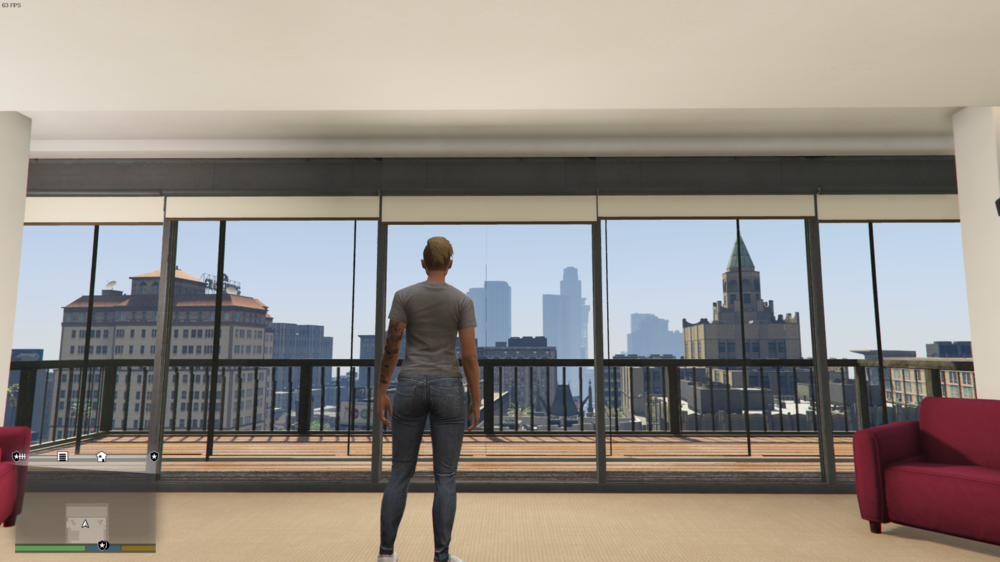
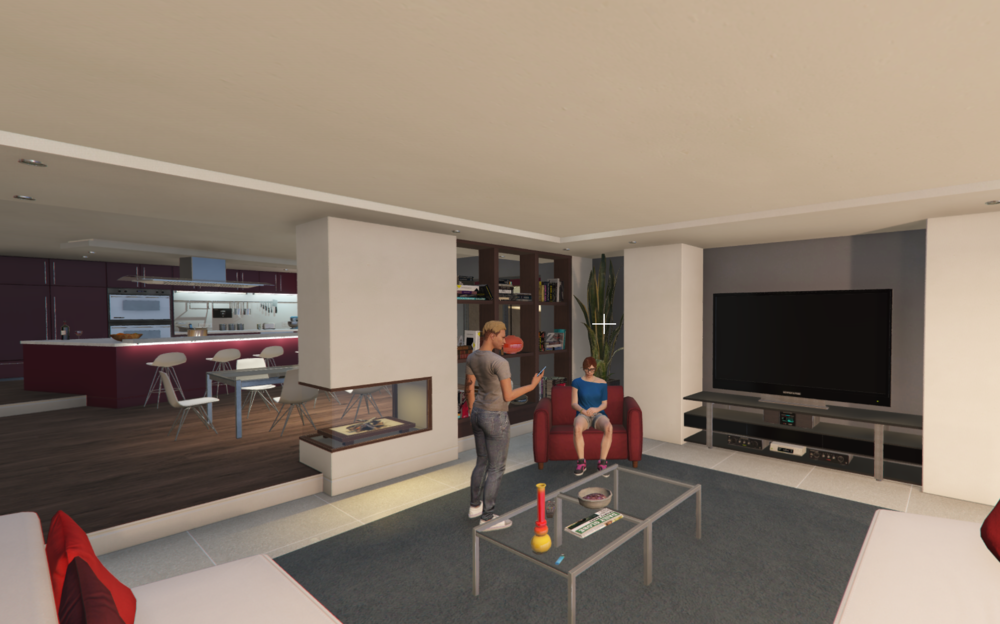
LSPDFRExpanded (name might change at a later date) is set to greatly expand the roleplay abilities of LSPDFR. It aims to create a good sense of realism and progression to your average playthrough. For your average playthrough, you might go onduty, play for an hour or two and then log off again. Rinse and repeat. The only kind of "progression" you actually gain are from CourtResults from mods like PoliceMenu and StopThePed. However even that isn't really a good kind of progression since it's basically just a text that changes. You don't really get any feedback from it. With LSPDFRExpanded your average playthrough will greatly change. Let's start from the beginning (For LSPDFRExpanded to work properly, it is advised to press F4 and type "ForceDuty" for it to load properly): 1. The first time you load up the plugin you will wake up in your own apartment. From here you have numerous stuff to do. For example you can take a shower to start the day properly. Go to your wardrobe and take your favorite clothing. Head up to the kitchen and start making breakfast. You are working the nightshift so you invite a colleague over to spend a few hours. Once your friend left you are taking your keys, bag and go outside to your vehicle. Screenshots: 2. After going outside you unlock your vehicle and head to the nearest gas station to refill your vehicle. You still have a few hours to beat so what could you do? Every shop inside Los Santos is at your disposal. Wanna get a new haircut? Sure go ahead. A new tattoo? Your boss might not like it but you do you. Maybe you want to check out the new shirt SubUrban has to offer. Your friend told you, your car is looking very bland, why not buy a new one and tune it up a bit? However you choose to spend your money, it's sure a great investment. Screenshots: 3. After spending your freetime it's time to go to work. When you enter your department you are able to chat with your coworkers, make new friends (or even enemies if you don't like a particular guy). Stamp in your time and go onduty, wether you do it uniformed or undercover. Don't forget you grab the keys to the squad car and your equipment! You'll receive a paycheck every 10 minutes with a maximum being 1 hour. After that you can of course keep continiung to patrol but you won't be paid. Remember, your work quality influences your life. Put your back into it and you'll receive promotions, with promotions comes a higher salary. After your work is done and you stamp out again, you can follow your coworkers to the local bar, invite them over to your place and so on. Everything you do with LSPDFRExpanded is saved. Wether you buy a new car, change your appearance, make new friends etc. You'll never lose your progression and start from scratch like in vanilla. In addition to that, each character that you created with LSPDFR will have it's own savefile. Want to play as an FIB director with tons of cars, cash and more? Sure do that. Want to play as an lonely cop with no friends? Why not. This should give you a good look at how I want this plugin to function and as you can imagine, there is a lot of work and love going into this plugin so I hope you are as happy with the endresult as soon as it releases as I am working on it right now 🙂
-
Wrong forum, this probably belongs in API Development. Without your code no one can really tell you what exactly is wrong, but to me it sounds like you are creating and assigning the pursuit in a loop which will kill the performsnce and the game after a short while
-
-
 Of course you can install them together, they don't sffect on another Same as with Compulite, the Plugins don't affect one another, you can install everything you want
- 707 comments
- 33 reviews
-
-
- 1
-
-
The rainbow image is just a result of the game not being able to find a texture for the ped, and thus displaying the "missing texture" rainbow. Nothing to worry about and not memory related at all
-
Coming back to this. The crash you are experiencing isn't something I can fix since it's an issue with DirectX. I've gathered some stuff that might fix this issue. Altnernatively just dont use the Vehicle Computer since this is the one causing the DirectX issue. Anyway, you can try the following: 1. Update your graphic cards driver 2. Update your Windows (if available) 3. Try running the game in admin mode 4. Try disabling your Anti-Virus 5. If you've Overclocked your PC, try disabling it 6. If you're running overclocked RAM (XMP), try disabling it After each point, try launching the game, spawn the vehicle computer and see if it still crashes. This would help me figure out why DirectX ceashes for some but not for other users. Thanks in advance!
-
I see you are using the Vehicle Laptop. This, for whatever reason, causes crashing to desktop for some users. Try not spawning the vehicle computer and see if that fixes your issue with the random crashing
-
No idea why it does that on certain PCs but not on others. Since there isn't any crashlog crrated when that happens I cant trace the error. Especially since I'm not affected by it. The only solution is to not spawn thw physical laptop if you are affected by it
- 707 comments
- 33 reviews
-
It fully replaces Compulite and adds some other features, but it doesn't replace STP or UB
- 707 comments
- 33 reviews
-
-
- 1
-
-
It's the max sentence, during the court, the Ped can get anything fron 0 up to the limit you set
- 707 comments
- 33 reviews
-
-
- 1
-
-
-

.thumb.png.b9e18d9931090871b064059f2c315cf8.png)


