




RicyVasco
Members
-
Joined
-
Last visited
Everything posted by RicyVasco
-
-
 From the video, I'm guessing your backup units are blocking the selected parking spot. Next time, try moving the other units/vehicle out og the way and see if the coroner exits the car then. If he does I might be able to implement a fix to prevent this
- 707 comments
- 33 reviews
-
-

- 1
-
-
Yeah you can use both at the same time with no problem No it's purely that, extra stuff is just a resolution increase when using the vehicle computer No compulite and police menu don't effect one another You have to "spawn" the car computer first via the CTRL-N menu. It's the little button under the "Open Police Computer". Only after that are you able to interact with it Does this happen at all times or was this a one time thing?
- 707 comments
- 33 reviews
-
-
- 1
-
-
 You can set the resist chance inside the .ini so you can co trol yourself how often people resist or not
- 84 comments
- 9 reviews
-
-
- 2
-
-
Either you changed the beanbag model incorrectly in the ini file or you aren't running the latest versiom of GTA
- 84 comments
- 9 reviews
-
-
-
Yeah controller is fully supported I'm adding a gunfire and recoil effect among other things in the next update This is a small bug where the gun doesnt properly reset after hitting a first ped. It will be fixed in the next update
- 84 comments
- 9 reviews
-
-

-
- 2
-
-
Wasn't able to test it thoroughly since where you spawn is random with LSPDFR, but after about 5-10 tries I haven't experienced a crash yet. Seems like the new police vehicles are being despawned by GTA's DLC vehicle protection and thus causing the crash
-
I doubt it is an actual invalid model since it does spawn correctly, it just despawns as soon as I exit it. Edit: I haven't touched the lspdfr xml files either. I only changed the UltimateBackup ones a d those arent even in affect when the game crashes But the second part could be possible 🤔 I'll try enabling AmbientHooks and see if it fixes it
-
Its not the teleporting, its the Spawn Option inside the LSPDFR Menu. But I believe its the only time. Atleast I haven't encountered it anywhere else yet
-
Had this issue since the last update: If I select to spawn near the closest Police Station you will sometime spawn in an animation where you get out of a vehicle and the partner drives away. I believe this animation can play out near the Rockford Hill PD, Sandy Shores and somewhere in the woods, and in Paleto. Not sure if there are other spawns for this specific animation. Anyway shortly after exiting the vehicle 8 out of 10 times the police vehicle is deleted for whatever reason and LSPDFR crashes. I've already tried running it without any other mods. It aslo isn't caused by modded vehicles. I can spawn them just fine and they dont disappear. As far as I can tell it's only the one that spawns via this entry scenario. RagePluginHook.log
-
I did an entire clean install just to rule out that any corruped mod was causing it. Reinstalled LSPDFR, installed ScriptHookV, installed all asi that are required by OpenIV, installeda custom Gameconfig, heap and limist adjuster and then installed an ELS car pack following with ELS itself However same result, ELS controls work just fine, I can here the beeping, the CTRL+P textures but the lights are staying off
-
Heya! I've just came back to using ELS vehicles again however something seems wrong. When I go ingame I can hear the sound of the siren activating, I can change the sirentone, enable thr controlboard (Ctrl+P) and it will show that the lights are active, however they arent flashing whatsoever. Only the taillights are flashing. I've installed 3 different ELS vehicles for testing and they all have that problem. One of which I used before and that problem didnt exist back then. What I tried already: - Reinstalled ELS - Reinstalled OpenIV.asi and Loader - reinstalled advancedhook and scripthook - made sure that the els files fit the vehicle names - installed Heap, Limit and Gameconfig (GTA5 and Parks version) - Checked the log files (all VCF are being loaded correctly, no error on asiloader) - Made sure the glass isnt just to dark for the lights and installed another visualsettings - Made sure all els files, asi files etc. are in the correct folder However, nothing seemed to have worked. One thing I notice, if I use a trainer to check the vehicle extra, I can enable them just fine and they woll be properly lit. If I enable ELS lights, the extras are being disabled but will never flash
-
Other units arent affected by thw beanbag, only your MK2 is. But I'll add an option to disable it in the next update
- 84 comments
- 9 reviews
-
-
-
- 2
-
-
Crashing and teleporting around when arresting a ped in a chase should be fixed now. For STP: The developer of that plugin has not included an option for other developers to set a person as arrested. I have to use a workaround just to get the ped recognized as arrested. It should now be recognized 100% of the time. The suspect will however appear as a yellow marker instead of a red marker, everything else should still handle as a normal arrested person
- 84 comments
- 9 reviews
-
My plugin does not care wether they are in a chase or not. It only checks if a person is on the ground. If any other plugin overrides animation or does their own chasehandling, theres nothing I can do about it 🤷🏽♀️
- 84 comments
- 9 reviews
-
-
Just try another one, if the "Continously press ..) medsage shows an actual button you"ll know if it worked properly
- 84 comments
- 9 reviews
-
-

- 1
-
-
Check the .ini file for the ArrestKey. How to set it up is described in the included README You can ignore that, the FileChecker was accidently left from the LSPDFR Expanded mod and not for this one Read the Readme file included in the download. This will tell you how to change the key
- 84 comments
- 9 reviews
-
-
- 1
-
-
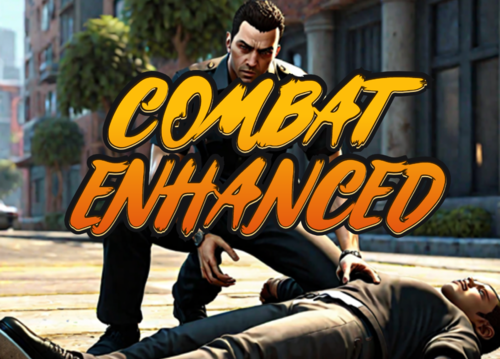
Welcome to Combat Enhanced, a small plugin that adds a couple of useful features to your patrolday. Combat Enhanced makes some changes to melee combat so that you don't always have to knock the suspect out to win the fight but also adds a few useful tools to long range combat. I would love if you might consider supporting me via PayPal. You can find the respective link under the Download button. I’d also love to hear your thoughts - feel free to leave a review or comment, it helps me improve and make my plugins even better! If you like my work, feel free to check out my other plugins For support, questions or discussions, feel free to visit my Discord server: https://discord.gg/AjGyy4cN6G Reworked Melee combat -> Instead of having to rely on your taser you can now also go hand to hand without "killing" the suspect. If a suspect took enough punches he will now struggle and collapse before catching his breath again. Arrest Suspects on the ground -> If a suspect is laying on the ground (wether from being punched, tased, beanbagged or rammed from your vehicle) you will now have the option to get ontop the suspect and try to fight for an arrest. However the suspect will try to resist that. Disarming shots -> If you shoot a suspects weapon out of their hand (or make their hand unuseable) they will know drop their weapon and act accordingly. This also applies to them receiving thousands of volts from your taser. Beanbag shotgun -> A longer ranged alternative to your taser. The beanbag will knock a suspect down for a long time. However it is ineffective if said person is wearing bodyarmor. Copy the contents of the Grand Theft Auto V folder into your main Grand Theft Auto directory (ex: .../steamapps/common/Grand Theft Auto V/) -> (If installed correctly it should look like this: Grand Theft Auto V/plugins/LSPDFR/CombatEnhanced.dll) Make sure to read the README file, especially if you are using STP! The beanbag shotgun is given automatically once you go on duty. If you are using StopThePed, make sure to disable the RealisticWeaponSystem, otherwise StopThePed will remove it. You will find your beanbag in your inventory (Pumpshotgun MK2). To arrest a suspect on the ground, just go close to him. A prompt will appear to press the InteractionKey (default Y). Inside the .ini file you will find the entry "ArrestKey". This has to be a number! You can find out the meaning of each number and their corresponding keys via this link.
- 84 comments
- 9 reviews
-
-
-
-
- 22
-
-
Hopefully some LSPDFR dev or someone who overcame this problem is able to help me. For my plugin, I've set up an arrest animation and I'm using Functions.SetPedAsArrested(target, true, true) once the animation is finish to actually cuff the ped and let LSPDFR handle the rest. The issue comes in correlation with Stop The Ped. The vanilla arrest function -> Aiming a gun at the ped -> holding E for the LSPDFR arrest animation where the ped goes on the ground -> player proceeds to the ped and holds E again to arrest the ped -> if I use this, STP will recognize the ped as arrested and thus allowing me to open the menu to Frisk the Ped, grab the ped, call for transport etc. If I set the ped as arrested Functions.SetPedAsArrested(target, true, true), this does not happen. In fact STP doesn't even recognize the Ped anymore and wont allow me to stop the ped at all. This is a bit weird to me because IsPedArrested returns true in both cases so there must be something inside the vanilla arrest function that triggers STP but isn't in the API function. Is there any bool or Metadata that is being set within the animation function but absent from the API function? On a little sidenote: Functions.SetPedAsStopped DOES work for STP, however this way STP doesn't recognizes the ped as cuffed/arrested and opens the normal menu that is missing the "Uncuff, call for transport etc." options. It also removes the handcuff task which kinda kills the purpose of my plugin.
-
-
-
.thumb.png.b9e18d9931090871b064059f2c315cf8.png) Currently only in the savefile. In the next update it will be visible on screen whenever you enter a shop
Currently only in the savefile. In the next update it will be visible on screen whenever you enter a shop- 660 comments
- 18 reviews
-
-
- 1
-

.thumb.png.b9e18d9931090871b064059f2c315cf8.png)