



yoep
Members
-
Joined
-
Last visited
Everything posted by yoep
-
 Hi My excuses for this issue/problem as I messed up by not providing the RageNativeUI.dll in the installation. This should be fixed as of the new version 0.2.1 (which includes the missing dependency file)
- 248 comments
- 18 reviews
-
-

- 1
-
-
Hi This issue should have been fixed in the latest version 0.2.0 Thanks for reporting it 🙂 Thanks again for reporting the issue. It should have been fixed in the latest version 0.2.0
- 248 comments
- 18 reviews
-
-
- 1
-
-
Hi I've created a new patch (0.1.1) which should prevent the plugin from crashing when the game refuses to create a Flare instance for the manual placement. This means that no Flares might be added to the roadblock (if the game refuses to create one) as a temporary workaround. I'm still investigating the condition in which the game prevents flares from being spawned to provide a better fix.
- 248 comments
- 18 reviews
-
The currently used audio is from NFS Most Wanted, I'll have a look at NFS Carbon.
- 248 comments
- 18 reviews
-
If you press F4 after it happened, Rage will show an overlay with messages at the top. Those messages should contain an error message from Automatic Roadblocks. It should look something like this:
- 248 comments
- 18 reviews
-
Hi Could you please DM me the error message or the RagePluginHook.log? This will allow me to investigate the issue and try to fix it.
- 248 comments
- 18 reviews
-
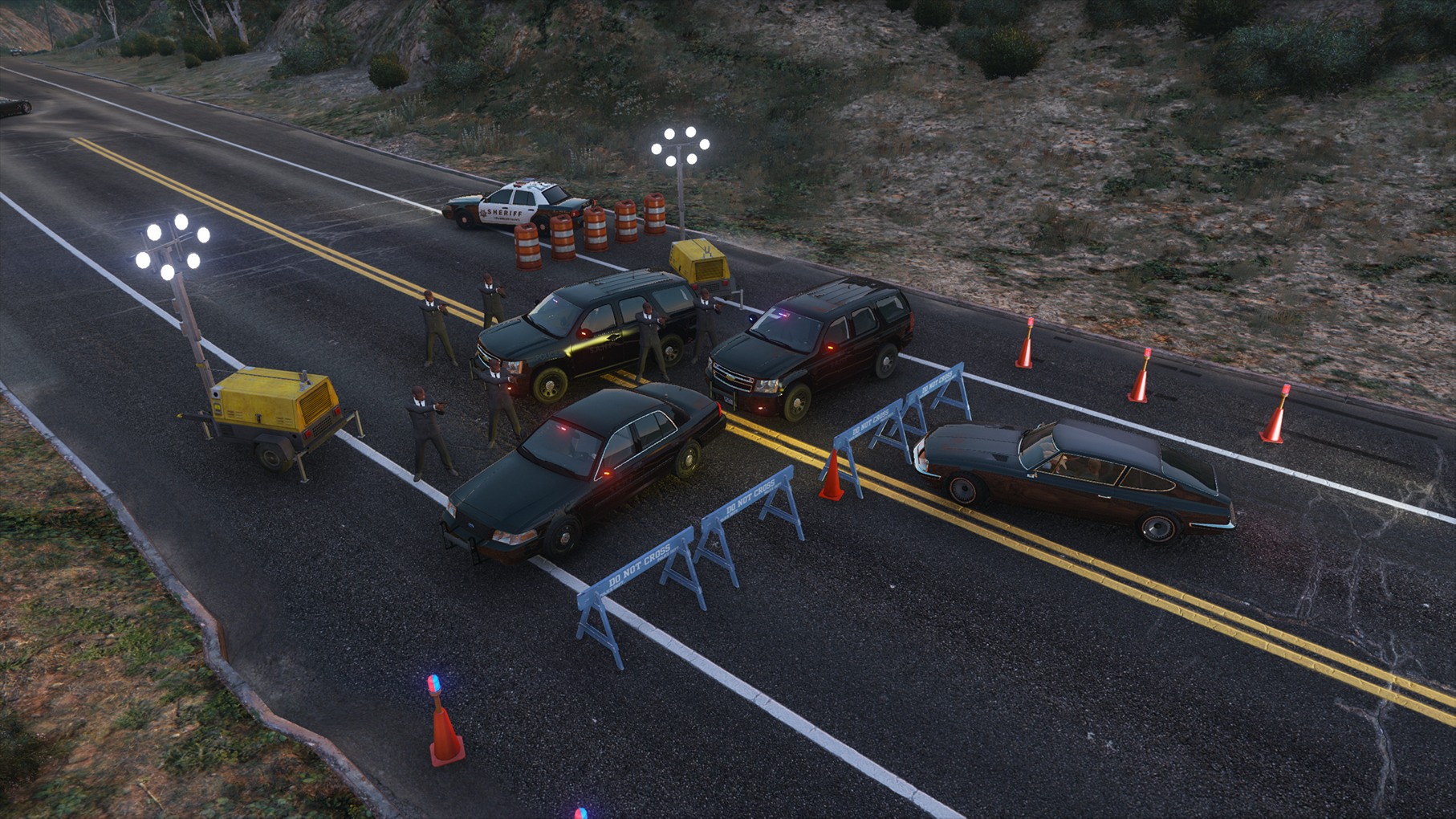
Automatic Roadblocks Automatic Roadblocks allows the dispatching of roadblocks during a pursuit based on a selected pursuit level. When roadblocks are deployed, custom scanner audio is played as well as for the indication that the pursuit level is automatically increased. Next to automatic roadblocks, it allows you to place configurable manual roadblocks and traffic redirections. Leave improvements, issues or feature requests in the comments. Audio levels have been decreased as of version 0.8.0, please update all files provided in this plugin under "lspdfr/audio". Features Automatic roadblock placement during pursuits Roadblock cops automatically join the pursuit after a hit/bypass Request a roadblock during a pursuit Manual configurable roadblock placement Configurable traffic redirection Spike strips Junction/intersection roadblocks Police SmartRadio integration Grammar Police integration Road closure Planned Features Requirements LSPDFR 0.4.9.0+ RageNativeUI 1.9.0.0+ (provided in ZIP) Automatic roadblocks Automatic roadblocks are deployed automatically or requested by the player during a pursuit. Each roadblock is dynamically created based on the road location where it is deployed (no prefabs are used). Each roadblock level has a unique setup and variation which makes it more difficult to pass the higher the level is. Evening/night - Lights Lights will be automatically placed within the roadblock during the evening/night. This option can be disabled in the config file. Automatic roadblock level increases The levels of the roadblock are automatically increased based on the following conditions: Roadblock levels The roadblock levels are now fully customisable to your liking. For more info, see the plugins/LSPDFR/Automatic Roadblocks/data/roadblocks.xml Manual placement Deploy a custom configured roadblock (outside of pursuits) through the in-game menu. The manual placement option allows different variants of barriers, lights and vehicles. Redirect traffic Create a configurable traffic redirection for the current lane. This will not close the road but redirect traffic to the next lane or around the location. Close road Close the current road for any traffic with roadblocks along the road or close the nearby intersection. This feature will be expanded in the future with additional scenery items. --- Automatic Roadblocks is open source: https://github.com/yoep/AutomaticRoadblock Feel free to contribute to the project 🙂
- 248 comments
- 18 reviews
-
-
-

-

- 37
-
-
 Hi, Are you still experiencing this issue with the latest patch 2.0.1? Kind regards, yoep
- 113 comments
- 13 reviews
-
Hi, I'm currently still looking into this issue for the moment. I hope to deliver a fix ASAP. Kr, yoep
- 113 comments
- 13 reviews
-
-
- 2
-
-
To be honest, I didn't even knew there was a version 4 of the iCue software released (the version 3 software doesn't mention it anywhere). I'll have a look at the new version and see if I can get it working with version 4.
- 113 comments
- 13 reviews
-
Yes, I've tested it with the latest iCue software version of 3.38.88 and it works/shouldn't crash anymore.
- 113 comments
- 13 reviews
-
The plugin currently only supports keyboards & mouses. Additional devices might be supported in the future (currently looking into it). There is currently no support for HyperX as I'm not familiar with the SDK of HyperX. If I find some time in the future, I'll have a look at it.
- 113 comments
- 13 reviews
-
-
- 1
-
-
Small update regarding FiveM. I've started on the development of the FiveM version and the plugin is currently being reworked to support both RAGE & FiveM. This will however take some time as all references to RAGE need to be replaced in order to work with FiveM.
- 113 comments
- 13 reviews
-
-
- 1
-
-
It hasn't been tested with FiveM, so I'm unsure if it will work. I'll need some time to read into FiveM as I didn't develop any mods for it yet.
- 113 comments
- 13 reviews
-
Hi I'll check if I can update the plugin with the latest Razer & Corsair SDK.
- 113 comments
- 13 reviews
-
Hi There is another plugin already available for Logitech devices made by Morgaan.
- 113 comments
- 13 reviews
-
Hi No idea what you would like to do with it outside of the game, but the plugin itself is opensource (https://github.com/yoep/RazerPoliceLight). It ofcourse won't work out of the box outside of the game, but you can tweak the code to make it possible.
- 113 comments
- 13 reviews
-
Unfortunately not as it requires programming to control additional devices through the SDK of the hardware manifacturer. The XML file only enables you to control plugin behavior such as playback speed and custom effect patterns.
- 113 comments
- 13 reviews
-
-
- 1
-
-
 Hi, Could you please DM me your "RagePluginHook.log" file? I'll have a look at it and see if I can resolve your issue.
- 1,196 comments
- 127 reviews
-
-
- 1
-
-
Hi, You can try the plugin below for Logitec devices. Should have the same result (no idea if it still works as I don't have a Logitec device).
- 113 comments
- 13 reviews
-
For the first, you can set the standby color to white (which is the color used when deactivating the sirens) <Standby>white</Standby> For the second part, it should normally alter between red/blue and black (not white). Which SDK are you using? (Razer Chroma or iCue) (I'll have to investigate this issue)
- 113 comments
- 13 reviews
-
Are you still experiencing this issue after the latest update? If it's still the case, could you please DM me your log file so I can have a look at it. Thanks in advance. It normally should be (I've tested it on iCue 3.10.125 which your version should be backwards compatible with as it's only a minor SDK update) Could you please DM me your log file so I can have a look at it?
- 113 comments
- 13 reviews
-
Don't worry I'm still maintaining the plugin/working on a new version 🙂 (The new version will be released somewhere begin of january and should resolve bugs and performance issues) I'll send you a DM to figure out what is causing the plugin to not work.
- 113 comments
- 13 reviews
-
-
- 1
-
-
It's unfortunately not possible as the plugin can't read the ELS stage information (only native game info can be used).
- 113 comments
- 13 reviews
-
Do you have a Razer or Corsair keyboard/mouse? And if possible, can you please PM me your RAGE.log file so I can have a look at it?
- 113 comments
- 13 reviews


