


Flambe
Members
-
Joined
-
Last visited
Everything posted by Flambe
-
Needs more explosions, crashes, buildings falling down, and stuff. But I like it :D
-
Yay! Now random peds won't try and drive my helicopeters when I try to shoot :D
-
I vote you beat some sense into them.
-
They're a little trigger happy ;P
-
I'm lazy. That's a trek away.
-
Do that with a truck. But drive on top: Suprise exhaustsex
-
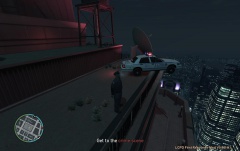 How the hell did you get up there?
 -
Becuase it's fun watching it. With the popcorn. And doughnuts.
-
Yeah I've found that, whenever you get a suspect, cops steal them. (Even more annoying half way through the arrest so the red marker chases the suspect). Then the cops steal your car D:
-
Still, if possible it would be nice to have AI cars actually stop behind you. Or learn how to move around you without plowing your car through you in a traffic stop.
-
Give some links to it :p And if I got it I would try and cause more chaos.
-
Asuna not trying to kill someone? What has this world come to...
-
Remeber, you kicked them out of the police building when you kicked me out? Well, we made it to the doughnut parlour.
-
inb4 spamming him "PLZ REPLY IM RLY SCARD"
-
Reply back acting really scared. Troll him harder.
-
Ah right. Thanks.
-
It's a downloaded one. I changed the IP in my port fowarding settings to the one the downloaded checker said and now it's working :D
-
Windows was off completely before as Norton ( ) disabled it. So I turned norton off and enabled windows firewall. Did nothing. Though I've noticed that according to a port checker, my local ip has changed? from 192.168.0.3 to 192.168.0.6 . So I've changed that and I'm about to find out the results.
-
I have tried with the app on and off. And I got no idea Asuna. Though I've seen somewhere that turning windows firewall on somehow suddenly made it work. So I'll allow it through windows firewall and try that.
-
Strange, I never got anything saying I had a reply. And I did save it, which is why it was still there and still is now. I've added it to the firewall exceptations though I'll double check that I've added everything there. By mark it you mean mark the right ip/allow or disallow? Becuase I've checked that.
-
/facepalm You really don't read do you.
-
This seems the only place to put this seeing as it isn't really LCPDFR related. Right. I'm trying to port forward to get a Minecraft server working. The port in question is 25565 and the router is a Netgear FWG114P. I''ve port forwarded many times before for stuff like Steam and utorrent. So I port forward this one like normal. I have troubles but somehow fix them and the port is open. That was yesterday. Today I come back and the port is closed again. No-one's touched anything and all the rules and services are still in place. Anyone have any experience with this?
-
Whenever I say get out the car they drive off so I have to give chase. :( I tried Alt+r and Alt+h but either I was doing it wrong or my game is bugged.
-
Car mods can affect the mod.
-
I need to play parallel lines again. Such fun :D

