


Luke Snorgrass
Members
-
Joined
-
Last visited
Everything posted by Luke Snorgrass
-
Issue Summary LSPDFR consistently crashes with a [FATAL] Forced termination error whenever I enter any Duty Garage while seated inside a vehicle. This occurs: At all police stations With any vehicle Using keyboard OR Xbox controller If I exit the vehicle first and enter the Duty Garage on foot, the crash does not occur. ✅ Environment Information LSPDFR Version: 0.4.9 RagePluginHook Version: Latest supported GTA V Version: Latest supported Input Devices: Keyboard & Xbox Controller Other Plugins Installed: None (only LSPD First Response) Installation Type: Fully clean reinstall (all LSPDFR-related files deleted prior to reinstall) 🔁 Reproduction Steps (100% Consistent) Drive any vehicle to a police station that allows vehicle-based Duty Garage access. While still seated inside the vehicle, activate the Duty Garage. LSPDFR immediately crashes with forced termination. ✅ Expected Result Duty Garage opens normally while seated inside a vehicle. ❌ Actual Result LSPDFR immediately crashes and shuts down with a [FATAL] Forced termination error. 🛠 Workaround If I: Exit the vehicle first Walk into the Duty Garage on foot Then open the menu → Everything works perfectly with no crash. 📄 Relevant RagePluginHook Log Evidence The following sequence appears consistently at the moment of the crash: Thread VehicleSelector #2 initialized ExpandableFileParser::Parse: Reading content from file: lspdfr/data/duty_selection.xml Started new menu thread MenuBase Exception type: System.NullReferenceException Stack trace includes: - DutyGarageMenu.cs - MenuRow.cs - VehicleSelector.cs - PoliceStation.cs - PoliceStationManager.cs [FATAL] Forced termination [INFO] LSPDFR has shut down This confirms the crash originates from the VehicleSelector / DutyGarageMenu code path when entering the garage while inside a vehicle. 🧠 Conclusion This appears to be a reproducible bug in LSPDFR 0.4.9 related specifically to in-vehicle Duty Garage activation. The issue is: Input-independent (keyboard & controller both affected) Station-independent Vehicle-independent Present even after a fully clean install RagePluginHook.log
-
I am able to enter the gates of the prison but when I go to leave I have to use f4 and then teleport to waypoint. Is there anyway to get the 2 gates to open for me. I am dressed as a cop and am on duty although i dont think that me being dressed as a cop matters. Anyone know a different way becides f4 or a helicopter? Wouldnt let me upload any pictures to show what I mean.
-
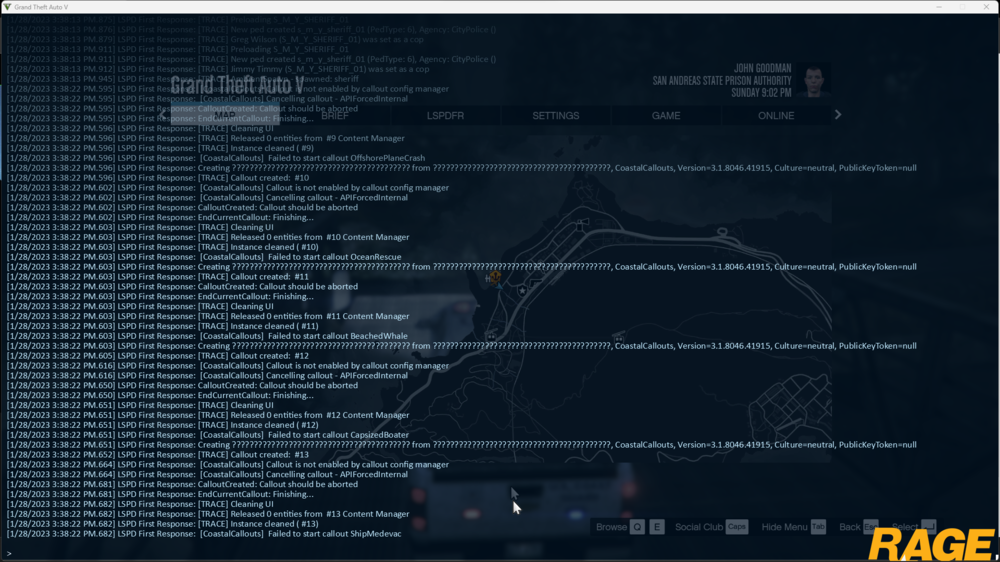
What were you doing when the crash/bug occurred? I was trying to start a coast guard callout and it wouldnt load stating "Unable to start any Coastal Callouts; check consol for details" Did the game crash to desktop, or did the plugin crash? neither crashed. Does the same crash or bug happen consistently? If so, describe the steps to reproduce the issue. yes I went to the callout configuation in the coastal callouts menu and then requested random coastal callout. RagePluginHook.log
-
 Hi Yeop I have tried to use this plugin and it doesnt seem to want to work for me. I have included a few pictures as to help with what I am seeing and using. When I first start the game and go on duty the plugin firsts says that it has an error and then after it says that im on duty it says that its loaded, then when I hop in a persuit and press X it just shows dispatch roadblock but no options, then as it says that I am able to close roads down partially or completely using it, it just shows the same thing. Would you be willing to help me figure this out?
- 248 comments
- 17 reviews

