ConstableSly
Members
-
Joined
-
Last visited
Everything posted by ConstableSly
-
-
-
-
-
-
-
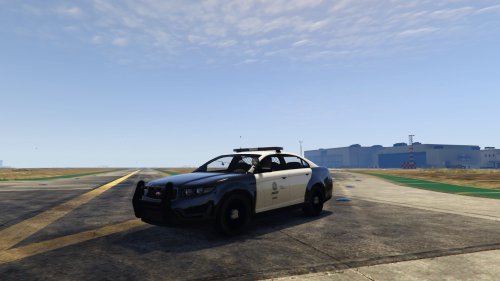 Awesome, this got released recently, will it work? http://www.lcpdfr.com/files/file/8341-dev-templated-stanier/
- 11 comments
- 2 reviews
-
Love your textures! Do you plan to do versions for the mapped Vapid Stainer too with the realistic LAPD/LASD style markings?
- 11 comments
- 2 reviews
-
-
-
Beautiful pack!
-
Very nice!
-
The Code 3 Mastercom B.
-
-
This happens to me as well kind of. I can change Trevor and Franklin but not Michael. He always stays the same.
-
Rontan PA2100. Link: '?do=embed' frameborder='0' data-embedContent>>
-
D&R Intimidator siren. Link for GTA IV download: http://www.mediafire.com/?x57v4cmyar66nb6 Credit to Laikmuay.
-
From what I've seen in game, the Fire Engines are pretty close to the CFD. They have a black roof over the cab with a red bottom like the real one, and in my opinion are probably the closest to real life emergency service vehicle in game. Also, there is a police SUV in the game that I've only seen in a roadblock, but I was unable to get up close due to me being gunned down.
-
 Yes! Finally a Mastercom B that uses the real life tones and not the website sample tones! This is great!
- 16 comments
- 2 reviews
-
I love the Federal Signal PA-20 series sirens and the Code 3 Mastercom B.
-
I know. I don't think the siren in the first video is a Touchmaster Delta. The Touchmaster Delta is more higher pitched and it doesn't extend for as long as the Mastercom B wail does. I believe the siren in the first video is the Mastercom B.
-
Nah, I'm 100% sure that's the Code 3 Mastercom B. Listen to the sirens in that video, then listen to the ones in this video of the Toronto police using the Mastercom B: They are pretty much exact.
-
It's a Code 3 siren. Either a Mastercom/Mastercom B or a V-CON. Unfortunately, there are no Code 3 sirens for download that sound exactly like the real life ones as far as I'm aware of. If I recall correctly, this is due to the fact that the siren tones on the Code 3 website have been altered to prevent theft or copyright infringement I believe. However, there are plenty of Code 3 Mastercom and V-CON sirens using the website tones available for download.
-
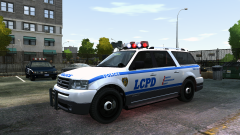 It's beautiful!
 -