


JustZach
Members
-
Joined
-
Last visited
Everything posted by JustZach
-
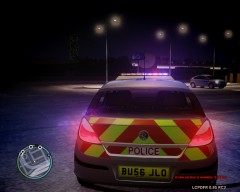 Love all of these pictures you have uploaded! You done all these yourself?
 -
I decided to see what it would be like using two monitors with my computer. Anyone who hasn't tried this, I highly recommend this! It is perfect for playing GTA IV on one screen, and having the Forum or anything else open on the other screen. If you are new in roleplay clans and need to remember the codes (10-4 etc.), it is perfect to have the list of codes open on the other screen whilst playing. I would highly recommend doing this if you can. If you have two monitors that are the same size it will make it better, but it doesn't need to be the same size!
-
Is it possible to make it able to enter other police stations?
-
Can you enter any Police stations other than the one you go to to start your duty?
-
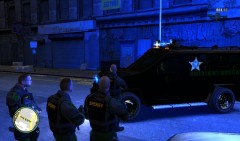 Do you have a link to get this Sheriff uniform please?
 -
Loving this tool. I really do recommend it to anyone who wishes to make the game that bit more enjoyable! Takes a while to get used to but once you do it is very easy! There is a tutorial provided for you to view on the system so have a look through that. Would look forward to some updates, making it a bit neater and maybe customized buttons but it is okay to use for now.
-
Well I'm actually hoping that when I get the computer, it allows me to run on more than minimum graphics! But good to know even if it is minimum, it will still be playable! Actually can't wait to get my computer and downloaded LCPDFR!
-
-
Is this an ELS compatible car?
-
Hey there! So, I don't actually have LCPDFR yet, but I am currently having a computer built which will be able to run it. It will be arriving next week but I'm worried! I have spent £350 for this computer to be built, but the guy who is making it gets really cheap pieces and charges very cheap so I am getting good components. However, judging my peoples comments on an earlier thread, this budget will only just let me run LCPDFR on my computer. Does anyone else play LCPDFR on minimum settings? If so, what is it like? What am I best upgrading if I get my computer and have to run everything on minimum? Does running on minimum make your game more likely to crash?
-
Stay close to home and stay working for Greater Manchester Police for me!
-
I used to have it but went back to Windows 7. I didn't like it at all. If you have a touchscreen computer then I can understand why you would like Windows 8, but even if I had a touch screen computer I would only get it if I had no other choice! I will stay its Windows 7 unless Microsoft manage to somehow force everyone to upgrade.
-
That will be quite nice, especially with a lightbar flashing orange!
-
-
In all seriousness, is £350 ($560) enough to get a computer built that can at least run GTA IV?
-
I agree with all of this. Only problem being that it might be easier to do riots on multiplayer. The flash bangs should work the same as tasers, effecting everyone around where it is thrown like a grenade. This would be a massive improvement to the game, as if a whole other unit to take part in.
-
So weird that you mention this. Just been to the station where I work and have had out the riot kit to show some cadets and was going to suggest this! Could have groups of people throwing bricks and that at a link of police with shields!
-
Agree with this. Watch some of the multiplayer videos and see how good it is to work with other people.
-
Not even enough to run the game at minimum?
-
@NicolaiB introduced me through YouTube too! Can't wait to play it!
-
Thanks a lot for these lists of mods, will definitely download them when I get the game. When I get it on Friday I will let you know what I think. If its really good, probably won't go to sleep Friday night haha!
-
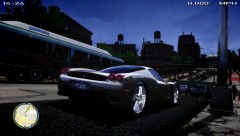 Mind me asking what mod it is to display speed and time please?
 -
Just PM'd you, but for anyone else who can help, this is the details; £350 budget ($560) High graphics Fast (not laggy) Hardly any crashes The computer is literally only going to be used for LCPDFR and nothing else. If anyone could recommend stuff to buy within that budget too it will be great! Much appreciated.
-
I don't actually have LCPDFR, and I have never played GTA IV on PC as my computer hasn't been up to spec. I am getting a computer built which will be ready on Friday, which will allow me to run it. However, I am so excited I actually can't wait, as if it is Christmas. Am I getting my hopes up a bit too much to play this game, like maybe I enjoy watching it on YouTube loads but when it comes to playing it I want enjoy it? Is it actually a really good mod, (especially me being a police enthusiast in real life), or is it 'alright but boring after a while'?
-
I'm planning on spending £350 ($560) on a computer. Do you reckon this budget is suitable for someone I know making me a computer from scratch?

