




Carrythxd
Members
-
Joined
-
Last visited
Everything posted by Carrythxd
-
Why the hell you post these here? Make your own thread -.- Wtf..
-
-
 Amazing screen dude! :D
 -
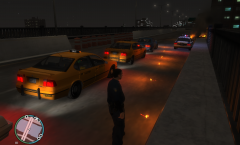 Amazing o.O
 -
Are those flares?
-
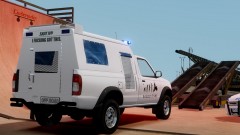 Haha :D Hell yeah!
 -

From the album: Carrythxd's Pics [IV]
Spidereon's 2011 Dodge Charger R/T Max Police -
Haha no problem :D But yeah.. I'm having the same problem with it :s Theres some kind of "template" inside the .wtd and I edited that to NYPD but when I went ingame only the texts were white.. Probably because the file is only for the logos and stuff like that.
-
Yeah, Ive seen that but thats the Noose Stockade.. I'm looking for the Police Stockade :P
-
Has anybody seen any NYPD Police Stockades around? I tried searching from Google, YouTube and the mod sites but nothing.. I just find skins and models for the Noose Stockade.. By the way this is the truck I'm talking about: http://tinypic.com/view.php?pic=292n2oz&s=6 (I couldn't attach the screen so I had to upload it there)
-
Yeap, working for me too
-
From the album: Carrythxd's Pics [IV]
KevinDV's Nissan Frontier - South African Police Service Dog Unit With a little paintjob I made it for it :P -
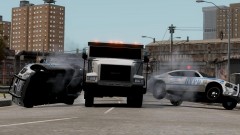 Hmm, true that! :D
 -
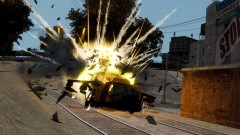 Thx :)
 -
From the album: Carrythxd's Pics [IV]
Just some screens of my Vehicle pack for GTA IV and EFLC :) More screens you can find from: https://www.facebook.com/media/set/?set=a.268169766645090.62048.100003562075706&type=3 -
From the album: Carrythxd's Pics [IV]
Just some screens of my Vehicle pack for GTA IV and EFLC :) More screens you can find from: https://www.facebook.com/media/set/?set=a.268169766645090.62048.100003562075706&type=3 -
Yes
-
Oh yeah, Ill add those :) Thx =)
-
^ Yeah you can do that, or if you dont wanna be using Trainer at all you can just disable it
-
-
True that
-
Fraps or Bandicam. I prefer Bandicam, you can get the trial version from their websites. Just Google it :)
-
It doesnt matter if you use LCPD:FR on GTA EFLC or GTA IV. They both work, but personally I prefer GTA IV. Then once you have GTA IV or EFLC installed and the latest patch (EFLC 1.1.2.0 or IV 1.0.7.0) you can download and install the mod:
-
Damn nice vid dude :D
-
Nice vid dude :)


