


GrilledBoi
Members
-
Joined
-
Last visited
Everything posted by GrilledBoi
-
 This is a ULC-controlled Non-ELS charger... The ULC config file is included with the files, and all you have to do is add "rbst18charger" on a new line in your ULC main config file, which should be in your resources somewhere. The keybinds are listed in the ulc.lua, you just have to be big brain to know where to look, and it's not that hard. Currently, the stages include: - Code 3 - Park Pattern - DVI Pattern Default keybinds are (numberpad) 4, 5 and 6 relative to the order of appearance of the stages on your screen. Also make sure you turn each stage off before going to the other one, as that might goof it up if you don't. Important Note: Do NOT touch any extras besides 5, 6, and 7. Make SURE all other extras are turned off before using any stages to ensure your lights aren't goofed up, this is how ULC always is. On a side note, I am planning to expand this pack to include the 23 F150, 2016 FPIU, and 23 Tahoe. I will most likely add them onto this file so make sure to follow any updates on it. If you'd like to be kept up to date on my projects, or would like to make suggestions please considering joining my development discord as linked below. If you are having any troubles with the vehicle(s), or are experiencing and glitches feel free to contact me or make a ticket in the discord. Discord: https://discord.gg/BFNHyKNHZe NOTE: Siren Limit Adjuster is REQUIRED for these vehicles.
 -
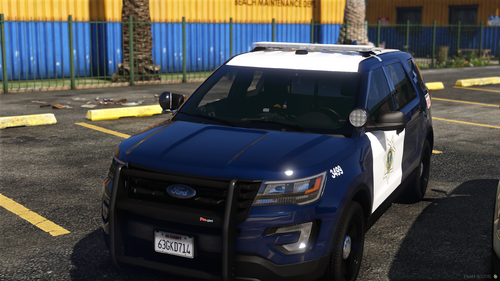 @Icebear445 Yeah so SJPD doesn't have a charger, but they do have a crown vic which I might add, but since the lightbar they use is a Liberty I, Kanes' is the only quality one; so the wait for it is at least a few months. I'm not sure what you mean will there be a Non-ELS version, this is the non-ELS version, but I will also try to convert it to ELS. I might look into that after I release the ELS version.
 -
This is my first Non-ELS pack that I'm releasing. I tried my best to base it off of SJPD. Some details such as consoles, window bars, interior, and trunk interiors are inaccurate either due to part unavailability or no reference images to base them off of. Currently the pack includes the 2016 FPIU, 2013 FPIU, and the 2023 Tahoe. I will hopefully be updating this pack to include the 2016 FPIU K9 version, as well as the 2020 FPIU hardtop/K9 version. As well as updating the interiors and inaccuracies whenever I can. I am also planning on converting this pack to ELS, although that will not be released for a while. If you notice any glitches or bugs with the vehicles, please open a ticket in the discord linked below. If you like my work, want to see more, or want to stay updated on this project, please do consider joining my development discord: https://discord.gg/BFNHyKNHZe NOTE: Siren Limit Adjuster is REQUIRED for these vehicles.
-
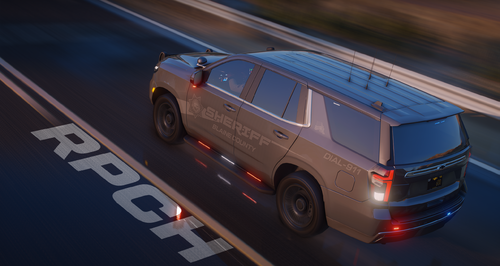 Was looking for realistic handling lines. It did take me a while to learn how to install these, but it was definitely a learning experience; learned more than I intended. 10/10 handling lines.
- 11 comments
- 1 review
-
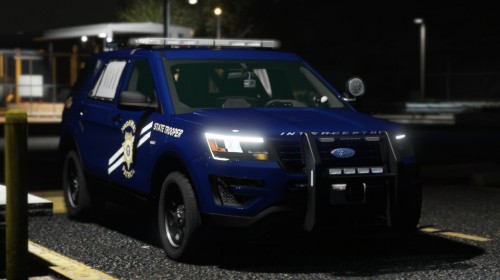 GUYS LISTEN UP, if anybody is still looking for vehicles that resemble this pack, go to "modificationuniverse". They have a pack there that looks exactly like this but with valor lightbars.
- 58 comments
- 4 reviews
-
-
 Really nice texture and reflections. Love the light-bar and pattern too. FYI: I took more pics, this one is just a sample, but the website won't allow 4.0 mb+ images, so if you want the rest of the pictures please DM me @BenimAgabey#8460, you also have full permission to use these if you want. (Pics are obviously free)
- 240 comments
- 27 reviews
-
 Cars look great along with the ELS patterns, but I really hope you could change the license plates to use vehshare.ytd's license plates, and not be permanent with the livery.ytd file; I use California plates but they don't show on your cars, they only show SA plates.
- 60 comments
- 44 reviews
-
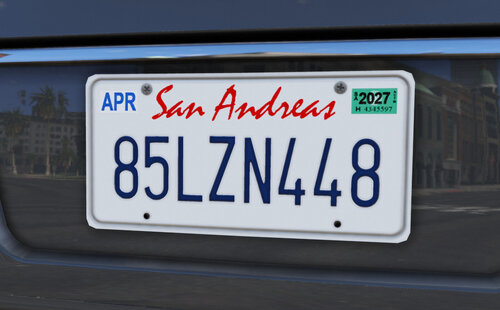 Was really hoping for a mod like this, you have no idea how much you just helped me. Important tip: If you have QuantV or maybe NVE, you have to copy the "vehicle_genericmud_car.dds" from the original vehshare.ytd to this new one, so raindrops can appear on the car.
 -
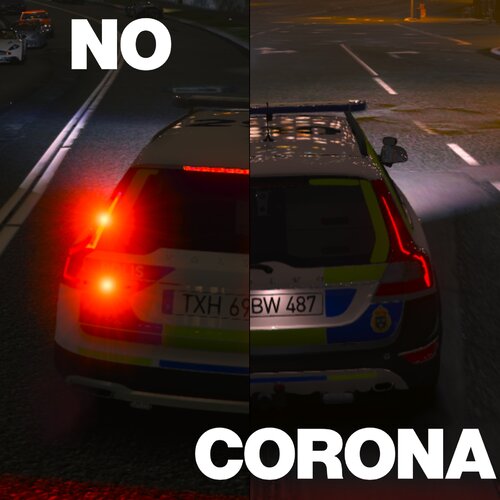 Although maybe if there was a way to reduce how much the corona's were dimmed on headlights, for example the explorers, lose their color, including taurus', the light effect is also quite weak. If there was a way to fix that I think it'd be much better.
 -
8/10 Worked better than I thought. Although some headlights lose their white color and are dimmed too much.
-
Works as intended! I really had low standards for this to be honest, but this turned out much better than I thought! I was expecting it to dim down my ELS even the slightest, but it didn't! Cool and very convenient mod!
-
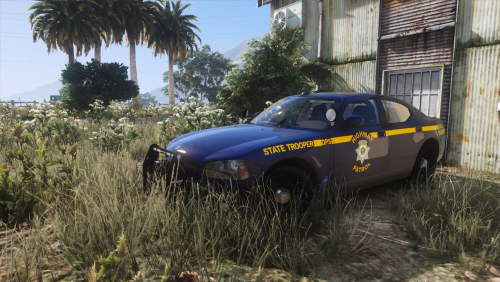 Can't wait to try it once I get my new computer!
 -
 Really good pack in my opinion! All the textures work, for some good reason.
- 200 comments
- 16 reviews
-
Yes, it all seems to be working fine See, works just fine. All the slicktops, k9's etc. work just fine.
- 200 comments
- 16 reviews
-
-
Is there a way you could add a CVPI? Would be great to see it! Great pack by the way.
- 200 comments
- 16 reviews
-
-
-
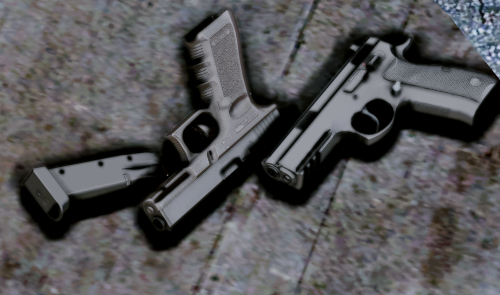 I don't know if it's a problem on my behalf, but te iron sights for the Glock, are a little off, I have to aim a little more down towards the chest area if I want to hit a headshot. Great pack by the way! (P.S: I know the Beretta failed the poll, but considering how well you made all the other guns, I'd love to see it! Thanks
- 69 comments
- 15 reviews
-
 Vest 4 setup 2 doesn't work. This is the folder that had it, idk why it's different from setup 1 but ok. Anyways, setup 1 works, but not 2. This is all the folder contains
- 556 comments
- 47 reviews
-







