



Commissioner Canon
Members
-
Joined
-
Last visited
Everything posted by Commissioner Canon
-
RagePluginHook.logLSPDFR keeps crashing, every time I play it, about 10-20 minutes after I go on duty. I'm using the latest version of LSPDFR with the RPH pursuit crash fix. Any help is greatly appreciated!
-
I'll do that now. Thanks!
-
For some reason, LSPDFR keeps crashing whenever a vehicle pursuit is started. This doesn't happen with any other calls, or even with foot pursuits, only when the pursuit involves a vehicle. I've attached my RPH log, any help would be greatly appreciated! RagePluginHook.log
-
I've located the issue. EUP Menu seems to have generated a few hundred empty lines between the Male and Female presets in the presets.ini file. I cleared those lines and EUP Menu works normally again. Thanks for your help though!
-
Whenever I try to open EUP menu, it keeps crashing. I've tried reinstalling both EUP Menu and EUP L&O, but that hasn't worked. I've attached my RPH log. Thanks! RagePluginHook.log
-
Unfortunately, the file was 7mb, whereas the LSPDFR file upload limit is 4mb. I've since gotten LSPDFR to launch no problem, so I don't have the log file anymore. I appreciate it, though!
-
Yeah, I tried to, but it's too big. Those lines and that screebshot are from the RagePluginHook.log file in the main directory. I got the issue sorted, though, just had to reinstall LSPDFR.
-
Just reinstall both of the OIVs in OpenIV, doing Law and Order first.
-
No problem! Just know that Code 2 will mean no lights and sirens, therefore meaning a longer response time.
-
Did you install the Law and Order OIV first or the Serve and Rescue OIV first? Because installing Serve and Rescue before Law and Order can cause issues, so I believe.
-
I don't think there's a seperate plugin like that, but backup will always park right behind your vehicle if you call for Code 2 backup in UB, if that's any help?
-
Whenever I try to go on duty, my game completely stops responding. I've checked my RPH log, and it's definitely an LSPDFR issue, I'm just not quite sure the source. I can't attach my RPH log because it's over the 4mb file size limit, but it says "[12/28/2024 6:53:12 PM.348] LSPD First Response: [TRACE] Thread SuspectTransportManager #1 initialized" before repeating the line "[12/28/2024 6:53:12 PM.486] LSPD First Response: TLS pointer matches main thread but is not main thread, this will likely crash the game on thread exit" literally hundreds of thousands of times (see attached image). If anybody could help, that'd be great.
.thumb.png.ee0e2300114269ac40e224a36cfefaf0.png)
-
Is there any way to set a vehicle's primary and secondary color in an LSPDFR config file (e.g. with the new GTAO DLC police cruisers the primary color is the doors and roof, and the secondary color is the rest of the car)? I feel like it would make sense to have that as an option, seeing as some of the new police vehicles have "light" livery options, where the full car needs to be white in order to see stuff like unit numbers.
-
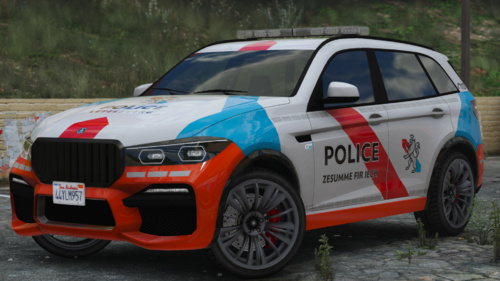 Could you please add the invite link to the Discord server?
 -
 Certainly a great idea, and all the features are brilliant, but it does give a massive frame drop upon activating it, which is somewhat to be expected, but I got a frame drop from 40-50fps to about 5. If the script can be optimised a bit better, it'd be a perfect purge/riot mod!
- 19 comments
- 2 reviews
-
Plugin workd brilliantly. Thank you so much!
-
Thanks, I'll check it out soon!
-
Brilliant, thanks so much!
-
Would it be possible to have it as NumPad1 instead? Just for ELS purposes
-
There are already some audio player plugins out there, so I'll do a bit of research, see if there are any that don't require a UI to use, and get back to you. Just done a little research, and your offer for a single button-press audio player seems like the best idea, if you wouldn't mind? Also, maybe the same keybind stops the music when playing? Thanks!
-
I see. I've no idea whatsoever when it comes to script creation, so good to know that for future reference. Could another possibility be to use the in-game wanted music?
-
You'd have to use the personal vehicle of saved vehicle function on a trainer such as Menyoo or Simple Trainer, LSPDFR doesn't have a feature like that Make sure it says "livery_modkit=true" (no quotation marks) just before where it says the livery.
-
So, I've no doubt that this has been suggested before by someone, but a plugin that I think would really add to the lore-friendliness of LSPDFR would be a plugin that plays music (of the player's choice) when a pursuit is started. Maybe this could even be a part of a larger plugin that adds a 5/6-star wanted level system into pursuits. I am aware that Radio Realism FR has a feature that plays wanted music when there is a pursuit initiated in Fort Zancudo, and I am also aware that Automatic Roadblocks has something of a wanted level system.
-
@Cyan Is there any possible way to have the police5 and polgauntlet models spawn ambiently with items such as the ALPR cameras or pushbars? They're Benny's Original Motorworks accessories, so I'm not sure if they're available to add in agency.xml.
-
Does anyone know if there's any possible way to use the new liveries on the Stanier or Gauntlet in Ultimate Backup? Using the normal livery definition in whatever UB xml file doesn't work as the cars use liveries that are, according to game code, not regular liveries but rather Benny's Original Motor Works liveries. Are there any other ways to define a BOMW livery in UB?


.png.d896a62032547ab26a61ebb1bae8deac.png)
