



5kY1iN3
Members
-
Joined
-
Last visited
Everything posted by 5kY1iN3
-
-
 They do need modifiers for us players that already have a lot of other actions mapped on the controller is mainly why I only mention that. For example during my testing, I at one point had to make SimpleCTRL's engine key the "back" key. Well, this caused a lot of havoc with the other functions mapped to that key. With XENOLIT's mod, the key is X + Back for engine, which clears any conflict as far as controller mapping is concerned. I have Fast Draw only until SimpleCTRL has this feature (I want to say I saw you mentioned this somewhere, my bad if not) as it a necessity during LSPDfr playthroughs when rolling into hot situations. I haven't really seen any compatibility issues with DriveV and SimpleCTRL, but I've heavily modified my traffic AI as well and other specific files. Will certainly report any issues there if I see them though. For my use of Fuel Reloaded** (Sorry, I got the name wrong before. There's been so many I tried lol) it comes down to the feature set. Fuel Reloaded** has options for alternative fuels like EV's, there's a submod with it specific for Coil Features (Tesla FSD ect). As long as SimpleCTRL's fuel is turned off in settings, these two play nicely with each other. In fact, about the engine issue I reported if there's no button mappings in settings, would it be possible to write a line into the script that will disable the script's ability to control the engine? I have a feel this will affect the wear and tear part of the mod though, so that might not be a good idea.. 🤔
- 447 comments
- 17 reviews
-
Ah, it sounds like I'm just ahead of myself on a lot of that 😅 For the controller, I feel it would go a long way giving us a modifier key for all actions not just the blinkers. This would open the possibility for us controller users to have much more possibilities when it comes to mapping actions. Side note too, I noticed when you try to Null out a feature or control set, your script will still run just without control. For example, if you set your engine key to "None" it causes an issue where when you get in a car the engine will randomly keep shutting off. For anyone interested as well, SimpleCTRL + SimpleHUD, Advanced Fuel + Coil Features, Additional Car Controls by XENOLIT, and Fast Draw do all working nicely together after making all said mod's settings more or less correspond with each other. Coupled with Immersive Effects, DriveV, TurboFix, and InversePower you wont get a better driving experience out of GTAV to date. And thank you again Venoxity for making that driving stack a possibility!!
- 447 comments
- 17 reviews
-
Hey Venoxity, coming back to modding GTAV for a bit and wanted to use your mod over my traditional use of XENOLIT's car controls. However, I still can't figure out the windows, interior light, and the hood/trunk release buttons. Are they not ready or designed for use with a controller? Thanks for you work with keeping your mods updated and always adding in new features and QoL improvements. I still use your mod along with XENOLIT's but in order to do so, I basically have to turn everything off on SimpleCTRL other than the Immersion and Display features. Am I missing something or is controller support not really "all-there" yet? Thanks!!
- 447 comments
- 17 reviews
-
I may be missing something, but how do you control the windows? Also, is there a chance of getting all the random vehicle's functions like the interior light?
- 447 comments
- 17 reviews
-
Was finally able to try out your update and it works really well!! I'm curious if you're planning on adding windows controls, interior light, and the other car extra controls as well?
- 447 comments
- 17 reviews
-
-

- 1
-
-
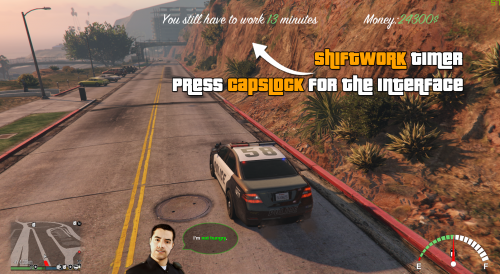 Is there anyway edit the config to allow us to disable the fuel system and gauge? I already have another mod that does this that ties into EV's and ect that I would rather use
- 124 comments
- 13 reviews
-
 This mod, no matter how much I want it to be in my dedicated stack for both my Criminal playthroughs and my LSPDfr playthroughs, but it doesn't play nice with other mods. Like at all. Mainly on the SP side, all the HKH191 mods that bring MP into SP will crash the game when trying to go in and out of interiors. Other than that, I've got both working along side each other, which no texture loss, but can't get around this hard crash when it comes to interiors. Now making the hard choice of dropping this out of the stack in favor of multiple mods that'll get the same results. EDIT: I was able to somewhat fix this with the latest dev builds from both discords of this mod, RED, and HKH191's Business pack. Still get oddities but they seem to be somewhat stable using these builds... for now lol LSPDfr, well as a lot of folks pointed out, even the author, causes major conflicts when on duty. Would be really happy to see something compatible in this area, or maybe a new forked mod that will compliment each other as there aren't any mods out there that add a "life" aspect to LSPDfr. This would revolutionize the way we play LSPDfr like Bejoljo did with STP and their other plugins.
- 692 comments
- 29 reviews
-
Awesome!!! Don't know if you'd want any feedback or advice, but when it comes to controller options, XENOLIT's car commands using X as the modifier seems to be the best when it comes to controls.
- 447 comments
- 17 reviews
-
 I've never seen it not match, but for sure. Bad ass mod regardless, even if I get "false positives". I've got it in my head lore for now that it's just a computer glitch after verifying with dispatch if the hit is valid or not
- 452 comments
- 50 reviews
-
Agreed, seeing as Police Menu was able to sync STP's data 🤔 And most specially since this has slowly turned into my favorite new addition to my LSPDfr lol
- 452 comments
- 50 reviews
-
 Kewl idea, and keeping an eye on this one, but I feel it doesn't fully replace Computlite or Police Menu as of yet. Would be awesome though to see some sort of sync between this and other court cases databases in other mentioned mods. They would compliment each other instead of replace each other at that point
- 221 comments
- 22 reviews
-
 Love the mod, but for some reason the latest version will revive peds? lol
 -
 Any way to get controller support?
 -
 Any way to instead having each animation be a separate key, is there a way to make a sort-of weapon wheel that could be used with the animations instead of your weapons, obviously lol
 -
It amazes me how all these newer vehicle control mods seem to forget about us controller players...
- 447 comments
- 17 reviews
-
-

- 1
-
-
 Going to try and run this with Real Weapons Play and Gunshot Wound 2 and report back. Deadly Weapons never worked right like RWP did in my stack. That's a negative. Creates rather hilarious behavior though where the ped gets up like a zombie, does a spin, only to die again and repeat lol
- 51 comments
- 5 reviews
-
.thumb.jpg.01262d30e357ac55144a3829cff61f89.jpg) Has this been abandoned? It seems the plugin will still crash when checking for an update. Hope there's just something I'm doing wrong as this seemed like a perfect solution to my immersion 🙂
Has this been abandoned? It seems the plugin will still crash when checking for an update. Hope there's just something I'm doing wrong as this seemed like a perfect solution to my immersion 🙂 -
Greetings everyone! I'm back! But not to complain about how the newest version is the most unstable as of yet. Ok, maybe a little shade.. Anyway, I've FINALLY been able to play LSPDfr again after the tuner update with almost all the mods I had before. Though, now it appears when I attempt to sync my LSPDfr character with my profile on the site, the game minimizes and then nothing happens. Any one else having this issue or has anyone gotten the LSPDfr character sync to work? Thanks!
-
I apologize then as this being a fix seems to be sentiment over on the RPH discord. That places is lighting up like a Christmas tree with how many people seem to be pinging the channel lately with all the issue this latest update has caused. My mod stack I'm using work perfect before the update. I've ripped them all out and only have the two following mods installed: NVE WoV When taking out the mod folder, the issue is resolve, but I've also discovered it's not due to the mods above, but the gameconfig. Though, I have not been able to find a proper game config that works now since the update. I've tried the following: Inifinite Question's (Best working without RPH) F7YO's Dilapitated (Best working with RPH) I've even attempted to start splicing the two better working ones together and have gotten mixed results. Nothing though to bring my game back to being stable again. It just seems that since this latest update RPH and LSPDfr have become the most fragile mods that I've being tryng to re-introduce to my mod stack....
-
I really wish y'all would stop suggesting this as a fix... it's not...
-
Greetings y'all, I've run into a major issue. I should have everything up to date, but I'm getting a CTD when entering any police station
-
 Mine is also experiencing this after the latest update. Then again though, I haven't found a single gameconfig that works since the Tuner update....
 -
So I've found my issue, and your suspicious were correct. The culprit all along was my gameconfig. I tried to use F7y0's limitless and while everything worked, I now only get crashes every 15 minutes of play lol So progress?! Now I believe it'll just be a manner of being on the hunt for a gameconfig that was as powerful as the one I used before the Tuner update.
-
I use PullMeOver for both my SP and LSPDfr play throughs. You can set it to where the Speed Limit for whatever road you're on will pop up next to your radar. You can also adjust the speed limits whenever you feel like it if something doesn't match your immersion. While off-duty, the cops will still pull you over too. While on duty there are a few bugs. Like you'll still get pulled over, but then the cops just drives away. I always act like they were just checking in or something when that happens lol I hope this is allowed since it's on GTA Mods, but here's the link: Pull Me Over - GTA5-Mods.com


.thumb.jpg.01262d30e357ac55144a3829cff61f89.jpg)
