


elispd
Members
-
Joined
-
Last visited
Everything posted by elispd
-
-
-
-
Do you Photoshop the pictures ? I see no jaggies... even at 4x msaa I get jaggies.
-
Where do I find this https://www.youtube.com/watch?v=CasU-pW-TX8 Also how do I increase reflection from the lights? they shine on the walls from far away :0
-
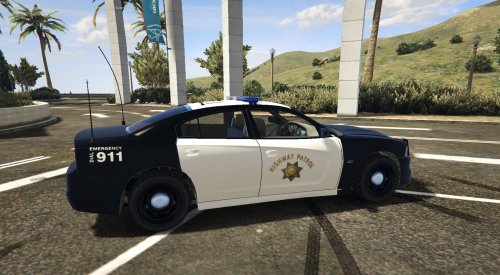 you need to spend some time on your cars before you release them... This car has not improved at all... No laptop, no guards between seats, the lights just shine out of nowhere on the bumper, and etc
- 37 comments
- 6 reviews
-
 I left the day settings the same as your original v7 (900 vs 800) and it's great ! the night ones don't look good after 200 ( unrealistically bright and bloomy)... so yea 200 is great
- 246 comments
- 40 reviews
-
Can you increase the draw distance for the lights to shine ? They only look good within 10 feet of the character....
- 246 comments
- 40 reviews
-
Actually it looks like you changed the day ones from 900 and 800 to 200... Daytime the lights look great at 900 and 800 (line 480 493)... The night ones don't look good at 500, it's too much ! Gonna try at 200 300
- 246 comments
- 40 reviews
-
is there a way to add draw distance to police lights, so they would still look shiny from far away... They only look good for 10 15 feet away especially for bxbugs Impala.... more than that, you won't even notice the lights
-
 Ehh ! car's nice but it needs a lot of work. Aliasing, crappy lights during daytime (ask bugs how to make lights), tires look like they wobble
- 563 comments
- 116 reviews
-
OMGGG you guys gotta check this out... I rolled through the hood with 2 Granger FBI cars filled with SWATs, and cleaned up the hood !!! https://www.gta5-mods.com/scripts/bodyguard-squads
-
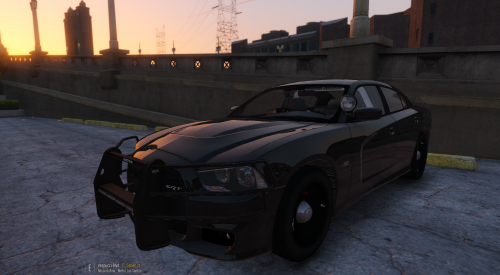
.thumb.png.e88f1892e13ddb98db35e668d465c34b.png) You make the best models and best lights ever !!! The back passenger windows need guards too though Crown Vic please ????
You make the best models and best lights ever !!! The back passenger windows need guards too though Crown Vic please ????- 182 comments
- 44 reviews
-
-
 LSPD First Response: WARNING! Plugin "LSPD First Response" was terminated because it caused the game to freeze (Freeze was caused by game fiber: <UNNAMED THREAD>).
- 1,915 comments
- 242 reviews
-
-
-
 Does not sound like a Crown Victoria at all lol Skip to 1:30 https://www.youtube.com/watch?v=OF1XrSA68jE
- 49 comments
- 3 reviews
-
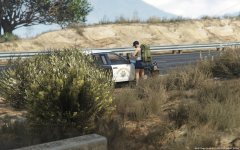 did you photoshop this ? I see ZERO jaggies ?
 -
 Can you add a feature that allows you to hold a button and move the spotlight with your mouse ? For example, hold "Z" and if I move my mouse, the spotlight moves... not the camera position
- 477 comments
- 73 reviews
-
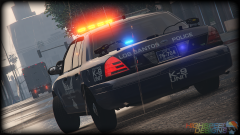 like the front window lightbar for the chevy impala !
 -
lights look orange... can you make them red ?
-
I followed this guy's instructions ! OMGG Works perfectly with ZERO jaggies but overall graphics are not as good when running DX 11... https://www.reddit.com/r/pcgaming/comments/37f6wn/gta_5s_antialiasing_is_crap_heres_how_to_improve/ I run at 1440p MSAA 4x, also used some tweaks on Nvidias control panel for GTA V, injected AA but still I notice jaggies... The only time I got zero aliasing is when I followed that guy's instructions but again, I want Dx11 Any tweaks ???
-
.thumb.jpg.bb1e8ecec8228dbd477e7dcb330fb034.jpg) I wish you could teach other car release's how to make police lights like that ! Really realistic... backlights are oringish but still can you make a light bar for the crown vics ?
I wish you could teach other car release's how to make police lights like that ! Really realistic... backlights are oringish but still can you make a light bar for the crown vics ?- 97 comments
- 62 reviews
-
Ta-Whore


.thumb.png.e88f1892e13ddb98db35e668d465c34b.png)
.thumb.jpg.bb1e8ecec8228dbd477e7dcb330fb034.jpg)