Hessen Mods
Members
-
Joined
-
Last visited
Files posted by Hessen Mods
-
DE:
Hier mal ein kleines liverypack für die alte Boeing 787-9 von SkylineGTRFreak & Reacon
Im pack enthalten sind 4 Skins: BAMBOO AIRWAYS, GULF AIR, AIR CANADA (Alte Livery Ice Blue) und die Brandneue 787-9 der Austrian Airlines (Ausgeliefert im April 2024)
Installation: Du benötigst für dieses liverypack Das Oroginalmodell von SkylineGTRFreak & Reacon hier der Link: https://gamesmods.net/grand-theft-auto-v/gta-5-other-mods/115085-boeing-787-9-dreamliner-add-on-10.html
Zuerst die ReadMe vom Oroginalmodell lesen, dann hier.
Nachdem du das DLC installiert hast, gehe in die Datei "789.ytd" und nimm die die .dds Dateien rein, welche du haben möchtest, und ersetze einfach den alten Skin zu dem neuen Skin.
Fertig!
EN:
Here is a small liverypack for the old Boeing 787-9 from SkylineGTRFreak & Reacon
The pack contains 4 skins: BAMBOO AIRWAYS, GULF AIR, AIR CANADA (Old Livery Ice Blue) and the brand new 787-9 of Austrian Airlines (Delivered in April 2024)
Installation: You need the Oroginal model from SkylineGTRFreak & Reracon for this liverypack, here is the link: https://gamesmods.net/grand-theft-auto-v/gta-5-other-mods/115085-boeing-787-9-dreamliner-add-on-10.html
First read the ReadMe of the original model, then here.
After you have installed the DLC, go to the file ‘789.ytd’ and take the .dds files you want to have and simply replace the old skin with the new skin.
Done!
- 23 Downloads
Updated -
english text bellow
YouTube Video:
GER:
Um dieses Soundpack zu installieren musst du in OpenIV unter folgenden pfad rein gehen: GTAV / mods / x64 / audio / sfx
nun gehe in den von mir erstellten Ordner "STREAMED_VEHICLES.rpf" in meiner .zip-datei rein und ziehe dir die "hunter_helicopter.awc" irgendwo leichtzugänglich hin.
kopietre die die .awc in GTAV / mods / x64 / audio / sfx / STREAMED_VEHICLES.rpf rein.
Somit hast du den sound vom Engine start installiert.
Nun gehe wieder in meine .zip datei rein, und wähle den Ordner "STREAMED_VEHICLES_LOW_LATENCY" von dort ziehst du dir die Datei "cargobob.awc" raus und
legst diese irgendwo leichtzungänglich ab.
Gehe jetzt in das Verzecihnis GTAV / mods / x64 / audio / sfx / STREAMED_VEHICLES_LOW_LATENCY.rpf ud füge dort meine "cargobob.awc" hinein.
Die Audiomodifikation ist jetzt vollständig installiert!
Jetzt gehe in das Verzeichnis GTAV / mods / update / .x64 / dlcpacks und wähle dort einen H-145 aus und gehe in die "vehicles.meta"
dort suchst du jetzt den XML-Code "<audioNameHash/>" diese Zeile bearbeitest du jetzt und kopierst dir jetzt diesen XML-Code raus: <audioNameHash>CARGOBOB</audioNameHash>
Fertig! dein gewünschter Eurocopter H-145 hat jetzt den Original Sound! Demnächst wird dies auch für FiveM möglich sein! 🙂
EN:
To install this sound pack you have to go into OpenIV under the following path: GTAV / mods / x64 / audio / sfx
Now go into the “STREAMED_VEHICLES.rpf” folder I created in my .zip file and drag the “hunter_helicopter.awc” somewhere easily accessible.
Copy the .awc into GTAV / mods / x64 / audio / sfx / STREAMED_VEHICLES.rpf.
So you have installed the engine start sound.
Now go back into my .zip file and select the “STREAMED_VEHICLES_LOW_LATENCY” folder. From there, pull out the “cargobob.awc” file and
put these somewhere easily accessible.
Now go to the directory GTAV / mods / x64 / audio / sfx / STREAMED_VEHICLES_LOW_LATENCY.rpf and add my "cargobob.awc" there.
The audio modification is now fully installed!
Now go to the GTAV / mods / update / .x64 / dlcpacks directory and select an H-145 there and go to the "vehicles.meta"
There you now look for the XML code "<audioNameHash/>" you now edit this line and copy out this XML code: <audioNameHash>CARGOBOB</audioNameHash>
Complete! Your desired Eurocopter H-145 now has the original sound! This will soon also be possible for FiveM! 🙂
- 1,183 Downloads
- 8 Comments
Updated -
English text bellow.
DE:
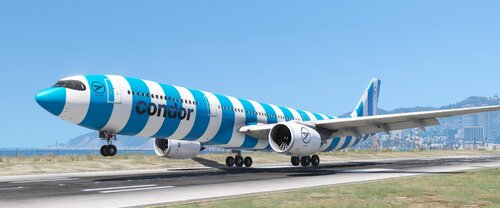
da dies nur eine Lackierung ist, brauchst du das Original Modell.
Link: https://libertycity.net/files/gta-5/127010-airbus-a330-900neo.html
Installation:
Befolge zu erst die ReadMe vom Original Modell, wenn du das getan hast, nimmst du dir meine .ytd und schiebst die irgendwo hin (am besten auf dem Desktop)
und ersetzt die alte ".ytd" zur meiner ".ytd" anschließend hast du die neuen Condor Liverys in Game 😄
Fertig!
EN:
Since this is just a paint job, you need the original model.
Link: https://libertycity.net/files/gta-5/127010-airbus-a330-900neo.html
Installation:
First follow the ReadMe from the original model, once you've done that, take my .ytd and move it somewhere (preferably on the desktop)
and replace the old ".ytd" with my ".ytd" then you have the new Condor Liverys in the game 😄
Complete!
- 44 Downloads
Updated -
English text bellow.
DE:
da dies nur eine Lackierung ist, brauchst du das Original Modell.
Link: https://www.gta5-mods.com/vehicles/airbus-a350-900xwb
Installation:
Befolge zu erst die ReadMe vom Original Modell, wenn du das getan hast, nimmst du dir meine .ytd und schiebst die irgendwo hin (am besten auf dem Desktop)
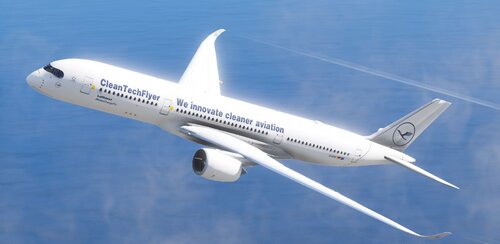
und ersetzt die alte ".ytd" zur meiner ".ytd" anschließend hast du den "CleanTechFlyer" als erste Livery. Das hat den Vorteil, das du dir die Livery auch in
OpenIV angucken kannst, und ingame es direkt die erste livery ist. zudem hast du auch 2 weitere Lufthansa Liverys drin. einmal das alte design mit dem Gelben Lufthansa Logo
und einmal die neue und aktuelle Lufthansa Livery, also blaues Heckleitwerk und rumpf, so wie das weiße Lufthansa Logo.
Fertig!
EN:
since this is just a paint job, you need the original model.
Link: https://www.gta5-mods.com/vehicles/airbus-a350-900xwb
Installation:
First follow the readme of the original model, once you have done that, grab my .ytd and paste it somewhere (preferably on the desktop)
and replaces the old ".ytd" with my ".ytd" then you have the "CleanTechFlyer" as the first livery. This has the advantage that you can also see the livery in
OpenIV can look at, and ingame it is directly the first livery. you also have 2 more Lufthansa liveries in it. once the old design with the yellow Lufthansa logo
and once the new and up-to-date Lufthansa Livery, i.e. blue tail unit and fuselage, as well as the white Lufthansa logo.
Done!
- 10 Downloads
Updated -
English text bellow.
DE:
da dies nur eine Lackierung ist, brauchst du das Original Modell.
Link: https://libertycity.net/files/gta-5/115018-airbus-a321-neo-add-on14-liveries-1.0.html
Installation:
Befolge zu erst die ReadMe vom Original Modell, wenn du das getan hast, nimmst du dir meine .ytd's und schiebst die irgendwo hin (am besten auf dem Desktop)
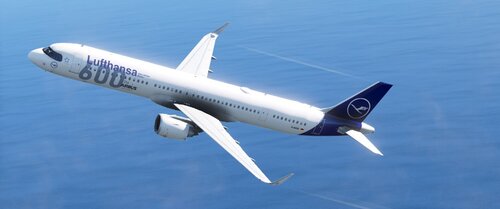
und ersetzt die alte ".ytd" und "+hi.ytd" zur meiner ".ytd" und "+hi.ytd" anschließend hast du "600th Airbus" als erste Livery. Da ist aber allerdings der Nachteil,
das in der .yft die 5. Livery (Airbus) angezeigt wird, und du daher die "600th Airbus" livery nicht in OpenIV angucken kannst. Vorteil, Ingame ist es gleich die
allererste Livery.
Fertig!
EN:
since this is just a paint job, you need the original model.
Link: https://libertycity.net/files/gta-5/115018-airbus-a321-neo-add-on14-liveries-1.0.html
Installation:
First follow the ReadMe of the original model, when you have done that, take my .ytd's and move them somewhere (preferably on the desktop)
and replace the old ".ytd" and "+hi.ytd" to my ".ytd" and "+hi.ytd" then you have "600th Airbus" as your first livery. However, there is a disadvantage
that the .yft shows the 5th livery (Airbus) and you can't look at the "600th Airbus" livery in OpenIV. Advantage, ingame it's the same
very first livery.
Done!
- 9 Downloads
Updated -
english text bellow.
DE:
Weil "Die Maus" nur eine Lackierung ist, brauchst du das Oroginal Modell.
Link: https://libertycity.net/files/gta-5/141945-airbus-a321-231-add-on-i-liveries.html
Installation:
Befolge zu erst die ReadMe vom Original Modell, wenn du das getan hast, nimmst du dir meine .ytd und schibts die irgfendwo hin (am besten auf dem Desktop)
und ersetzt die alte ".ytd" zur meiner ".ytd" asnchließend hast du "Die Maus" als erste Livery. Das hat den Vorteil, das du dir die Livery auch in OpenIV angucken kannst 🙂
Fertig!
EN:
Because "Die Maus" is only a livery, you need the original model.
Link: https://libertycity.net/files/gta-5/141945-airbus-a321-231-add-on-i-liveries.html
Installation:
First follow the ReadMe of the original model, once you have done that, grab my .ytd and paste it somewhere (preferably on the desktop)
and replace the old ".ytd" with my ".ytd" and then you have "Die Maus" as your first livery. This has the advantage that you can also look at the livery in OpenIV 🙂
Done!
- 8 Downloads
Updated -
english text bellow.
DE:
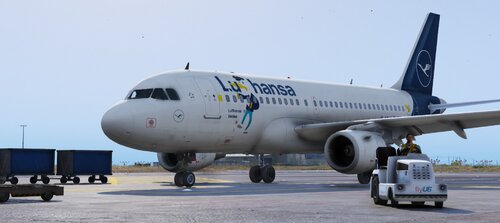
Weil "LuHansa" nur eine Lackierung ist, brauchst du das Original Modell.
Link: https://www.gta5-mods.com/vehicles/airbus-a319-111-a319neo
Installation:
Befolge zu erst die ReadMe vom Original Modell, wenn du das getan hast, nimmst du dir meine .ytd und schiebst die irgendwo hin (am besten auf dem Desktop)
und ersetzt die alte ".ytd" zur meiner ".ytd" anschließend hast du "LuHansa" als erste Livery. Das hat den Vorteil, das du dir die Livery auch in OpenIV angucken kannst.
Ignoriere aber dann die Fenster vom Cockpit, die sind in OpenIV ein wenig verbuggt, ingame ist aber alles normal 🙂
Fertig!
EN:
Because "LuHansa" is only a livery, you need the original model.
Link: https://www.gta5-mods.com/vehicles/airbus-a319-111-a319neo
Installation:
First follow the ReadMe of the original model, when you have done that, take my .ytd and put it somewhere (preferably on the desktop)
and replace the old ".ytd" with my ".ytd" and then you have "LuHansa" as your first livery. This has the advantage that you can also look at the livery in OpenIV.
Ignore the windows of the cockpit, they are a bit bugged in OpenIV, but everything is normal ingame 🙂
Done!
- 7 Downloads
Updated -
English text bellow
DE:
Da dies eine Lackierung ist, musst du dir zu erst das Original Modell herunterladen.
Das findest du hier: https://de.gta5-mods.com/vehicles/boeing-737-ultimate-package-200-300-400-500-600-700-800-900-900er-8-9-7-10-add-on-liveries
Installation:
Um meinen Skin drauf zu packen musst du erstmal in die heruntergeladene Datei gehen. In der Datei findest du einen Ordner mit dem Namen "737's",
in diesen Ordner gehst du rein und suchst dir den Ordner "737800" raus. diesen Ziehst du dir per Drag & Drop aus der .rar auf deinem Desktop.
Anschließend öffnest du den Ordner und gehst in die dlc.rpf rein. Dann gehst du in: x64 / levels / gta5 / vehicles / eaglevehicles.rpf/ rein,
und ersetzt die alte .ytd zur meiner neuen .ytd.
Dann befolgst du die ReadMe vom Fahrzeug, da du auch (glaube ich) einen Eintrag in die "extratitleupdatedata.meta" machen müsst. Selbstverständlich musst du
die "737800" in der ReadMe suchen. Mach das am besten mit "Strg + F" und gibst den Namen der 737-800 ein. Ist am einfachsten, weil die ReadMe ist unübersichtlich.
Fertig!
EN:
Since this is a Paintjob, you'll need to download the original model first.
You can find it here: https://de.gta5-mods.com/vehicles/boeing-737-ultimate-package-200-300-400-500-600-700-800-900-900er-8-9-7-10-add-on-liveries
Installation:
To put my skin on it you have to go into the downloaded file first. Inside the file you will find a folder called "737's"
Go into this folder and look for the folder "737800". Drag and drop this from the .rar onto your desktop.
Then open the folder and go into the dlc.rpf. Then you go in: x64/Levels/GTA5/Vehicles/eaglevehicles.rpf/,
and replace the old .ytd with my new .ytd.
Then you follow the ReadMe from the vehicle, since you also (I think) have to make an entry in the "extratitleupdatedata.meta". Of course you have to
Search the "737800" in the ReadMe. It's best to do this with "Ctrl + F" and enter the name of the 737-800. Is the easiest, because the ReadMe is confusing.
Done!
- 26 Downloads
Updated -
english text bellow
DE:
Da dies ein PaintJob ist, brauchsat du das Oroginal-Modell von "SkylineGTRFreak & Tails330"
Link: https://www.gta5-mods.com/vehicles/airbus-a350-900xwb
Installation:
Befolge die ReadMe vom Original-Modell, sobals du das Original-Modell installiert hast, nimmst du dir meine .ytd und fügst sie per Drag & drop einfach in OpenIV ein.
Vergiss aber nicht den Edit Mode anzuschalten 🙂
Fertig und Ready for Take-Off 😉
EN:
Since this is a PaintJob, you need the original model from "SkylineGTRFreak & Tails330"
Link: https://www.gta5-mods.com/vehicles/airbus-a350-900xwb
Installation:
Follow the ReadMe from the original model, once you have the original model installed, grab my .ytd and just drag and drop it into OpenIV.
Don't forget to turn on edit mode 🙂
Finished and ready for take off 😉
- 15 Downloads
Updated -
english text bellow.
DE:
Da dies eine Lackeriung ist, brauchst du das Original Add-On.
Link: https://www.gta5-mods.com/vehicles/airbus-a380-800-add-on
Installation:
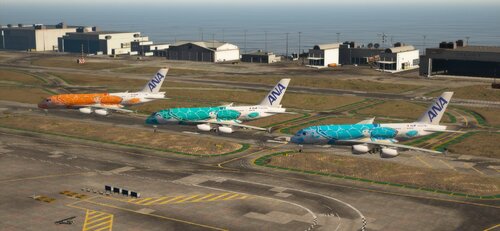
Um meine ANA "Turtles takes the Sky" Livery zu installieren, musst du in: /a380 /dlc.rpf / x64 / levels / gta5 / vehicles / a380vehicles.rpf / a380.ydt / gehen.
Dort sucht du dir eine Livery aus, die su ersetzen möchtest oder änderst einfach die Zahlenziffer am ende des datei-namens.
Ich habe es jetzt nur sehr kurz gehalten mit der anleitung weil sonst wird es zu viel Text.
Wenn du dafür Hilfe benötigst, komm auf meinen Discord-Serer (Hessen-Mods)
Link: https://discord.gg/P9MBtDNYD7
EN:
Since this is a livery, you need the original add-on.
Link: https://www.gta5-mods.com/vehicles/airbus-a380-800-add-on
Installation:
To install my ANA "Turtles takes the Sky" Livery you need to go to: /a380 /dlc.rpf / x64 / levels / gta5 / vehicles / a380vehicles.rpf / a380.ydt /
There you choose a livery that su would like to replace or simply change the number at the end of the file name.
I have now kept it very short with the instructions because otherwise it will be too much text.
If you need help for this, come on my discord serer (Hessen-Mods)
Link: https://discord.gg/P9MBtDNYD7
- 20 Downloads
Updated -
english text bellow
GER:
Da dies eine PaintJob Livery ist, benötigst du das Original Dlcpack.
Link: http://www.gtamodding.fr/vehicules/5235-boeing-777-300er-add-on-replace.html
Installation:
Befolge die ReadMe vom DLC pack was oben verlinkt ist. Anschließend gehst du in die "mq1vehicles.rpf" rein und ersetzt die alte b773er.ytd zur meiner b773er.ytd
Optional:
gehe zu / dlc.rp / common / data / levels / gta5
und ersetze die alte vehicles.meta zur meiner vehicles.meta (Daduch erhält Boeing777 einen anderen Engine Sound, und einen anderen Namen.
Somit ist das Flugzeug einfacher in der vehicles bzw. spawnliste von einem Trainer wie z.b. Menyoo zu finden).
Solltest du Hilfe benötigen steht mein Support-Team und ich zur verfügung auf meinem Discord-Server (Hessen-Mods)
Link: https://discord.gg/P9MBtDNYD7
Fertig!
ENG:
Since this is a PaintJob livery, you need the original dlcpack.
Link: http://www.gtamodding.fr/vehicules/5235-boeing-777-300er-add-on-replace.html
Installation:
Follow the ReadMe from the DLC pack linked above. Then go into the "mq1vehicles.rpf" and replace the old b773er.ytd with my b773er.ytd
Options:
go to /dlc.rp/common/data/levels/gta5
and replace the old vehicles.meta with my vehicles.meta (Boeing777 will get a different engine sound and a different name as a result.
Thus, the aircraft is easier in the vehicles or spawn list of a trainer such as e.g. to find Menyoo).
If you need help, my support team and I are available on my Discord server (Hessen-Mods)
Link: https://discord.gg/P9MBtDNYD7
Done!
- 25 Downloads
Updated -
english text bellow.
GER:
Um meinen Skin nutzen zu können, musst du das original modell bzw. Add-On herunterladen.
Hier der Link: https://gta5mod.net/gta-5-mods/vehicles/aircraft/boeing-md-11-1-0/
Installation vom Skin:
Gehe in die vehicles.rpf der MD-11 rein, und ersetze die alte .ytd zur meine .ytd
anschließend der ReadMe der MD-11 folgen.
INFO:
Für weitere Infos oder Hilfe, joine doch gerne auf meinen Discord Server (Hessen-Mods)
Link: https://discord.gg/P9MBtDNYD7
ENG:
To be able to use my skin, you have to download the original model or add-on.
Here is the link: https://gta5mod.net/gta-5-mods/vehicles/aircraft/boeing-md-11-1-0/
Installing the skin:
Go into the MD-11's vehicles.rpf, and replace the old .ytd with my .ytd
then follow the ReadMe of the MD-11.
INFO:
For more information or help, please join my Discord Server (Hessen-Mods)
Link: https://discord.gg/P9MBtDNYD7
- 16 Downloads
Updated -
English text bellow
GERMAN:
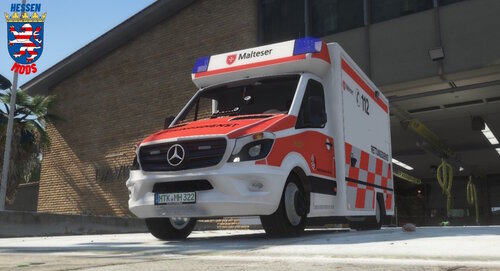
Da dies eine Lackierung ist, musst du dir das Original-Modell von GFP-Modding holen. Der RTW ist kostenlos
Link: https://gfp-modding.de/produkt/mercedes-benz-sprinter-516-bluetec-rettungsdienst-hamburg-els-enterable-reflection-extendable-stretcher/
Installation:
Installiere den RTW so, wie es in der ReadMe von GFP-Modding steht. Wenn das getan ist, musst du meine .ytd kopieren und in den Ordner einfügen, wo du die Vehilce Files
vom Original Modell installiert hast.
Fertig!
!!!!!NUTZUNG AUF FiveM SERVER!!!!!
Wir bitten drum für diese livery eine Kostenlose Lizenz auf meinem Discord Server zu beantragen. Auch wenn ihr Fragen habt stehen wir für euch bereit 🙂
Hessen-Mods: https://discord.gg/P9MBtDNYD7
ENGLISH:
Since this is a PaintJob, you'll need to get the original model from GFP-Modding. The RTW is free
Link: https://gfp-modding.de/produkt/mercedes-benz-sprinter-516-bluetec-rettungsdienst-hamburg-els-enterable-reflection-extendable-stretcher/
Installation:
Install the RTW as it says in the GFP-Modding ReadMe. When that is done you need to copy and paste my .ytd into the folder where you saved the Vehicle Files
installed from the original model.
you're done!
!!!!!USE ON FiveM SERVER!!!!!
We ask you to apply for a free license for this livery on my Discord server. If you have any questions, we are available for you 🙂
Hessen-Mods: https://discord.gg/P9MBtDNYD7
- 145 Downloads
Updated -
If you need help with anything, come to my discord server and open a support ticket: https://discord.gg/P9MBtDNYD7
Since this is an add-on PaintJob, YOU MUST download the original model. The original model is also available as an add-on,
but i made it another addon because of the name and the plane type.
Download Original Model: https://de.gta5-mods.com/vehicles/airbus-a321-231-add-on-i-liveries
Installation:
Download the original model and open it. Get the .yft files from the original add-on and copy them to your desktop.
Change the name to "a321f".
IT IS IMPORTANT that the "_hi" is not deleted. Only the name before the "_hi" may be changed.
When you have done all this then open my addon and paste the .ytf's of the original model there named "a321f.yft" and "a321_hi.yft".
Now you only have to pack my add-on in "mods / update / x64 / dlcpacks" and then in the dlclist.xml
Add the following item to "mods / update / update.rpf / common / data /dlclist.xml":
<Item>dlcpacks:\a321f</Item>
Use a trainer with the "spwan by name" function and enter the following there: "a321f"
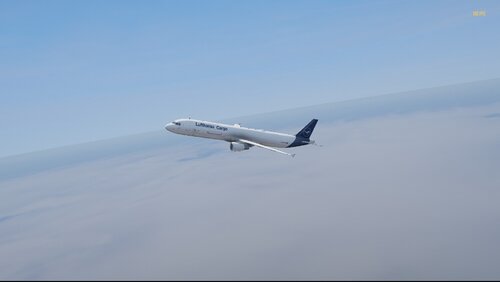
If you did everything right, you can now fly with this Lufthansa Cargo Livery 🙂
Important to say:
The "door" for the cargo hold (left) is purely for design and has no function.
- 20 Downloads
Updated -
Final Preview: https://www.youtube.com/watch?v=13ih5kFP9co&ab_channel=Leon_Gaming01
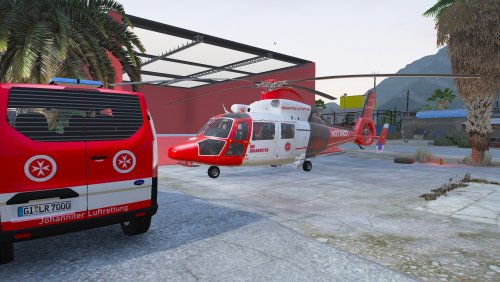
EN: Associated helicopter:
https://www.lcpdfr.com/downloads/gta5mods/vehiclestextures/34280-eurocopter-as-365-die-johanniter-rettungshubschrauber/?tab=comments#comment-288308
go to GTA V / mods / x64 / audio /sfx
then go to any AS-365 dlcpack and go through the following file path to specify the sound modification.
NameOfDlc / dlc.rpf / common / data / levels / gta5 / vehicles.meta
then look for the following value in the Vehicle Meta: "<audioNameHash>" then copy my value at <audioNameHash> to this: <audioNameHash>HUNTER</audioNameHash>
you're done! I hope I didn't explain it too complicated 🙂
- 724 Downloads
- 9 Comments
Updated -
English text bellow
DE:
Da dies nur ein Skin ist, musst du einmal das Original Model herunterladen: https://gamesmods.net/grand-theft-auto-v/gta-5-other-mods/131299-psni-skoda-kodiaq-els-10.html
!!!!! FiveM Nutzungserlaubnis !!!!!
Ich bitte euch unter https://discord.gg/P9MBtDNYD7 ein Support ticket für die Nutzungserlaubnis zu erstellen.
Installation Add-On-PaintJob:
GTAV / mods / update / x64 / dlcpacks
Füge hier den Ordner "kodiaq" ein.
Danach geh zu /mods / update / update.rpf / common / data
Suche hier nach "dlclist.xml" der Edit mode muss dafür IMMER an sein, dann klicke einmal mit linksklick auf die "dlclist.xml" dann rechtsklick und "Edit" füge dort folgendes ein:
<Item>dlcpacks:\KODIAQ\</Item>
und speichern.
Installation PaintJob:
GTAV / mods / update / x64 / dlcpacks / patchday27ng / dlc.rpf / x64 / levels / gta5 / vehicles.rpf
füge dort meine "police.ytd" ein und die beiden .yft vom Original model was oben als aller erstes Verlinkt ist.
FERTIG!
EN:
Since this is only a skin, you have to download the original model once: https://gamesmods.net/grand-theft-auto-v/gta-5-other-mods/131299-psni-skoda-kodiaq-els-10 .html
!!!!! FiveM Use Permission !!!!!
I ask you to create a support ticket for permission to use at https://discord.gg/P9MBtDNYD7.
Installation Add-On PaintJob:
GTAV/mods/update/x64/dlcpacks
Paste the "kodiaq" folder here.
After that go to /mods/update/update.rpf/common/data
Search here for "dlclist.xml" the edit mode must ALWAYS be on, then click once with a left click on the "dlclist.xml" then right click and
"Edit" add the following there:
<Item>dlcpacks:\KODIAQ</Item>
and save.
Installation PaintJob:
GTAV / mods / update / x64 / dlcpacks / patchday27ng / dlc.rpf / x64 / levels / gta5 / vehicles.rpf
add my "police.ytd" there and the two .yft from the original model which is the first thing linked above.
FINISH!
- 47 Downloads
Updated -
English text bellow
!!! ACHTUNG !!!
Das Original-Modell für diese/n Skins wurde auf grund von beschwerden von Rockstargames offline genommen. aus diesem Grund bitte bei mir auf dem Server ein Ticket zu eröffnen, falls ihr diesen Skin nutzen wollt. Den Link zur meinem Discord Server findet ihr hier in der Info bei "FiveM Nutzungserlaubnis"
!!! DANGER !!!
The original model for these skins has been taken offline due to complaints from Rockstargames. for this reason please open a ticket with me on the server if you want to use this skin.
You can find the link to my discord server here in the info under " FiveM Use Permission"
DE:
Da dies eine Lackierung ist, musst du einmal den original Helikopter von X-Modding Kaufen. Hier der Link dazu: https://x-modding.de/?product=airbus-h145-rth-luftrettung-v1-0-0
!!!!WICHTIG!!!!
Du benötigst OpenIV. Hier der Link zu OpenIV: https://www.gta5-mods.com/tools/openiv
!!!!! FiveM Nutzungserlaubnis !!!!!:
Ich bitte euch unter https://discord.gg/P9MBtDNYD7 ein Support ticket für die Nutzungserlaubnis zu erstellen.
Installationspfad:
Grand Theft Auto V\mods\update\x64\dlcpacks\patchday26ng\dlc.rpf\x64\levels\gta5\vehicles.rpf\
Jetzt brauchst du einen Trainer mit der "Spawn by name" Funktion. Ich empfehle Menyoo, weil Menyoo einen ObjektSpooner mit F9 hat. wenn du einer dieser Helis mit F9 an guckst kannst du damit er nicht despawnt mit Pfeiltaste Up in die Database sichern. so despawnt er wie gesagt nicht mehr. Link zu Menyoo: https://de.gta5-mods.com/scripts/menyoo-pc-sp
EN:
Since this is a paint job, you have to buy the original X-Modding helicopter once. Here is the link: https://x-modding.de/?product=airbus-h145-rth-luftrettung-v1-0-0
!!!!IMPORTANT!!!!
You need OpenIV. Here is the link to OpenIV: https://www.gta5-mods.com/tools/openiv
!!!!! FiveM Use Permission !!!!!:
I ask you to create a support ticket for permission to use at https://discord.gg/P9MBtDNYD7
Installation path:
Grand Theft Auto V\mods\update\x64\dlcpacks\patchday26ng\dlc.rpf\x64\levels\gta5\vehicles.rpf\
Now you need a trainer with the "spawn by name" feature. I recommend Menyoo because Menyoo has an ObjectSpooner with F9. if you look at one of these helicopters with F9 you can save it in the database with the Up arrow key so that it doesn't despawn. like I said, he doesn't despawn anymore. Link to Menyoo: https://de.gta5-mods.com/scripts/menyoo-pc-sp
- 442 Downloads
- 5 Comments
Updated -
English text bellow,
DE:
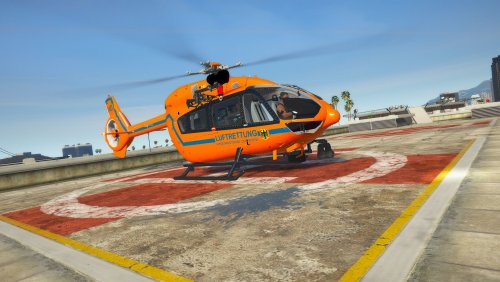
Ich habe mich die Letzen Tage mal Hingesetzt und habe 3 verschiedene Skins für X-Modding's H-145 erstellt. Einmal haben wir Johanniter Luftrettung, ADAC Luftrettung und Landespolizei Nordrhein-Westfalen (NRW)'s Hummel1. alle drei sind als Normaler PaintJob drinnen und als Add-On-PaintJob.
Original Modell: https://x-modding.de/produkt/h145-rth-luftrettung-v1-0-0/
EN:
I sat down the last few days and created 3 different skins for X-Modding's H-145. Once we have Johanniter Luftrettung, ADAC Luftrettung and North Rhine-Westphalia State Police (NRW)'s Hummel1. all three are included as a Normal PaintJob and as an Add-On PaintJob.
original model: https://x-modding.de/produkt/h145-rth-luftrettung-v1-0-0/
- 1,997 Downloads
Updated -
English text bellow
!!! ACHTUNG !!!
Das Original-Modell für diese/n Skins wurde auf grund von beschwerden von Rockstargames offline genommen. aus diesem Grund bitte bei mir auf dem Server ein Ticket zu eröffnen, falls ihr diesen Skin nutzen wollt. Den Link zur meinem Discord Server findet ihr hier in der Info bei "FiveM Nutzungserlaubnis"
!!! DANGER !!!
The original model for these skins has been taken offline due to complaints from Rockstargames. for this reason please open a ticket with me on the server if you want to use this skin.
You can find the link to my discord server here in the info under " FiveM Use Permission"
GER:
Ich habe diesen H-145M Skin gemacht, weil es den noch nicht für GTA 5 gibt. Daher habe ich mich beschlossen, einen SAR (Search And Rescue) Skin zu machen 🙂 Ich wünsche euch viel Spaß mit diesem Skin 😉
ENG:
I made this H-145M skin because it's not available for GTA 5 yet. So I decided to make a SAR (Search And Rescue) skin I wish you a lot of fun with this skin 😉
- 279 Downloads
Updated -
English text bellow
GER:
Ich habe schon vor ner weile diese EC-135 T2 BMI Luftrettung für GTA 5 geskinnt, weil er in meiner Heli Sammlung fehlte xD Ich wollte ihn schon die ganze zeit. Und habe es jetzt endlich mal geschafft 😉
Da dies ein PaintJob ist, brauchst du das Original Modell. dies findest du hier: https://de.gta5-mods.com/vehicles/airbus-ec-135-t2-add-on
FiveM Nutzungserlaubnis:
Ich bitte euch unter https://discord.gg/P9MBtDNYD7 ein Support ticket für die Nutzungserlaubnis zu erstellen.
ENG:
I skinned this EC-135 T2 BMI Luftrettung for GTA 5 a while ago because it was missing from my heli collection xD I've wanted it all along. And now I've finally made it
Since this is a paint job, you need the original model. you can find this here: https://de.gta5-mods.com/vehicles/airbus-ec-135-t2-add-on
FiveM Use Permission:
I ask you to create a support ticket for permission to use at https://discord.gg/P9MBtDNYD7
- 723 Downloads
Updated -
English text bellow.
GER:
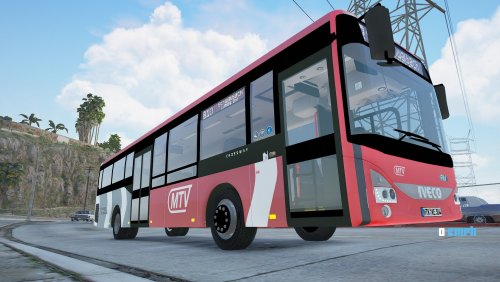
Ich bin vor paar Wochen oder sogar mittlerweile einem Monat auf einen IVECO Crossway gestoßen, und wollte die Busse aus meinem Landkreis skinnen, um noch mehr Hessische Settings zu haben. Eher gesagt mehr Main-Taunus-Kreis Settings. Ein weiterer Grund ist es, das bei mir der Hauptsitz von RMV / MTV ist.
Download Original modell: https://libertycity.net/files/gta-5/134753-iveco-crossway-le-cng.html
ENG:
I came across an IVECO Crossway a few weeks ago, or even a month now, and wanted to skin the buses from my district to have even more Hessian settings. Rather more Main-Taunus-Kreis Settings. Another reason is that I am the headquarters of RMV / MTV.
- 72 Downloads
- 2 Comments
Updated -
English text bellow
De:
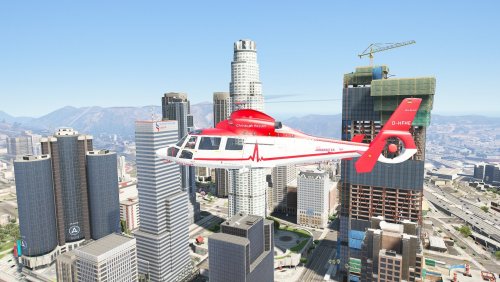
Da dies eine Lackierung ist, musst du einmal den Original Helikopter herunterladen. Hier der Link dazu: https://www.gtainside.com/gta5/helicopter/119413-eurocopter-as-365-air-ambulace-v2-add-on/
!!!!WICHTIG!!!! Du benötigst OpenIV. hier der Link zu OpenIV: https://www.gta5-mods.com/tools/openiv
Installationspfad:
Lies dafür bitte die ReadMe beim Original modell
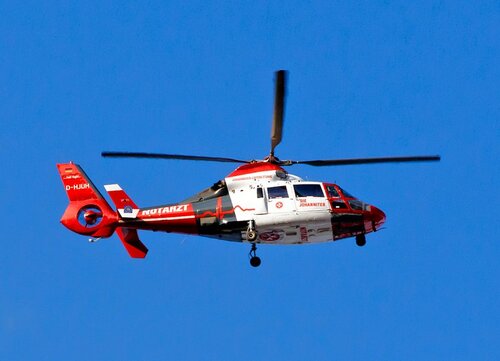
Bekannter Fehler: "DIE JOHANNITER" Schrift ist auf der rechten Seite spiegelverkehrt. Dies kann nicht gehoben werden auf Grund des Models und dem Template
En:
Since this is a paint job, you have to download the original helicopter once. here is the link: https://www.gtainside.com/gta5/helicopter/119413-eurocopter-as-365-air-ambulace-v2-add-on/
!!!!IMPORTANT!!!! You need OpenIV. here is the link to OpenIV: https://www.gta5-mods.com/tools/openiv
Installation Path:
Please read the ReadMe for the original model
Known error: "DIE JOHANNITER" writing is mirrored on the right side. This cannot be lifted due to the model and template- 614 Downloads
- 3 Comments
Updated -
English text bellow
DE:
Da dies eine Lackierung ist, musst du einmal den original Helikopter herunterladen. Hier der Link dazu: https://www.gtainside.com/gta5/helicopter/119413-eurocopter-as-365-air-ambulace-v2-add-on/
! ! ! ! WICHTIG ! ! ! ! Du benötigst OpenIV. Hier der Link zu OpenIV: https://www.gta5-mods.com/tools/openiv
Installationspfad:
Grand Theft Auto V\mods\update\x64\dlcpacks\patchday3ng\dlc.rpf\x64\levels\gta5\vehicles.rpf\ (oder den neusten patchday)
Bekannter Fehler: Linie ist nicht richtig gerade, dies liegt aber am Template. Ich werde es ich kommenden Updates versuchen zu beheben.
EN:
Since this is a paint job, you have to download the original helicopter once. Here is the link to it: https://www.gtainside.com/gta5/helicopter/119413-eurocopter-as-365-air-ambulace-v2-add-on/
! ! ! ! IMPORTANT ! ! ! ! You need OpenIV. Here is the link to OpenIV: https://www.gta5-mods.com/tools/openiv
Installation path:
Grand Theft Auto V \ mods \ update \ x64 \ dlcpacks \ patchday3ng \ dlc.rpf \ x64 \ levels \ gta5 \ vehicles.rpf \ (or the latest patchday)
Known bug: the line is not straight, but this is due to the template. I'll try to fix it in upcoming updates.
- 611 Downloads
Updated -
English text bellow
DE:
Ganz wichtig!!!
Damit du den Burschen Vito Installieren kannst, brauchst du OpenIV oder ähnliches. Ich empfehle aber OpenIV. Hier der Link: https://openiv.com/
FiveM Nutzungserlaubnis:
Ich bitte euch unter https://discord.gg/P9MBtDNYD7 ein Support ticket für die Nutzungserlaubnis zu erstellen.
----- Bevor du mit modding startest, brauchst du jede menge Erweiterungen: -----
1. ScripthookV: http://www.dev-c.com/gtav/scripthookv/
ACHTUNG: Wenn GTA ein update bekommen hat, musst du auf ein Update warten. Bis ein Update verfügbar ist dauert es etwa so 3-7 Tage. Ohne ScripthookV funktioniert keine mod. Ganz wichtig ist es, die ReadMe's zu lesen!
2. Menyoo: https://www.gta5-mods.com/scripts/menyoo-pc-sp
Menyoo brauchst du, um deine Add-On Fahrzeuge zu spawnen. Für Menyoo muss man bisschen englisch können, weil dieses Modmenü auf englisch ist. Du öffnest Menyoo mit F8 (am Anfang muss man es ein zweites mal starten, da es beim ersten mal F8 drücken nach jedem Spielstart erst ausgeführt werden muss.
3. ScripthookVDotNet: https://www.gta5-mods.com/tools/scripthookv-net
4. Gameconfig (1.0.2545) for Limitless Vehicles: https://www.gta5-mods.com/misc/gta-5-gameconfig-300-cars
Name erklärt wurm man s braucht. Ohne die Gameconfig, funktioniert kein Add-On. Auch hier muss man bei einem GTA 5 update warten, bis die Gameconfig auch aktuell ist.
5. Heap Limit Adjuster: https://www.gta5-mods.com/tools/heap-limit-adjuster-600-mb-of-heap
Damit das spiel beim starten keinen Speicherfehler anzeigt
6. Packfile Limit Adjuster: https://www.gta5-mods.com/tools/packfile-limit-adjuster
Damit GTA nicht Abstürzt wegen der Add-Ons
----- Sollte ich etwas vergessen haben, geht auf YouTube und gebt ein: "GTA 5 Add-Ons installieren" -----
Add-On installations pfad:
GTA V \ mods \ update \ x64 \ dlcpacks
Kopiere hier mit OpenIV den Ordner "burschenvito" rein. nicht vergessen den "Edit Mode" zu aktivieren, da du sonst nichts rein kopieren kannst.
dlclist.xml:
GTA V \ mods \ update \ update.rpf \ common \ data \ dlclist.xml
Rechtsklick, Bearbeiten, dann das hier rein kopieren: <Item>dlcpacks:\burschenvito\</Item>
nicht vergessen den "Edit Mode" zu aktivieren, da du sonst nicht die dlclist bearbeiten kannst.
!!! FERTIG 😉 !!!
Viel Spaß mit unserem Burschen Vito 😉
EN:
Very important!!!
In order to be able to install the boy Vito, you need OpenIV or something similar. But I recommend OpenIV. Here is the link: https://openiv.com/
FiveM Use Permission:
I ask you to create a support ticket for permission to use at https://discord.gg/P9MBtDNYD7
----- Before you start modding, you need a lot of extensions: -----
1. ScripthookV: http://www.dev-c.com/gtav/scripthookv/
ATTENTION: If GTA got an update, you have to wait for an update. It takes about 3-7 days until an update is available. Without ScripthookV no mod works. It is very important to read the ReadMe's!
2. Menyoo: https://www.gta5-mods.com/scripts/menyoo-pc-sp
You need Menyoo to spawn your add-on vehicles. For Menyoo you have to know a bit of English because this mod menu is in English. You open Menyoo with F8 (at the beginning you have to start it a second time, because it has to be executed the first time you press F8 after each game start.
3. ScripthookVDotNet: https://www.gta5-mods.com/tools/scripthookv-net
4. Gameconfig (1.0.2545) for Limitless Vehicles: https://www.gta5-mods.com/misc/gta-5-gameconfig-300-cars
Name explains worm you need s. Without the gameconfig, no add-on will work. Here, too, you have to wait for a GTA 5 update until the game config is up to date.
5. Heap Limit Adjuster: https://www.gta5-mods.com/tools/heap-limit-adjuster-600-mb-of-heap
So that the game does not show a memory error when starting
6. Packfile Limit Adjuster: https://www.gta5-mods.com/tools/packfile-limit-adjuster
So that GTA does not crash because of the add-ons
----- If I forgot something, go to YouTube and type: "Install GTA 5 Add-ons" -----
Add-On installation path:
GTA V\mods\update\x64\dlcpacks
Copy the "burschenvito" folder here with OpenIV. don't forget to activate the "Edit Mode", otherwise you can't copy anything into it.
dlclist.xml:
GTA V\mods\update\update.rpf\common\data\dlclist.xml
Right click, edit, then copy this in: <Item>dlcpacks:\burschenvito</Item>
don't forget to activate the "edit mode" otherwise you won't be able to edit the dlclist.
!!! READY !!!
Have fun with our boy Vito
- 366 Downloads
- 4 Comments
Updated -
English text bellow
DE:
Allgemeine Informtionen:
Das hier ist nur ein PaintJob, du musst damit du dieses Flugzeug verwnden kannst die Original Add-On Livery unter volgenndem Link downloaden: https://libertycity.net/files/gta-5/97379-airbus-a340-300-add-on.html
Sollte dieser Link irgendwann nicht mehr funktionieren, überlege ich mir einen anderen Weg 🙂
Installation:
Den Dateipfad vom Original Add-On findest du in der ReadMe vom Original Add-On
Um diesen Skin zu aktivieren musst du in die .ytd datei des Flugeuges gehen und "A343_sign_1" suchen. A343_sign_1 musst du zu meinem skin ersetzen. Falls du aber die ganzen Liverys nicht haben möchtest kannst du auch gerne alle A343_signs ersetzen zu diesem Skin 🙂
EN:
General information:
This is just a PaintJob, in order to use this aircraft you have to download the Original Add-On Livery from the following link: https://libertycity.net/files/gta-5/97379-airbus-a340-300-add- on.html
If this link doesn't work anymore, I'll think of another way 🙂
Installation:
You can find the file path of the original add-on in the ReadMe of the original add-on
To activate this skin you need to go into the plane's .ytd file and look for "A343_sign_1". A343_sign_1 you have to replace my skin. But if you don't want all the liverys, you can also replace all A343_signs with this skin 🙂
- 105 Downloads
Updated