


Hessen Mods
Members
-
Joined
-
Last visited
Everything posted by Hessen Mods
-
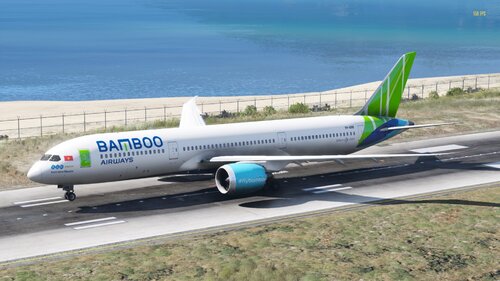 DE: Hier mal ein kleines liverypack für die alte Boeing 787-9 von SkylineGTRFreak & Reacon Im pack enthalten sind 4 Skins: BAMBOO AIRWAYS, GULF AIR, AIR CANADA (Alte Livery Ice Blue) und die Brandneue 787-9 der Austrian Airlines (Ausgeliefert im April 2024) Installation: Du benötigst für dieses liverypack Das Oroginalmodell von SkylineGTRFreak & Reacon hier der Link: https://gamesmods.net/grand-theft-auto-v/gta-5-other-mods/115085-boeing-787-9-dreamliner-add-on-10.html Zuerst die ReadMe vom Oroginalmodell lesen, dann hier. Nachdem du das DLC installiert hast, gehe in die Datei "789.ytd" und nimm die die .dds Dateien rein, welche du haben möchtest, und ersetze einfach den alten Skin zu dem neuen Skin. Fertig! EN: Here is a small liverypack for the old Boeing 787-9 from SkylineGTRFreak & Reacon The pack contains 4 skins: BAMBOO AIRWAYS, GULF AIR, AIR CANADA (Old Livery Ice Blue) and the brand new 787-9 of Austrian Airlines (Delivered in April 2024) Installation: You need the Oroginal model from SkylineGTRFreak & Reracon for this liverypack, here is the link: https://gamesmods.net/grand-theft-auto-v/gta-5-other-mods/115085-boeing-787-9-dreamliner-add-on-10.html First read the ReadMe of the original model, then here. After you have installed the DLC, go to the file ‘789.ytd’ and take the .dds files you want to have and simply replace the old skin with the new skin. Done!
 -
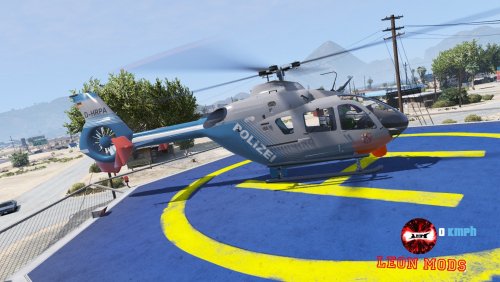 Hast du das Model das du brauchst heruntergeladen?
 -
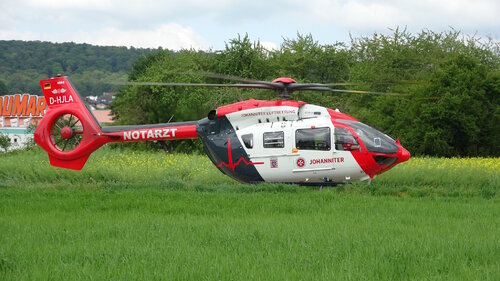 Das musst du leider bei X-Modding für 4€ kaufen. Ich habe das Model aber in der Beschreibung verlinkt 🙂 Also in der Beschreibung vom liverypack
 -
Ist in diesem pack enthalten 😉
-
What you linked here is the sound of the EC-145. The EC-145 has a completely different sound than the H-145. In addition, the H-145 is newer. But I wanted to delete the sound of the EC-145 anyway because I messed up the sound back then. at least the sound was good back then.
-
english text bellow YouTube Video: GER: Um dieses Soundpack zu installieren musst du in OpenIV unter folgenden pfad rein gehen: GTAV / mods / x64 / audio / sfx nun gehe in den von mir erstellten Ordner "STREAMED_VEHICLES.rpf" in meiner .zip-datei rein und ziehe dir die "hunter_helicopter.awc" irgendwo leichtzugänglich hin. kopietre die die .awc in GTAV / mods / x64 / audio / sfx / STREAMED_VEHICLES.rpf rein. Somit hast du den sound vom Engine start installiert. Nun gehe wieder in meine .zip datei rein, und wähle den Ordner "STREAMED_VEHICLES_LOW_LATENCY" von dort ziehst du dir die Datei "cargobob.awc" raus und legst diese irgendwo leichtzungänglich ab. Gehe jetzt in das Verzecihnis GTAV / mods / x64 / audio / sfx / STREAMED_VEHICLES_LOW_LATENCY.rpf ud füge dort meine "cargobob.awc" hinein. Die Audiomodifikation ist jetzt vollständig installiert! Jetzt gehe in das Verzeichnis GTAV / mods / update / .x64 / dlcpacks und wähle dort einen H-145 aus und gehe in die "vehicles.meta" dort suchst du jetzt den XML-Code "<audioNameHash/>" diese Zeile bearbeitest du jetzt und kopierst dir jetzt diesen XML-Code raus: <audioNameHash>CARGOBOB</audioNameHash> Fertig! dein gewünschter Eurocopter H-145 hat jetzt den Original Sound! Demnächst wird dies auch für FiveM möglich sein! 🙂 EN: To install this sound pack you have to go into OpenIV under the following path: GTAV / mods / x64 / audio / sfx Now go into the “STREAMED_VEHICLES.rpf” folder I created in my .zip file and drag the “hunter_helicopter.awc” somewhere easily accessible. Copy the .awc into GTAV / mods / x64 / audio / sfx / STREAMED_VEHICLES.rpf. So you have installed the engine start sound. Now go back into my .zip file and select the “STREAMED_VEHICLES_LOW_LATENCY” folder. From there, pull out the “cargobob.awc” file and put these somewhere easily accessible. Now go to the directory GTAV / mods / x64 / audio / sfx / STREAMED_VEHICLES_LOW_LATENCY.rpf and add my "cargobob.awc" there. The audio modification is now fully installed! Now go to the GTAV / mods / update / .x64 / dlcpacks directory and select an H-145 there and go to the "vehicles.meta" There you now look for the XML code "<audioNameHash/>" you now edit this line and copy out this XML code: <audioNameHash>CARGOBOB</audioNameHash> Complete! Your desired Eurocopter H-145 now has the original sound! This will soon also be possible for FiveM! 🙂
-
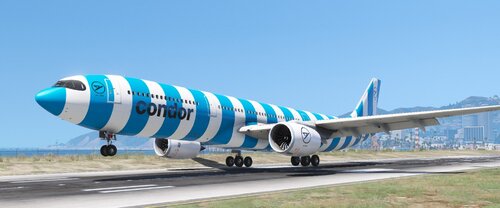 English text bellow. DE: da dies nur eine Lackierung ist, brauchst du das Original Modell. Link: https://libertycity.net/files/gta-5/127010-airbus-a330-900neo.html Installation: Befolge zu erst die ReadMe vom Original Modell, wenn du das getan hast, nimmst du dir meine .ytd und schiebst die irgendwo hin (am besten auf dem Desktop) und ersetzt die alte ".ytd" zur meiner ".ytd" anschließend hast du die neuen Condor Liverys in Game 😄 Fertig! EN: Since this is just a paint job, you need the original model. Link: https://libertycity.net/files/gta-5/127010-airbus-a330-900neo.html Installation: First follow the ReadMe from the original model, once you've done that, take my .ytd and move it somewhere (preferably on the desktop) and replace the old ".ytd" with my ".ytd" then you have the new Condor Liverys in the game 😄 Complete!
 -
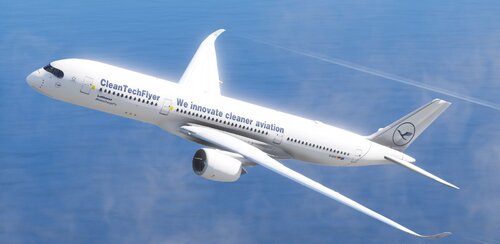 English text bellow. DE: da dies nur eine Lackierung ist, brauchst du das Original Modell. Link: https://www.gta5-mods.com/vehicles/airbus-a350-900xwb Installation: Befolge zu erst die ReadMe vom Original Modell, wenn du das getan hast, nimmst du dir meine .ytd und schiebst die irgendwo hin (am besten auf dem Desktop) und ersetzt die alte ".ytd" zur meiner ".ytd" anschließend hast du den "CleanTechFlyer" als erste Livery. Das hat den Vorteil, das du dir die Livery auch in OpenIV angucken kannst, und ingame es direkt die erste livery ist. zudem hast du auch 2 weitere Lufthansa Liverys drin. einmal das alte design mit dem Gelben Lufthansa Logo und einmal die neue und aktuelle Lufthansa Livery, also blaues Heckleitwerk und rumpf, so wie das weiße Lufthansa Logo. Fertig! EN: since this is just a paint job, you need the original model. Link: https://www.gta5-mods.com/vehicles/airbus-a350-900xwb Installation: First follow the readme of the original model, once you have done that, grab my .ytd and paste it somewhere (preferably on the desktop) and replaces the old ".ytd" with my ".ytd" then you have the "CleanTechFlyer" as the first livery. This has the advantage that you can also see the livery in OpenIV can look at, and ingame it is directly the first livery. you also have 2 more Lufthansa liveries in it. once the old design with the yellow Lufthansa logo and once the new and up-to-date Lufthansa Livery, i.e. blue tail unit and fuselage, as well as the white Lufthansa logo. Done!
 -
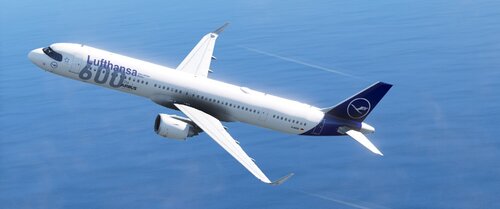 English text bellow. DE: da dies nur eine Lackierung ist, brauchst du das Original Modell. Link: https://libertycity.net/files/gta-5/115018-airbus-a321-neo-add-on14-liveries-1.0.html Installation: Befolge zu erst die ReadMe vom Original Modell, wenn du das getan hast, nimmst du dir meine .ytd's und schiebst die irgendwo hin (am besten auf dem Desktop) und ersetzt die alte ".ytd" und "+hi.ytd" zur meiner ".ytd" und "+hi.ytd" anschließend hast du "600th Airbus" als erste Livery. Da ist aber allerdings der Nachteil, das in der .yft die 5. Livery (Airbus) angezeigt wird, und du daher die "600th Airbus" livery nicht in OpenIV angucken kannst. Vorteil, Ingame ist es gleich die allererste Livery. Fertig! EN: since this is just a paint job, you need the original model. Link: https://libertycity.net/files/gta-5/115018-airbus-a321-neo-add-on14-liveries-1.0.html Installation: First follow the ReadMe of the original model, when you have done that, take my .ytd's and move them somewhere (preferably on the desktop) and replace the old ".ytd" and "+hi.ytd" to my ".ytd" and "+hi.ytd" then you have "600th Airbus" as your first livery. However, there is a disadvantage that the .yft shows the 5th livery (Airbus) and you can't look at the "600th Airbus" livery in OpenIV. Advantage, ingame it's the same very first livery. Done!
 -
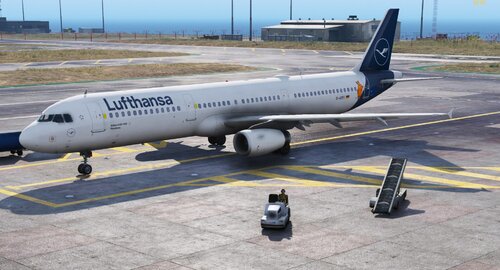 english text bellow. DE: Weil "Die Maus" nur eine Lackierung ist, brauchst du das Oroginal Modell. Link: https://libertycity.net/files/gta-5/141945-airbus-a321-231-add-on-i-liveries.html Installation: Befolge zu erst die ReadMe vom Original Modell, wenn du das getan hast, nimmst du dir meine .ytd und schibts die irgfendwo hin (am besten auf dem Desktop) und ersetzt die alte ".ytd" zur meiner ".ytd" asnchließend hast du "Die Maus" als erste Livery. Das hat den Vorteil, das du dir die Livery auch in OpenIV angucken kannst 🙂 Fertig! EN: Because "Die Maus" is only a livery, you need the original model. Link: https://libertycity.net/files/gta-5/141945-airbus-a321-231-add-on-i-liveries.html Installation: First follow the ReadMe of the original model, once you have done that, grab my .ytd and paste it somewhere (preferably on the desktop) and replace the old ".ytd" with my ".ytd" and then you have "Die Maus" as your first livery. This has the advantage that you can also look at the livery in OpenIV 🙂 Done!
 -
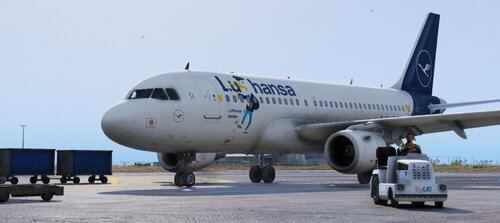 english text bellow. DE: Weil "LuHansa" nur eine Lackierung ist, brauchst du das Original Modell. Link: https://www.gta5-mods.com/vehicles/airbus-a319-111-a319neo Installation: Befolge zu erst die ReadMe vom Original Modell, wenn du das getan hast, nimmst du dir meine .ytd und schiebst die irgendwo hin (am besten auf dem Desktop) und ersetzt die alte ".ytd" zur meiner ".ytd" anschließend hast du "LuHansa" als erste Livery. Das hat den Vorteil, das du dir die Livery auch in OpenIV angucken kannst. Ignoriere aber dann die Fenster vom Cockpit, die sind in OpenIV ein wenig verbuggt, ingame ist aber alles normal 🙂 Fertig! EN: Because "LuHansa" is only a livery, you need the original model. Link: https://www.gta5-mods.com/vehicles/airbus-a319-111-a319neo Installation: First follow the ReadMe of the original model, when you have done that, take my .ytd and put it somewhere (preferably on the desktop) and replace the old ".ytd" with my ".ytd" and then you have "LuHansa" as your first livery. This has the advantage that you can also look at the livery in OpenIV. Ignore the windows of the cockpit, they are a bit bugged in OpenIV, but everything is normal ingame 🙂 Done!
 -
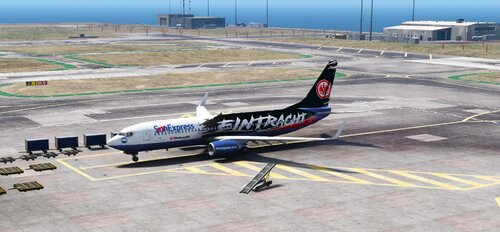 English text bellow DE: Da dies eine Lackierung ist, musst du dir zu erst das Original Modell herunterladen. Das findest du hier: https://de.gta5-mods.com/vehicles/boeing-737-ultimate-package-200-300-400-500-600-700-800-900-900er-8-9-7-10-add-on-liveries Installation: Um meinen Skin drauf zu packen musst du erstmal in die heruntergeladene Datei gehen. In der Datei findest du einen Ordner mit dem Namen "737's", in diesen Ordner gehst du rein und suchst dir den Ordner "737800" raus. diesen Ziehst du dir per Drag & Drop aus der .rar auf deinem Desktop. Anschließend öffnest du den Ordner und gehst in die dlc.rpf rein. Dann gehst du in: x64 / levels / gta5 / vehicles / eaglevehicles.rpf/ rein, und ersetzt die alte .ytd zur meiner neuen .ytd. Dann befolgst du die ReadMe vom Fahrzeug, da du auch (glaube ich) einen Eintrag in die "extratitleupdatedata.meta" machen müsst. Selbstverständlich musst du die "737800" in der ReadMe suchen. Mach das am besten mit "Strg + F" und gibst den Namen der 737-800 ein. Ist am einfachsten, weil die ReadMe ist unübersichtlich. Fertig! EN: Since this is a Paintjob, you'll need to download the original model first. You can find it here: https://de.gta5-mods.com/vehicles/boeing-737-ultimate-package-200-300-400-500-600-700-800-900-900er-8-9-7-10-add-on-liveries Installation: To put my skin on it you have to go into the downloaded file first. Inside the file you will find a folder called "737's" Go into this folder and look for the folder "737800". Drag and drop this from the .rar onto your desktop. Then open the folder and go into the dlc.rpf. Then you go in: x64/Levels/GTA5/Vehicles/eaglevehicles.rpf/, and replace the old .ytd with my new .ytd. Then you follow the ReadMe from the vehicle, since you also (I think) have to make an entry in the "extratitleupdatedata.meta". Of course you have to Search the "737800" in the ReadMe. It's best to do this with "Ctrl + F" and enter the name of the 737-800. Is the easiest, because the ReadMe is confusing. Done!
 -
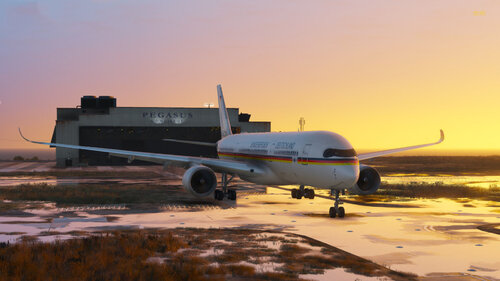 english text bellow DE: Da dies ein PaintJob ist, brauchsat du das Oroginal-Modell von "SkylineGTRFreak & Tails330" Link: https://www.gta5-mods.com/vehicles/airbus-a350-900xwb Installation: Befolge die ReadMe vom Original-Modell, sobals du das Original-Modell installiert hast, nimmst du dir meine .ytd und fügst sie per Drag & drop einfach in OpenIV ein. Vergiss aber nicht den Edit Mode anzuschalten 🙂 Fertig und Ready for Take-Off 😉 EN: Since this is a PaintJob, you need the original model from "SkylineGTRFreak & Tails330" Link: https://www.gta5-mods.com/vehicles/airbus-a350-900xwb Installation: Follow the ReadMe from the original model, once you have the original model installed, grab my .ytd and just drag and drop it into OpenIV. Don't forget to turn on edit mode 🙂 Finished and ready for take off 😉
 -
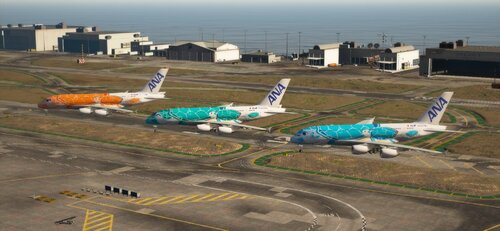 english text bellow. DE: Da dies eine Lackeriung ist, brauchst du das Original Add-On. Link: https://www.gta5-mods.com/vehicles/airbus-a380-800-add-on Installation: Um meine ANA "Turtles takes the Sky" Livery zu installieren, musst du in: /a380 /dlc.rpf / x64 / levels / gta5 / vehicles / a380vehicles.rpf / a380.ydt / gehen. Dort sucht du dir eine Livery aus, die su ersetzen möchtest oder änderst einfach die Zahlenziffer am ende des datei-namens. Ich habe es jetzt nur sehr kurz gehalten mit der anleitung weil sonst wird es zu viel Text. Wenn du dafür Hilfe benötigst, komm auf meinen Discord-Serer (Hessen-Mods) Link: https://discord.gg/P9MBtDNYD7 EN: Since this is a livery, you need the original add-on. Link: https://www.gta5-mods.com/vehicles/airbus-a380-800-add-on Installation: To install my ANA "Turtles takes the Sky" Livery you need to go to: /a380 /dlc.rpf / x64 / levels / gta5 / vehicles / a380vehicles.rpf / a380.ydt / There you choose a livery that su would like to replace or simply change the number at the end of the file name. I have now kept it very short with the instructions because otherwise it will be too much text. If you need help for this, come on my discord serer (Hessen-Mods) Link: https://discord.gg/P9MBtDNYD7
 -
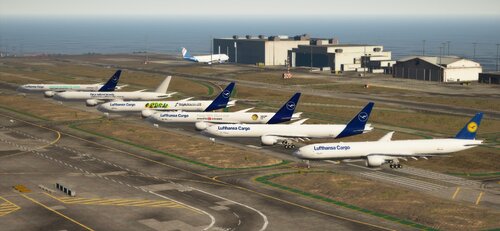 english text bellow GER: Da dies eine PaintJob Livery ist, benötigst du das Original Dlcpack. Link: http://www.gtamodding.fr/vehicules/5235-boeing-777-300er-add-on-replace.html Installation: Befolge die ReadMe vom DLC pack was oben verlinkt ist. Anschließend gehst du in die "mq1vehicles.rpf" rein und ersetzt die alte b773er.ytd zur meiner b773er.ytd Optional: gehe zu / dlc.rp / common / data / levels / gta5 und ersetze die alte vehicles.meta zur meiner vehicles.meta (Daduch erhält Boeing777 einen anderen Engine Sound, und einen anderen Namen. Somit ist das Flugzeug einfacher in der vehicles bzw. spawnliste von einem Trainer wie z.b. Menyoo zu finden). Solltest du Hilfe benötigen steht mein Support-Team und ich zur verfügung auf meinem Discord-Server (Hessen-Mods) Link: https://discord.gg/P9MBtDNYD7 Fertig! ENG: Since this is a PaintJob livery, you need the original dlcpack. Link: http://www.gtamodding.fr/vehicules/5235-boeing-777-300er-add-on-replace.html Installation: Follow the ReadMe from the DLC pack linked above. Then go into the "mq1vehicles.rpf" and replace the old b773er.ytd with my b773er.ytd Options: go to /dlc.rp/common/data/levels/gta5 and replace the old vehicles.meta with my vehicles.meta (Boeing777 will get a different engine sound and a different name as a result. Thus, the aircraft is easier in the vehicles or spawn list of a trainer such as e.g. to find Menyoo). If you need help, my support team and I are available on my Discord server (Hessen-Mods) Link: https://discord.gg/P9MBtDNYD7 Done!
 -
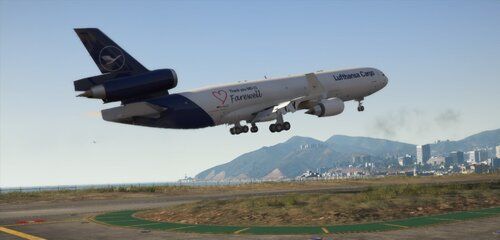 english text bellow. GER: Um meinen Skin nutzen zu können, musst du das original modell bzw. Add-On herunterladen. Hier der Link: https://gta5mod.net/gta-5-mods/vehicles/aircraft/boeing-md-11-1-0/ Installation vom Skin: Gehe in die vehicles.rpf der MD-11 rein, und ersetze die alte .ytd zur meine .ytd anschließend der ReadMe der MD-11 folgen. INFO: Für weitere Infos oder Hilfe, joine doch gerne auf meinen Discord Server (Hessen-Mods) Link: https://discord.gg/P9MBtDNYD7 ENG: To be able to use my skin, you have to download the original model or add-on. Here is the link: https://gta5mod.net/gta-5-mods/vehicles/aircraft/boeing-md-11-1-0/ Installing the skin: Go into the MD-11's vehicles.rpf, and replace the old .ytd with my .ytd then follow the ReadMe of the MD-11. INFO: For more information or help, please join my Discord Server (Hessen-Mods) Link: https://discord.gg/P9MBtDNYD7
 -
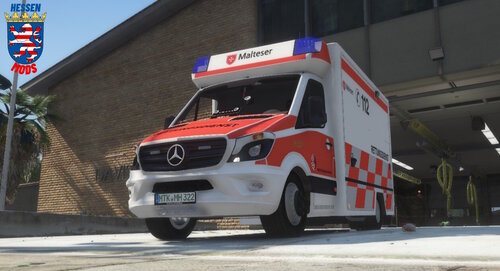 English text bellow GERMAN: Da dies eine Lackierung ist, musst du dir das Original-Modell von GFP-Modding holen. Der RTW ist kostenlos Link: https://gfp-modding.de/produkt/mercedes-benz-sprinter-516-bluetec-rettungsdienst-hamburg-els-enterable-reflection-extendable-stretcher/ Installation: Installiere den RTW so, wie es in der ReadMe von GFP-Modding steht. Wenn das getan ist, musst du meine .ytd kopieren und in den Ordner einfügen, wo du die Vehilce Files vom Original Modell installiert hast. Fertig! !!!!!NUTZUNG AUF FiveM SERVER!!!!! Wir bitten drum für diese livery eine Kostenlose Lizenz auf meinem Discord Server zu beantragen. Auch wenn ihr Fragen habt stehen wir für euch bereit 🙂 Hessen-Mods: https://discord.gg/P9MBtDNYD7 ENGLISH: Since this is a PaintJob, you'll need to get the original model from GFP-Modding. The RTW is free Link: https://gfp-modding.de/produkt/mercedes-benz-sprinter-516-bluetec-rettungsdienst-hamburg-els-enterable-reflection-extendable-stretcher/ Installation: Install the RTW as it says in the GFP-Modding ReadMe. When that is done you need to copy and paste my .ytd into the folder where you saved the Vehicle Files installed from the original model. you're done! !!!!!USE ON FiveM SERVER!!!!! We ask you to apply for a free license for this livery on my Discord server. If you have any questions, we are available for you 🙂 Hessen-Mods: https://discord.gg/P9MBtDNYD7
 -
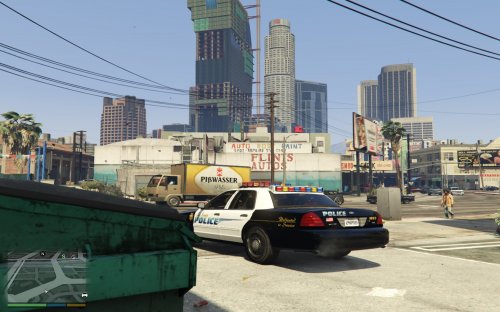 sorry, but 🤢
 -
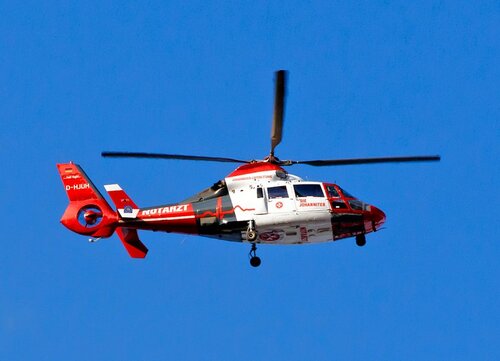 Sure, I can try it 🙂 but My PC is currently dath, i been waiting of repar for my pc 😕
 -
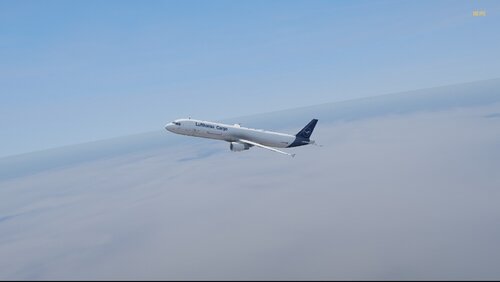 If you need help with anything, come to my discord server and open a support ticket: https://discord.gg/P9MBtDNYD7 Since this is an add-on PaintJob, YOU MUST download the original model. The original model is also available as an add-on, but i made it another addon because of the name and the plane type. Download Original Model: https://de.gta5-mods.com/vehicles/airbus-a321-231-add-on-i-liveries Installation: Download the original model and open it. Get the .yft files from the original add-on and copy them to your desktop. Change the name to "a321f". IT IS IMPORTANT that the "_hi" is not deleted. Only the name before the "_hi" may be changed. When you have done all this then open my addon and paste the .ytf's of the original model there named "a321f.yft" and "a321_hi.yft". Now you only have to pack my add-on in "mods / update / x64 / dlcpacks" and then in the dlclist.xml Add the following item to "mods / update / update.rpf / common / data /dlclist.xml": <Item>dlcpacks:\a321f</Item> Use a trainer with the "spwan by name" function and enter the following there: "a321f" If you did everything right, you can now fly with this Lufthansa Cargo Livery 🙂 Important to say: The "door" for the cargo hold (left) is purely for design and has no function.
 -
Da ist einiges geplant mit meinem modding Team 😉
-
 Yes, the site is legit 🙂 I got the H-145 there and I'm also in contact with the modding team. should I give you a discord invite? in case of an emergency, die below has an "Impressum" where everything is in there. be it phone number etc.
 -
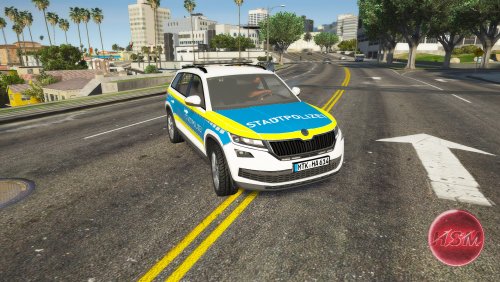 English text bellow DE: Da dies nur ein Skin ist, musst du einmal das Original Model herunterladen: https://gamesmods.net/grand-theft-auto-v/gta-5-other-mods/131299-psni-skoda-kodiaq-els-10.html !!!!! FiveM Nutzungserlaubnis !!!!! Ich bitte euch unter https://discord.gg/P9MBtDNYD7 ein Support ticket für die Nutzungserlaubnis zu erstellen. Installation Add-On-PaintJob: GTAV / mods / update / x64 / dlcpacks Füge hier den Ordner "kodiaq" ein. Danach geh zu /mods / update / update.rpf / common / data Suche hier nach "dlclist.xml" der Edit mode muss dafür IMMER an sein, dann klicke einmal mit linksklick auf die "dlclist.xml" dann rechtsklick und "Edit" füge dort folgendes ein: <Item>dlcpacks:\KODIAQ\</Item> und speichern. Installation PaintJob: GTAV / mods / update / x64 / dlcpacks / patchday27ng / dlc.rpf / x64 / levels / gta5 / vehicles.rpf füge dort meine "police.ytd" ein und die beiden .yft vom Original model was oben als aller erstes Verlinkt ist. FERTIG! EN: Since this is only a skin, you have to download the original model once: https://gamesmods.net/grand-theft-auto-v/gta-5-other-mods/131299-psni-skoda-kodiaq-els-10 .html !!!!! FiveM Use Permission !!!!! I ask you to create a support ticket for permission to use at https://discord.gg/P9MBtDNYD7. Installation Add-On PaintJob: GTAV/mods/update/x64/dlcpacks Paste the "kodiaq" folder here. After that go to /mods/update/update.rpf/common/data Search here for "dlclist.xml" the edit mode must ALWAYS be on, then click once with a left click on the "dlclist.xml" then right click and "Edit" add the following there: <Item>dlcpacks:\KODIAQ</Item> and save. Installation PaintJob: GTAV / mods / update / x64 / dlcpacks / patchday27ng / dlc.rpf / x64 / levels / gta5 / vehicles.rpf add my "police.ytd" there and the two .yft from the original model which is the first thing linked above. FINISH!
 -
Yes, it's the only one, but X-Modding wants €4.60 for it idk, what is this in Dollar
-
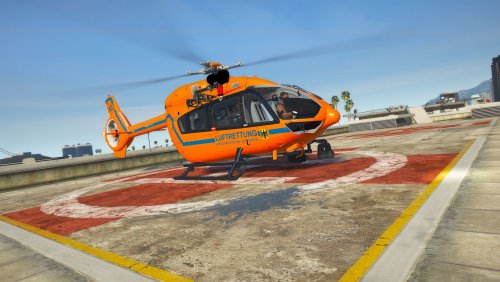
English text bellow !!! ACHTUNG !!! Das Original-Modell für diese/n Skins wurde auf grund von beschwerden von Rockstargames offline genommen. aus diesem Grund bitte bei mir auf dem Server ein Ticket zu eröffnen, falls ihr diesen Skin nutzen wollt. Den Link zur meinem Discord Server findet ihr hier in der Info bei "FiveM Nutzungserlaubnis" !!! DANGER !!! The original model for these skins has been taken offline due to complaints from Rockstargames. for this reason please open a ticket with me on the server if you want to use this skin. You can find the link to my discord server here in the info under " FiveM Use Permission" DE: Da dies eine Lackierung ist, musst du einmal den original Helikopter von X-Modding Kaufen. Hier der Link dazu: https://x-modding.de/?product=airbus-h145-rth-luftrettung-v1-0-0 !!!!WICHTIG!!!! Du benötigst OpenIV. Hier der Link zu OpenIV: https://www.gta5-mods.com/tools/openiv !!!!! FiveM Nutzungserlaubnis !!!!!: Ich bitte euch unter https://discord.gg/P9MBtDNYD7 ein Support ticket für die Nutzungserlaubnis zu erstellen. Installationspfad: Grand Theft Auto V\mods\update\x64\dlcpacks\patchday26ng\dlc.rpf\x64\levels\gta5\vehicles.rpf\ Jetzt brauchst du einen Trainer mit der "Spawn by name" Funktion. Ich empfehle Menyoo, weil Menyoo einen ObjektSpooner mit F9 hat. wenn du einer dieser Helis mit F9 an guckst kannst du damit er nicht despawnt mit Pfeiltaste Up in die Database sichern. so despawnt er wie gesagt nicht mehr. Link zu Menyoo: https://de.gta5-mods.com/scripts/menyoo-pc-sp EN: Since this is a paint job, you have to buy the original X-Modding helicopter once. Here is the link: https://x-modding.de/?product=airbus-h145-rth-luftrettung-v1-0-0 !!!!IMPORTANT!!!! You need OpenIV. Here is the link to OpenIV: https://www.gta5-mods.com/tools/openiv !!!!! FiveM Use Permission !!!!!: I ask you to create a support ticket for permission to use at https://discord.gg/P9MBtDNYD7 Installation path: Grand Theft Auto V\mods\update\x64\dlcpacks\patchday26ng\dlc.rpf\x64\levels\gta5\vehicles.rpf\ Now you need a trainer with the "spawn by name" feature. I recommend Menyoo because Menyoo has an ObjectSpooner with F9. if you look at one of these helicopters with F9 you can save it in the database with the Up arrow key so that it doesn't despawn. like I said, he doesn't despawn anymore. Link to Menyoo: https://de.gta5-mods.com/scripts/menyoo-pc-sp


