Hilth0
Members
-
Joined
-
Last visited
Everything posted by Hilth0
-
-
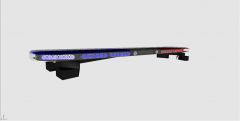 No, the X21 uses the same stands.
 -
-
-
Just because it's you first model does not mean anything, it's still low quality. Why do people always think when I give constructive criticism I'm being a dick or I think I'm better than everybody? I did tell you what is wrong, Whelen Edge is scaled improperly and no effort was really put into it. Also the stands are overlapping the doors, you do not have to be so rude if someone does not give you a high rating...jeez people nowadays.
- 21 comments
- 10 reviews
-
-

- 3
-
-
-
You just took two unlocked parts, no effort really, the Whelen Edge is scaled improperly. 2/5
- 21 comments
- 10 reviews
-
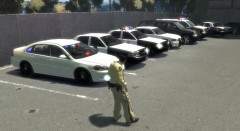 Why don't you use Bxbugs's LVMPD Impala?
 -
The grill is not really accurate. But it's okay, nice job on the parts.
-
-
 Hot damn!
 -
-
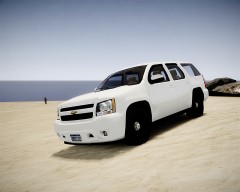
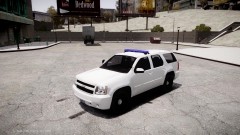 This is an Ohio State Highway Patrol Tahoe.
 -
From the album: Hilth0's WIP's
-
Sorry, to double post but may I get this pinned?
-
Thanks guys!
-
I'm making this thread to help some beginners! So the RC20 usually comes up by having a bunch of materials named the same thing, this happens to be an issue in bxbugs123's cars. Example: (also note this can happen with any material no matter the name of it) So to fix this, just I usually set the default material to a normal map so it shows up purple when you delete all the other material, select the purple polygons in polygon mode, re-assign to the first material! Unless it has a different setup then it should stay like different spec maps cause that can be important. Secondly never have to many misc files, it "can" result in RC20, but usually it messes the car up in game. so to fix this just attach all of the equipment I guess into one model and make that the only misc (aside from the misc_a and b those are for windows, to make them that is optional on most cars except Impala, Suburban, Tahoe and others). Example: I presume that these are not the only causes for RC20 but most common, if anyone has anything else to add, please do so. Hopefully this helps some people! -Hilth0
-
-
-
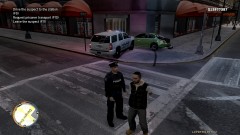 No what does "ep is WIP lol, long time." mean?
 -
Uh? What in theee fuck are you talking about?
-
-
-
Why the confederate flag? Why? Anyways, anything I can get that is cheap and runs good. But I prefer a 2010 Tahoe.
-
What the fuck are you talking about? I'm telling him this Tahoe has more work than most of his older cars.....
- 41 comments
- 29 reviews
-
-
- 1
-