


TheTaco
Members
-
Joined
-
Last visited
-
Currently
Viewing File: [ELS/DLS/NON-ELS] Imperial County Sheriff’s Office Crown Victoria Pack
Everything posted by TheTaco
-
 So I reinstalled it fresh and did the same thing, just replaced the skin, it worked fine then. Not sure what the issue was with it, but it works now. Great model, and I appreciate your support!
 -
Hey I tried putting it in my FiveM server, but it says the file is oversized and after trying to spawn it and giving it like 10-15 minutes to load in, it still doesn't load in. File is valid and ensured and everything, and it definitely tries to spawn, but it just never loads in and the console says it's oversized. Any advice or guidance with getting it to work in-game?
-
-
 Do these 10-Codes correspond with Immersive Dispatch? If not can we get a list of what each code means, since there are so many different meanings for them between IRL departments.
- 8 comments
- 2 reviews
-
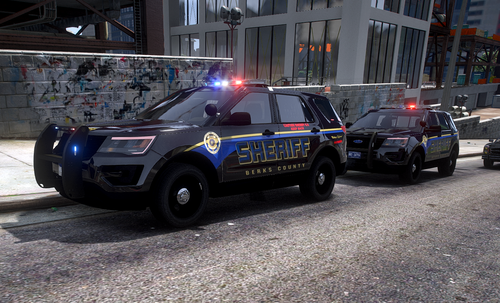 Firstly, I only made the textures on the vehicles seen in this pack. All credit for the vehicle models goes to the original developers. Secondly, this pack was created a while ago for personal use because I wanted to make my game look like what I see in real life. I have drifted away from LSPDFR, however, and I do not want these skins to go to waste because I spent a lot of time and effort on them. They are by no means the best quality out there, but these were my big gateway into texture development. I hope some of you out there can enjoy these skins, maybe there are even some of you who live in Reading or Berks County who can really appreciate these like I do. Credits: Trooper 18's Valor Los Santos PD Pack: ^^^Use these for the Reading PD 2016 FPIU, 2014 FPIU, and 2015(?) FPIS^^^ Vegas725's and Chris62f's Darby Borough Township Police Pack: ^^^Use this pack for Berks County Sheriff's Office 2016 FPIU^^^ Trooper Keaton's Halifax Regional Police Pack: ^^^Use this pack for the Reading PD 2011 CVPI^^^ I recommend using Vegas725's Pennsylvania State Police lore friendly pack to go along with my textures. Thank you to all the amazing vehicle developers who made the vehicles used in this texture pack, I could not do what I do without you guys doing the hard work. DISCLAIMER: DO NOT CLAIM MY WORK AS YOUR OWN. DO NOT MODIFY OR REDISTRIBUTE MY WORK. I WILL NOT BE HELD RESPONSIBLE FOR ANY DAMAGE CAUSED TO YOUR GAME.
 -
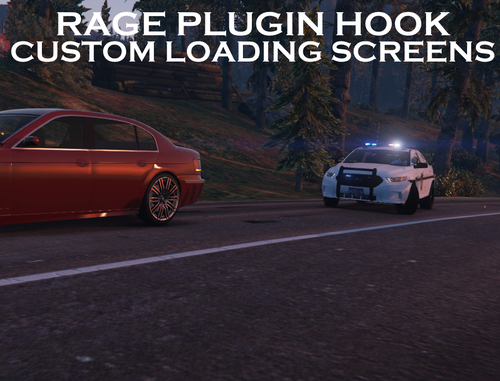 I mostly made this for personal reasons, but figured I'd upload them for anyone else interested in having some cool loading screens. There are in total 12 of them, 9 Philadelphia PD, 2 Pennsylvania State Police, and 1 Philadelphia Fire Department (Medic 17). I did not create any of these vehicles myself, full credit goes to the people who created the vehicles and uniforms. Speaking of which; Philly PD Pack I used: (Wonderful looking pack, highly recommend) This is the ambulance seen in the one screenshot: I made the Philadelphia FD skin myself, might release that in a little bit, time will tell. (This ambulance is also very nice, I'd recommend 100%)



