
Officer John.Nolan
Members
-
Joined
-
Last visited
Everything posted by Officer John.Nolan
-
Finally i manged to fix it the solution is reset windows simple and easy
-
Crash.txt
-
-
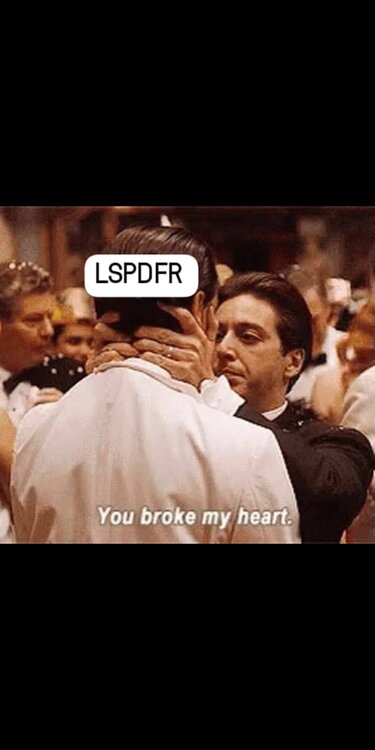
U know guys i recognized that there is something hard and toughest day than getting ur heart broke by a girl it is the day i lost my lspdfr 😭😂💔 u broke my heart fredo u broke my heart 💔 It's been a long day without u my friend gonna tell you all about it when I see you again 💔
-
Ok thanks for replying can you discribe to me what should I do with this error to get my game working again please..
-
please help i have a problem keeping me from playing this mod when i check disable directx hook the game works fine but when i uncheck it crashes but when checking the box lspdfr plugin doesn't loadup the issue here was before and after the game update and lspdfr update i tried alots and lots of things it's been 4 days in this case please someone help me 😞 😞 RagePluginHook.txt iam about to quit this game i swear 😞
-
yeah it also crashed any way sorry from taking that much from ur time ihope some one from specialists community check in thank u
-
ScriptHookVDotNet.log here it is i hope that's can help i also removed the whole scripts folder from the main game folder also did the same sadly 😐
-
those are right after adding new shvdn nightly RagePluginHook.log New Crash Report.txt and also one more thing when i check the disable directx hook from rph advanced settings it reach to the game but not loading lspdfr or console unchecking bring me those reports can u please specify the name of schvdn log
-
I tried nightly did the same thing 🤷
-
me too it think there must be solution guys ! i can't play error.txt
-
Here's the report please guys it's been 3 days trying to get the mod on his feet again any help will be appreciated
-
that's more detailed report sorry for bothering
-
hello,can i get some attention please i got a problem here rph crash when hooked 1- i disabled mods folder 2-d disabled plugins folder 3-disabled directxhook from rph 4-updated script hook v and script hook dot net 5-updated gameconfig 6-updated gta v and lspdfr and rph to the latest version 7-disabled my antivirus windows defender should i shoot my self in the head or what it's been a 2 days and iam struggling i need solution please or iam gonna delete the whole.. haha *sorry it's a joke* here the whole report is here RagePluginHook.logi tried to disable directx hook from rph it has been hooked but not loading LSPDFR and console iam struggling with it 😐hi,i got an issue never showed up before but it's kindda strange when i launch rph after launching gta v it crashes to be known iam epic games user and everything updated i hope rph clarify everything thanks in advance .. RagePluginHook.log
 yeah i updated both of them too i will rollback my update to older version from my backup plugins
- 1,023 comments
- 63 reviews
the new update crashes my game please i need help with that ! RagePluginHook.log- 1,023 comments
- 63 reviews
 this made it easier for us thank u so much 🫶❤️thank you so much man i've been looking for a solution for exiting vehicle u r life saver 🫶