


hlsavior
Members
-
Joined
-
Last visited
Everything posted by hlsavior
-
Thanks for the help. Now I'm trying to install a lightbar from Nickie's tutorial. Unfortunately none of the name match up in my light with the ones in the tut. Heres the heiarchies LIGHTBAR: CAR ( the top of it ): Like beckugan said I'll like if you didn't just straight up tell me how to make it work, but give me hints or some shite like that.
-
It worked! Thank you, very much!
-
Lol thanks, I still am having major problems with the dummies, and by that I mean i cant edit or make any model at all.
-
When ever i import any model at all (even vanilla models taken directly from GTA's file) every single dummy is purple. Also, whenever i enter any mode other then the default one (polygon mode, edge mode, etc.) the entire model gets greyed out. BIG PICTURE TIME! Obviously this isnt a vanilla model but it happens to them too.
-
Okay im starting to really get pissed at Zmodeler. Now whenever i import anything ay all, lightbar, car, any model at all i get purple dummies. Every single texture is in. Why the fyling F**k is this happening.
-
Im almost positive its els.
-
I know you said use trial and error but that tutorial didnt help me in the slightest, I don't have any of the names he [Nickie] said. This is whats in mine:
-
Okay currently everything is working except when i turn the lights on they dont flash, the light appears, but i know thats just els, the lightbars dont flash.
-
I didnt really understand what you just said. Like what do you mean by "the dummy right after the wft dummy"
-
All the vshare files are imported, all the files in the .wtd for the car and lightbar are imported. The interior of the car is textured fyi EDIT: I'm a complete noob at this and am attempting this from putting together a few minor tutorials. I honestly have no idea whats dummies are but I am currently looking them up. If you guys know of any tutorials or shit like that please inform me. <3 xox
-
Any vehicle models could effect your crashing rate too. Even if they are non els just a high ply model can really effect your game, at least from my experience, and I have a pretty good system.
-
My textures are all imported
-
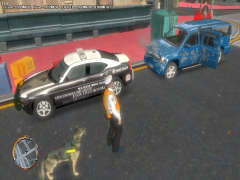 Holy spam!
 -
Changing the name didn't help the fact that i cant drag what object into the chassis hierarchy.
-
For some reason i can't simply drag my lightbar model into the chassis. If that didn't make sense here are some pics. This is the lightbar name (renamed to extra_9 for the chassis): this is the chassis that i cant attach the lightbar too. (I'm dragging extra_9 into chassis, it flickers for about a milisecond, then nothing happens and nothing changes) heres a video: http://www.youtube.com/watch?v=UsJXbZCnG0I
-
Go into enbconfig.ini and change "float Brightness" to something like 0.7 or 1 then open up enbconfig.txt and change "float Brightness" to the same number, and that should do it.
-
I think mines pretty good http://www.lcpdfr.co...enb-savior-enb/
-
I think mines pretty good
-
THE ARE SKINS FOR: BxBugs CVPI The are skins based off Hillsborough Township Police Department in New Jersey. Credits Skins - hlsavior Model for police - cj24 Model for police2 - BxBugs This is the only picture I could find on the internet of it, but trust me everything else is accurate.
-
-
Skins for what? A certain theme? A city?
-
-
-
-




