


hlsavior
Members
-
Joined
-
Last visited
Everything posted by hlsavior
-
Yea probably shouldn't have called it patrol... on YouTube it's just Gameplay Episodes.
-
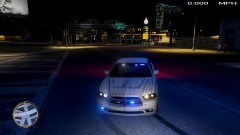
From the album: SCNG DESIGNS W.I.P
Almost finished with front end. -
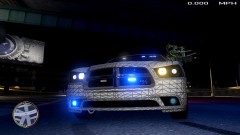
From the album: SCNG DESIGNS W.I.P
Almost finished with front end. -
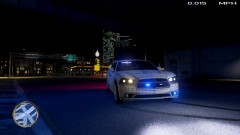
From the album: SCNG DESIGNS W.I.P
Almost finished with front end. -
Avoiding sunlight, attempting to increase my modeling skill, playing GTA IV, and watching YouTube. Well actually I'm going to Punta Cana
-
I'm only posting this one episode and will only ever post this one episode. I just want some feedback and all that jazz. http://www.youtube.com/watch?v=h9-cWRdxVmY
-
Hey that's my car! Anyway your need to stop saying "uhm," and balance your audio some more. Other then that nice video! MY CAR!
-
FRAPS
-
I think I'm mature enough to understand that this is helping people. It may be somewhat incorrect and bad, but it gets the job done and people like it. If it was horribly wrong and poisoning people then I would take it off immediately. As of right now I'm getting thanks from people which tells me it's working for them, and that's all I wanted, to help other get models working and to present a way to do it. You're entitled to your own opinion, like I am to mine, and as of now I see somethings wrong with the video, and like I said, most people like it. If you can convince me that something fundamentally is incorrect with this video then I'll remove it.
-
Please leave feedback on what you think. Personally I think this isn't my best work. Be sure to watch in HD http://www.youtube.com/watch?v=7Fi6DhzHsxk
-
Lol probably. When that time comes I'll delete it.
-
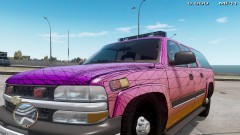 There are different kinda of Freedoms, FYI.
 -
Same!
-
I lived in this town and know for a fact that the other fire companies use ultra freedoms. Also I have 2 other pictures of this car where you can see the rear lightbars.
-
I think it's just caution stripes. Also you may want to change the thread title it's kinda vague.
-
The side strobes being reversed as just been fixed.
-
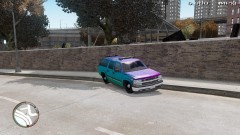
From the album: SCNG DESIGNS W.I.P
I was away from it for a couple of days just started getting back to it and did some re-texturing. -
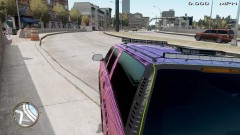
From the album: SCNG DESIGNS W.I.P
I was away from it for a couple of days just started getting back to it and did some re-texturing. -
From the album: SCNG DESIGNS W.I.P
I was away from it for a couple of days just started getting back to it and did some re-texturing. -
Use FRAPS and dumb down your game. Nothing beats FRAPS. If you want to know fraps lags because it is taking 20 full 1080p, uncompressed screenshots a second, piratically running the game twice.
-
You don't need to restart your game. I used to have this happen to me often and I just changed the resolution of GTA, then changed it back, essentially a graphical refresh, and everything worked fine again.
-
I forgot to remove that. The credits were a copy/paste from a similar vehicle I mine.
- 7 comments
- 12 reviews
-
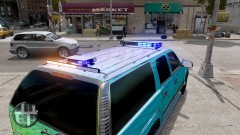 I know it has a Liberty on it but the other company vehicle uses a Ultra Freedom
 -
I am aware of Tims recent release. This was in the making about 2 days before he released his vehicle. Also, it's modeled off a real vehicle so the TA bar is staying where it is. And third, thanks for telling me about the typo. Also it's half red / half blue, not all blue.
-
From the album: SCNG DESIGNS W.I.P
Opinions?


