


GamerCop23
Members
-
Joined
Everything posted by GamerCop23
-
Yeah its GTA :). But I would remove the ENB and reduce settings and maybe use low-poly cars as well. Do it one by one, to see if it has any effect. Anyway pretty mych everyone lags, just some more than others!
-
Thanks, I have seen some of those so will have a closer look!
-
Hi everyone, I need a new microphone headset (mic and audio) for my computer, and was wondering if anyone has any recommendations, as there are so many out there and it is hard to differentiate the rubbish Chinese plastic to the cheap but good quality an long lasting! I would be using British Sterling and preferably from eBay or Amazon. It would be for using Teamspeak and recordings. Thanks fbo194
-
Hi, I have seen that some people got a little frustrated about when they select a police officer or any player model, he would still speak like Niko (i.e. not the model's own voice), either when driving into something, getting hit, or making him talk with the Numpad in LCPDFR. So to fix this: 1) Select your player model in the trainer. 2) Go to page 1 of model spawning and click "Speech Menu". 3) Go down to where it says "Play random speech" and press it once. (He will say something random!) And that's it. He should now speak how he is supposed to and you can carry on listening to those strange speeches! Hope this helped. fbo194
-
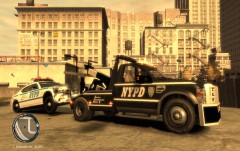 Nice, going to need a new charger!
 -
Most of that I know of have lightbars. I will have a look though! XBR410 has your answer!
-
FRAPS (you can convert to smaller space file).
-
-
Very helpful -well done!
-
Your dad?!
-
-
Mothers' Day is in March no?
-
Hi, I got my game to work now (thanks guys from yesterday!) Does anyone have any more EVCS vehicles ( I have the Oregon State Police CVPI and the unmarked one)? Thanks, By the way EVCS is Emergency Vehicle Control System : http://gtapolicemods.com/showthread.php?14994-EVCS-Emergency-Vehicle-Control-System http://gtapolicemods.com/downloads.php?do=file&id=2178
-
Oh okay thanks Crawford it just doesn't seem to do it sometimes!
-
Thanks for the relpy Sharp, I am not using ELS vehicles and I already have that mod, but thanks for the help!
-
Hi guys, I was just wondering if anyone has a link to a mod that shows your street name underneath your min-map, constantly. I sometimes have it when Policing Script or DAS is installed, but only in the vehicle or sometimes not at all! I would appreciate it if someone could find one as I can't! Thanks, fbo194
-
I like the ALPR/ANPR script:
-
Awesome pack scrimpy! Not quite sure abut the CHP CVPI's skin, but amazing work!
- 25 comments
- 13 reviews
-
You can, but generally for modding SA you should (and ins some cases must) downgrade to 1.0 (US). I use 1.0 and it works better, so I recommend downgrading if you can!
-
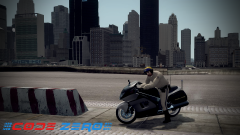 Awesome!
 -
GFWL is Games for Windows LIVE.
-
-
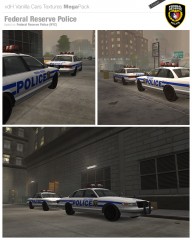 Very nice!
 -
Hi, Anyone find it really annoying when undercover agents, FBI, etc speak into their EARPIERCES which are only for listening from and are not a microphone! I find it really annoying! Bit random, but oh well. fbo194
-
Okay thanks, do you know where that is?


