Skip to content
View in the app

A better way to browse. Learn more.

LCPDFR.com

A full-screen app on your home screen with push notifications, badges and more.

To install this app on iOS and iPadOS
  1. Tap the Share icon in Safari
  2. Scroll the menu and tap Add to Home Screen.
  3. Tap Add in the top-right corner.
To install this app on Android
  1. Tap the 3-dot menu (⋮) in the top-right corner of the browser.
  2. Tap Add to Home screen or Install app.
  3. Confirm by tapping Install.

GamerCop23

Members
  • Joined

Everything posted by GamerCop23

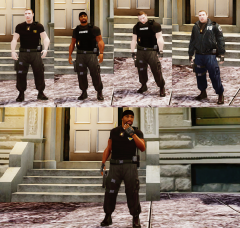
  1. That's great work, I love all the military police/security skins!
  2. Nice siren and good work in the vid too. We have fitted to our ambulances I think in the South Western Ambulance Service, thanks for the upload.
  3. Very nice! Will they work with ELS v6? Thanks.
  4. V1

    GamerCop23 commented on F5544's gallery image in GTA IV Galleries
  5. I saw kinstanon YouTube just released some Heddlu police vehicles. HERE: http://m.youtube.com/watch?v=zJLYPNX6tw8 And if you have some yes release them!
  6. Why does it only let me download .7z files?!
  7. Love it but it is Liberty County not city!
  8. GreatI have actually been wanting something like this for a while!
  9. Lovely, but sorry is the boat an original model in IV?
  10. Awesome!! But could you please darken the helmet (to match the uniform colour)? Thanks 5/5
  11. Awesome thanks!!!!
  12. LC Law Enforcement (LCPD, LCSO (D), NL /Alderney State Police). Also California agencies and Bitish Police (usually Met).
  13. Well the mondeo work on a civil Non ELS version (the unmarked one in DDoopler's Met pack)?
  14. So are they Broward County Sheriff specifically? Thanks and good job!
  15. Couldn't be more different actually.
  16. Awful, just awful, my father's a soldier and for this to happen in our country and not out on tour is just barbaric. BBC News topic: http://www.bbc.co.uk/news/uk-22634468
  17. BRILLIANT! Great work.

Account

Navigation

Search

Search

Configure browser push notifications

Chrome (Android)
  1. Tap the lock icon next to the address bar.
  2. Tap Permissions → Notifications.
  3. Adjust your preference.
Chrome (Desktop)
  1. Click the padlock icon in the address bar.
  2. Select Site settings.
  3. Find Notifications and adjust your preference.