J.J Designs
Members
-
Joined
-
Last visited
Everything posted by J.J Designs
-
 is these so that we can add car more easier ?? i been trying to change the police rancher and the nyp cop car but no luck
 -
-
-
-
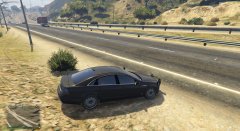 still learning few thing but over all these game is really good
 -
-
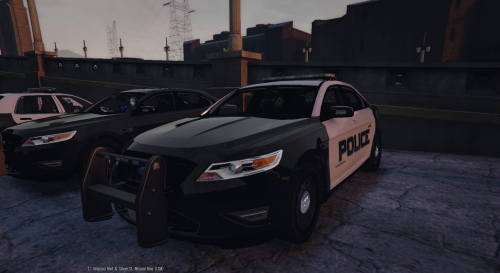 people need to add videos on how to install these cars as all the cars are on different install files please i can not get the lights on these cars to work
- 49 comments
- 8 reviews
-
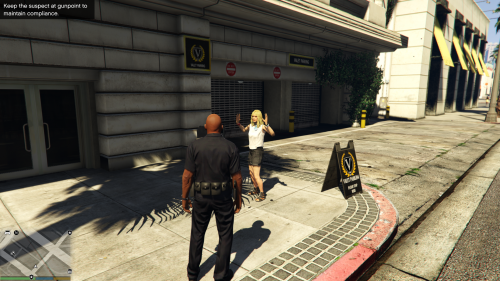 why are they making everything separate now why are they not in one mod like lcpdfr does ?????????
- 54 comments
- 22 reviews
-
na it dont just looking for something good to get and just not to deal with for years and why not ooo and my powe supply is 650wtts
-
well im not sure cuz most games are soo up there that you need a 4gb so i guest at these point it dont matter
-
thank you all for the replay to make more easy i would post my setting thas what i have and im looking to get something so that i can run anything on any settings ?? AMD FX-6300 Vishera 6-Core 3.5 GHz (4.1 GHz Turbo) Socket AM3+ 95W FD6300WMHKBOX Desktop Processor ASUS M5A97 R2.0 AM3+ AMD 970 + SB 950 6 x SATA 6Gb/s port(s), gray USB 3.0 ATX AMD Motherboard with UEFI BIOS HyperX Beast 8GB (2 x 4GB) 240-Pin DDR3 SDRAM DDR3 1600 (PC3 12800) Desktop Memory Model KHX16C9T3K2/8X
-
getting a new video card soon but not sure what to go for or even look for i know that for most games that are coming out i should go for a 4gb or higher so need some opinions please
-
these is a question for people who are making cars for gtav are you guys using the same zmodel that we use for gta4 or is a different program now
-
my specs ASUS M5A97 R2.0 AM3+ AMD 970 + SB 950 6 x SATA 6Gb/s port(s), gray USB 3.0 ATX AMD Motherboard with UEFI BIOS HyperX Beast 8GB (2 x 4GB) 240-Pin DDR3 SDRAM DDR3 1600 (PC3 12800) Desktop Memory Model KHX16C9T3K2/8X AMD FX-6300 Vishera 6-Core 3.5 GHz (4.1 GHz Turbo) Socket AM3+ 95W FD6300WMHKBOX Desktop Processor video card as of now is a 1gb nvidia geforce gtx 550 and power supply of 650 looking for a good video card upgrade only to work with what i have now
-
-
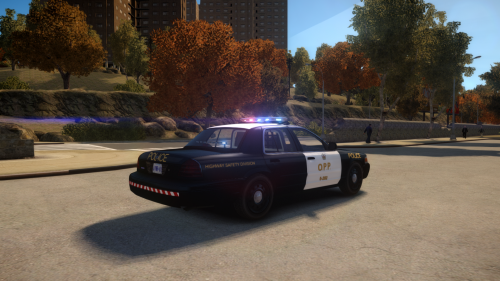 sweet is low end pc enb i think cant wait till v2
 -
-
-
 were can i get these model and if is your can you make one with hup caps
 -
any body out there using my new release i would like to see videos of it in action just looking to see how it looks on others pc with other ENB's
-
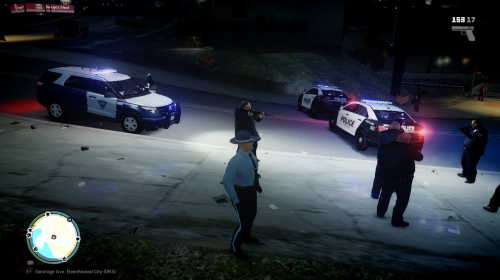 if any body can please up load videos of these car in action please i would like to see how it looks on other people's PC and different ENB's
- 4 comments
- 4 reviews
-
-
here my new work as i bee getting hit with so much emails for me to release here it is this models still a beta these car as it all and i mean all as well a working cruse mode CREDITS - 2011 Ford Explorer from NFS, Converted to GTA IV by Policefanatic, Converted to 2013 Interceptor Utility By Bxbugs123. - Rims Modeled, Textured & Converted for GTA IV by Bxbugs123 (Center cap texture by PoliceWag) - Whelen Liberty II by DannyBoy1909, converted to IV by IronicRainbow. Minor edits by IronicRainbow - Hub's, Partition. Created, textured, rendered and converted by BFRS-EMT! - rear tailgate lights Credit to Code 3 Lighting Systems for design know bugs some times i will get lock out of the car not sure if is a bug or just me any problems or other bugs you see please shoot me a private massage and i will get to it please do read the credits note i put on the file before using it and to for get to rate my model. hope you enjoy it as i do
- 4 comments
- 4 reviews
-
-

- 2
-
-
-
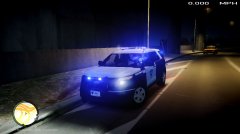 sorry guy's but is been a little delay on these release