



JWillMac51
Members
-
Joined
-
Last visited
Everything posted by JWillMac51
-
 I'm not the author of this mod, there was no need to quote me :P
 -
I really liked your vanilla ELS models in IV, and these are looking great as well! I was wondering how long until someone was gonna work on that Fugitive. Do you plan on releasing these when complete?
-
 Ohhh that Bison is gonna make one hell of a Sheriff truck! Great job so far!
- 371 comments
- 38 reviews
-
 This is something I always wanted in IV, so it's great to see it being done as one of the first edits in V. And not to mention it was done well, this looks amazing!
 -
 Unfortunately the added vehicles won't respond as backup or be selectable at the police garage, but you can spawn them with a trainer if you wish to use them on patrol. Thanks! You can certainly customize all vehicles' textures if you want through OpenIV. And I'm actually working on the next update as we speak, which is going to focus on the SAHP and law enforcement on the water, so it's kinda funny you should mention both of those. I'm doing custom skins, though, as I like to keep this mod mostly my own personal work, so you won't see exactly the skins other modders have made. Thanks, I appreciate it! :) I've been thinking about the Interceptor, and at some point I'll be addressing it for both the LSPD and LSSD. I've already got an LSPD skin pretty much done, and an LSSD one isn't hard to throw together, so such an addition will likely make it into the next update :)
- 42 comments
- 10 reviews
-
Thanks for all the kind words, it means a lot! Honestly, adding the interiors to the vehshare.ytd was a bit of a workaround for the added vehicles. They were all showing up with those completely white interiors, and adding their interior textures to any of their .ytds didn't work. But then I thought, "hey, they all feed off the vehshare.ytd" and thankfully adding the textures there allowed the cars to have textured interiors in-game. Well, it should anyways. I wanna see if I can play around with my files and potentially replicate your problem to find the solution. And I do hope to continue making mods for you guys and updating this one; I have plans to take this mod to the seas in the next update :)
- 42 comments
- 10 reviews
-
Yeah this is really messed up, and I'm sorry you aren't able to use the full mod. I honestly can't think what would cause any of this, especially the Granger's interior only half-working when it's getting all its interior textures from the same file, which contains all the necessary textures. Are you running the Steam version? I mean I don't know what could vary in this case between different versions but I'm just hoping we can narrow down the problem somehow. Oh, and how's the rest of the mod running; are all added vehicles and edited textures working properly?
- 42 comments
- 10 reviews
-
That's really odd...And yeah that Riot is untouched, and its livery should've changed if you replaced it's .ytd in the correct directory. You didn't put their files in x64e.rpf\levels\gta5\vehicles.rpf, did you? And if you replaced vehshare.ytd in x64e.rpf\levels\gta5\vehicles.rpf, all vehicles should have correct interiors. I see that the Granger's seats at the very least are okay, and the dash files are all in that vehshare as well so if one part works, they all should. Also, not sure if it's the cause but the vehicles.meta that goes into update\update.rpf\common\data\levels\gta5 gives that Granger the "has livery" flag, so if that wasn't replaced I don't think the texture would appear correctly on it. I just checked on the vehicle files included in the download too, and everything checks out fine on my end.
- 42 comments
- 10 reviews
-
Huh, that's odd. You replaced both in their correct locations right, the NOoSE Granger in patchday2ng and the Riot in patchday3ng? It sounds like the Riot hasn't been altered at all, because the black color and decals are all one livery and couldn't show in-game with one change and not the other. Let me know how re-installing goes, hopefully it'll sort things out.
- 42 comments
- 10 reviews
-
-

- 1
-
-
Thank you so much for all your comments! I'm glad you're all enjoying the mod. Agreed, that would be great to see! Just a nice .ini where we could list what vehicles to respond for each type of backup would be fantastic. I too would love an LSSD Buffalo, but unfortunately there's no space for a proper LSSD paint-job matching all the other cruisers on it's current template. The LSPD Buffalo does respond, but rarely as I wanted the Staniers to be most prominent as the LAPD use primarily Crown Vics. Yep, both can be spawned via trainer; they will be under the Police Riot and FIB Granger, or if you want to spawn them manually they are called "riot" and "fbi2" (minus the quotations) respectively. They should spawn to chase the player at 4-5 stars, but only in the city.
- 42 comments
- 10 reviews
-
-
- 1
-
-
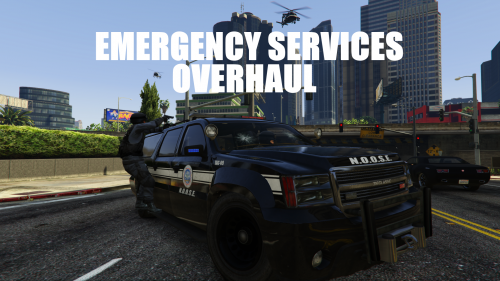
What started out as simply adding a few emergency SUVs to the game turned into a bit of an overhaul of the emergency services in the game. I ended up adding 8 vehicles to various law enforcement, fire, and EMS fleets in the game, as well as changing some existing ones pretty substantially. - The LSPD and LSSD both have their own SUVs that will pursue the player at 3-4 stars. - The LSSD now have Mavericks and Buzzards at their disposal, while the LSPD have gained Swifts alongside their Mavericks. NOoSE will also pursue in Annihilators at 4-5 stars. - In the city, NOoSE pursues in both Riots and their new NOoSE Grangers, while in the country they operate in NOoSE Transporters and Tactical Sheriff Grangers. - At 5 stars, local law enforcement disengages and the FIB move in alongside NOoSE, pursuing in Buffalos and setting up roadblocks with Grangers. - Los Santos County EMS services are now active and will respond to medical emergencies in the countryside instead of ambulances from the city. - The LSFD have acquired a new Battalion Granger, available for players to spawn and utilize. - And a few vehicle textures were enhanced (Sheriff Cruiser and Buzzard, Annihilator, etc.) so their liveries appear sharper in-game. All Vapid Cruiser models also come with the enhanced next-gen LED lights, so those of you with that mod already installed don't have to worry about anything when replacing. This is just what I've worked on so far; I hope to add more in the future, such as Highway Patrol units and implementing the Vapid Interceptor, likely for both the LSPD and LSSD. Unfortunately, firefighters don't seem to want to respond in anything but the vanilla firetruck so as of now it seems impossible to have them respond in the LSFD Granger or any other rigs. I was unsuccessful in getting them to respond in a Blaine County engine in the countryside, so for now this feature is likely not going to happen. Other than that, I hope you guys enjoy the mod! Feel free to leave any questions, comments, or criticism; it's always great to hear all your suggestions!
- 42 comments
- 10 reviews
-
-
- 10
-
-
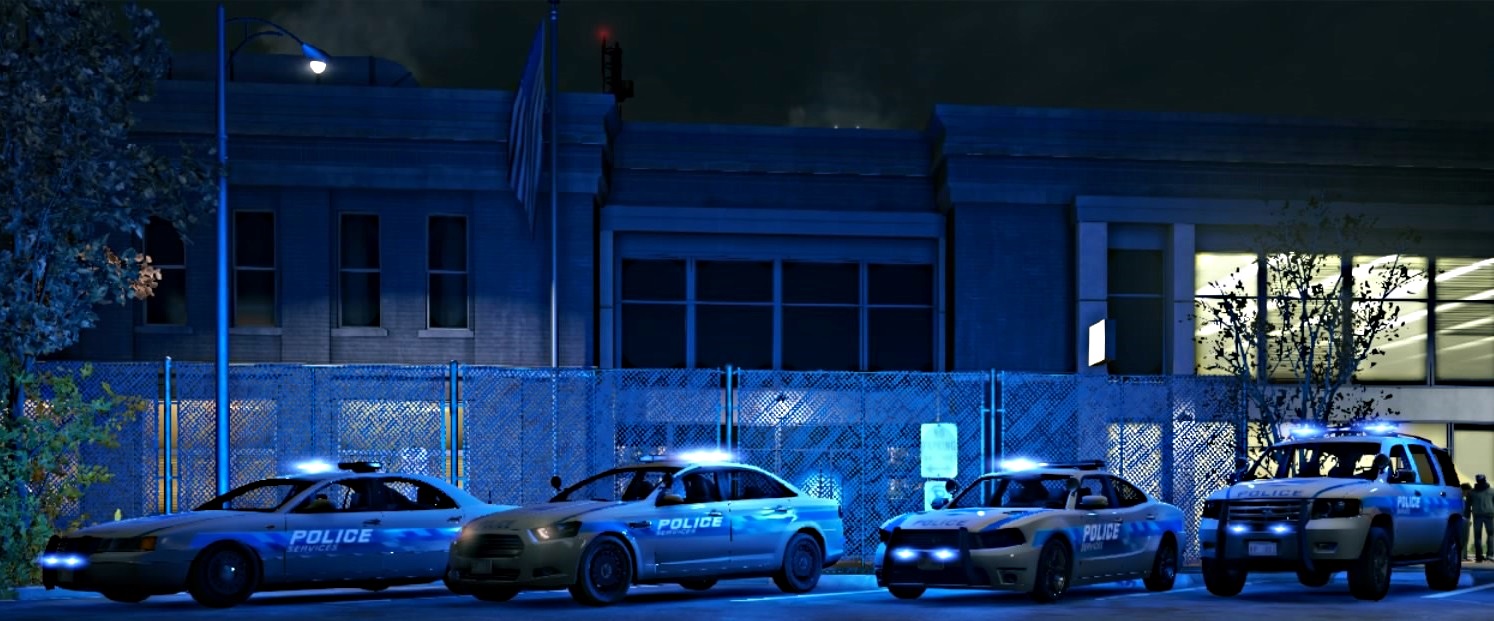
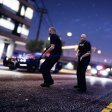
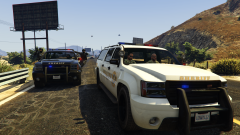 A sheriff unit and an LSSD tactical unit pursue side-by-side.
 -
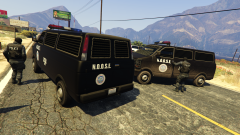 NOoSE officers scramble to their vans after the suspect speeds past their roadblock.
 -
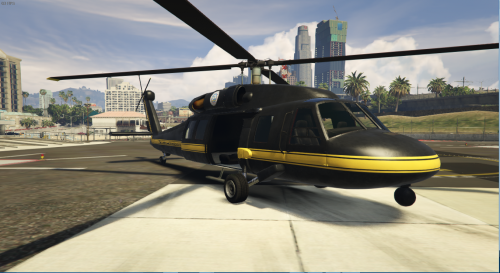
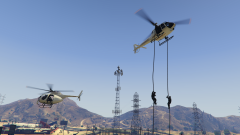 The LSSD shows off it's new fleet of air units, after finally receiving its own in the first place.
 -
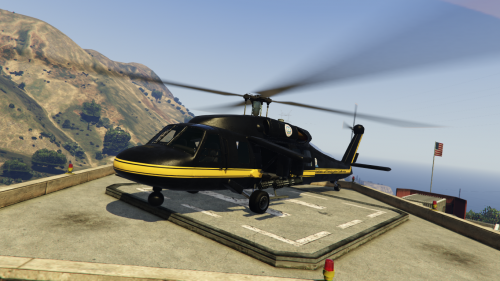 So a while back while going through the audio files, I noticed the Hunter attack helicopter's audio files still existed. The other day while messing with my vehicles.meta, I thought "Hey, maybe if I put 'HUNTER' on the Annihilator's audioNameHash line, it'll get those sounds". And it actually worked. This mod adds a totally unused helicopter sound, created by Rockstar and intended for the Hunter, to the Annihilator and Savage. The new sound is a bit beefier and definitely attack chopper-esque, and I think it fits them pretty well. I also gave the Valkyrie the Buzzard's sound as I felt this fit it a little better. Enjoy! Video Preview:
- 1 comment
- 1 review
-
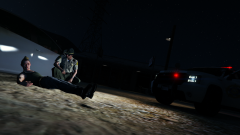
From the album: Various GTA V Shots
An LSSD deputy working the night shift stumbled upon a man, murdered and laying against his car, as he patrolled the outskirts of Sandy Shores. -
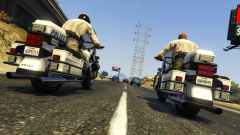
From the album: Various GTA V Shots
Two SAHP bike officers cruise along the freeway towards Sandy Shores. -
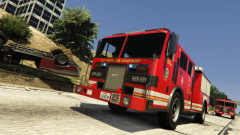
From the album: Various GTA V Shots
Two LSFD engines arrive on the scene of a flipped vehicle on the side of the freeway. -
I'm not sure whether anyone has spotted this or not, but I found a riot shield model in the game files. It would be really cool if someone was able to implement it in game; I know animations would be required, but where the model is still lying around in the files the animation very well could be as well, unless the idea was scrapped before animations were created. It's fully textured too, so players could mess around and create custom sheriff, NOOSE, SWAT, etc. textures for it which would be cool to see. I'm gonna look around and see if there are any riot shield-related animations anywhere to see if this could possibly make its way into the game. The model, by the way, is located in x64c\levels\gta5\props\lev_des\v_minigame.rpf and is called prop_riot_shield(+hidr.ytd/.ydr)
.thumb.png.0c8db16f3f5d2690cefcc025cf49a4c0.png)
.thumb.png.332fa27602e3e7e0bb7b4f808737e8da.png)
-
-
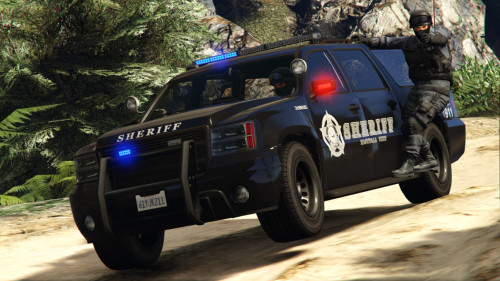 You know, I was thinking about leaving out the numbers. I'll throw that in real quick as a third option for you and others who might prefer it. Edit: Wait, are you talking about the roof numbers? I can tone those down to the same gray as the rest of the car too, no problem. I just figured it made sense realistically for being viewable by air support and what not but I actually do agree it looks a bit odd on the car. I'll take care of that in a minute.
- 11 comments
- 1 review
-
Thanks, it means a lot! Enjoy! And if you've got any other ideas for vehicle skins feel free to let me know :)
- 11 comments
- 1 review
-
Thanks for the feedback guys! I've never tried to before, but I took a stab at creating a ghost livery, check out the last two screens. I tried to go as dark as I could without it appearing jet black, but feel free to let me know what you guys think and where I could improve on it. It seems a little bit dark at night, but it's pretty clearly visible under lights for the most part.
- 11 comments
- 1 review
-
-
- 1
-
-
Sounds good, I'll be looking forward to it :)
-
I'd love to help test this! I've always enjoyed tornado mods in games.

.png.de05311ba587962df27bb36cf96a0f86.png)
.png.1405001ff4b1a27d4b4ce8cc6c9c8f7c.png)
