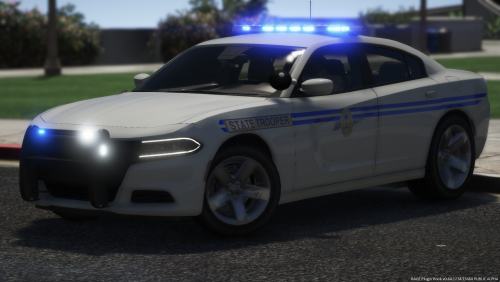
SkaroCult
Members
-
Joined
-
Last visited
Everything posted by SkaroCult
-
-
 Charlie, you've done it again. Awesome work with 1.9.0.0. Five stars every time. HUGE smile. 😁 Thank you!
- 316 comments
- 61 reviews
-
-

- 1
-
-
 Thank you for the update! Still loving this pack from way back! 5 stars all the way!
- 160 comments
- 20 reviews
-
-
- 1
-
-
 No problem, friend. I went ahead and did it anyway. It didn't take as long as I expected it would. 😀 Thanks for the speedy response, and once again, thank you for your awesome contributions.
- 297 comments
- 17 reviews
-
Question about the new section of the ini. in which one can add peds/vehicles the plugin should not use as event items. Do you have to add entire add-on vehicle packs, or just vehicles being used from those add-on packs? Having played this game since the beginning of time (LOL), I have more than a few add-on emergency vehicles in use, not counting those not being used from certain packs, if you know what I mean. It would take quite a bit of time to add every emergency vehicle from every add-on pack, so basically I'm just curious as to whether or not I have to add those within the packs which are not being used since the game reads the dlclist.xml (which contains the packs) to decide which vehicles to use. Btw, love the work. Been using it since your first iteration. Keep it up!
- 297 comments
- 17 reviews
-
No worries! The more I read it the more I thought it was just me missing something. Lol. Glad I could help, and thank you for replying. This callout pack has been one of my favs for quite some time, so thank you for all the work you put into it, as well. Have a good one Charlie686!
- 316 comments
- 61 reviews
-
-
- 1
-
-
So after the 1.5.0 update, is AutoEndCall the same as the old ManualCallStatus? Just wanted to double check since the description is the same in the new ini. For some reason, it seems that it should now say, "If false" instead of: (//If true, when the suspect is arrested or killed the call will continue running allowing you to stay unavailable while you clean up the scene etc. //For some callouts, automatic ending may not be available.) Wasn't ManualCallStatus the opposite of the call ending automatically, or am I just totally confused here? Lol.
- 316 comments
- 61 reviews
-
-

- 1
-
-
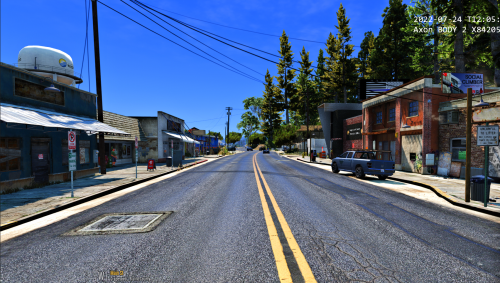 That is wonderful to hear! I'm looking forward to it. Thank you for the reply. 👍
 -
Is there going to be a future (stable) ymap update that gets everything to show up? This is an awesome idea/undertaking, but with Map Builder not properly working on several fronts, this mod has been a pain in the backside to work with in terms of installing the xml version as suggested. There are several issues with Map Builder mentioned on its page, mine personally, is not being able to get it to launch with F7 or any other method. I see above that you responded on June 16 that it works fine for you, but over a period of weeks now I've done the exact drag and drop methods that you mentioned in that response, pressed F7, and nothing happens. I was able to get this mod to only work once, and that was using the ymap version. However, as mentioned, most of the objects do not show up, and there are some glitchy items at the gas staion and in the trailer park.
-
My hat's off to you, BLKthePower. I've been playing LSPDFR for more than a couple of years now, and this callout pack stands above and beyond for it's uniqueness. One can tell that you really put thought, time, and effort into these callouts. Did I mention how unique they are? Sheer perfection, IMO. Definitely a must if one is patrolling as a trooper. Thank you for the added pleasure in playing the game. Keep up the amazing work. 👍
- 160 comments
- 20 reviews
-
-
- 1
-
-
-
Awesome, bro! I know how it is. 😄 Keep up the good work. As I previously said, it's very much appreciated. 👍
- 160 comments
- 20 reviews
-
Love this pack. I've been using it for a couple of months now, and it's definitely a breath of fresh air when patrolling as a trooper. Just curious, though. Is the pack still moving out of the alpha stage? It would be a shame if not, because it's an awesome callout pack with much needed callouts. Very much appreciated.
- 160 comments
- 20 reviews
-
-
- 1
-
-
 I still use this mod and love it. The only issue I encounter is when on traffic stops, multiple AI units drive by (as in 2 or 3 at most) slowly with their lights and sirens on. Can't seem to figure out why, but I've grown to accept it and it doesn't bother me b/c everything else works just as advertised. 👍
- 393 comments
- 30 reviews
-
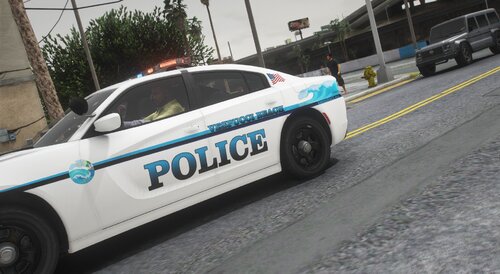 Awesome skins. Reminded me of a beach trip with the fam this past summer. Great work. Thank you!
- 3 comments
- 1 review
-
 Well done mod, and it still works without the use of RPH. Definitely a must have.
- 341 comments
- 19 reviews
-
Thank you for the heads up solution! It worked like a charm! I was wondering if this would work, but was afraid to test it out after reading so many posts about the error and the mod being outdated. You just saved me from having to replace a vehicle pack that I truly enjoy. I've had it for months, then all of a sudden the lights on certain vehicles went haywire. Your solution fixed everything, though. Very much appreciated. Have a good one, and thanks again!
- 341 comments
- 19 reviews
-
-
- 1
-
-
 This is exactly what I've been looking for. Very nice work. Thank you so much!
- 115 comments
- 10 reviews
-
-
- 1
-
-
-
.thumb.png.4ab504d37fbd8b768097f8ccbc502e95.png) Update: Like I said, great vehicle. After sorting out my issue and fixing my ELS file, all of my other vehicles work properly ELS-wise. I'm using the charger in your pack, and I have found that the lighting in stage two is frozen with the exception of the traffic strobe. Is it supposed to be like that? Stages 1 and 3 work normally. Additionally, after installing the Blue BlueXML, the lights are still red and blue.
Update: Like I said, great vehicle. After sorting out my issue and fixing my ELS file, all of my other vehicles work properly ELS-wise. I'm using the charger in your pack, and I have found that the lighting in stage two is frozen with the exception of the traffic strobe. Is it supposed to be like that? Stages 1 and 3 work normally. Additionally, after installing the Blue BlueXML, the lights are still red and blue.- 77 comments
- 13 reviews
-
-
- 1
-
-
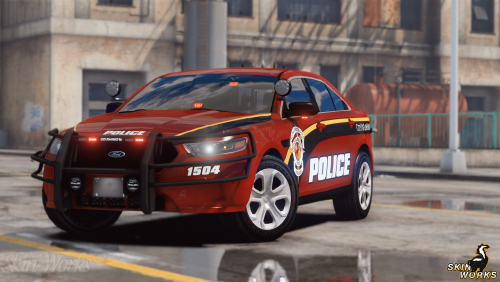 I used to make many trips through Elon visiting my grandparents when I was in college. Still drive through there sometimes when I make it down to NC. Awesome job! 👍
- 8 comments
- 2 reviews
-
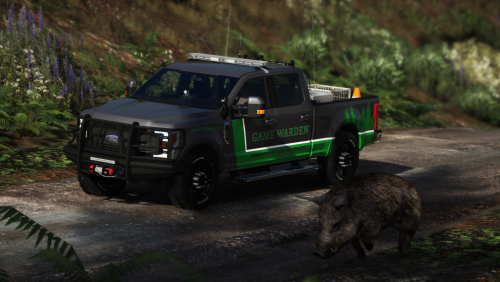 Nice to see a division that is rarely seen. Well done!
 -
-
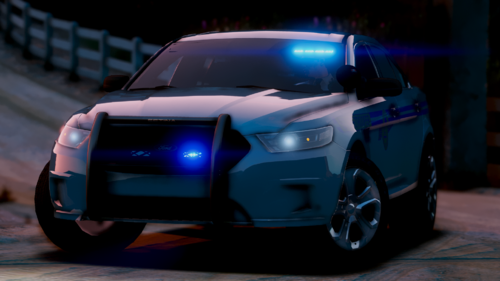 I'm fairly new to all of this, but so far I've had success with installing cars into my game. However, for some reason I can't get these particular vehicles (a 2014 and 2018 Charger) to spawn into my game. Everything is good to go with my OpenIV, and I just dragged and dropped as usual. Is there something I'm missing here with these particular vehicles? Great looking pack, btw.
- 40 comments
- 2 reviews
-
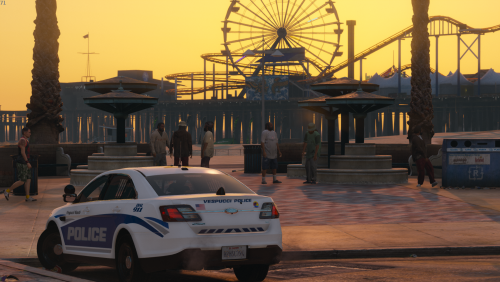
Thanks Devil and EvilJack! Very much appreciated.

.thumb.png.4ab504d37fbd8b768097f8ccbc502e95.png)