




Lennyy
Community Team
-
Joined
-
Last visited
Everything posted by Lennyy
-
In the ELS.ini you can enable or disable the sound. Maybe check in there first. Is ELS working as it should apart from not hearing the sounds.
-
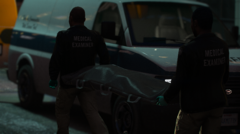
From the album: Lore Patrol
Graphics mod: SVE by Pherem -
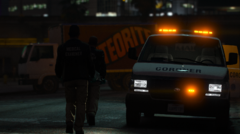
From the album: Lore Patrol
Graphics mod: SVE by Pherem -
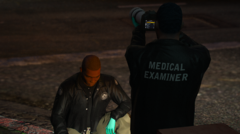
From the album: Lore Patrol
Graphics mod: SVE by Pherem -
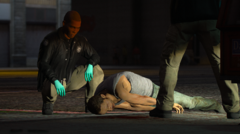
From the album: Lore Patrol
Graphics mod: SVE by Pherem -
Edit: Coroner works fine for me.
-
Hi. I'm not too sure about the coroner (I'll try that in just a minute) but the tow truck is known to cause issues. Just call for the Flatbed truck instead. That one won't crash your game.
-
In your main directory you'll find a lowercase "lspdfr" folder. Inside that you'll see the lspdfr.ini configuration file. Open that and make changes according to Bastions post above.
-
Hi! Could you please upload your latest RagePluginHook.log for me? It's a text file found in your main GTAV directory.
-
You're welcome!
-
From the album: Lore Patrol
Graphics mod: SVE by Pherem -
From the album: Lore Patrol
Graphics mod: SVE by Pherem -
-
Hard to say. Past updates have not taken more than 2-3 weeks. However since the developer is know to reside in the Ukraine, it can take longer.
-
That is correct :).
-
You'd have to check line 231 of that file and screenshot that area for me too look over.
-
Which .xmls have you edited recently?
-
ShowInCarAnimation=None It has to either True or False. None is not an option.
-
Your GrammarPolice config file seems to throw an error. Could you attach a screenshot of your custom.ini (or default.ini if you don't have a custom.ini).
-
Not sure on that one then sorry. Glad your Flatbed works!
-
Do you have replacement/addon cars installed that spawn during the pursuit and could cause this issue?
-
You don't have any callout packs at all. Just the base callouts LSPDFR provides. Not sure why they'd cause FPS losses.
-
It's a text file called RagePluginHook.log and can be found in your main directory.
-
No, that shouldn't be happening frequently. Can you upload your latest Log for me? Maybe you have some outdated callouts pack?
-
Great. As I expected. Is that your FPS dropping for a small duration or completely after starting a certain callout. Depending on how the callout works, when starting it, it can happen that your FPS drop for a few seconds.


