




Lennyy
Community Team
-
Joined
-
Last visited
Everything posted by Lennyy
-
You’re welcome!
-
Delete all files associated with chillcallouts from ./Plugins/LSPDFR
-
Remove chill callouts since they are outdated.
-
Your topic has been moved to GTA V Support, this is not LSPDFR related. Please post in the correct location in the future.
-
This topic has been moved to the appropriate forum. Please post in the correct location in the future.
-
This topic has been moved to the appropriate forum. Please post in the correct location in the future.
-
You’re welcome!
-
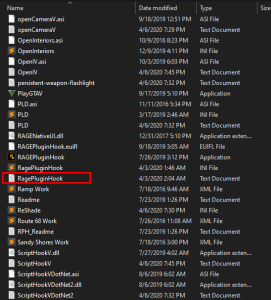
Please upload your latest RagePluginHook.log. It’s a text file in your main directory. It is not in your logs folder.
-
Please upload your latest RagePluginHook.log. It’s a text file in your main directory. It is not in your logs folder.
-
Polgauntlet and police5 Your topic has been moved to LSPDFR 0.4 Support. Please post in the correct location in the future.
-
Your topic has been moved to LSPDFR 0.4 Support. Please post in the correct location in the future.
-
I‘m not that familiar with customised EUP uniforms but the file descriptions mentions the use of other paid assets from different websites that are required to use the textures you linked.
-
Start Rage and click on the cog icon ⚙️. Set the displayed number to 60000 instead of 10000. If that doesn’t help, attach your RagePluginHook.log for further troubleshooting.
-
You’re welcome!
-
You’ll find them in update/x64/dlcpacks. Copy and paste the ones you need from there into the same path but within your mods folder.
-
-
A bunch of your scripts are missing NativeUI as a dependency. Install that and try again maybe that helps.
-
Your PoliceT model is causing the error. Revert any recent changes made to the model or its meta files. Your topic has been moved to LSPDFR 0.4 Support. Please post in the correct location in the future.
-
Can you link the pack you are trying to install. That might make it easier for others to assist you.
-
Your topic has been moved to LSPDFR 0.4 Support. Please post in the correct location in the future.
-
This topic has been moved to the appropriate forum. Please post in the correct location in the future.
-
Your topic has been moved to GTA V Support, this is not LSPDFR related. Please post in the correct location in the future.
-
Your topic has been moved to GTA V Support, this is not LSPDFR related. Please post in the correct location in the future.
-
This topic has been closed because you are asking for support regarding pirated software. We are unable to provide support to pirates, or people using cracks. If you feel this topic has been closed in error, please report this post.
-



